Scalper Pro XAU
- Experts
-
Rikza Fauzan Nurfadilah
 Professional provider of MQL5 MetaTrader 5 Expert Advisors (EAs). Help optimize your automated trading with proven, stable, and secure strategies.
- Versione: 21.5
- Attivazioni: 10
XAUUSD Extreme Scalper Pro V20: Gold Scalping EA for MetaTrader 5
XAUUSD Extreme Scalper Pro V20 is an Expert Advisor for MetaTrader 5 built for scalping gold (XAUUSD). It trades short-term moves using an EMA trend filter and RSI momentum confirmation, and it applies several layers of drawdown protection to limit losses on small accounts. The EA is tuned for small balances, with lot sizing based on a percentage of your balance and a cap on the maximum lot.
How It Works
Each new tick, the EA checks the following conditions:
- Trend: The fast EMA must be above the slow EMA for a buy, or below it for a sell, on the last two closed candles.
- Momentum: RSI must be above the buy threshold (default 55) for a buy, or below the sell threshold (default 45, tightened by 5 to 40 by default) for a sell.
- Optional filters: Breakout confirmation, SNR and FVG zone proximity, and buy-only mode. These are off by default to allow more entries.
- Spread check: Trades are skipped when the spread is wider than the set limit (default 350 points), which protects against bad fills during volatile moments.
- Warm-up: After each session opens, the EA waits a set number of minutes (default 15) before trading.
Stop loss and take profit are based on ATR (Average True Range), so they adjust to current volatility. Both are kept within minimum and maximum distances.
Trade Management
- Break-even: Moves the stop loss to entry once the trade reaches a set profit.
- Trailing stop: Starts after a set profit and follows price in steps.
- Partial close: Closes part of the position at a set profit level (default 50% of the position).
- One trade per candle: By default, the EA opens at most one trade per new candle to avoid overtrading.
Timeframe Presets
With Auto Preset enabled, the EA automatically sets ATR multipliers and the stop loss, take profit, break-even, trailing, and partial-close distances based on the chart timeframe. Presets are included for M1, M5, M15, M30, and H1. Unrecognized timeframes default to the M5 preset. Auto Preset also adjusts point values for 3-digit and 2-digit gold brokers.
If you prefer manual control, turn Auto Preset off and set the distances yourself.
Risk Management and Drawdown Protection
The EA uses three protective layers:
- Daily equity stop: Stops trading for the rest of the day if equity drops by a set percentage (default 15%) from the start of that day.
- Peak drawdown stop: Stops trading if equity falls by a set percentage (default 35%) from the highest equity reached that day.
- Session loss limit: Stops trading for the current session if the loss exceeds a set percentage (default 5%).
Additional safeguards:
- Loss streak limit: The EA stops after a set number of consecutive losses (default 3). The count resets at the start of each session.
- Lot sizing: Lot size is based on a risk percentage of your balance (default 1.5%) and the actual stop loss distance. It is capped by a maximum lot setting (default 0.05) to prevent overleveraging as your balance grows.
- Margin check: No order is sent if free margin is zero or negative, or if equity is below 1 USD.
Sessions
The EA tracks four trading sessions and resets its counters at the start of each one:
- Asia (00:00 GMT)
- London (07:00 GMT)
- New York (12:00 GMT)
- Sydney (20:00 GMT)
Session times are set in GMT. Enter your broker’s server offset from GMT in the settings so the EA reads the sessions correctly.
On-Chart Panel and Visuals
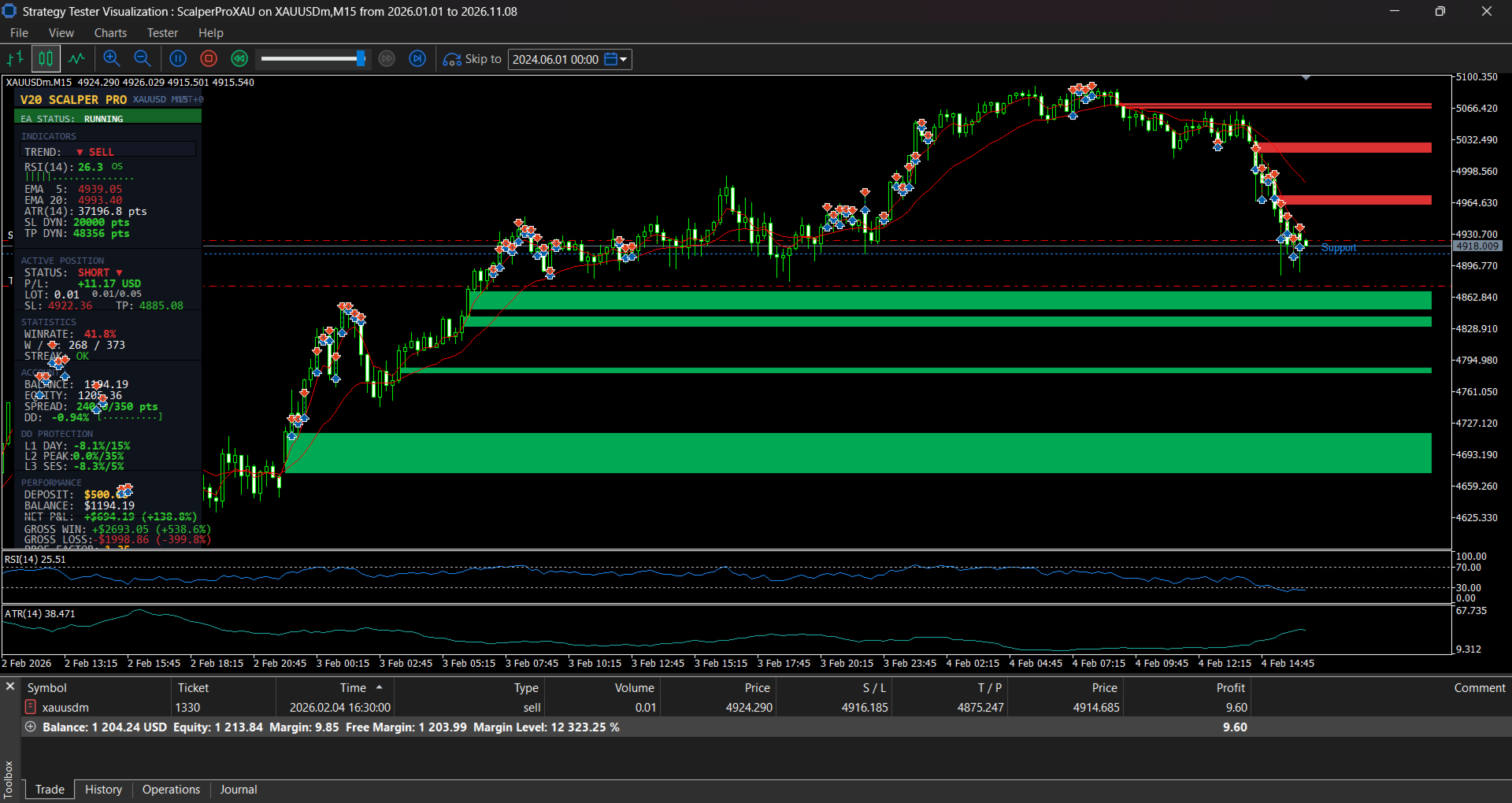
- A live dashboard showing the active preset, session, equity, open trades, and trade statistics.
- Optional visual markers for Fair Value Gaps (FVG) and Support and Resistance (SNR) levels.
- Optional Telegram notifications for trade opens and closes, halt alerts, session starts, and a daily report at 23:55 server time.
Input Summary
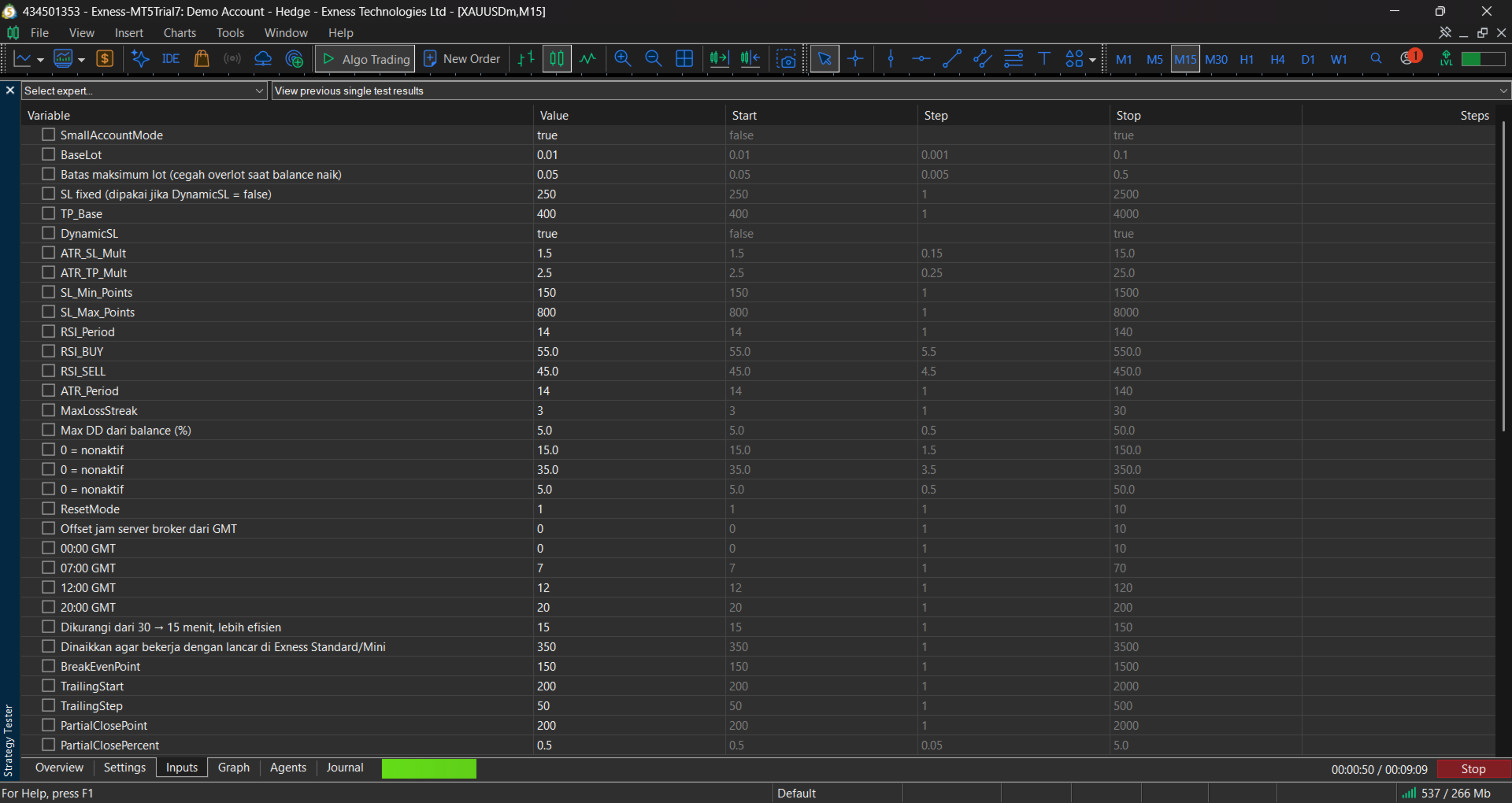
- Lot: Base lot, maximum lot cap, risk per trade percentage, risk-based lot sizing on or off.
- Stops and targets: ATR multipliers, minimum and maximum stop distances, fixed stop option.
- Entry filters: RSI thresholds, short-trade tightening, breakout confirmation, SNR and FVG filter, buy-only mode.
- Protection: Daily equity stop, peak drawdown stop, session loss limit, loss streak limit, reset mode.
- Spread and timing: Maximum spread, warm-up minutes, server GMT offset, session start hours.
- Trade management: Break-even, trailing start and step, partial close level and percentage.
- Telegram: Enable or disable, bot token, chat ID, alert types.
Recommended Setup
- Symbol: XAUUSD (gold). The settings were designed for gold pricing and point sizes.
- Timeframe: M1, M5, or M15, with Auto Preset enabled. Start with M5 if you are unsure.
- Account: Standard or micro account with low spreads. Use a broker with fast execution, since scalping is sensitive to slippage.
- Starting balance: Test with at least 500 USD on a demo account first. Live trading on small balances carries high risk because gold moves quickly.
- Broker offset: Set the server GMT offset before running the EA.
Important Notes
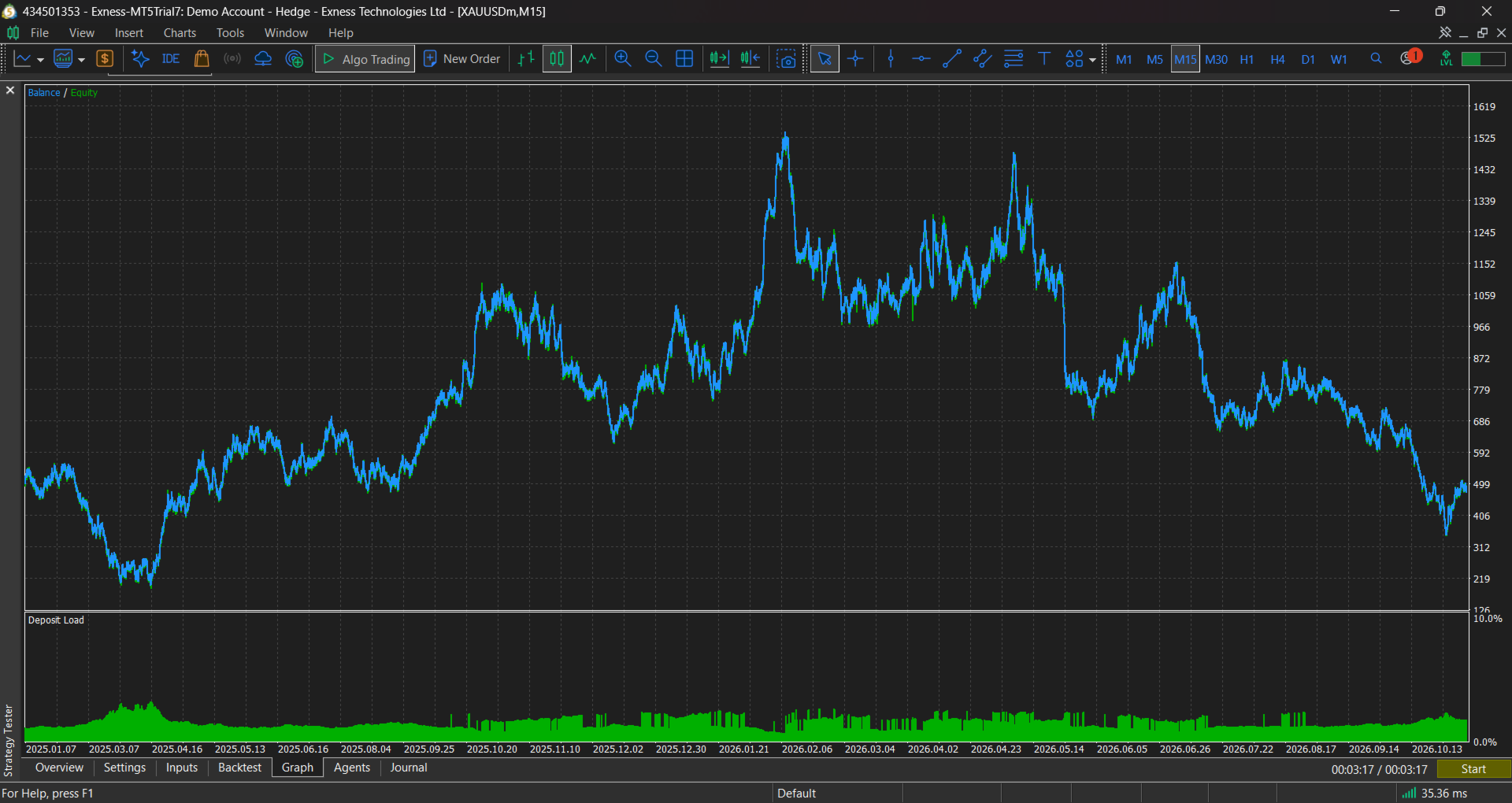
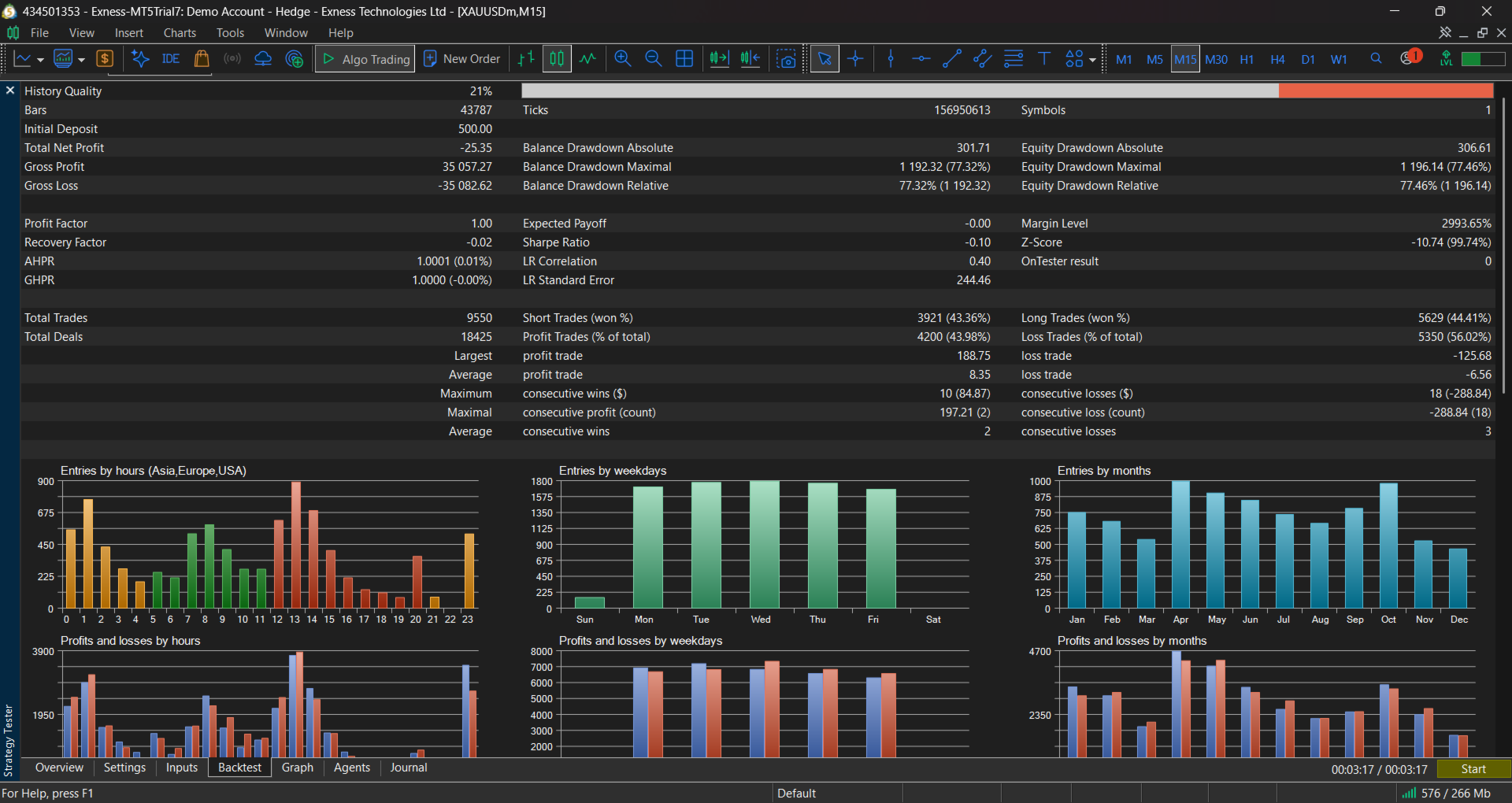
- Past performance and backtest results do not guarantee future results.
- Scalping gold with leverage carries a high risk of loss. Only trade with money you can afford to lose.
- Test on a demo account for several weeks before going live.
- The Telegram feature requires WebRequest to be enabled for https://api.telegram.org in MT5 settings (Tools → Options → Expert Advisors). It is off by default.
- Default settings are a starting point. Results depend on your broker, spread, execution speed, and market conditions.
Support
Questions, bug reports, and feature requests are welcome through the Market comments section.