Grid Core Fractal Adaptive Moving Average EA
- Experts
-
AL MOOSAWI ABDULLAH JAFFER BAQER
 To trade successfully we need to go through the proven path that others had gone and reached!
Here are 17 quotes from such successful investors:
1- Limit your size in any position so that fear does not become the prevailing instinct guiding your judgment.
Joe Vidich - Versione: 3.21
- Attivazioni: 5
Watch it first, decide later: load Grid Core Fractal Adaptive Moving Average EA into the MetaTrader 5 Strategy Tester, switch on visual mode, and see how it stays quiet while the adaptive line drifts sideways, then arms a grid only when price and the line agree on a turn.
A MOVING AVERAGE THAT CHANGES ITS OWN SPEED.
An ordinary moving average reacts at the same pace whether the market is trending cleanly or chopping in a range. The Fractal Adaptive Moving Average measures how rough or how smooth recent price action is and changes its own smoothing on every bar: it hugs price closely when the move is directional and becomes slow and flat when the market is noisy. Grid Core Fractal Adaptive Moving Average EA uses that line as the single visible reason to start each grid cycle. After a cycle begins, a complete grid management engine takes over and works to shrink the oldest exposure through group closures and partial slices.
At a glance
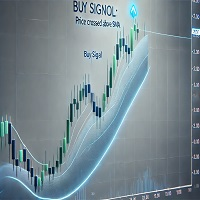
A BUY cycle can begin when price crosses back above the adaptive line, when the line itself turns up with enough slope, or when both happen together, depending on the entry mode you choose. A SELL cycle needs the mirror conditions. Only closed bars are read, so signals do not repaint.
The adaptive line is calculated inside the EA. No custom indicator file is needed and nothing extra has to be installed.
A minimum slope filter ignores turns that are too shallow to mean anything, which keeps the EA out of most flat, directionless stretches.
A signal delay of 30 bars between accepted signals stops the EA from arming cycle after cycle in a choppy period.
Grid spacing follows the Average True Range by default, so levels sit further apart in busy markets and closer together in quiet ones.
Profits are banked in groups of the oldest and newest orders, and a heavy old order can be retired in partial slices instead of waiting for a full return.
The on-chart panel shows the live mode, lots, spacing, banked results, signal gate, the adaptive line state and its slope, the active timeframe, grid plans and open orders, plus quick control buttons.
WHAT IS IN VERSION 3.21
Every input name, group title and comment is now plain English, so the inputs window reads cleanly on any terminal language.
The money check before each new level uses only the broker margin calculation with a safety buffer inside free margin; there is no hidden hard-coded ceiling that refuses levels falsely.
Grid and hedge magic numbers are isolated per symbol, so two copies on different charts never manage each other's orders.
Stuck execution flags clear themselves automatically, and a refused partial close is retried after a set number of minutes instead of waiting for a restart.
An optional Margin Timeframe Safety can move the working timeframe up when the margin level drops. It is off by default.
HOW TO USE IT STEP BY STEP
1. Copy the EA into the Experts folder or install it from the Market, then restart or refresh the Navigator.
2. Run it first in the Strategy Tester on the symbol and timeframe you plan to trade, with the default inputs, and study how cycles start and close.
3. Attach it to a chart, check the starting lot, the lot sizing mode and the spacing mode, and keep the defaults if you are unsure.
4. Enable Algo Trading. The panel shows ARMED when the EA is allowed to open new cycles; PAUSE stops new levels without closing anything.
5. Watch the SIGNAL GATE row to see when the next signal can be accepted, and the FRAMA rows to see what the line is doing right now.
A NOTE ON RISK
A grid adds positions while price moves against the first order. That can produce a large floating loss in a long one-way move. Start with small lots, use the account protection inputs, and never trade money you cannot afford to lose. Past test results do not guarantee future results.
TEST IT FREE IN THE STRATEGY TESTER
The demo version runs in the MetaTrader 5 Strategy Tester at no cost. Try different symbols, timeframes and lot settings there before you decide anything.
ALL INPUTS EXPLAINED
TradeMode = TRADE_DUAL_GRID: Sets the operational trade mode for the grid structure.
GridSpacePoints = 25: Defines the base point distance between consecutive grid orders.
GridSpaceMultiplier = 1.0: Multiplies the spacing distance progressively for each new level.
MaxGridLevels = 1000: Limits the maximum number of active levels allowed within a single grid.
UpDirectionIsBuy = true: Determines whether an upward price movement triggers the buy direction.
EAMagicNumber = 9754160: Unique identifier tag assigned to all grid orders.
GridOrderComment = "GCFR": Text comment attached to individual grid trades for easy tracking.
OneOrderPerBar = true: Restricts the EA from opening more than one new grid level per single price bar.
InitialLotSize = 0.01: Defines the initial trading volume for the first order in the grid.
LotSizingMode = LOT_ADDITIVE: Selects how lot sizes scale across successive grid tiers.
LotMultiplier = 1.25: Multiplies the lot size by this factor when multiplier mode is active.
LotAddStep = 0.01: Fixed lot increment added at each new level in additive mode.
MaxOrderVolume = 1.0: Hard ceiling on the allowable volume for any single order.
UseAutoLot = false: Enables automatic lot sizing proportional to account balance growth.
AutoLotBaseBalance = 1000.0: Baseline account balance used for automatic lot calculations.
AutoLotAllowDecrease = false: Permits lot scaling below the initial baseline when balance decreases.
GridSpacingMode = SPACING_ATR: Switches grid spacing calculation between fixed points and volatility-based metrics.
ATRTimeframe = PERIOD_CURRENT: Timeframe chart used for calculating the Average True Range indicator.
ATRPeriod = 14: Period length for the Average True Range calculation.
ATRSpacingFactor = 1.0: Multiplier applied to the ATR value to determine spacing distance.
ATRBarShift = 1: Bar index offset used when reading ATR values.
ATRMinSpacingPts = 50: Minimum allowable spacing floor in points when using ATR.
ATRMaxSpacingPts = 5000: Maximum allowable spacing ceiling in points when using ATR.
ATRFreezeOnStart = false: Locks the ATR spacing value at the start of a cycle.
DesiredProfitPerClosure = 2.0: Target monetary profit expected upon closing a grid basket.
ProfitMultiplier = 1.00: Scaling multiplier applied to the final profit target calculation.
ProfitTargetMode = PROFIT_SCALED: Defines the mathematical algorithm used to compute basket profit targets.
ProfitVolumePower = 1.0: Exponent weight applied to trade volumes in scaled profit targets.
ProfitDepthBonus = 0.10: Incremental profit bonus added for each additional open grid level.
ProfitMaxMultiple = 50.0: Maximum multiplier cap relative to the base profit target.
ProfitMaxReachFraction = 0.50: Safety threshold capping target adjustments relative to grid spacing.
UseMultiLegScan = true: Enables scanning complex multi-order combinations before standard pairs.
MaxOldestLegs = 3: Maximum number of oldest legs included in a single basket closure.
MaxNewestLegs = 6: Maximum number of newest legs included in a single basket closure.
ScanPriority = SCAN_MOST_ORDERS: Sorting rule used to rank qualifying closing combinations.
NeverBankLessThanPair = true: Ensures combinations yield no less profit than a basic pair closure.
RequireCloseVolumeExceedsTarget = true: Enforces volume balance rules between latest and earliest orders.
MinCloseVolumeRatio = 1.5: Minimum required ratio between closing and target volumes.
EnableTargetSlicing = true: Allows closing partial slices of older orders when full closure is distant.
FragProfitWeightPower = 1.5: Weighting exponent applied to profit calculations during fractional slicing.
FragMinSlicePercent = 20.0: Minimum allowable slice size expressed as a percentage.
FragAllowMultiCloser = true: Permits multiple recent orders to combine when purchasing a single slice.
FragPreferFullClosure = true: Prioritizes full basket closures over fractional slicing whenever available.
ReopenGuard = REOPEN_STEP: Prevents closures that would instantaneously trigger a re-entry.
ReopenGuardCushion = 0.90: Buffer distance fraction required to avoid immediate grid reopening.
MinMarginLevelPercent = 0.0: Margin level safety floor below which new grid levels are blocked.
MaxAccountRiskPercent = 0.0: Floating loss percentage ceiling above which new levels are blocked.
NetMaxMarginPercent = 5.0: Maximum allowable margin percentage for net positions relative to equity.
MaxTotalOrders = 1000: Absolute maximum limit of concurrent grid orders per side.
RunMode = RUN_ARMED: Controls whether the EA starts actively scanning or immediately armed.
CloseSequence = SEQ_OLDEST_FIRST: Execution sequence order when closing basket legs.
MaxSlippagePoints = 30: Maximum acceptable price slippage in points during execution.
MaxSpreadPoints = 7500: Spread filter blocking trade operations when spread exceeds this limit.
MinSecondsBetweenClosures = 5: Minimum cooldown time interval between successive basket closures.
CloseAttemptsPerLeg = 3: Number of send attempts per leg before routing to retry queue.
VerifyTimeoutSeconds = 90: Duration timeout for verifying unresolved or stuck order legs.
DeferWhenMarketClosed = true: Defers operations smoothly when market quotes are unavailable.
MarketClosedRetrySeconds = 30: Time interval between retry attempts when order book rejects orders.
AutoResumeAfterSeconds = 300: Duration before clearing a temporary operational halt automatically.
NoPartialRetryMinutes = 15: Minutes to wait before retrying a partial close after broker refusal.
AbortIfBookChanged = true: Cancels execution plan if order book state changes mid-action.
UseFullCommission = true: Accounts for broker commissions across both opening and closing fills.
CommissionPerLot = 0.0: Fallback commission value per traded lot if history lookup fails.
CloseOrderComment = "Frag": Specific text comment stamped on closing transaction deals.
EnableHedgeCycle = false: Toggles the secondary hedging cycle feature on or off.
HedgeSymbols = "XAGUSD": List of auxiliary symbols used for cross-instrument hedging.
HedgeSymbolRotation = HROT_PER_CYCLE: Method for rotating symbols during hedging cycles.
HedgeMaxSymbolsInTester = 2: Tester-specific cap on the number of rotation symbols.
HedgeCycleLots = 0.01: Lot volume applied to each side of the hedge structure.
HedgeSliceLots = 0.01: Volume retired from each hedge side per fractional slice.
HedgeFragmentBonus = 100.0: Bonus percentage added on top of slice cost calculations.
HedgeBonusIsPercent = true: Determines if the hedge bonus is percentage-based or a flat monetary amount.
HedgeMaxSurcharge = 0.0: Monetary ceiling on surcharge adjustments for single closures.
HedgeMaxSurchargePercent = 50.0: Safety percentage cap limiting how much hedging can raise target levels.
HedgeMagicNumber = 9754161: Distinct magic number identifier reserved for hedge orders.
HedgeReopenOnFinish = true: Automatically initiates a new hedge cycle upon completion of the previous one.
HedgeStartRequiresTrade = true: Requires the main grid to open positions before starting hedge cycles.
HedgeIntegritySeconds = 5: Time interval for verifying hedge leg balance and integrity.
HedgeAutoRepair = true: Enables automatic recovery routines for unprotected hedge legs.
HedgeNakedAction = HNAKED_REHEDGE: Specifies the corrective action taken when encountering a naked hedge leg.
HedgeMaxSpreadPoints = 0: Maximum allowable spread filter specifically for hedge execution.
HedgeSlippagePoints = 30: Maximum acceptable slippage tolerance for hedge orders.
HedgeAttemptsPerLeg = 3: Maximum send attempts allowed for each hedge leg.
HedgeVerifyTimeout = 90: Verification timeout duration for stuck hedge legs.
HedgeCommissionPerLot = 0.0: Commission fallback value per lot for hedge transactions.
HedgeOrderComment = "HedgeCycle": Custom comment text stamped on hedge order deals.
WeeklyCashDay = false: Suspends new cycles and slices during designated withdrawal windows.
CashDayOfWeek = 1: Designated day of the week for cash withdrawal considerations.
CashCutoffHour = 21: Server hour threshold after which active slicing is halted.
ShowPanel = true: Controls the visibility of the on-chart interactive information panel.
PanelX = 12: Horizontal pixel offset positioning for the on-chart panel.
PanelY = 15: Vertical pixel offset positioning for the on-chart panel.
PanelFontSize = 9: Base font size used for rendering panel typography.
ShowArabic = true: Toggles secondary bilingual Arabic descriptive text on the panel.
ShowChartMarks = true: Enables graphical rendering of grid plans and levels directly on the chart.
MaxTableRows = 13: Maximum order rows displayed simultaneously inside the panel table.
PanelCorner = CORNER_DEFAULT: Screen anchor corner where the control panel is pinned.
EntryTriggerMode = TRIGGER_STRATEGY: Specifies the entry trigger mechanism that arms initial grid levels.
SignalBarShift = 1: Bar shift index used when evaluating indicator signals.
SignalBarsDelay = 30: Minimum bar separation required between accepted entry signals.
SignalValidBars = 3: Number of bars during which an generated signal remains valid.
SignalAllowBuy = true: Authorizes the strategy to initialize buy grid cycles.
SignalAllowSell = true: Authorizes the strategy to initialize sell grid cycles.
SignalReverse = false: Inverts the trading direction of incoming strategy signals.
InpFramaPeriod = 16: Calculation period used for the Fractal Adaptive Moving Average.
InpFramaPrice = PRICE_CLOSE: Price type applied for FRAMA smoothing calculations.
InpFramaSlowAlpha = 0.01: Minimum smoothing factor used during flat or fractal market conditions.
InpFramaEntryMode = FRAMA_BOTH: Defines entry criteria based on price crossover, slope turning, or both.
InpFramaSlopeBars = 3: Lookback bar count used when calculating FRAMA slope momentum.
InpFramaMinSlopePts = 5.0: Minimum slope filter threshold in points to filter flat markets.
InpFramaShowOnChart = true: Draws the FRAMA indicator line directly on the price chart.
InpShowSignalArrows = true: Displays visual signal arrows on candles where entries are armed.
DebugMode = false: Enables detailed diagnostic logging in the experts journal.
UseMarginTFSafety = false: Dynamically adjusts working timeframes when margin levels decrease.
Level1MarginPct = 6000.0: First tier margin level percentage trigger threshold.
Level1TF = PERIOD_M15: Working timeframe applied during first tier margin safety adjustments.
Level2MarginPct = 5000.0: Second tier margin level percentage trigger threshold.
Level2TF = PERIOD_H1: Working timeframe applied during second tier margin safety adjustments.
MarginTFHysteresisPct = 500.0: Hysteresis margin percentage buffer required before reverting timeframes.
YOUR FEEDBACK HELPS
If you test or use this EA, an honest review on the product page, positive or critical, helps other traders decide and shows me what to improve next. Thank you.