Filament Tripline Console

Filament Tripline Console trasforma le tue linee orizzontali e trendline in "fili d'innesco" (triplines) armati. Quando il prezzo tocca una linea, o una barra chiude oltre di essa, il tripline esegue la sua azione: un avviso, un acquisto BUY o una vendita SELL a mercato con lotto, stop loss e take profit automatici, oppure un EXIT che chiude le posizioni. Non opera mai secondo un'analisi propria; agisce solo sulle linee che armi tu.

Avvio rapido

  1. Collega l'utility a qualsiasi grafico. Per le azioni BUY, SELL ed EXIT attiva Algo Trading nella barra degli strumenti e Allow live trading nella scheda Common. ALERT funziona anche senza.
  2. Disegna una Horizontal Line o una Trendline con i normali strumenti di MetaTrader, oppure premi + H-LINE / + T-LINE nel pannello.
  3. Fai clic sulla linea. TARGET mostra il suo nome.
  4. Scegli ACTION, TRIGGER, DIRECTION e ONCE o REPEAT, poi premi ARM. La linea assume il colore dell'azione e un'etichetta compare alla sua estremità destra.
  5. Premi TEST ALERT per verificare i canali di notifica. Per una prova dal vivo, arma un tripline ALERT a pochi punti dal prezzo su un grafico demo.

I pulsanti non rispondono nello Strategy Tester di MT4 (MetaTrader non vi invia eventi del grafico), quindi prova su un grafico demo.

Come scatta un tripline

  • Prezzo di riferimento: TOUCH usa il Bid; BAR CLOSE usa la chiusura dell'ultima barra completata del timeframe del grafico.
  • Prezzo della linea: una linea orizzontale vale il suo prezzo; una trendline vale il suo valore sulla barra corrente (TOUCH) o sull'ultima barra chiusa (BAR CLOSE), prolungata a destra finché è armata.
  • UP scatta quando il prezzo passa da sotto la linea al prezzo della linea più Trigger Buffer o sopra; DOWN è lo specchio. AUTO significa verso la linea dal lato in cui si trova il prezzo quando la armi o la trascini.
  • Un tripline scatta solo dopo che il prezzo è stato sul suo lato di partenza, quindi armare o trascinare una linea attraverso il prezzo non lo fa mai scattare subito.
  • Stati: ARMED (pronto), PRIMING (prezzo dal lato sbagliato, attende il ritorno), HOLD (superato ma bloccato da AutoTrading disattivato, mercato chiuso o spread oltre il limite; riprovato a ogni tick finché il prezzo resta oltre la linea), FIRED (fatto), COOLDOWN (REPEAT: si riarma quando il prezzo torna sul lato di partenza e sono passate Repeat Cooldown barre; un BUY o SELL in REPEAT attende anche la chiusura dell'ordine dello scatto precedente, così gli ordini non si accumulano mai), CANCELLED (da OCO), FAILED (ordine rifiutato), PAUSED (PAUSE ALL).
  • Dopo un riavvio o RESUME ALL, un tripline che il prezzo ha superato nel frattempo passa a PRIMING invece di scattare in ritardo.

Azioni

  • ALERT: solo notifica.
  • BUY / SELL: ordine a mercato con il commento Filament T<n> e il Magic Number. L'ordine si apre senza stop e SL/TP vengono aggiunti subito dopo (funziona sui conti a esecuzione a mercato); una modifica rifiutata viene ritentata per 30 tick. Gli stop più vicini del livello di stop del broker vengono spostati verso l'esterno. Prima il margine viene verificato con AccountFreeMarginCheck. Requote ed errori di occupato vengono ritentati; dopo 5 tentativi falliti lo stato è FAILED.
  • Lotti: Fixed lots, oppure rischio = saldo o equity x Risk per Trade / 100 e lotti = rischio / (distanza dello SL / dimensione del tick x valore del tick), arrotondato per difetto al passo di lotto e limitato da Maximum Lots per Order. Un lotto di rischio sotto il minimo del broker dà FAILED (rischio sotto il lotto minimo). Le modalità di rischio senza stop loss usano Fixed Lots.
  • Stop loss: Fixed distance in points; ATR multiple = Stop Loss ATR Multiple x ATR(ATR Period) dell'ultima barra chiusa (Stop Loss Points se l'ATR non è disponibile); Behind the tripline = prezzo della linea meno (BUY) o più (SELL) Stop Loss Points, oppure Stop Loss Points dall'ingresso se il prezzo ha già superato quel livello. Minimo = livello di stop + spread.
  • Take profit = Take Profit x distanza dello stop (nessuno senza stop loss).
  • EXIT: chiude gli ordini a mercato dell'Exit Scope, e anche quelli pendenti quando Exit Also Deletes Pending Orders è attivo. Gli ordini che non si chiudono vengono ritentati per 30 tick e poi segnalati.
  • OCO: con One-Cancels-Other for Entry Triplines, un BUY o SELL scattato annulla tutti gli altri tripline BUY o SELL non conclusi. I tripline ALERT ed EXIT non sono interessati.

Comandi del pannello

  • Intestazione: <> sposta il pannello nell'angolo successivo; [-] lo riduce a una capsula di 180 x 26 px con il LED, FILAMENT e uno stato breve; [+] lo espande. Angolo e capsula sopravvivono ai cambi di timeframe e simbolo e tornano ai parametri quando si ricollega l'utility, si cambiano i parametri o si riavvia il terminale.
  • Fai clic su una linea o sulla sua etichetta nel grafico per sceglierla come TARGET (click a line on the chart se vuoto; [H-LINE] o [TREND] per una linea non armata, [T2] per una armata; le linee create con + H-LINE o + T-LINE appaiono come Draft H1, Draft T2).
  • ACTION: ALERT, BUY, SELL, EXIT. TRIGGER: TOUCH, BAR CLOSE. DIRECTION: AUTO, UP, DN. ONCE / REPEAT cambia la modalità di ripetizione.
  • ARM arma il bersaglio. Su un bersaglio già armato mostra UPDATE T<n>: applica le impostazioni scelte e ricontrolla lo stato.
  • DISARM rimuove il tripline. La tua linea mantiene lo stile originale; una linea creata con + H-LINE o + T-LINE viene cancellata, anche se non ancora armata.
  • + H-LINE: linea bozza tratteggiata 0.5 ATR sopra il prezzo, selezionata per il trascinamento. + T-LINE: trendline bozza attraverso il minimo più basso delle barre 21-60 e delle barre 2-20.
  • TEST ALERT: messaggio di prova su ogni canale attivo (ALL ALERT CHANNELS ARE OFF se nessuno).
  • TRIPLINES: 5 righe per pagina, si sfogliano con i pulsanti « e »; fai clic su una riga per selezionarla.
  • PAUSE ALL / RESUME ALL: ferma e riavvia tutti gli scatti. CLEAR FIRED rimuove i tripline FIRED, CANCELLED e FAILED. CLEAR ALL chiede CONFIRM? e rimuove tutto se premuto di nuovo entro 3 s.
  • La riga dei messaggi sotto il pannello conferma ogni azione, ad esempio CLICK A LINE ON THE CHART FIRST o LIMIT REACHED: 40 TRIPLINES.

Indicazioni

  • LED e badge: WATCHING n (verde, n tripline non conclusi), IDLE (nessuno), PAUSED (ambra), MARKET CLOSED (ambra, sessione chiusa con tripline di trading), TRADING OFF (rosso, Algo Trading o Allow live trading disattivati con tripline di trading). A destra: simbolo, timeframe e contatore FIRED.
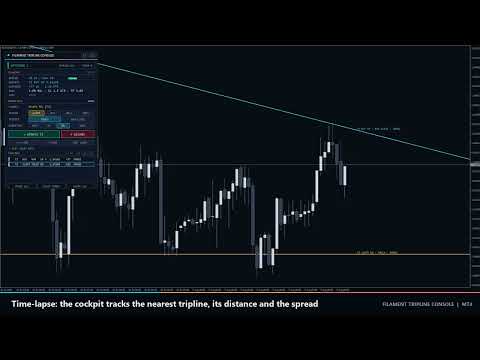
  • TELEMETRY (angolo LIVE, TESTER o PAUSED): SPREAD in punti rispetto al limite, barra verde sotto il 60%, ambra sotto il 100%, corallo sopra. NEAREST: tripline non concluso più vicino con azione, UP o DN e prezzo attuale della linea, oppure none armed. DISTANCE: linea meno Bid in punti e in ATR; la barra si riempie all'avvicinarsi del prezzo (ciano, ambra entro 0.5 ATR, corallo entro 0.2 ATR). RISK: modalità di lotto (% BAL, % EQ o LOT), SL (pt, ATR, LINE+ o SL OFF), TP (R o TP OFF) e OCO. LAST: ultimo scatto o errore con ora e ticket.
  • Righe della lista: numero, azione, TOUCH o BAR, UP o DN, A = AUTO, R = REPEAT, prezzo della linea, distanza in punti, stato. Bianco ARMED, grigio PRIMING o COOLDOWN, ambra HOLD o PAUSED, attenuato FIRED o CANCELLED, corallo FAILED.
  • Grafico: linee armate nel colore Alert, Buy, Sell o Exit; continue in ARMED, tratteggiate in PRIMING o in pausa, tratto-punto in COOLDOWN, punteggiate e attenuate in FIRED o CANCELLED, punteggiate corallo in FAILED. Le etichette si leggono come T2 BUY UP · TOUCH · ARMED, più REPEAT x<scatti> e il numero di ticket. Segni di scatto al prezzo della linea: freccia su BUY, freccia giù SELL, rombo ALERT, croce EXIT.

Avvisi

Ogni scatto, errore ed evento di prossimità viene inviato su tutti i canali attivi: Popup Alert on Fire, Sound Alert on Fire (alert.wav), Push Notification on Fire, Email on Fire. Esempio: Filament Tripline EURUSD M15: T2 BUY filled at 1.15412 (BAR CLOSE UP), 0.24 lots, ticket #81234567. Proximity Alert invia un messaggio quando il prezzo arriva a meno di Proximity Distance da un tripline ARMED e si riarma quando il prezzo si allontana del doppio di quella distanza. Nel tester i messaggi vanno solo nel diario.

Effetti collaterali

  • Il file MQL4\Files\FilamentTripline\<symbol>_<magic>.csv memorizza tripline, coordinate, stati e lo stato del pannello. Le linee mancanti vengono ridisegnate da esso all'avvio.
  • Gli oggetti del grafico con prefisso FTC_ (pannello, etichette, segni, linee + H-LINE / + T-LINE) vengono rimossi con l'utility; le tue linee riacquistano lo stile originale.
  • Timer da 250 ms. Nessuna DLL, variabile globale o richiesta web. Su due grafici dello stesso simbolo usa Magic Number diversi.

Parametri di input

  • Default Action (Alert only; anche Buy at market, Sell at market, Exit positions) e Default Trigger (Touch (price crosses the line) o Bar close beyond the line): preselezione dei selettori.
  • Trigger Buffer (0): punti oltre la linea necessari per lo scatto.
  • Repeat Cooldown (1): barre dopo uno scatto prima che un tripline REPEAT possa riarmarsi.
  • One-Cancels-Other for Entry Triplines (false).
  • Lot Mode (Risk % of balance; anche Fixed lots, Risk % of equity), Fixed Lots (0.10), Risk per Trade (1.0 %), Maximum Lots per Order (5.0).
  • Stop Loss Mode (ATR multiple; anche No stop loss, Fixed distance in points, Behind the tripline), Stop Loss Points (300), Stop Loss ATR Multiple (1.5), ATR Period (14).
  • Take Profit (2.0 R, 0 = nessuno).
  • Maximum Spread for Entries (30 punti, 0 = nessun limite), Maximum Slippage (10 punti), Magic Number (26101700).
  • Exit Scope (All trades on this symbol o This magic number only), Exit Also Deletes Pending Orders (false).
  • Popup Alert on Fire (true), Sound Alert on Fire (true), Push Notification on Fire (false), Email on Fire (false), Proximity Alert (false), Proximity Distance (50 punti).
  • Alert Tripline Color, Buy Tripline Color, Sell Tripline Color, Exit Tripline Color.
  • Show Tripline Labels (true), Show Fire Markers (true).
  • Panel Corner (Top left, Top right, Bottom right, Bottom left), Panel X Offset (16) e Panel Y Offset (24) in pixel, Start Minimized (false).

Configurazioni tipiche

  1. Rottura di trendline: BUY, BAR CLOSE, AUTO, ONCE; Stop Loss Mode = Behind the tripline, Stop Loss Points 100, Take Profit 2.
  2. Straddle sul range: linea BUY sopra il range, linea SELL sotto, TOUCH; One-Cancels-Other for Entry Triplines = true, Trigger Buffer 20.
  3. Uscita di protezione: EXIT, BAR CLOSE su una linea di supporto; Exit Scope = All trades on this symbol.
  4. Sorveglianza di livello: ALERT, TOUCH, REPEAT; Repeat Cooldown 3, Push Notification on Fire = true.

Note e rischi

I tripline funzionano solo mentre il terminale è in esecuzione (usa un VPS per il funzionamento senza sorveglianza). Fino a 40 tripline per simbolo e Magic Number; si possono armare solo oggetti Horizontal Line e Trendline. Nei mercati veloci o con gap gli ordini a mercato possono essere eseguiti lontano dalla linea. Il trading comporta rischio di perdita; l'utility esegue il tuo piano e non prevede il prezzo.
Prodotti consigliati
Vizzion
Joel Protusada
Vizzion is a fully automated scalping Expert Advisor that can be run successfully using GBPJPY currency pair at H1 timeframe. Very Important This Expert Advisor can not run with any EAs in the same account. As part of the money management plan, it calculates and monitors the Margin Level % and assumes that all open trades are created by it. If you want an Expert Advisor that trades in a daily basis, this EA is not for you because using this requires a patience to wait for a few days or weeks on
Jet Punch
Didit Haryadi Saputra
Jet Punch is another best expert advisor for MT4,  can help you make money while you sleep by automatically entering and exiting trades. It trades by opening trades every day and closing them at the right time to ensure you always earn a profit. The software is very simple and can be used by both beginner and experienced traders.  Jet Punch was tested and has successfully passed the stress test with slippage and commission approximate to the real market condition. Recommendations: Currency pair:
Magic Grid
Aliaksandr Charkes
4.52 (27)
Magic Grid is an indicator-free advisor that uses a grid strategy. The strategy is based on automatic reopening of grid pending orders, after closing their market positions (by Take-Profit, Stop-Loss or manually). Pending orders are placed with a specified step from the initial prices, which can be entered manually or generated automatically ( one time at the beginning of the trade ). The robot can trade on any time frame, on any currency pair, on several currency pairs, and on any number of di
FREE
The Infinity Expert Advisor is a scalper. When the resistance and support levels are broken, trades are opened in the direction of the price movement. Open positions are managed by several algorithms based on the current market situation (fixed stop loss and take profit, trailing stop, holding positions in case of trend indication, etc.). Requirements for the broker The EA is sensitive to spread, slippages and execution quality. It is strongly recommended not to use the EA for currencies with s
Exotic Adv
Ivan Simonika
Exotic Bot   is a multi -cream multifunctional adviser working on any time frame and in any market conditions. The robot’s work is taken as a system of averaging with the non -geometric progression of the construction of a trading grid. Built -in protection systems: special filters, spreading, internal restriction of trading time. Building a trading grid, taking into account important internal levels. The ability to configure trading aggressiveness. Work postponed orders with trailing orders. T
Traders Toolbox Premium è uno strumento all-in-one creato sulla base di un'ampia formazione sulle strategie di trading comuni al fine di automatizzare tali strategie e calcoli. Caratteristiche: 19 Segnali individuali - Ciascuno di questi segnali può essere polarizzato in una configurazione in stile rete neurale per costituire il risultato finale/complessivo. Ogni segnale ha le proprie impostazioni da personalizzare o ottimizzare se necessario. Visualizzazione su schermo completa -  sei panne


High Freq Grid Scalper
Letsekang Bruno Sekhosana
This E.A is designed to wait for the perfect opportunity to get in the market, take a few trades (low risk) and get out. There is an option to Cut Loss at specific percentage of balance, this should be set to a max of 1% since we scalping. Very cautious EA, can go up to a few days without taking a trade. This should not alarm you, it simply means there currently is no opportunity available. Mainly designed for low spread brokers. Tested Pairs and their settings: EURUSD M1 : Jan 2022 - Dec 2022
| Fully-automated Smart Money Concept (ICT) inspired trading solution with multi-strategy capabilities | Built by a grid trader >> for grid traders.  This is MT4 version, click  here  for  Blue CARA MT5  (settings and logics are same in both versions)     Real monitoring signal  -->  Cara Gold Intro Blue CARA EA   ('CARA') - short for  C omprehensive  A lgorithmic R esponsive A dvisor is a next-gen  multi-currency    multi-timeframe  EA base on the widely known (and perhapse most popular) Inn
Correlation Beast EA
Rodrigo Rethka Goncalves
Correlation Beast V2.05 - Skyrocket Your Forex Trading! Unlock the power of currency correlations with Correlation Beast V2.5 , the ultimate Expert Advisor for MetaTrader 4! Designed for traders who crave precision and profitability, this EA leverages advanced correlation strategies to identify high-probability trades. Whether you're a beginner or a pro, this tool is your key to mastering the Forex market! Why Choose Correlation Beast V2.5? Powerful Correlation Trading Trade sma
GoldenTrend
Aliaksandr Sych
GoldenTrend — a next-generation high-frequency scalping Expert Advisor designed to extract profit from the smallest market movements. Utilizing advanced algorithms for price action and volume analysis, it opens dozens of highly accurate trades daily with minimal risk. Why GoldenTrend? Монитор Ultra-Fast Trades : Captures profit from 5–15 pip movements. Ideal for ECN accounts with low spreads. Adaptive Strategy : Automatically adjusts to current market volatility and dynamically shifts tradi
The Arrow Scalper
Fawwaz Abdulmantaser Salim Albaker
1 (2)
Dear Friend..  I share with you this simple Expert Adviser .. it is full automatic  this Expert Adviser following the trend of the pair you install on or any stocks or indices , it is works like that: - when the trend on H4 chart show a start of up trend the expert will wait till the 15M & 1H charts show an up trend the EA will open a buy order directly , and do the same for down trend and open a sell order the buy or sell  order lot size and take profit and stop loss will measured manually  by
FREE
The algorithm of the adviser's work: When the Expert Advisor is launched at a specified distance from the price (first_step), BuyStop and SellStop orders are placed. Further, depending on which way the price went, one of them becomes market, and the other begins to crawl after the price. When the price rolls back, it also becomes market. If we have reached a set profit in some direction, the order is closed and a creeping pending order of the same direction is placed again. If the profit is no
This Expert Advisor trades based on trend lines, as well as on the basis of volume analysis. Volumes are calculated using minute bars, in order to determine if they were ascending or descending. The trend lines are drawn based on High and Lows in the trade history. There are also additional indicators. Buy or sell signals depend on all those factors. This allows the EA to enter the market with more accuracy and to perform more deals. Input parameters Lots - lot size (if 0, a lot is calculated b
EA Black Lion
Mohamed Hassan
5 (4)
Huge 70% Halloween Sale for 24 hours only!  EA BLACK LION  is an expert advisor that is the true definition of a scalper where it's able to spot real divergence movements in the forex market. It is highly sophisticated because it can spot potential reversal or continuation patterns. The real-time divergence patterns are visually shown to you on your MT4 chart. (This is game changing because you actually see the strategy in front of you)  It uses a sophisticated system that has been successfull
H4 GBPUSD Trend Scalper is a trend signal scalper The EA trades according to the trend strategy using original built-in indicator for opening and closing orders. The external inputs for limiting trading on Fridays and Mondays are available. The purpose of the strategy is to use the current trend with the most benefit. According to the results of testing and working on demo and real accounts, the best results achieved by using the Н4 timeframe on the GBP/USD pair Works on MetaTrader 4 Build 971+
PipFinite EA Breakout EDGE
Karlo Wilson Vendiola
5 (5)
The Official Automated Version of the Reliable Indicator PipFinite Breakout EDGE EA Breakout EDGE takes the signal of PipFinite Breakout EDGE indicator and manages the trade for you. Because of numerous financial instruments to consider, many traders want the signals to be fully automated. The EA will make sure all your trades are executed from entry to exit. Saving you time and effort while maximizing your profits. The Edge of Automation Effortless price action trading is now possible acros
Matrix Arrow EA MT4
Juvenille Emperor Limited
5 (8)
Matrix Arrow EA MT4 è un consulente esperto unico che può scambiare i segnali MT4 dell'indicatore Matrix Arrow con un pannello commerciale sul grafico, manualmente o automaticamente al 100%. Matrix Arrow Indicator MT4 determinerà la tendenza attuale nelle sue fasi iniziali, raccogliendo informazioni e dati da un massimo di 10 indicatori standard, che sono: Indice di movimento direzionale medio (ADX), Indice del canale delle materie prime (CCI), Candele classiche Heiken Ashi, Media mobile, Media
About The Secret of Dow The Secret of Dow  is an unique system running on a complex set of algorithms and advanced machine learning computation mechanism to analyze massive sets of data from the neural network, and combines with a special set of price action movement analysis to optimize the trading decision, and it will then predicts the next best possible and potential moves of the Dow Jones (US30) prices. The advantages of The Secret of Dow:- Easy plug and play, worry free with easy param
How the EA works (simple explanation) Trades on   M5   timeframe Uses   H1 timeframe   to analyze global market context Analyzes   2 or 3 timeframes simultaneously On each timeframe: Checks price position relative to one or two Moving Averages Evaluates MA angle and distance between price and MA Entry logic is based on   trend + volatility conditions , not on random signals The full algorithm is illustrated in the screenshots. Recommended usage Symbol:   EURUSD Timeframe:   M5 Trading
Adaptive VP Gold è un Expert Advisor automatizzato progettato per il trading sull’oro, principalmente XAUUSD, utilizzando un approccio adattivo all’analisi del mercato. La strategia combina analisi del Volume Profile, rilevamento del regime di mercato, price action, volatilità, momentum e un sistema integrato di filtraggio basato su machine learning. L’EA identifica diverse condizioni di mercato e adatta di conseguenza la propria logica di ingresso. Il motore di trading include logiche specifich
Bar Boss
Iurii Tokman
5 (1)
The Expert Advisor uses the FletBoxPush indicator for market analysis and for determining trading signals. The indicator is built into the Expert Advisor, there is no need to additionally run it on a chart. The EA trades breakouts of certain levels determined as flat borders. The EA uses Stop Loss. Description of EA Parameters TimeFrames chart period required for the indicator colour - the color of the price zone defined as flat, a setting for the indicator Rectangle - show price zones defined
The Super scalper universal is a fully automated scalping Expert Advisor, which uses five indicators. Each open position is protected by a hidden stop order managed by an advanced modification algorithm. When searching for the suitable signals, the EA uses the integrated indicator in conjunction with the trend and time filters, as well as the volatility filter. It use dynamic position closure, which considers the location where the order had been opened and the subsequent price action. Profit is
Expert Grid rsi Pro
Mykhailo Zakervashevych
General Description Grid RSI Pro v3.1 is an advanced trading Expert Advisor for MetaTrader 4 that uses a grid strategy with RSI indicator filtering. The EA automatically opens orders at specified levels, creating a grid of orders to capture market fluctuations. Version 3.1 includes enhanced risk management features and improved signal filtering systems. Key Features 1. Trading Strategies RSI Strategy : Position opening when RSI reaches overbought (80) or oversold (20) levels Fixed Points : Posit
Karman
Vladislav Filippov
Karman is a fully automated trading advisor working on a М30 timeframe. The settings of the advisor are based on the safe trading, the essence of which is to close the transaction, while achieving a positive profitability dynamism of several points, which allows the user to reduce the costs of opening losing trades. The Expert Advisor is multi-functional and does not require a specific type of account for the normal operation of all functions embedded in it. The advisor’s manual involves encapsu
Hello traders! I present to you Argo Gold Edition - an expert built for gold trading, which is tailored to the specifics of gold movements on international markets. The basis of its logic is that it follows profitable patterns drawn from past periods. Mathematical algorithms are based on the correlation between the values of the indicators used and the corresponding movement of the price of gold. The expert is built on the basis of the ARGO series. It specializes in GOLD / XAUUSD trading. 2 or 3
HMA Trend Expert
Alexander Fedosov
5 (1)
HMA Trend robot for professional traders works with a set of Hull moving averages( HMA ). Advisor Parameters Use Trade Panel  — Use the visual panel to configure and trade robot. Lot  — Lot size for a market entry. Take Profit(points)  — Take Profit for an open order. Stop Loss(points)  — Stol Loss for an open order. Max Spread(0 - disabled)  — Maximum allowable spread at which you can enter the market. 0 - disabled. Magic number  — The magic number of the robot. EA Comment  — Comments of robot.
Gyroscopes
Nadiya Mirosh
Gyroscope        professional forex expert   (for EURUSD, GBPUSD, USDJPY, AUDUSD, USDCHF, EURGBP, EURJPY, NZDUSD, USDCAD, EURCHF, AUDJPY, CADJPY pairs)   alyzing the market using the Elliot Wave Index. Elliott wave theory is the interpretation of processes in financial markets through a system of visual models (waves) on price charts. The author of the theory, Ralph Elliott, identified eight variants of alternating waves (of which five are in the trend and three are against the trend). The mov
This PORTFOLIO of 3 strategies has been developed, tested and traded live on DAX H1 timeframe. Multiple EAs traded together will lead to a BIGGER PROFITS and SMOOTHER EQUITY CURVE. 3 not correlated EAs logics for DAX H1 timeframe merged to a single strategy. Very SIMPLE STRATEGIES with only FEW PARAMETERS. Every trade has his own logic for STOP LOSS. To catch the profits every strategy uses different approach - some has TAKE PROFIT, some uses TIME BASED EXITS or PROFIT TRAILING. EA has been back
This PORTFOLIO of 3 strategies has been developed, tested and traded live on DAX M30 timeframe. Multiple EAs traded together will lead to a BIGGER PROFITS and SMOOTHER EQUITY CURVE. 3 not correlated EAs logics for DAX M30 timeframe merged to a single strategy. Very SIMPLE STRATEGIES with only FEW PARAMETERS.  Every trade has his own logic for STOP LOSS. To catch the profits every strategy uses different approach - some has TAKE PROFIT, some uses TIME BASED EXITS or PROFIT TRAILING. EA has been
Macd Pro I
Steve Zoeger
MACD Pro I EA https://youtu.be/2wCzTFIGNp4 =============== This Robot is fully automated and has been created for everyone. The Robot works also on cent accounts. The Ea is based on the MACD Indicator and 3 more and has been kept simple. ========================================= Maybe better to go for small profit, set it on higher time frames then you can use it for more pairs at the same time. =========================================== => works on all Time Frames but i would recommend the
Gli utenti di questo prodotto hanno anche acquistato
The product will copy all telegram signal to MT4   ( which you are member  ) , also it can work as remote copier.  Easy to set up, copy order instant, can work with almost signal formats, image signal, s upport to translate other language to English Work with all type of channel or group, even channel have "Restrict Saving Content", work with  multi channel, multi MT5 Work as remote copier: with signal have ticket number, it will copy exactly via ticket number. Support to backtest signal. How to
Unlimited Trade Copier Pro
Vu Trung Kien
4.43 (7)
Unlimited Trade Copier Pro is a tool to copy trade remotely to multiple MT4, MT5 and cTrader accounts at different computers/locations over internet. This is an ideal solution for you if you are a signal provider and want to copy your trades to other receivers globally on your own rules. One provider can copy trades to multiple receivers and one receiver can get trade from multiple providers as well. The provider can even set the subscription expiry for each receiver, so that receiver will not b
Strategy Builder offers an incredible amount of functionality. It combines a trade panel with configurable automation (covert indicators into an EA), real-time statistics (profit & draw down) plus automatic optimization of SL, TP/exit, trading hours, indicator inputs. Multiple indicators can be combined into an single alert/trade signal and can include custom indicators, even if just have ex4 file or purchased from Market. The system is easily configured via a CONFIG button and associated pop-up
EasyInsight AIO MT4
Alain Verleyen
4 (2)
EASY Insight AIO – La soluzione all-in-one per un trading intelligente e senza sforzo Panoramica Immagina di poter analizzare l’intero mercato — Forex, Oro, Cripto, Indici e persino Azioni — in pochi secondi, senza dover controllare manualmente i grafici, installare indicatori o affrontare configurazioni complicate. EASY Insight AIO è il tuo strumento definitivo di esportazione per il trading alimentato dall’IA, pronto all’uso. Offre una panoramica completa del mercato in un unico file CSV pul
The FFx Hidden Manager panel will help you to manage easily your orders directly on the chart. Below all features described: TP, SL and TrailingStop are hidden Each order has its own lines on chart Drag & Drop any line to change the TP/SL as per your need Option to move automatically the SL line at breakeven when TP #1 is reached Option to choose the TP/SL type (by pips or price) Option to choose the TrailingStop type (by pips, MA, Fractals, PSAR or ATR) Define which order(s) you want to manage
FFx Risk Calculator
Eric Venturi-Bloxs
FFx Risk Calculator panel will help you to calculate very easily your trades size, SL or the risk directly on the chart. All features are described below: Option to select which parameter to calculate: Risk, Stop Loss or Lot Size The panel will show if the lot size is allowed according to the current account free margin Button to maximize/minimize the panel Drag and Drop the panel anywhere on the chart How to use it? Select the parameter you want to be calculated. It will be based on the 2 other
Trade Copier Pro
Vu Trung Kien
4.29 (14)
Trade Copier Pro is a tool to copy trade remotely to MT4, MT5 and cTrader accounts at different computers/locations over internet. This is an ideal solution for you if you are a signal provider and want to copy your trades to other receivers globally on your own rules. One provider can copy trades to multiple receivers and one receiver can get trade from multiple providers as well. The provider can even set the subscription expiry for each receiver, so that receiver will not be able to receive t
News Trader Pro
Vu Trung Kien
4.38 (16)
News Trader Pro is a unique robot that allows you to trade the news by your predefined strategy. It loads every piece of news from several popular Forex websites. You can choose any news and preset the strategy to trade it, and then News Trader Pro will trade that news by selected strategy automatically when the news comes. News release gives opportunity to have pips since the price usually has big move at that time. Now, with this tool, trading news becomes easier, more flexible and more exciti
FFx Watcher PRO
Eric Venturi-Bloxs
The FFx Watcher PRO is a dashboard displaying on a single chart the current direction of up to 15 standard indicators and up to 9 timeframes. It has 2 different modes: 1. Watcher mode: Multi Indicators User is able to select up to 15 indicators to be displayed User is able to select up to 9 timeframes to be displayed 2. Watcher mode: Multi Pairs User is able to select any number of pairs/symbols User is able to select up to 9 timeframes to be displayed This mode uses one of the standard indicat
The product combines a manual trade panel with the ability to perform actions automatically in a highly configurable way. Actions include capturing indicator values and then based on those values raising alerts, open/close or partially close trades, scale-in, setting up pending orders, adjusting stop loss, take profit and more. On-chart controls can be configured, such as tick boxes and buttons, so can be fully interactive. The EA also handles money management, news events, hidden stop loss, tak
Binary Options Copier Remote is an EA that allows to copy binary options trades between MT4 accounts at different computers. This is an ideal solution for signal provider, who want to share his trade with the others globally on his own rules. Provider can give free bonus license to 10 receivers. That means those 10 receivers can copy from provider by using Binary Options Receiver Free (no cost). From 11th one, receiver have to buy Binary Options Receiver Pro (paid version) in order to copy from
Price Action DashBoard
Chantal Sala
4.17 (6)
The Price Action Dashboard is an innovative tool to help the trader to control a large number of financial instruments. This tool is designed to automatically suggest signals and price conditions. The Dashboard analyzes all major Time Frame suggesting price action conditions with graphic elements. The Dashboard can suggest you the strength of the trend identifying directional movement, it is an indispensable tool for those who want to open position themselves using market trends identifiers. The
Elliott Wave Counter è un pannello per il markup manuale rapido e intuitivo delle onde di Elliott. Si può selezionare un colore e un livello di segni. Sono inoltre disponibili funzioni per la rimozione dell'ultimo markup e dell'intero markup effettuato dallo strumento. Il markup viene eseguito con un clic. Fai clic cinque volte: ottieni cinque onde! Elliott Wave Counter sarà un ottimo strumento sia per i principianti che per gli analisti professionisti delle onde di Elliott. Guida all'installazi
If you wish to draw Support and Resistance lines, view: daily market opening, classical pivot levels, Fibonacci pivot levels, trend lines, Fibonacci levels, the remaining time to candle closing, and current spread. If you seek to place your orders with the exact lot that meets your desired stop loss risk. If you wish to do all this and more with just one click, then this is the perfect tool to use. This tool will allow you to feel more relaxed when deciding to open orders, as well as predicting
Partial Close Expert
Omar Alkassar
5 (1)
Partial Close Expert   è uno strumento che combina numerose funzioni in un unico sistema automatizzato. Questo EA può aiutare i trader a gestire le proprie posizioni in modo più efficace, offrendo molteplici opzioni per gestire il rischio e massimizzare i potenziali guadagni. Con Partial Close Expert, i trader possono impostare un       chiusura parziale       livello per bloccare i profitti, un       stop mobile       livello per proteggere i profitti e limitare le perdite, un       pareggiare
Master Trend Dashboard
Chantal Sala
4.67 (3)
Master Trend Dashboard is a new generation indicator, compact, light and efficient. Each element of this Dashboard is designed to return specific signals as: Price Action, Breakout, Net Change (performance of the instrument), algorithmic studies, correlations and statistical calculations. This tool will change your way of trading allowing you to receive important information. See the Graphic Signals to understand every single signal below: Graphic Signals Symbol name and arrow color Green = Cur
Trade Copier Agent è progettato per copiare operazioni tra account/terminali multi MetaTrader (4/5). Con questo strumento, puoi agire come fornitore (fonte) o ricevitore (destinazione). Tutte le azioni di trading verranno copiate dal fornitore al destinatario senza alcun ritardo. Questo strumento ti consente di copiare operazioni tra più terminali MetaTrader sullo stesso computer con velocità di copia fulminee inferiori a 0,5 secondi. Guida all'installazione e agli input di Trade Copier Agent S
Unlimited Binary Options Copier Remote is a powerful tool to copy binary options trades remotely between multiple accounts at different locations over internet. This is an ideal solution for signal provider, who want to share his binary options trades with the others globally on his own rules. One provider can copy trades to unlimited receivers and one receiver can get trade from unlimited providers as well. The provider can set the subscription expiry for each receiver, so that receiver will no
This is an Expert Adviser use for manual trading as a background EA or combine with external EA to open orders. Loss Recovery Trading is one of your options to handle the lose positions instead of using stop loss by setting a zone recovery area and target to exit the turn rounds sequence. How It Work? If the market goes against your first positions direction at the specific of losing points, the EA will open an opposite direction position with calculated larger lot size and also keep the first
Great for scalper/intraday weapon for your ease daily trading. Scalper weapon will suit's you for any trading condition, whether it's intraday / scalper this tool is important for you which providing the missing function on the native MT4 platform. You have to check Allow Auto Trading by pressing Ctrl+O, going to Expert Advisors tab, and checking " Allow automated trading" . also to ensure the " auto trading " is green. Input Parameters _MINIMIZED_AT_START: to chose whether the panel is minimiz
Market Pressure Dashboard is a new generation utility. Its main function is to assist you and give you operational ideas optimizing your analytical work. Using this utility you could monitor a lots of financial instruments (max 28 symbols FOREX) in a very simple way. The Market Pressure indicator allows you to customize the internal list of the symbols to be monitored. The opening function and position management with this panel will be much more comfortable and navigation charts very powerful.
Contact/message me if you encounter any issue using the product or need extra feature to add on the base version. There is a demo version of this panel Dashboard Trading Made Simple Demo in my product list, please try it out to get familiar with all functionalities free, LINK . This system basically utilizes TDI as the main indicator to generate trading signal mainly on H1 and H4 timeframes. The signal will be further filtered and trimmed. Stochastic; Heiken Ashi candle direction and candle siz
Telegram Publisher Agent   è un componente aggiuntivo che consente ai trader di inviare segnali ai propri canali e gruppi Telegram in tempo reale. Con messaggi personalizzabili, schermate di grafici e altre funzionalità, lo strumento aiuta i trader a condividere le loro intuizioni e strategie di trading con i loro follower. Lo strumento presenta anche un bellissimo design con interruttore a tema chiaro e scuro, offrendo agli utenti un'esperienza di trading estetica e funzionale. Telegram Publish
如果产品有任何问题或者您需要在此产品上添加功能,请联系我 Contact/message me if you encounter any issue using the product or need extra feature to add on the base version. There is a Demo version of this panel Dashboard Currency Strength Meter AdvancedDemo in my product list, please try it out to get familiar with all functionalities free, LINK . The Dashboard Currency Strength Meter Advanced gives you a quick visual guide to which currencies are strong, and which ones are weak over the customized 4 time-frames and period.
如果产品有任何问题或者您需要在此产品上添加功能,请联系我 Contact/message me if you encounter any issue using the product or need extra feature to add on the base version. There is Demo version of this panel Dashboard Genesis Matrix Trading Demo in my product list, please try it out to get familiar with all functionalities free, LINK . This system basically utilizes Genesis Indi Set (TVI, CCI, GannHilo, and T3) as the core indicators to generate trading signal mainly on time-frame M15. The signal will be further filtered a
如果产品有任何问题或者您需要在此产品上添加功能,请联系我 Contact/message me if you encounter any issue using the product or need extra feature to add on the base version. There is Demo version of this panel Dashboard Symphonie Trader System Demo in my product list, please try it out to get familiar with all functionalities free, LINK . This system basically utilizes Symphonie Indicator Set (Extreme, Emotion, Trend, and Sentiment) as the core indicators to generate trading signal mainly on time-frame M15. The signal will b
如果产品有任何问题或者您需要在此产品上添加功能,请联系我 Contact/message me if you encounter any issue using the product or need extra feature to add on the base version. There is Demo version of this panel Dashboard Babon Scalping System Demo in my product list, please try it out to get familiar with all functionalities for free, LINK . This system basically utilizes TDI, Heiken Ashi Trend, Price Trend on H1 time-frame and TMA on H1&H4 time-frame to generate the trend (big picture). Then the system will zoom in to genera
‌Demo version here: https://www.mql5.com/en/market/product/21344 P‌urpose: F‌or those who trade with trend line manually, this expert is suitable for you to manage your trade in easy way. U‌sage: Draw a trend line or horizontal line, and rename it according to input parameter in example "sell" >> for more details please watch the video below. A‌ction: ea will identify the trend line, and trade based on the selected mode (Touch/Break), ea will also set the TP/SL/Lot automatically according to in
Pairs Trade
Oleg Pechenezhskiy
The Pairs Trade indicator is a utility for semi-automatic pair trading. It allows combining the charts of two arbitrary instruments, even if the schedules of their trading sessions are different. It displays a spread chart in the form of a histogram with an overlaying moving average. It calculates the swap that will be charged for the synthetic position (in the deposit currency). It is possible to set a level for automatic opening of a synthetic position on the spread chart (analogous to the 'se
Corporate Report
Pavel Verveyko
5 (1)
The script displays info about the share's corporate reports and dividends. The data is downloaded from   investing.com : Report date Profit per share (EPS) Revenue Market capitalization Amount of dividends Date of payment of dividends Dividend income The product cannot be tested in the tester (since it is not possible to receive data from the Internet). Before launching:  Add 2   URL   https://ru.investing.com/earnings-calendar/Service/getCalendarFilteredData  and   https://ru.investing.com/di
Altri dall’autore
EA Budak Ubat MT5
Syarief Azman Bin Rosli
EA Budak Ubat MT5 è un Expert Advisor automatizzato per il trading a griglia (Grid Martingale) sviluppato per MetaTrader 5. Combina analisi tecnica dei trend, calcolo dinamico della volatilità e gestione avanzata del rischio per operare efficacemente sia in fasi di congestione che di trend. Ottimizzato per il timeframe M5 sulle principali valute e sui metalli (XAUUSD / Oro). ### Caratteristiche Principali • 4 Metodi di Analisi Selezionabili:   1. Classic Candle: Momentum direzionale basato su
EA Budak Ubat
Syarief Azman Bin Rosli
4 (3)
Come funziona Quando l'EA è attivo, analizzerà il grafico in base al parametro Modalità di esecuzione. Se non ci sono posizioni esistenti sul grafico, l'EA aprirà un trade in base al parametro. Se il trend è rialzista, aprirà un trade di acquisto, mentre se è ribassista, aprirà un trade di vendita. Imposterà anche un ordine di stop loss a una certa distanza dal prezzo di apertura del trade se la variabile stop loss è maggiore di 0. 0 significa nessun stop loss. Se ci sono posizioni esistenti s
Indi RBO
Syarief Azman Bin Rosli
Input: Range Start Time : The starting time of the range creation Range End Time : The ending time of range creation Trade End Time : The time where the line of range zone high/low will be extended to Minimum Size : The minimum size of the range in point Maximum Size : The maximum size of the range in point If the range size is between the minimum and maximum, indicator will print the 1st color (blue).
Apex Flow Reversion
Syarief Azman Bin Rosli
# Apex Flow Reversion MT4 Apex Flow Reversion e un sistema di trading automatizzato sviluppato per MetaTrader 4 che applica una strategia intraday di reversione statistica verso la media. Il sistema monitora costantemente la deviazione del prezzo rispetto a un livello dinamico ponderato per i volumi (VWAP) e individua i punti di esaurimento del movimento attraverso bande di deviazione standard, il filtro di momentum Relative Strength Index (RSI) e le soglie di volatilita Average True Range (AT
Vortex Confluence Radar
Syarief Azman Bin Rosli
Vortex Confluence Radar MT4 Vortex Confluence Radar è un motore di valutazione della confluenza multi-oscillatore sviluppato nativamente per MetaTrader 4. L'indicatore fonde tre oscillatori tecnici di riferimento — Relative Vigor Index (RVI), Commodity Channel Index (CCI) e Williams Percent Range (WPR) — in un istogramma di momentum unificato, dotato di una linea di segnale smussata e avvisi automatici di incrocio. Architettura e segnali visivi dell'indicatore L'indicatore opera in una sottofine
Kinetix Speed Commander
Syarief Azman Bin Rosli
Kinetix Speed Commander MT4 Kinetix Speed Commander   è un cockpit istituzionale di esecuzione ordini in un clic, un calcolatore dinamico delle dimensioni della posizione e un terminale di gestione del rapporto rischio/rendimento sviluppato nativamente per MetaTrader 4. Concepito specificamente per i trader di società di prop trading (Prop Firms), scalper rapidi e day trader quantitativi, Kinetix Speed Commander elimina i ritardi dovuti ai calcoli manuali, gli errori di digitazione dei volumi e
Prism Candle Forge
Syarief Azman Bin Rosli
Prism Candle Forge — Motore di Riconoscimento Pattern Candlestick per MT4 Prism Candle Forge e una libreria nativa MQL4 per rilevare e validare oltre 20 pattern candlestick giapponesi tramite analisi geometrica ponderata con ATR. Offre identificazione dei pattern, punteggio di affidabilita direzionale, classificazione morfologica e validazione di trend tramite 8 funzioni esportate per EA, Indicatori o Script. Zero DLL, nessuna dipendenza, puro calcolo in MQL4. Distribuito come binario compilato
Sigma Squeeze Reactor
Syarief Azman Bin Rosli
Sigma Squeeze Reactor Expert Advisor di Breakout su Compressione di Volatilita Bollinger-Keltner Sigma Squeeze Reactor e un Expert Advisor per MetaTrader 4 progettato per individuare e negoziare movimenti direzionali esplosivi derivanti da compressioni di volatilita. Rileva la contrazione delle Bande di Bollinger all'interno dei Canali di Keltner (la classica figura di squeeze) ed esegue entrate tempestive nel momento in cui la volatilita si espande, con validazione della direzione tramite oscil
Fulcrum Value Profile
Syarief Azman Bin Rosli
Fulcrum Value Profile è un indicatore per MetaTrader 4 che costruisce un profilo di volume a tick per ogni sessione, segna il Point of Control (POC) e la value area, traccia POC/VAH/VAL in formazione come linee, segue i POC vergini (naked POC) e segnala due setup su barre chiuse: rientro nella value area precedente (regola dell'80%) e accettazione fuori da essa (breakout). Non apre, modifica né chiude mai operazioni. Avvio rapido Applicare l'indicatore a un grafico M5, M15 o M30. Lasciare Profil
Spectra Trend Ribbon
Syarief Azman Bin Rosli
# Spectra Trend Ribbon MT5 Spectra Trend Ribbon e un indicatore nativo per MetaTrader 5 progettato per determinare la direzione del trend e individuare con precisione le fasi di espansione della volatilita. Integra una linea di base centrale adattativa a triplo livellamento, bande dinamiche di oscillazione basate sull'Average True Range (ATR) e frecce automatiche di segnale al verificarsi di breakout di momentum. ## Spiegazione dei Segnali Visivi L'indicatore proietta cinque elementi visivi
Aegis Risk Sentinel
Syarief Azman Bin Rosli
Aegis Risk Sentinel MT5 Aegis Risk Sentinel   è un'utilità professionale di protezione dell'equity e gestione del rischio in tempo reale sviluppata in modo nativo per MetaTrader 5. Progettata per i trader di prop firm, gestori di fondi e day trader, Aegis impone una rigorosa disciplina matematica sul conto di trading, prevenendo drawdown rovinosi, trading emotivo di rivalsa e stop out dovuti a margin call. L'utilità dispone di un cruscotto grafico interattivo (HUD) sul grafico, sviluppato senza
Stratos Momentum Engine
Syarief Azman Bin Rosli
Stratos Momentum Engine MT5 Stratos Momentum Engine è un Expert Advisor algoritmico sviluppato per MetaTrader 5, progettato per operare su strategie di breakout del momentum su base multi-timeframe (MTF). Il sistema abbina l'analisi della regressione lineare sull'orizzonte H1 per determinare la direzione del trend primario, la sincronizzazione precisa dei punti di ingresso su timeframe M15 mediante l'oscillatore stocastico, e la conferma strutturale di breakout attraverso i canali di Donchian. L
Nexus Quant Matrix
Syarief Azman Bin Rosli
Nexus Quant Matrix MT5 Nexus Quant Matrix   è una libreria di calcolo quantitativo e analisi statistica in streaming di livello istituzionale, sviluppata nativamente per MetaTrader 5. Progettata per sviluppatori quantitativi, hedge fund sistematici e architetti di algoritmi, Nexus Quant Matrix garantisce un'elaborazione numerica ad alte prestazioni direttamente nell'ambiente MQL5 senza necessità di DLL esterne, Python o moduli C++. Operando con complessità computazionale O(1), la libreria gestis
Quasar Regime Cloud
Syarief Azman Bin Rosli
Quasar Regime Cloud è un indicatore di regime di mercato per MetaTrader 5. Determina se il prezzo è in trend o in fase laterale e mostra il risultato direttamente sul grafico tramite una nuvola frattale adattiva. I segnali vengono generati solo quando il mercato è classificato come in trend, filtrando molti falsi incroci tipici delle fasi laterali. Come funziona 1. Stima della dimensione frattale Per ogni barra l'indicatore stima la dimensione frattale (D) del prezzo su una finestra configurabi
Isobar Event Shield
Syarief Azman Bin Rosli
Isobar Event Shield protegge le tue operazioni dalle notizie economiche in MetaTrader 5. Legge il calendario economico integrato nel terminale, conta il tempo fino a ogni pubblicazione che interessa i tuoi simboli e, poco prima di ciascuna, applica la protezione scelta alle posizioni e agli ordini pendenti che tu o altri Expert Advisor avete già. Non apre mai operazioni proprie. Avvio rapido Collega l'utility a un grafico (una copia per terminale) e attiva Algo Trading nella barra degli strumen
Riptide Sweep Reclaimer
Syarief Azman Bin Rosli
Riptide Sweep Reclaimer è un Expert Advisor per MetaTrader 5 che opera gli sweep di liquidità di un range di sessione tranquilla: misura massimo e minimo di una finestra a scelta (predefinita 00:00-08:00 ora del server), attende che la sessione successiva buchi un lato e opera il rientro appena una candela chiude di nuovo dentro il range, con obiettivi al punto medio e al lato opposto. Una posizione alla volta sul simbolo del grafico; niente grid, martingala o mediazione. Avvio rapido Collegare
Filtro:
Nessuna recensione
Rispondi alla recensione