Bitcoin SSL Channel Pro
- Indicatori
- Versione: 1.0
- Attivazioni: 10

Multi-timeframe trend analysis and filtered BUY/SELL signals for MetaTrader 4.
Overview
BTCUSD SSL Channel Pro is a technical analysis indicator designed to help traders identify market direction, potential trend reversals, and filtered trading opportunities.
The indicator combines an SSL channel with momentum analysis, trend-strength measurements, volatility conditions, tick-volume participation, and optional higher-timeframe confirmation.
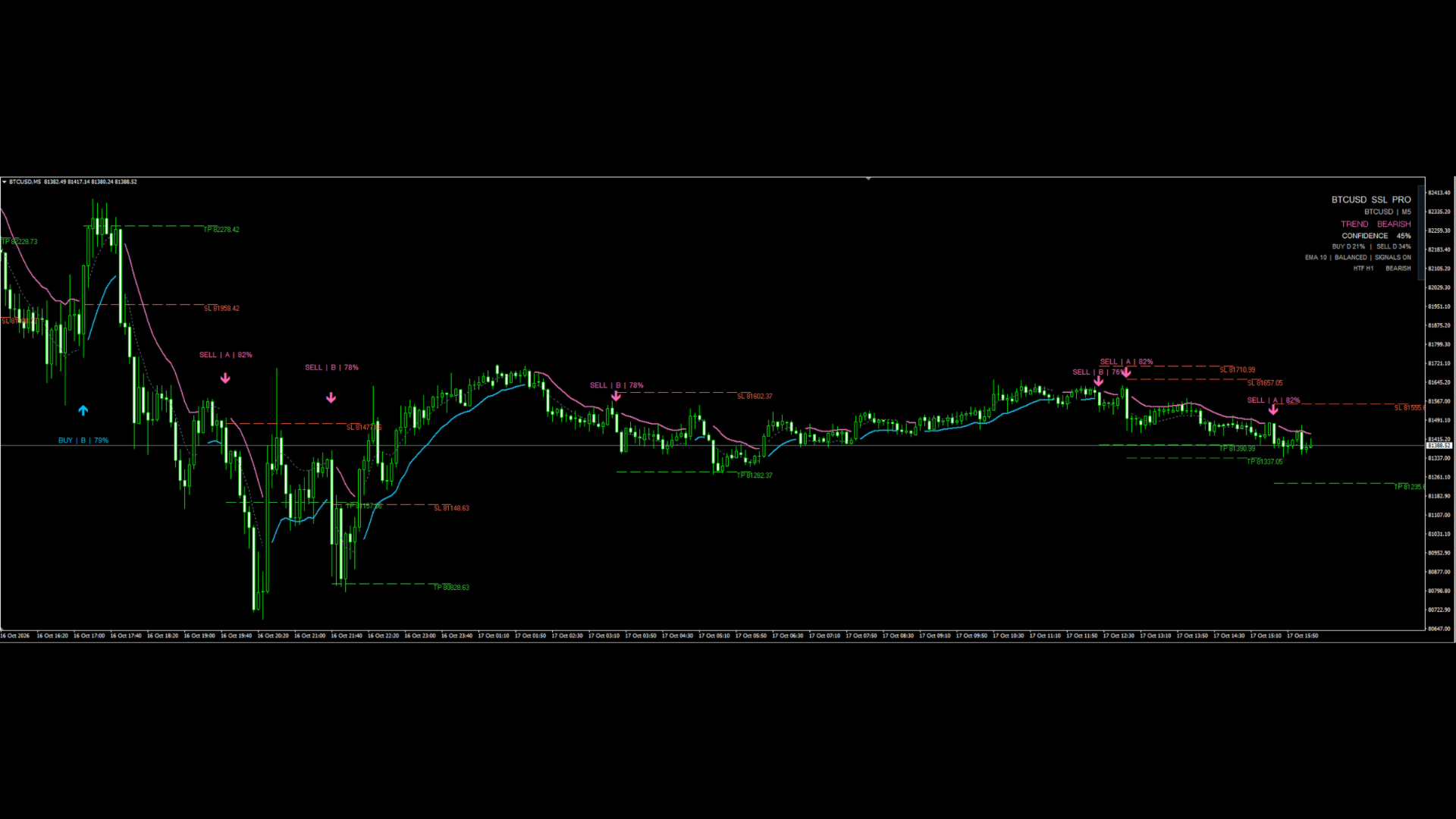
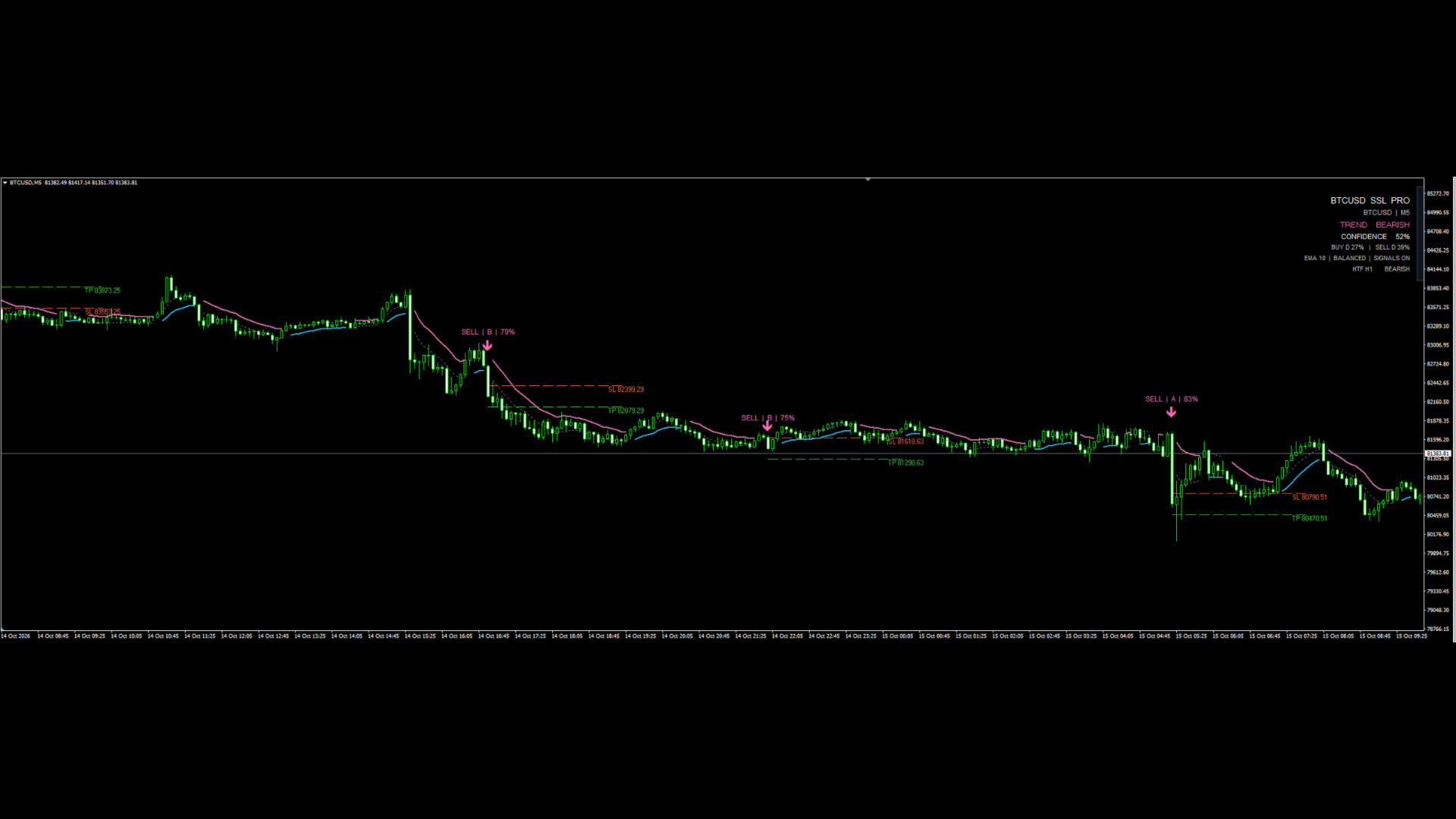
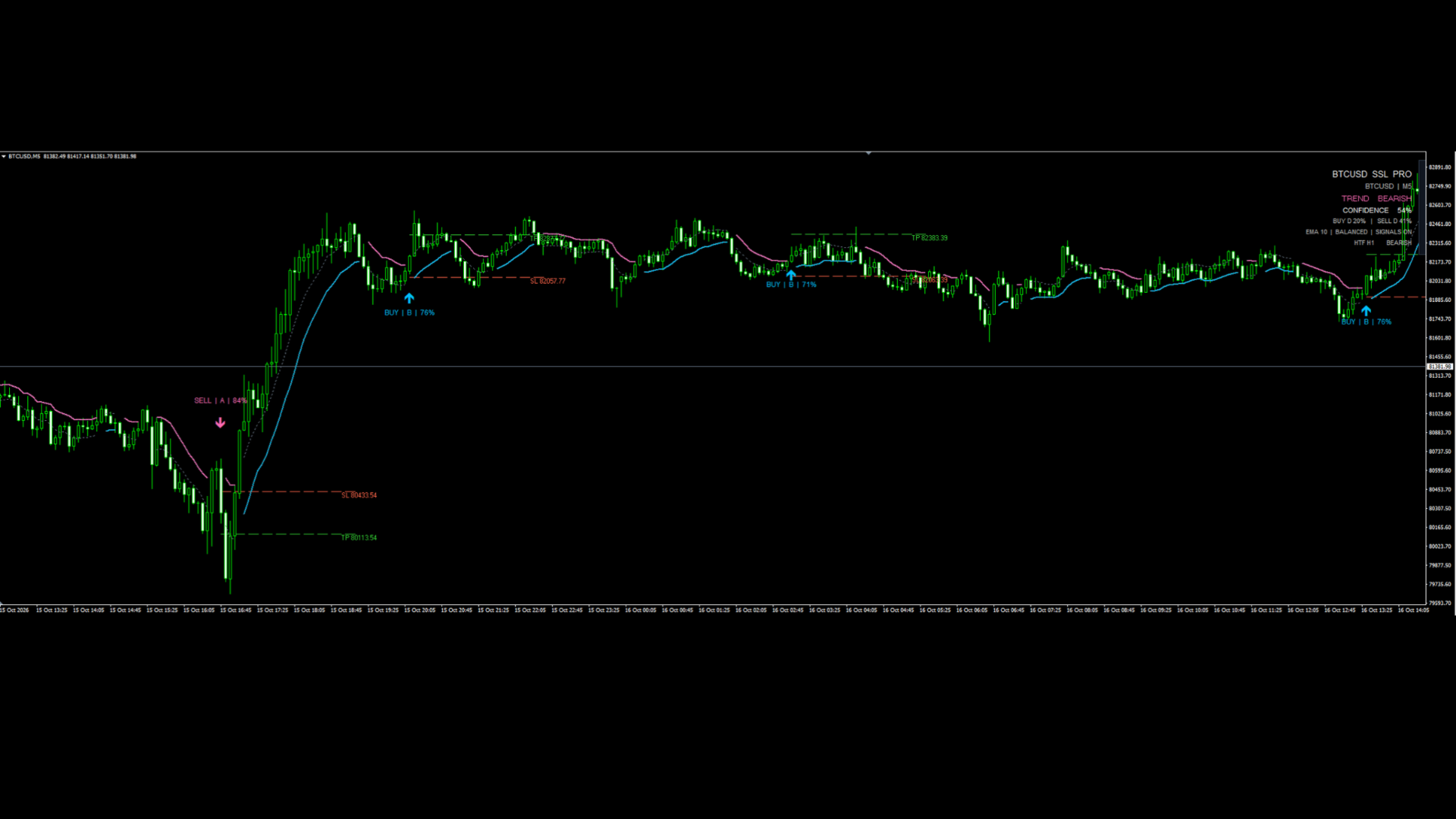
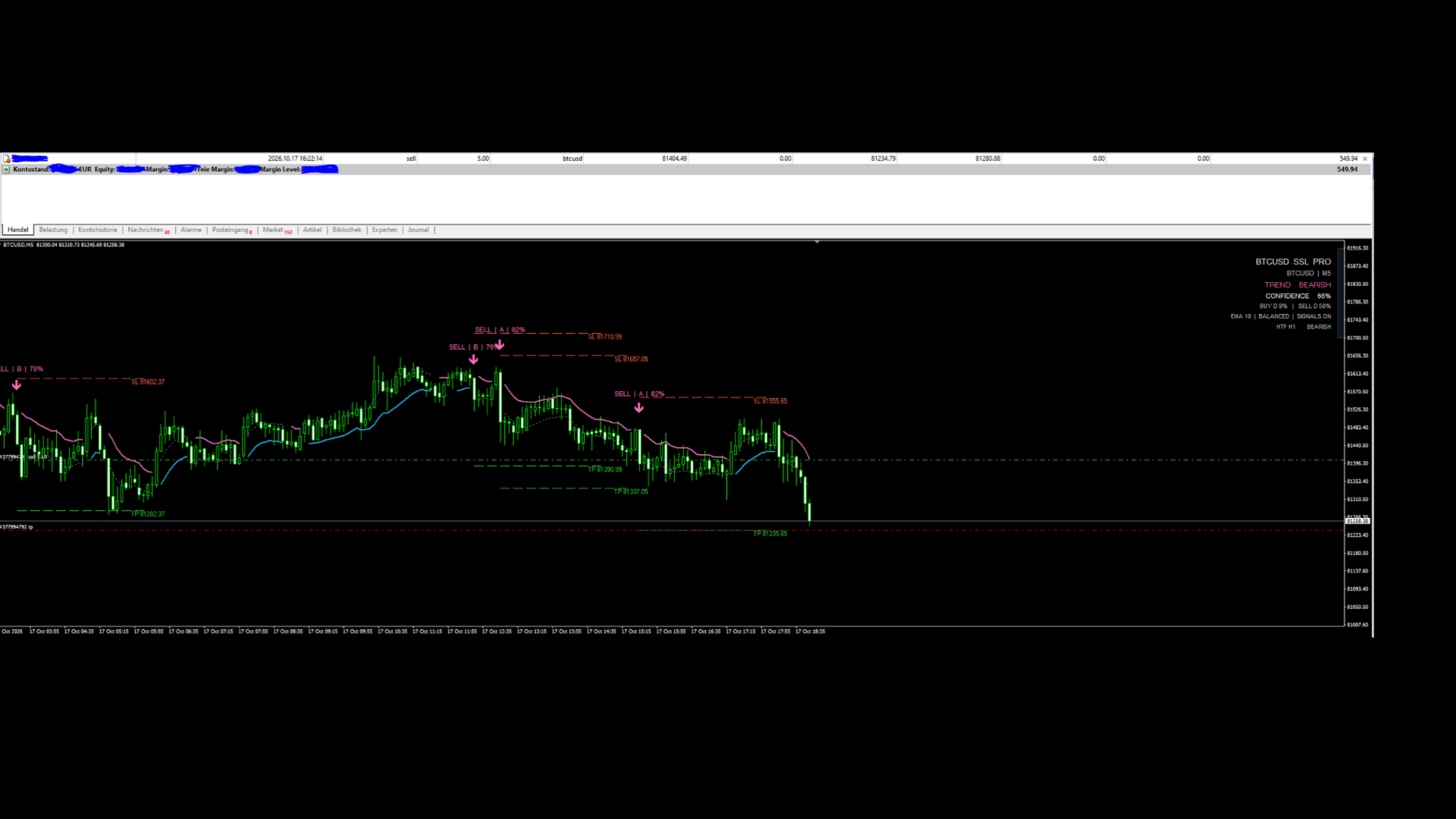
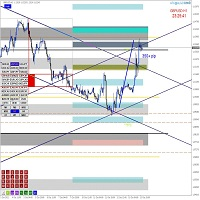
Its chart interface displays trend direction, signal scores, trend confidence, and visual Stop Loss and Take Profit reference levels.
Key Features
-
SSL Trend Channel: Identifies bullish and bearish market conditions using moving averages calculated from high and low prices.
-
BUY and SELL Signals: Displays directional arrows when the trend changes and the selected confirmation conditions are satisfied.
-
Three Signal Profiles: Choose Responsive, Balanced, or Selective settings according to your preferred signal filtering approach.
-
Six Moving Average Methods: SMA, EMA, WMA, HMA, RMA, and VWMA.
-
Higher-Timeframe Confirmation: Optionally filters signals using the direction of a higher timeframe.
-
Signal Scoring: Displays BUY and SELL scores from 0 to 100, together with letter grades from D to A+.
-
Trend Confidence Panel: Shows a calculated trend-confidence value based on the indicator's internal scoring components.
-
Visual Risk Levels: Draws configurable Stop Loss and Take Profit reference lines around signal prices.
-
Optional Popup Alerts: Provides MT4 alerts for trend changes, confirmed signals, higher-timeframe alignment, and weakening trend conditions.
-
Configurable Calculation History: Limits the number of chart bars processed to help manage calculation workload.
How It Works
The indicator first evaluates the relationship between price and the SSL channel to determine the current directional state.
Potential BUY signals are considered when the SSL state changes from bearish to bullish. Potential SELL signals are considered when the state changes from bullish to bearish.
Signal filtering uses several conditions, including RSI momentum, ADX trend strength, directional movement, normalized channel width, tick-volume participation, and the selected signal score threshold.
When higher-timeframe confirmation is enabled, the indicator requires directional agreement with the selected higher timeframe.
Signals are displayed only when the required conditions are met. The number of signals can therefore vary depending on market conditions, timeframe, moving average settings, and signal profile.
Signal Profiles
Responsive
Uses a lower signal score threshold and less restrictive trend filters. It is intended for traders who prefer more responsive signal filtering.
Balanced
Uses intermediate signal thresholds and is the default profile. It provides a middle-ground configuration between responsiveness and selectivity.
Selective
Uses higher signal thresholds and stricter trend filters. It is intended for traders who prefer fewer, more filtered signals.
These profiles change the indicator's filtering criteria. They do not guarantee signal accuracy or profitability.
Chart Information
The on-chart status panel displays:
-
Current symbol and chart timeframe
-
Bullish or bearish trend state
-
Calculated trend-confidence value
-
BUY and SELL scores with letter grades
-
Moving average type and signal profile
-
Higher-timeframe direction and filter status
BUY and SELL arrows are displayed when signal conditions are satisfied and signal display is enabled.
Risk Reference Levels
The indicator can draw visual Stop Loss and Take Profit reference lines based on the signal bar's closing price.
These levels are calculated using the configured distances in the symbol's quoted price units. They are chart guides only and do not place, modify, or manage trading orders.
Traders should assess appropriate risk levels for their broker, instrument, position size, and trading plan.
Recommended Use
The indicator can be used for discretionary technical analysis on Bitcoin charts.
It may be applied to different chart timeframes. The selected higher timeframe must be greater than the chart timeframe when higher-timeframe confirmation is enabled.
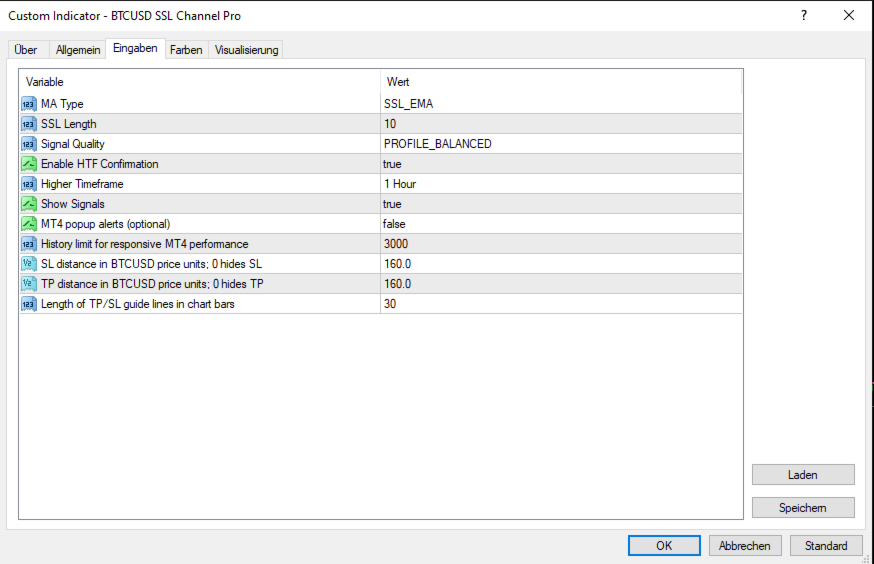
The default configuration uses EMA, an SSL length of 10, the Balanced signal profile, and H1 higher-timeframe confirmation.
Users should evaluate the indicator on their broker's price feed and test their preferred settings before using signals in live trading.
Recommended Timeframe and Settings
Recommended setup: M5 chart with H1 higher-timeframe confirmation.
For the recommended configuration, use the indicator on the 5-minute (M5) timeframe and enable Higher Timeframe Confirmation with the higher timeframe set to H1 (1 hour).
This setup is designed to identify short-term trading signals on M5 while using the H1 timeframe to help assess the broader market trend.
Recommended settings:
-
Chart timeframe: M5 (5 minutes)
-
Higher Timeframe Confirmation: Enabled
-
Higher Timeframe: H1 (1 hour)
-
Signal Profile: Balanced (recommended starting point)
Other timeframes and signal profiles can be tested to suit different trading styles and market conditions. Always evaluate the indicator on historical data and in a demo account before using it in live trading.
Risk Warning: Higher-timeframe confirmation may help filter signals, but it does not guarantee signal accuracy or profitable results.
Important Information
BTCUSD SSL Channel Pro is an analytical indicator, not an Expert Advisor. It does not execute trades automatically.
Signal scores and trend-confidence values are internal technical scores. They are not statistically validated probabilities of a profitable trade.
The indicator does not guarantee trading results. Cryptocurrency and other financial markets involve substantial risk, and historical price behavior does not guarantee future performance.
Please test the indicator under your own trading conditions before making financial decisions.