
GoldMajor
- Experts
- Versione: 1.155
- Aggiornato: 17 novembre 2026
- Attivazioni: 5

MATADOR GOLD is an automated trading Expert Advisor (EA) developed for MetaTrader 5, with a primary focus on short-term Gold (XAUUSD) trading using M5 market signals.
Unlike a signal-only indicator, MATADOR GOLD combines market analysis, automated trade execution, and position management in one trading system.
The EA evaluates market conditions using its internal signal engine and can automatically open, manage, and close positions when its trading requirements are satisfied and automated trading is enabled.
The system is designed to focus on selected trading conditions rather than generate trades on every candle.
Main Purpose
MATADOR GOLD is designed to combine structured trading signals with automated execution and configurable trade management.
Its decision process considers market direction, momentum, volatility, liquidity-related context, and higher-timeframe information.
Trades are initiated only when the required signal and execution conditions are satisfied. Signal frequency can vary significantly depending on market conditions, broker data, and the selected settings.
Recommended Market and Timeframe
-
Primary instrument: XAUUSD / GOLD
-
Primary signal timeframe: M5
-
Higher-timeframe context: M15 and additional supported timeframes
-
Platform: MetaTrader 5
-
Product category: Expert Advisor (EA)
Broker symbol names may vary, including suffixes or prefixes. Trading availability and execution depend on the broker's symbol specifications.
Main Features
1. Automated Trade Execution
MATADOR GOLD can automatically execute BUY and SELL orders based on signals generated by its internal trading system.
Order submission is subject to trading permissions, signal validity, broker requirements, and configured execution checks.
2. Market Analysis and Signal Selection
The signal engine evaluates multiple market characteristics, including trend direction, momentum, volatility, market structure, and higher-timeframe context.
Signal confidence and related decision metrics support the system's evaluation process.
3. Stop Loss and Take Profit Management
The EA supports broker-side Stop Loss placement and multiple position exit configurations:
-
TP1 Full Close
-
TP1 Partial Close with Runner
-
Runner Only
The default exit policy is TP1 Full Close. Alternative management modes can be selected in the EA inputs.
4. Position Management and Profit Lock
Depending on the selected exit policy, the EA provides break-even management, staged Stop Loss adjustment, and runner management.
The system also includes monitoring and reconciliation logic for supported position-management operations.
5. Configurable Trade Volume
Users can select manual lot execution or supported risk-based position sizing.
Manual lot execution is enabled by default, with an initial lot setting of 0.01.
Actual trade eligibility depends on account conditions, broker volume specifications, margin requirements, and applicable EA risk checks.
6. Execution and Risk Checks
The EA includes checks relating to:
-
Order permissions and signal validity
-
Stop Loss placement and broker constraints
-
Trade volume and available margin
-
Spread and execution conditions
-
Economic-calendar availability and selected news restrictions
-
Configured risk and position-management settings
These checks are intended to support execution discipline. They cannot eliminate market risk or guarantee a maximum realized loss.
7. Economic Calendar Awareness
MATADOR GOLD includes a news-related execution control using MetaTrader 5 economic calendar information.
Depending on the configuration and available calendar data, new entries may be deferred around selected economic events.
Calendar data availability and timing may differ between live trading and historical testing.
8. Market Liquidity Research
The EA includes observational multi-timeframe liquidity research and event tracking components.
Certain advanced liquidity functions operate in SHADOW research mode. They record and evaluate market observations without directly modifying live BUY or SELL decisions.
These research components should not be interpreted as proven predictive models or guaranteed trading advantages.
9. Chart Information and Notifications
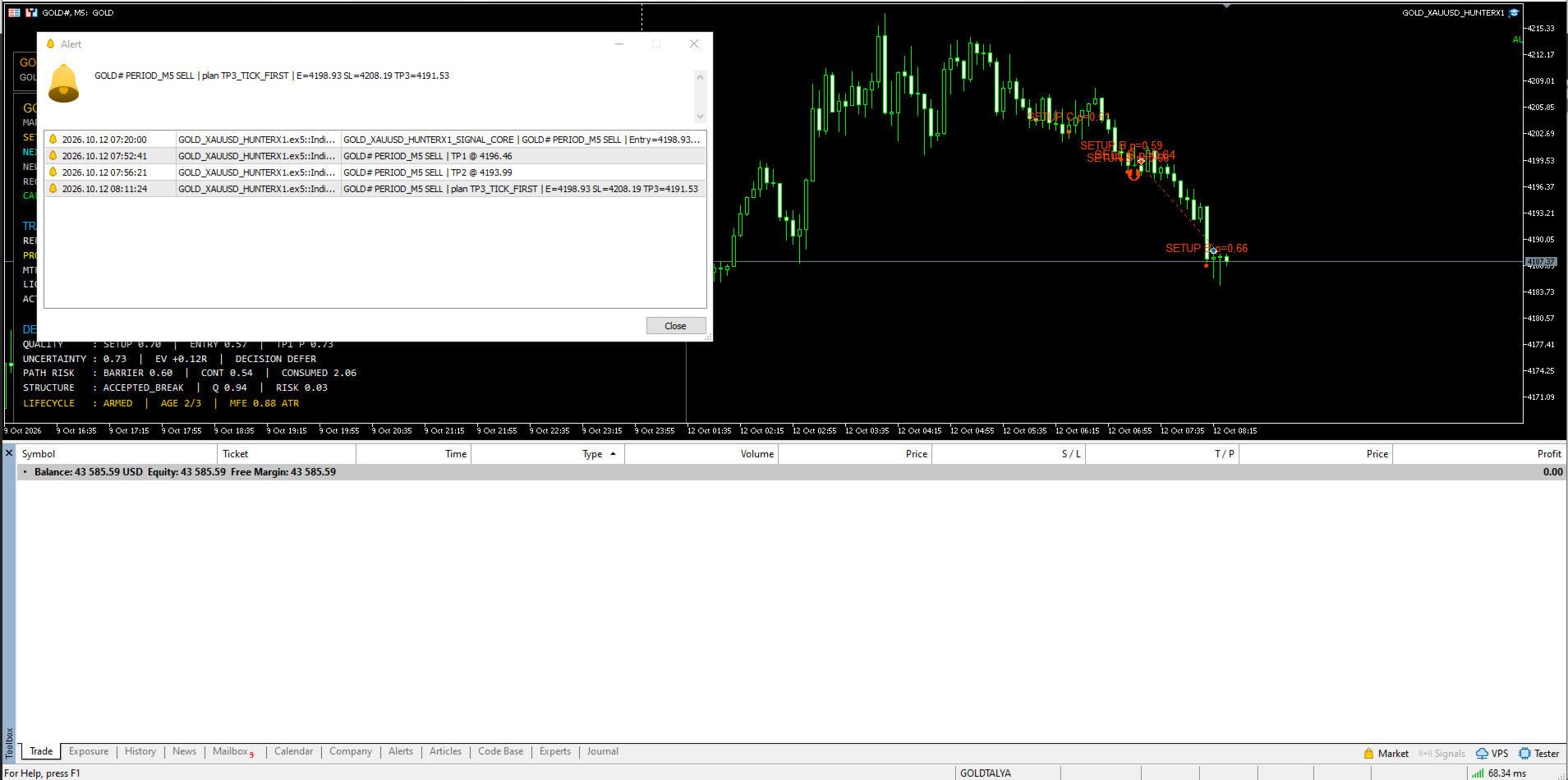
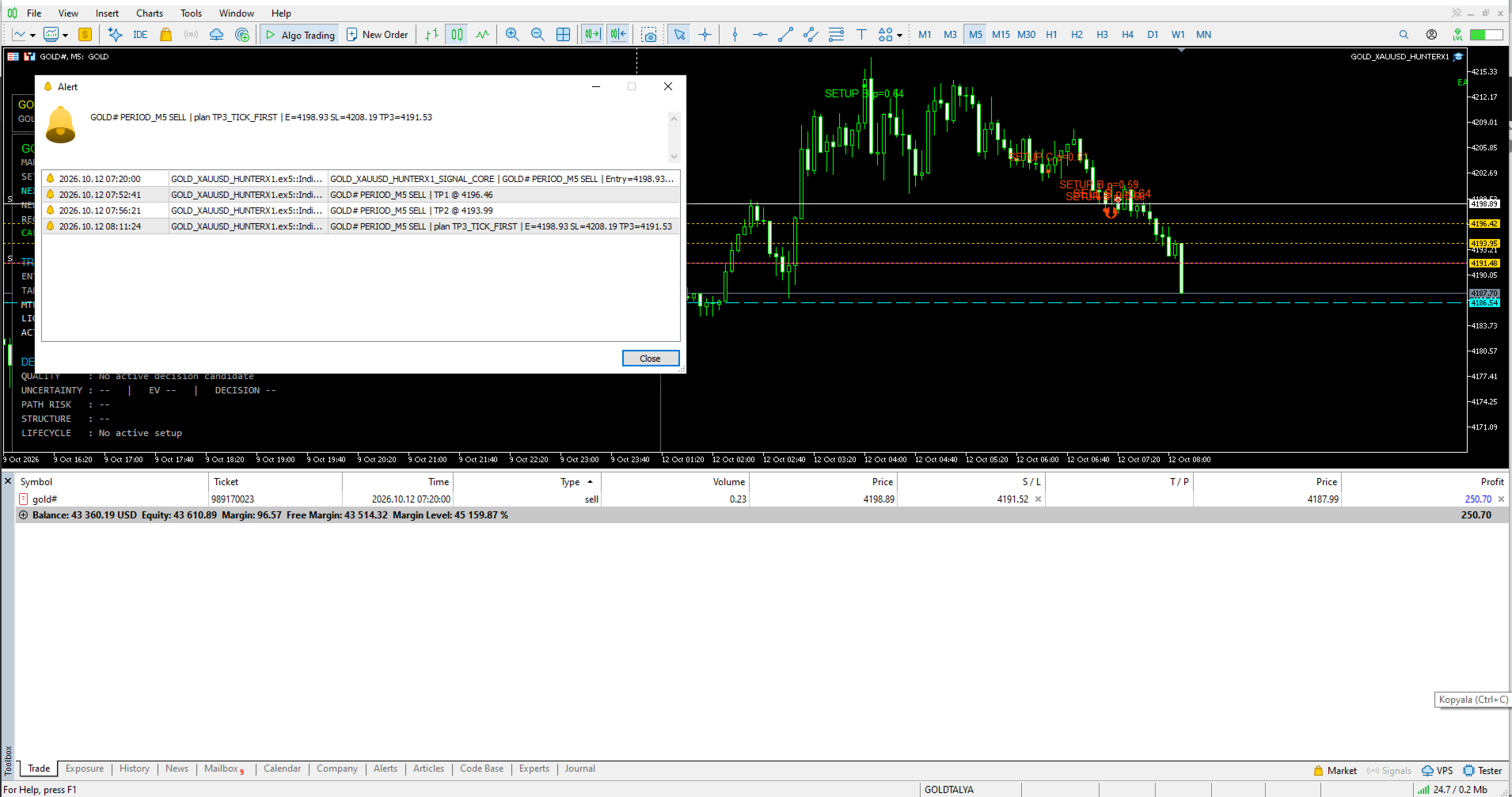
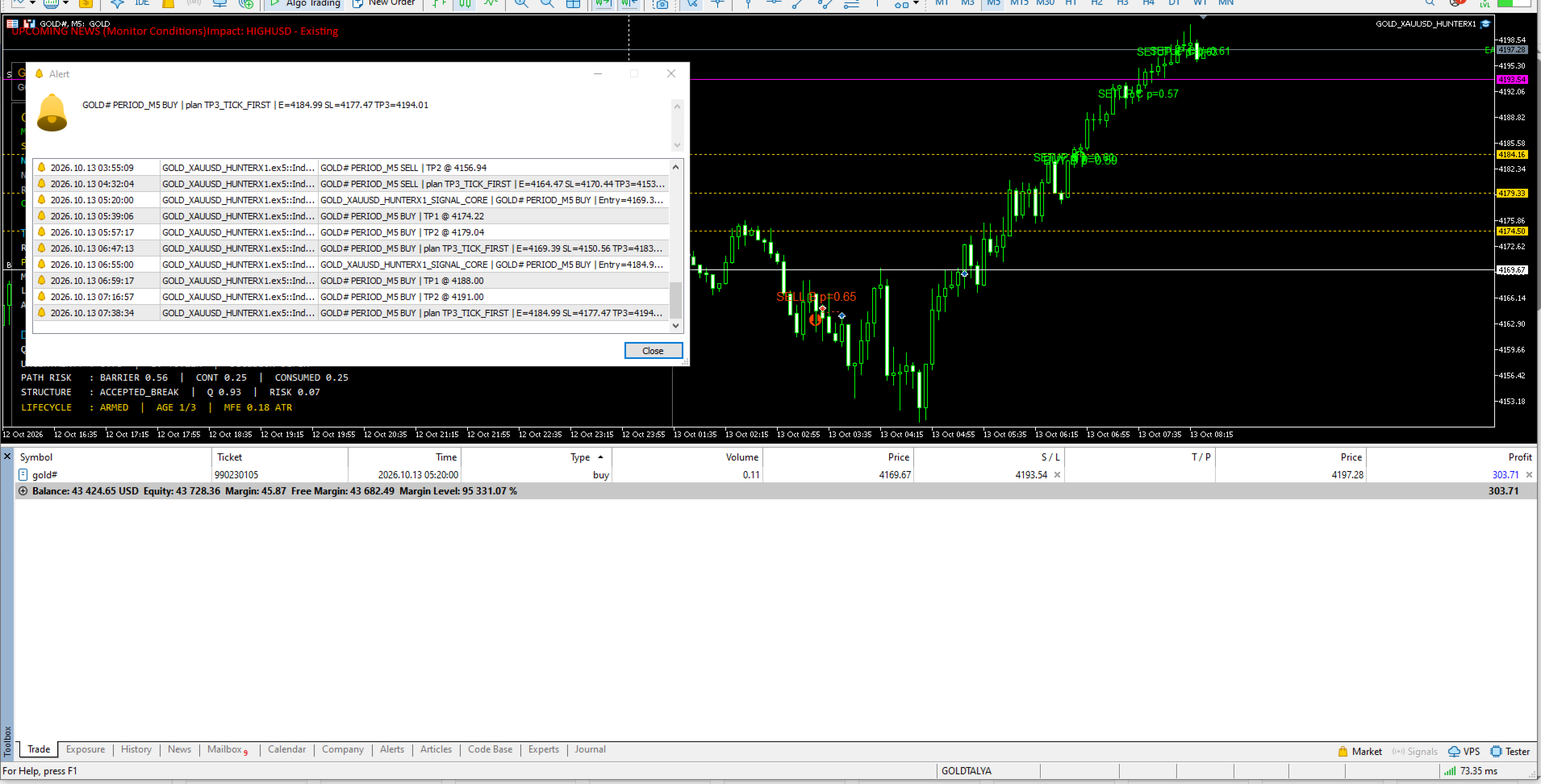
The integrated signal system provides chart-based information and supports configurable terminal alerts, sound notifications, and push notifications.
Notification availability depends on the relevant input settings and MetaTrader terminal configuration.
How MATADOR GOLD Works
The EA monitors the selected trading symbol and evaluates signals from its M5 signal engine.
When a potential trading opportunity is identified, the system checks whether the signal remains valid and whether the required execution conditions are satisfied.
If automated trading is enabled and the applicable checks pass, the EA may submit a market order automatically.
After a position is opened, the selected trade-management policy controls the supported Stop Loss, Take Profit, and position-management operations.
Some signals will not result in executed trades. This can occur because of signal expiration, economic events, margin availability, broker restrictions, spread conditions, or other execution requirements.
Suggested Usage
MATADOR GOLD is primarily intended for XAUUSD or GOLD trading, with M5 as its primary signal timeframe.
London, New York, and their overlapping sessions may offer increased market activity, although liquidity, volatility, spreads, and execution quality can change rapidly.
Economic news releases may introduce abrupt price movements and wider spreads.
No trading session is guaranteed to provide favorable conditions or profitable results.
Users should evaluate the EA in the MetaTrader 5 Strategy Tester and on a demo account before considering live trading.
Installation from MQL5 Market
-
Open MetaTrader 5.
-
Go to Tools > Options > Community and sign in with your MQL5 account.
-
Open Navigator > Market > My Purchases.
-
Find and install MATADOR GOLD.
-
Locate the product under Navigator > Expert Advisors > Market.
-
Attach the EA to an XAUUSD or GOLD chart, preferably M5.
-
Review the input parameters, especially trading permissions, lot size, Stop Loss management, and exit policy.
-
Enable algorithmic trading in the terminal and allow algorithmic trading in the EA settings.
-
Check the Experts and Journal tabs for initialization messages, warnings, or execution restrictions.
The trading terminal must remain operational and connected for client-side automated execution and management functions to work. A suitable VPS may be used for continuous operation.
Important Information About Automated Trading
MATADOR GOLD is an Expert Advisor, not a signal-only indicator.
When automated trading is enabled, the EA may submit, modify, or close trades without requesting individual confirmation from the user.
Users who do not wish to permit automatic order execution should disable automated trading before attaching or operating the EA.
The user is responsible for reviewing the selected settings and monitoring the trading account.
Risk Disclosure and Disclaimer
Trading Risk
Trading Gold, Forex, and leveraged financial instruments involves substantial financial risk and may not be suitable for every investor.
Trading losses may include the entire invested capital and, depending on broker arrangements and applicable regulations, may exceed the funds deposited.
No Profit Guarantee
MATADOR GOLD does not guarantee profits, trading success, specific returns, a minimum win rate, or protection against losses.
Past performance, simulated trading results, historical backtests, and strategy testing do not guarantee future results.
Automated Execution Risk
Automated trades are subject to market conditions, price gaps, slippage, spread changes, execution delays, broker restrictions, insufficient liquidity, rejected orders, and technical failures.
Stop Loss, Take Profit, break-even, and position-management functions do not guarantee execution at a particular price.
Realized losses may exceed the initially estimated or configured risk amount.
Technical and Operational Risk
Internet disconnections, terminal shutdowns, VPS interruptions, unavailable market data, delayed quotes, broker server failures, or platform-related issues may prevent or delay trading operations.
The EA cannot guarantee uninterrupted operation or successful order execution under all conditions.
User Responsibility
The user retains full responsibility for selecting the broker, trading account, leverage, trade volume, risk exposure, product settings, and whether automated trading is enabled.
The user is also responsible for understanding the relevant trading risks and complying with applicable laws and regulations.
No Investment Advice
MATADOR GOLD is an automated trading software product. It does not provide personalized financial, legal, or investment advice.
Its trading signals and automated decisions should not be interpreted as a recommendation that any particular transaction is suitable for an individual user.
Limitation of Liability
To the extent permitted by applicable law, the developer and seller disclaim liability for trading losses, lost profits, missed trading opportunities, or indirect or consequential damages arising from the use or inability to use the software.
Nothing in this disclaimer excludes liability or consumer rights that cannot legally be excluded.
By enabling automated trading, the user acknowledges the risks associated with algorithmic execution and accepts responsibility for the trading account and selected operating conditions.
Support
For product questions, installation assistance, input configuration, or technical support, please use the product Comments section or the MQL5 messaging system.
For technical issues, include the MetaTrader 5 build, broker symbol, relevant EA settings, and available Experts or Journal messages to help identify the issue.







































L'utente non ha lasciato alcun commento sulla valutazione.