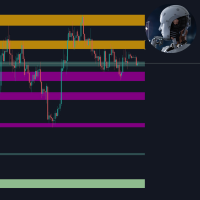
Key Liquidity levels and Confirmation
- Indicatori
- Versione: 1.0

Key Liquidity Levels and Confirmation shows where liquidity is resting on the chart and marks the moment it is taken. It combines three steps of one trading idea in a single tool: the key level, the sweep of that level, and the confirmation that follows.
KEY LEVELS
- Asia, London and New York session highs and lows
- Previous day high and low (PDH / PDL)
- Previous week high and low (PWH / PWL)
- Previous month high and low
- All-time high and all-time low
Levels that share the same price are merged into one line with a combined name. A broken level stops at the bar where it was broken and turns dotted, so only untouched liquidity stays highlighted.
LIQUIDITY SWEEPS
A sweep is marked when price pushes beyond a level and closes back inside within a few bars. Each sweep is shown in the color of the level it took. Marker styles: Box, Wick, Candle or None.
CONFIRMATION
- FVG / IFVG: shows the first fair value gap in the reversal direction after a sweep, or all gaps on the chart. The gap can be detected on the chart timeframe or on a higher one.
- CISD / MSS: shows the first structure break in the reversal direction after a sweep, or every change in price delivery. Confirmation by candle body (CISD) or by wick (MSS).
ALERTS
- Key liquidity sweep
- First FVG after sweep
- First IFVG after sweep
- CISD / MSS after sweep
Alerts can be sent as a popup in the terminal and as a push notification to the mobile app.
HOW TO USE
1. Wait for price to reach a key level.
2. Watch for a sweep: a push beyond the level followed by a close back inside.
3. Use the first FVG, IFVG or CISD / MSS after the sweep as confirmation of the reversal.
MAIN INPUTS
- Timezone of the session windows and the session times
- Broker server time: detected automatically, can be set manually
- Show or hide each level and choose its color
- Line hierarchy, label position and label size
- Sweep marker style
- FVG / IFVG display mode, timeframe and colors
- CISD / MSS mode, swing sensitivity and line style
- Alert settings
NOTES
- All signals are confirmed on bar close and are not redrawn afterwards.
- Session levels are shown on H4 and lower timeframes, previous day levels on timeframes below D1.
- Colors adapt automatically to a light or dark chart background.
- The indicator does not open trades. It is an analysis tool.