Trading Workspace Themes by Soeccke
- Utilità
- Versione: 1.0

Trading Workspace Themes by Soecke is a free chart customization script for MetaTrader 5. Choose from eight color themes and apply your preferred appearance to the current chart or all open charts.
Included themes
DEEP_SPACE, MIDNIGHT_BLUE, VOLCANIC_AMBER, POLAR_DARK, SOFT_LITE, COASTLINE, AMETHYST_SOFT and SAKURA_MIST.
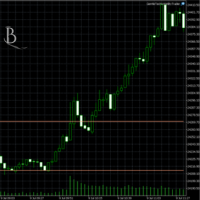
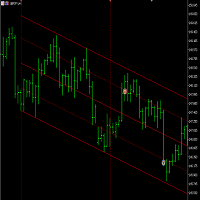
Each theme defines colors for the chart background, foreground, grid, bullish and bearish candles, bar outlines, chart line, price lines, stop levels and volume bars.
Features
-
Apply a theme to the current chart or all open charts.
-
Show or hide the chart grid and OHLC information.
-
Keep the current volume display, hide volumes, or select tick or real volumes.
-
Enable or disable chart shift and automatic scrolling.
-
Switch to candlestick mode or preserve the current chart type.
-
Show or hide Bid, Ask and Last price lines.
How to use
Run the script on a chart, select a theme and application scope, adjust the workspace settings, and click OK. The script applies the settings and then exits. Run it again whenever you want to change the appearance.
Input parameters
-
InpTheme: Select one of the eight included themes.
-
InpApplyScope: Apply settings to the current chart or all open charts.
-
InpShowGrid: Show or hide the chart grid.
-
InpShowVolumes: Preserve the current setting, hide volumes, or display tick or real volumes. Real volume availability depends on the instrument and broker.
-
InpShowOHLC: Show or hide open, high, low and close information.
-
InpChartShift: Enable or disable the right-side chart margin.
-
InpAutoScroll: Enable or disable automatic scrolling to the latest bar.
-
InpUseCandles: When enabled, switch to candlestick mode. When disabled, preserve the existing chart type.
-
InpBringToFront: Bring the chart running the script to the foreground after applying settings.
-
InpShowBidLine: Show or hide the Bid price line.
-
InpShowAskLine: Show or hide the Ask price line.
-
InpShowLastLine: Show or hide the Last price line.
Please note
The script changes chart appearance and display settings only. It does not open, modify or close trades, provide trading signals, or enforce risk limits.
Applying a theme replaces the corresponding chart colors and selected display settings. Newly opened charts are not updated automatically.