Rush Hour PRO MT5
- Indicatori
-
Pawel Drucis
 Welcome to YOX Trade!
With more than 20 years of experience in the trading industry, YOXO Trade develops and provides professional software solutions designed to support traders in their everyday trading activities. - Versione: 1.0
RUSH HOUR
Know when your pair really moves
Every market has a rhythm. Some hours are full of action, with big candles, fast moves and tight spreads. Other hours are dead quiet, and trades just drift sideways and eat your time and patience.
Most traders guess when the good hours are. Rush Hour measures it. It studies your pair's own history and shows, hour by hour, when it usually moves the most and when it usually sleeps, so you can plan your trading day around the pair's real rhythm.
How it works
Rush Hour looks at the last 60 trading days and measures how much the pair usually moves in each hour of the day. Every hour is then compared with the pair's busiest hour:
- QUIET: small, slow moves
- NORMAL: average activity
- BUSY: good movement
- RUSH HOUR: the pair's busiest hours
Every pair is different. EURUSD, GBPJPY and gold each have their own rush hours, and Rush Hour finds them for each chart you open.
Features
24-hour heat strip
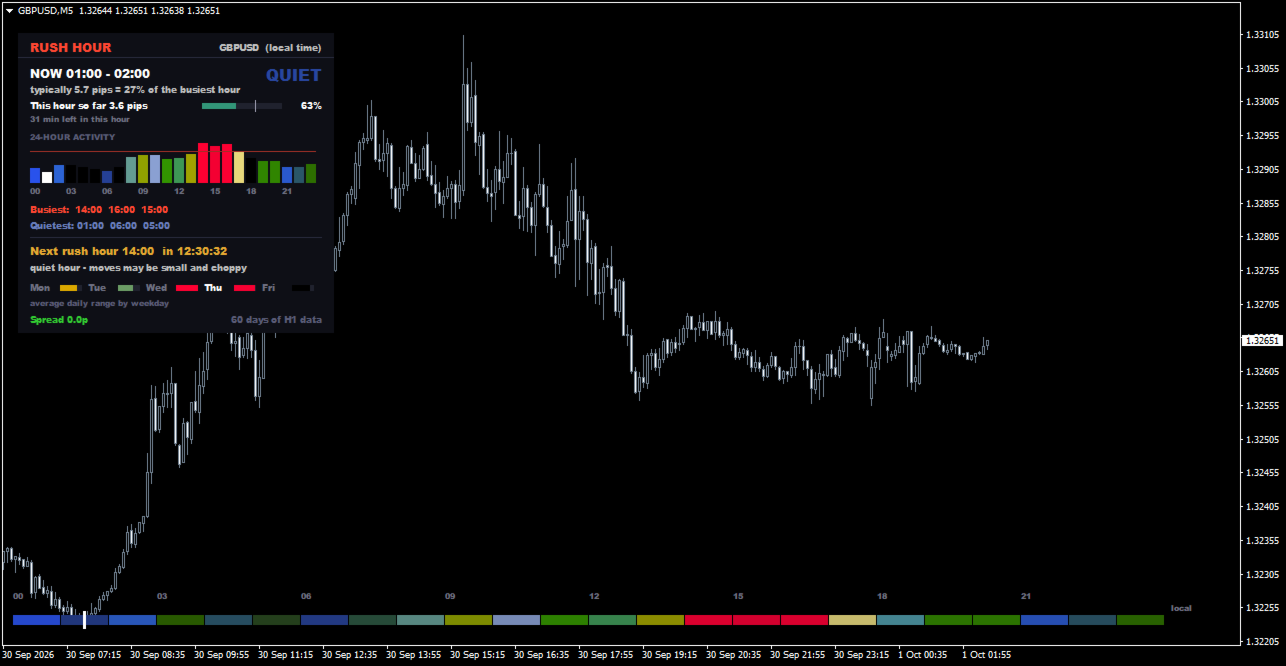
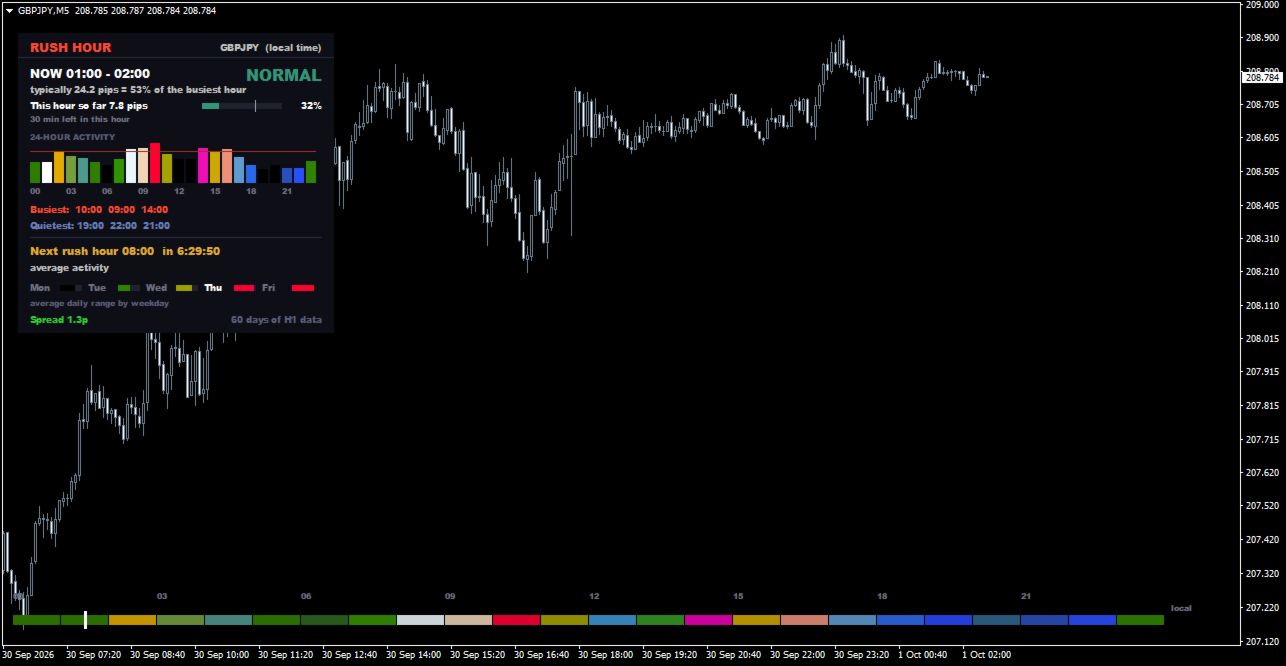
A slim colour strip along the bottom of your chart shows the whole day at a glance, from cool blue (quiet) to hot red (rush hour). A white "now" marker moves along it minute by minute.
Shown in your own time
Hours are shown in your computer's local time by default, so there's no converting from broker time. You can switch to broker time with one setting.
Live "now" reading
The dashboard shows the current hour, its level, and how much the pair typically moves in it, for example "typically 12.4 pips = 92% of the busiest hour". During a rush hour, the label flashes.
This hour so far
See how much price has already moved in the current hour compared with a typical hour, with a progress bar and the minutes left.
Rush hour countdown
"Next rush hour 15:00 - in 1:42:10": a live countdown so you know exactly when the action usually starts.
24-hour activity chart
A colourful bar chart of all 24 hours, with the current hour highlighted and the rush-hour level marked.
Busiest and quietest hours
The 3 busiest and 3 quietest hours of the day, listed clearly.
Weekday comparison
Average daily movement for Monday to Friday, so you can see which days are usually the most active.
Plain-English tips
A short line tells you what the current hour usually means, for example "quiet hour - moves may be small and choppy".
Rush hour alert
An optional alert a few minutes before a rush hour begins, so you can be at your desk in time.
Who is it for?
- Traders with limited time who want to trade only the most active hours
- Scalpers and day traders who need movement and tight spreads
- Anyone tired of sitting through slow, sideways hours
- Traders who want to know when not to trade