US500 Dynamics Pro
- Experts
-
Kabelo Frans Mampa
 A little bit about me, I started my trading journey in 2017. Back then, I was into binary options and deriv.com, which had a different name. I became familiar with MetaTrader in 2018 and moved to forex trading. I started to find my love for programming in 2016 when I was 14, but I only began to
 - Versione: 1.0
- Attivazioni: 15
US500 Dynamics Pro
A regression-based trend structure system for the S&P 500
Overview
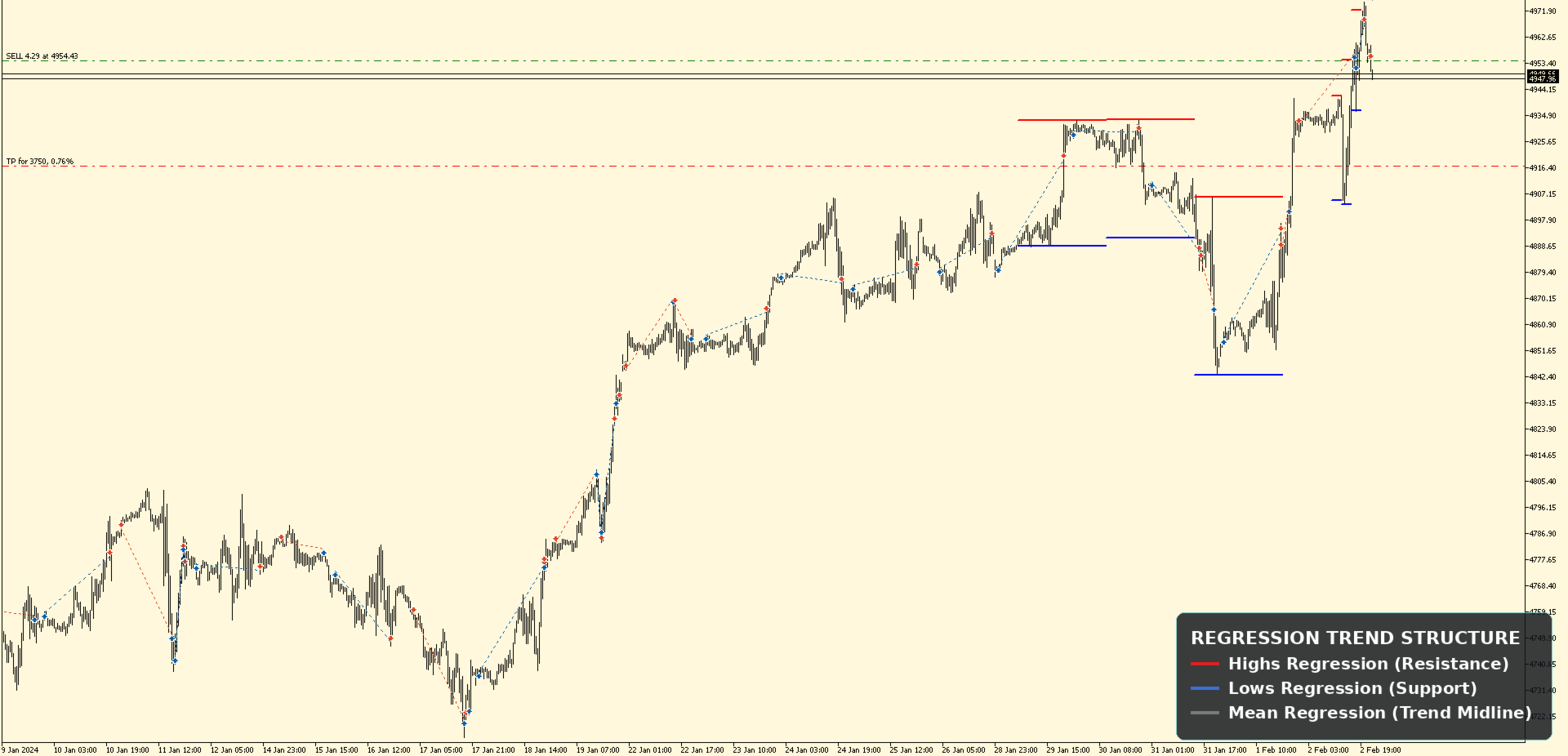
US500 Dynamics Pro EA reads the S&P 500's price action the way a technical analyst would, by mapping out trend structure across recent, mid-term, and longer price ranges, then measuring where price sits relative to that structure before entering a trade. Instead of reacting to a single moving average cross or oscillator signal, the EA builds a picture of the trend using regression-based trendlines drawn across highs, lows, and price means, then evaluates that structure on the timeframe you choose to run it on.
US500 Dynamics Pro is built around a single, focused timeframe at a time. You decide which of the 15 available timeframes (M1 through H4) the EA is permitted to trade on, enabling or disabling each independently, giving you full control over exactly where the strategy is allowed to operate.
How It Works
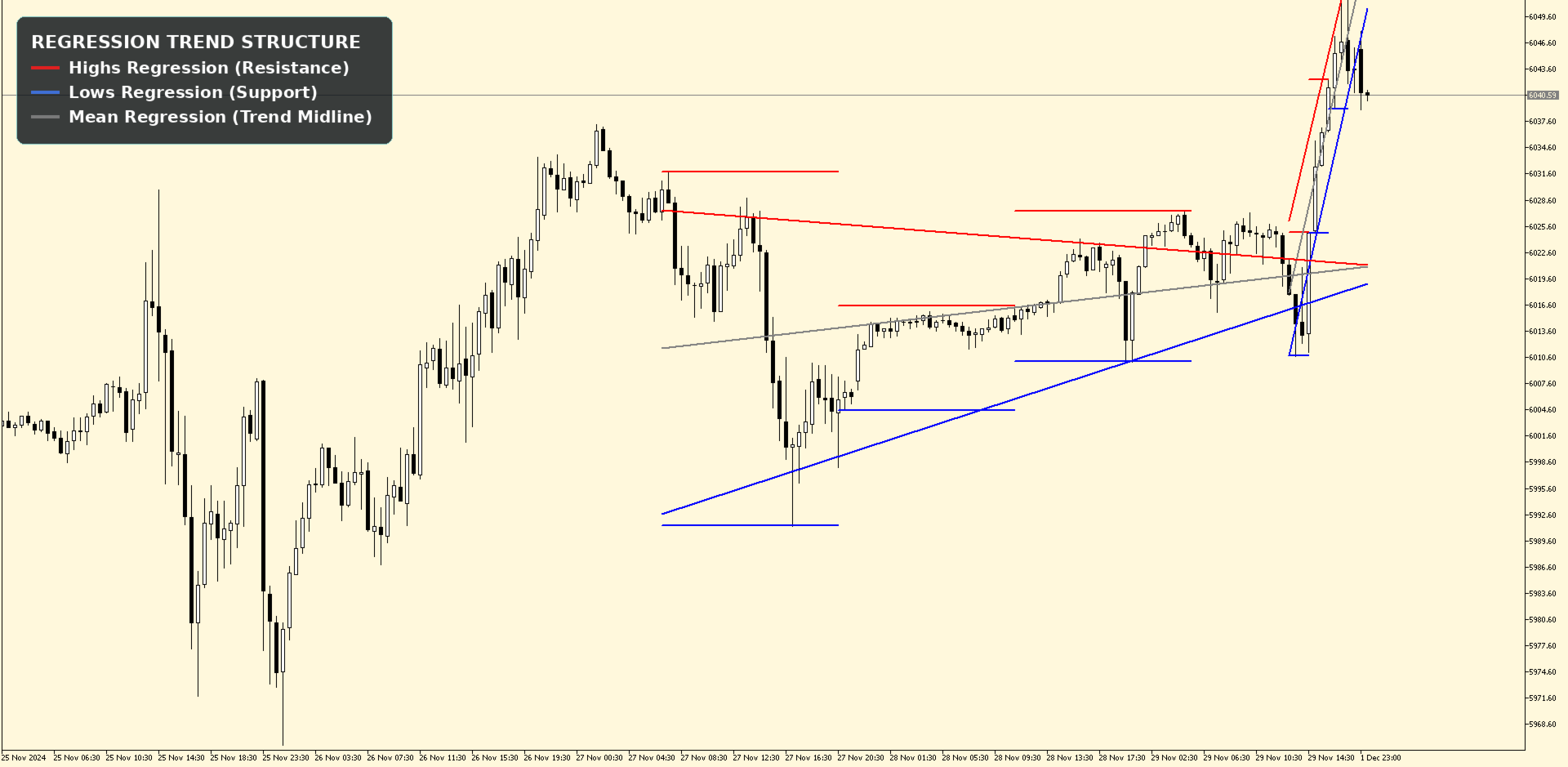
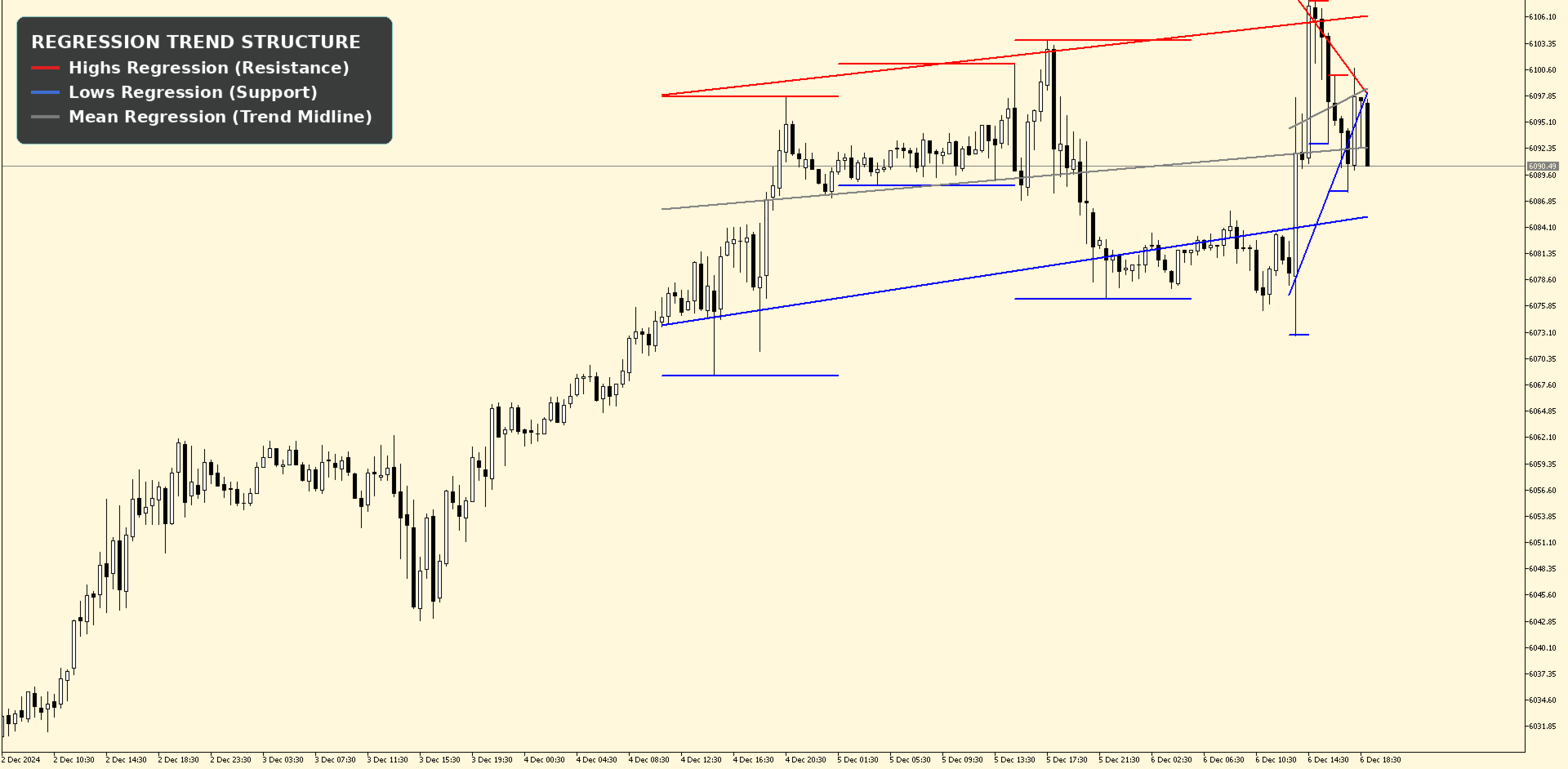
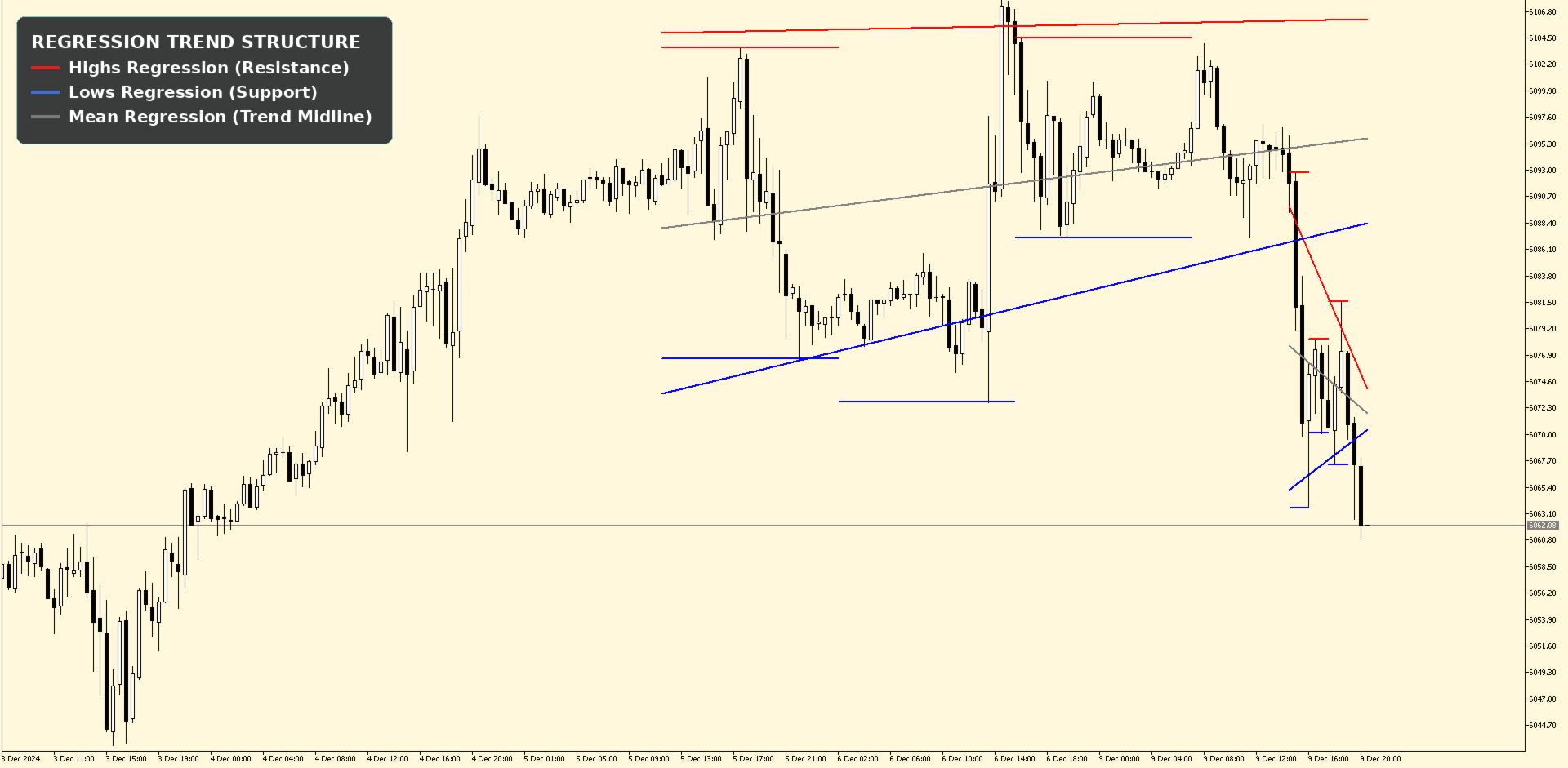
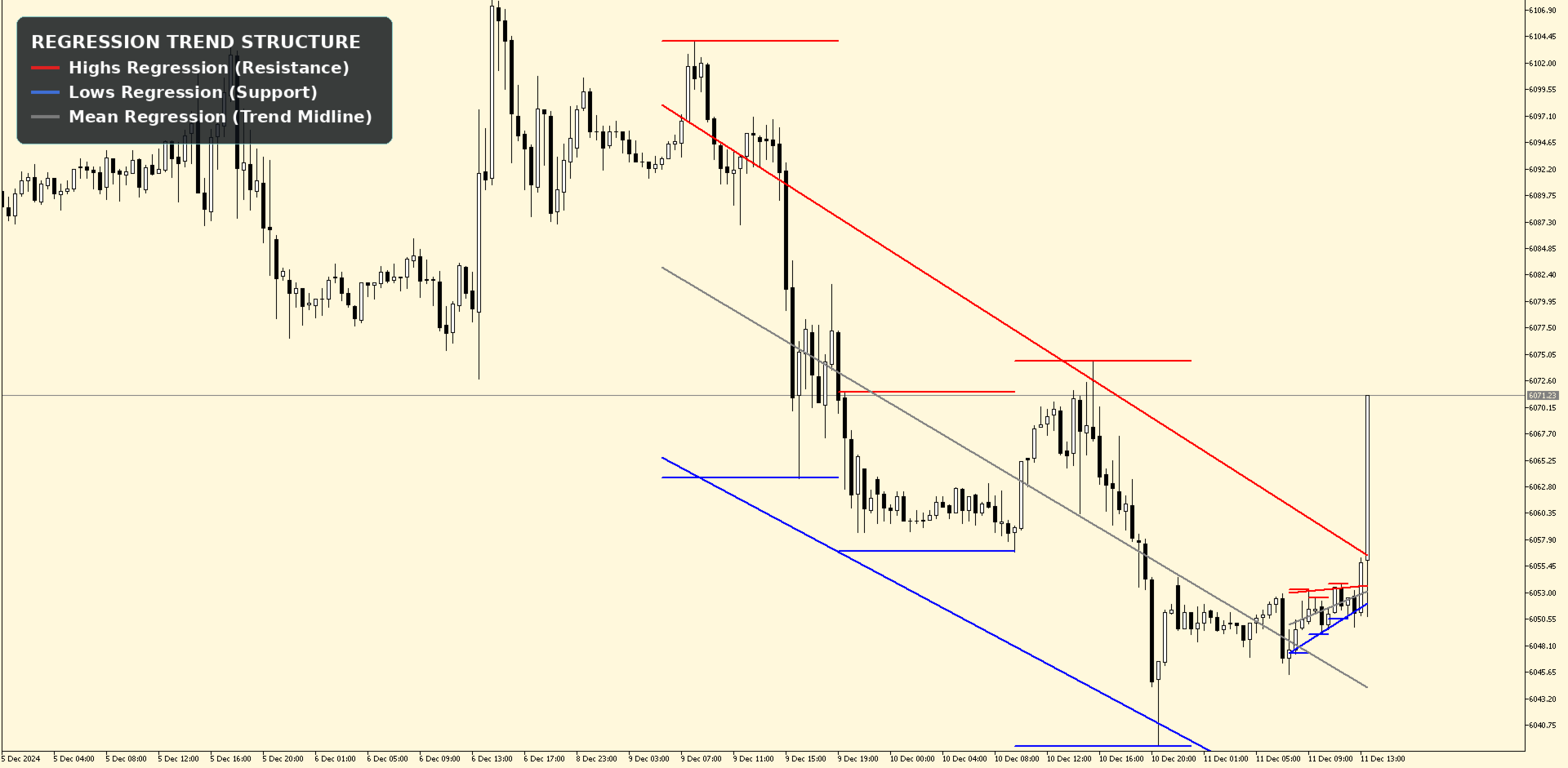
US500 Dynamics Pro splits recent price history into three sequential zones and fits a trend line through the highs, the lows, and the average price of each zone. This produces a set of regression channels that show not just where price has been, but the direction and strength of the move across each phase of the chart.
The EA then checks:
- Whether the trend direction is consistent across the highs, lows, and midline
- Where the current price sits relative to these regression channels
- Whether price is compressing, extending, or reversing within the structure
Built for Flexible Risk Management
US500 Dynamics Pro was designed to work equally well for personal trading accounts and prop-firm/funded accounts, with risk controls that go well beyond a fixed lot size.
Multiple lot-sizing modes: fixed custom lot size, risk-percentage-of-free-margin, fixed risk amount per trade (with a configurable hard cap), balance-per-lot scaling, or a maximum-lot-available percentage, each independently configurable
Configurable ROI / take-profit ratio: choose your reward-to-risk multiple, from 1x fixed targets up to unlimited
StopLoss sizing: choose between small, medium, and large stop distances to match your risk tolerance
Trailing-Stop in Profit: enable or disable, with configurable start distance and step
Trailing-Stop in Loss: a losing trailing-stop that can tighten losses on trades, with its own start and step
Breakeven: move stop-loss to breakeven at a configurable distance
Trading schedule control: restrict trading to specific start/end hours and minutes
Trading cooldown timer: enforce a minimum gap (in minutes) between trades
Daily trade limit: cap the number of trades per day
Single-Timeframe Control: individually enable or disable each of the 15 supported timeframes (M1–H4) to define exactly where the EA is allowed to trade
PnL Dashboard: optional on-chart dashboard with daily, weekly, monthly, yearly, and all-time PnL views, plus light/dark chart colour modes
Magic number support: run multiple instances or alongside other EAs without conflicts
Recommended Setup
- Symbol: US500 (US 500 / S&P 500, broker-symbol dependent, also seen as SPX500, SP500, or USA500)
- VPS