Pro Parabolic SAR Flip Signal Multi Filter MT5
- Indicatori
- Versione: 2.11
- Attivazioni: 5

Parabolic SAR Multi-Filter System MT5: Algorithmic Trend Reversal Engine
1. PRODUCT OVERVIEW & OPERATIONAL ARCHITECTURE
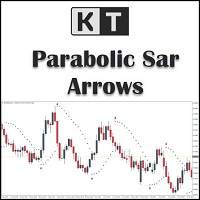
Parabolic SAR Multi-Filter System MT5 is a professional multi-component technical analysis indicator engineered for the MetaTrader 5 terminal. The indicator combines J. Welles Wilder's classic Parabolic Time/Price System with an advanced modular filtering architecture comprising 17 distinct secondary validation engines.
The primary objective of this software is to eliminate false breakout signals commonly associated with standalone Parabolic SAR implementations during consolidating or erratic market conditions. Rather than generating signals purely on individual price curve intersections, the indicator evaluates directional momentum, multi-timeframe moving averages, trend exhaustion levels, oscillators, dynamic support/resistance zones, and automated Fibonacci retracement levels before displaying buy and sell entry arrows.
The program operates entirely within the native MQL5 execution environment, utilizing optimized indicator handle management, internal array memory allocation, and vector calculations to ensure zero latency impact on terminal operations.
2. OPERATING PRINCIPLE & SIGNAL GENERATION MECHANICS
The indicator's calculation pipeline executes through a two-stage sequential validation model: primary trend flip detection followed by secondary multi-filter confirmation.
2.1. Parabolic SAR Primary Reversal Logic
The core algorithmic baseline tracks price displacement using Welles Wilder's parabolic formula:
- Upward SAR: SAR(t) = SAR(t-1) + AF * [EP(t-1) - SAR(t-1)], where EP is the extreme high of the current uptrend.
- Downward SAR: SAR(t) = SAR(t-1) - AF * [SAR(t-1) - EP(t-1)], where EP is the extreme low of the current downtrend.
- Acceleration Factor (AF) initializes at InpStep (default: 0.02) and increments by InpStep on each subsequent high/low print up to InpMaximum (default: 0.20).
A valid directional reversal ("flip") occurs strictly upon polarity transition:
- Bullish Flip Condition: The previous candle Parabolic SAR printed at or above the previous high (SAR[i-1] >= High[i-1]), and the current candle Parabolic SAR prints at or below the current low (SAR[i] <= Low[i]).
- Bearish Flip Condition: The previous candle Parabolic SAR printed at or below the previous low (SAR[i-1] <= Low[i-1]), and the current candle Parabolic SAR prints at or above the current high (SAR[i] >= High[i]).
2.2. Strict Non-Repainting Execution Model
Signal integrity is governed by explicit bar indexing rules within OnCalculate:
- Arrow plots (BuyBuffer and SellBuffer) and alert dispatches are calculated strictly on closed bars (rates_total - 2, representing Bar 1 relative to live price).
- Active forming bars (rates_total - 1, representing Bar 0) are explicitly reset to EMPTY_VALUE on each incoming tick.
- Once a bar closes and an arrow is plotted, its coordinates, buffer values, and graphical markers remain fixed permanently in historical data. Signals do not disappear, alter position, or recalculate on subsequent price movements.
2.3. Filter Execution Logic
When a primary SAR flip occurs on candle [i], the algorithm evaluates all enabled filter conditions simultaneously. The entry signal is validated if and only if all active filters return a boolean true state for that bar:
- Bullish Signal Output: Bullish SAR Flip == True AND All Active Buy Filters == True. Arrow is plotted at Low[i] - (Range * InpOffsetATR).
- Bearish Signal Output: Bearish SAR Flip == True AND All Active Sell Filters == True. Arrow is plotted at High[i] + (Range * InpOffsetATR).
3. TECHNICAL SPECIFICATIONS OF THE 17 CONFLUENCE FILTERS
The architecture includes 17 configurable filter modules derived from classical technical models, enabling custom operational profiles:
- Filter 01: RSI Cross Filter (Use_RSI_Cross_Filter)
Evaluates relative momentum boundary conditions using RSI(14). A Buy signal requires RSI crossing above the Oversold threshold (RSI[i] > Oversold AND RSI[i-1] <= Oversold). A Sell signal requires RSI crossing below the Overbought threshold (RSI[i] < Overbought AND RSI[i-1] >= Overbought).
- Filter 02: ADX Trend Strength Filter (Use_ADX_Filter)
Measures market directional momentum via Average Directional Index. Both Buy and Sell executions require the main ADX line to be equal to or greater than ADX_Min_Level (default: 20.0), filtering out dormant ranging phases.
- Filter 03: Single Moving Average Filter (Use_MA_Filter)
Enforces macro directional alignment relative to a single moving average. Buy signals require Close[i] > MA[i]. Sell signals require Close[i] < MA[i].
- Filter 04: Ichimoku Senkou Span B Filter (Use_Ichimoku_Filter)
Utilizes the longest cycle dynamic equilibrium line of the Ichimoku Kinko Hyo system (default period 52, shifted by 26 bars). Buy signals require Close[i] > Senkou Span B[i]. Sell signals require Close[i] < Senkou Span B[i].
- Filter 05: Long-Period RSI 75 Filter (Use_RSI75_Filter)
Applies a long-cycle Relative Strength Index (period 75) as a macro trend regime detector. Buy signals require RSI75[i] > 50.0 (bullish dominance). Sell signals require RSI75[i] < 50.0 (bearish dominance).
- Filter 06: Double Moving Average Filter (Use_DoubleMA_Filter)
Employs dual exponential moving averages (default: Fast 30 EMA vs Slow 140 EMA). Buy signals require Fast EMA[i] > Slow EMA[i]. Sell signals require Fast EMA[i] < Slow EMA[i].
- Filter 07: Awesome Oscillator Multi-Mode Filter (Use_AO_Filter)
Provides three selectable sub-filtering mechanics calculated from median price (HL/2) momentum:
a) AO Volume Filter: AO[i] >= AO_Buy_Min for Buy; AO[i] <= AO_Sell_Max for Sell.
b) AO Color Filter: AO[i] > AO[i-1] (green bar) for Buy; AO[i] < AO[i-1] (red bar) for Sell.
c) AO Zero Filter: AO[i] > AO[i-1] AND AO[i] > 0 for Buy; AO[i] < AO[i-1] AND AO[i] < 0 for Sell.
- Filter 08: Secondary Parabolic SAR Filter (Use_SAR_Filter)
Applies an independent secondary Parabolic SAR baseline calculation with distinct step/maximum parameters to verify dual-trajectory trajectory. Buy requires Close[i] > SAR_Filter[i]; Sell requires Close[i] < SAR_Filter[i].
- Filter 09: Heiken Ashi Price Action Filter (Use_HeikenAshi_Filter)
Calculates synthetic synthetic price action bars internally (HA_Close = (O+H+L+C)/4, HA_Open = (HA_Open[prev]+HA_Close[prev])/2). Buy requires HA_Close[i] > HA_Open[i] (bullish candle body); Sell requires HA_Close[i] < HA_Open[i] (bearish candle body).
- Filter 10: Commodity Channel Index Trend Filter (Use_CCI_Filter)
Assesses cyclical deviation from statistical mean over CCI_Period (default: 50). Buy requires CCI[i] > 0; Sell requires CCI[i] < 0.
- Filter 11: CCI Overbought/Oversold Filter (Use_CCI_OBOS_Filter)
Measures statistical price extremes on shorter periods (default: 14). Buy requires CCI[i] > CCI_Overbought (default: 100.0); Sell requires CCI[i] < CCI_Oversold (default: -100.0).
- Filter 12: Relative Vigor Index Trend Filter (Use_RVI_Filter)
Analyzes closing price positioning relative to candle ranges over RVI_Period (default: 75). Buy requires RVI_Main[i] > 0; Sell requires RVI_Main[i] < 0.
- Filter 13: RVI Signal Line Cross Filter (Use_RVI_Signal_Filter)
Tracks micro-momentum crossovers between RVI main line and signal line (weighted 4-period moving average of RVI). Buy requires RVI_Main[i] > RVI_Signal[i]; Sell requires RVI_Main[i] < RVI_Signal[i].
- Filter 14: MACD Histogram Signal Filter (Use_MACD_Filter)
Measures convergence/divergence momentum via MACD histogram spread (Main line - Signal line). Buy requires MACD_Histogram[i] > 0; Sell requires MACD_Histogram[i] < 0.
- Filter 15: MACD Zero-Line Filter (Use_MACD_Zero_Filter)
Evaluates absolute positioning of the MACD main line relative to zero. Buy requires MACD_Main[i] > 0; Sell requires MACD_Main[i] < 0.
- Filter 16: Support & Resistance Zone Filter (Use_SR_Filter)
Scans historical bars across SR_Period (default: 50) to isolate peak swing highs (resistance) and trough swing lows (support). Evaluates whether the trigger candle low/high touches or penetrates within a tolerance zone of SR_Zone_Points * _Point. Buy requires low interaction with support; Sell requires high interaction with resistance.
- Filter 17: Algorithmic Fibonacci Retracement Filter (Use_Fib_Filter)
Calculates structural market swings using a dynamic 3-parameter ZigZag algorithm (ZigZag_Depth: 12, ZigZag_Deviation: 5, ZigZag_Backstep: 3). Identifies the most recent peak and trough, determines impulse direction, computes Fibonacci retracement bounds between Fib_Level_1 (default: 0.382) and Fib_Level_2 (default: 0.618), and validates signals only when candle ranges interact with this golden ratio retracement zone.
4. COMPLETE INPUT PARAMETERS DIRECTORY
The following documentation covers every input parameter available in the MetaTrader 5 Inputs tab:
=== SAR Parameters ===
- InpStep (Type: double | Default: 0.02 | Unit: Factor): Initial acceleration factor (AF) for Parabolic SAR calculations. Controls sensitivity of the parabolic curve during the onset of trend formation.
- InpMaximum (Type: double | Default: 0.20 | Unit: Factor): Maximum ceiling cap for the acceleration factor. Prevents the SAR step from expanding beyond this limit regardless of trend duration.
=== Display Settings ===
- InpSARColor (Type: color | Default: clrDodgerBlue): Visual color assigned to Parabolic SAR trajectory dots plotted directly on chart candles.
- InpBuyColor (Type: color | Default: clrAqua): Visual color assigned to confirmed bullish entry arrow markers.
- InpSellColor (Type: color | Default: clrRed): Visual color assigned to confirmed bearish entry arrow markers.
- InpArrowCodeBuy (Type: int | Default: 233 | Unit: Wingdings Code): Font glyph identifier for bullish signal arrows (233 represents an upward arrow).
- InpArrowCodeSell (Type: int | Default: 234 | Unit: Wingdings Code): Font glyph identifier for bearish signal arrows (234 represents a downward arrow).
- InpArrowWidth (Type: int | Default: 2 | Range: 1 to 5): Pixel thickness and visual size of arrow markers on the chart.
- InpOffsetATR (Type: double | Default: 0.3 | Unit: Candle Range Ratio): Vertical offset distance between the high/low of the bar and the arrow graphic, calculated as candle range multiplied by this factor.
=== Alerts & Notifications ===
- InpAlerts (Type: bool | Default: true): Enables native terminal pop-up message dialogue boxes when a signal closes on Bar 1.
- InpAlertSound (Type: bool | Default: true): Enables localized audio playback through terminal speakers upon signal confirmation.
- InpAlertPush (Type: bool | Default: true): Dispatches mobile push notifications to Android and iOS MetaTrader apps linked via MetaQuotes ID.
- InpAlertEmail (Type: bool | Default: false): Dispatches automated email alerts via terminal SMTP configuration.
- InpSoundFile (Type: string | Default: "alert.wav"): Name of the audio file located in the MT5 /Sounds directory for acoustic notification.
=== RSI Cross Filter Settings ===
- Use_RSI_Cross_Filter (Type: bool | Default: false): Toggles the RSI oversold/overbought crossover filter module on or off.
- RSI_Length (Type: int | Default: 14 | Unit: Bars): Lookback calculation period for the Relative Strength Index.
- RSI_Price_Source (Type: ENUM_APPLIED_PRICE | Default: PRICE_CLOSE): Price series type used to compute RSI values.
- Oversold (Type: double | Default: 30.0 | Unit: Index Level): Lower threshold for bullish momentum crossover validation.
- Overbought (Type: double | Default: 70.0 | Unit: Index Level): Upper threshold for bearish momentum crossover validation.
=== ADX Filter Settings ===
- Use_ADX_Filter (Type: bool | Default: false): Toggles the Average Directional Movement Index volatility/trend filter on or off.
- ADX_Period (Type: int | Default: 10 | Unit: Bars): Smoothing cycle period for directional movement evaluation.
- ADX_Min_Level (Type: double | Default: 20.0 | Unit: Index Level): Minimum trend strength threshold required before any signal is cleared.
=== Single MA Filter Settings ===
- Use_MA_Filter (Type: bool | Default: false): Toggles baseline single moving average trend direction filter on or off.
- MA_Period (Type: int | Default: 50 | Unit: Bars): Lookback averaging window for the moving average line.
- MA_Method (Type: ENUM_MA_METHOD | Default: MODE_SMA): Mathematical smoothing algorithm (SMA, EMA, SMMA, or LWMA).
- MA_Shift (Type: int | Default: 0 | Unit: Bars): Horizontal forward or backward displacement applied to the moving average buffer.
=== Ichimoku Senkou Span B Filter Settings ===
- Use_Ichimoku_Filter (Type: bool | Default: false): Toggles Ichimoku Kinko Hyo Senkou Span B trend filter on or off.
- Ichimoku_SenkouB (Type: int | Default: 52 | Unit: Bars): Averaging lookback period for Senkou Span B calculation ((Highest High + Lowest Low) / 2 over 52 bars).
- Ichimoku_Kijun (Type: int | Default: 26 | Unit: Bars): Forward bar displacement index applied to Senkou Span B coordinates.
=== RSI 75 Filter Settings ===
- Use_RSI75_Filter (Type: bool | Default: false): Toggles macro-period RSI midline trend filter on or off.
- RSI_Filter_Period (Type: int | Default: 75 | Unit: Bars): Extended lookback period for macro RSI calculation.
=== Double MA Filter Settings ===
- Use_DoubleMA_Filter (Type: bool | Default: false): Toggles dual moving average trend orientation module on or off.
- MA_A_Period (Type: int | Default: 30 | Unit: Bars): Averaging cycle length for Fast Moving Average A.
- MA_A_Method (Type: ENUM_MA_METHOD | Default: MODE_EMA): Smoothing method applied to Moving Average A.
- MA_A_Applied (Type: ENUM_APPLIED_PRICE | Default: PRICE_CLOSE): Applied price source for Moving Average A.
- MA_A_Shift (Type: int | Default: 0 | Unit: Bars): Horizontal bar shift for Moving Average A.
- MA_B_Period (Type: int | Default: 140 | Unit: Bars): Averaging cycle length for Slow Moving Average B.
- MA_B_Method (Type: ENUM_MA_METHOD | Default: MODE_EMA): Smoothing method applied to Moving Average B.
- MA_B_Applied (Type: ENUM_APPLIED_PRICE | Default: PRICE_CLOSE): Applied price source for Moving Average B.
- MA_B_Shift (Type: int | Default: 0 | Unit: Bars): Horizontal bar shift for Moving Average B.
=== Awesome Oscillator Filter Settings ===
- Use_AO_Filter (Type: bool | Default: false): Master toggle switch enabling Awesome Oscillator evaluation.
- Use_AO_Volume_Filter (Type: bool | Default: false): Validates signals based on absolute AO histogram magnitude thresholds.
- AO_Buy_Min (Type: double | Default: 4.0 | Unit: Oscillator Value): Minimum positive threshold required for buy signal clearance.
- AO_Sell_Max (Type: double | Default: -4.0 | Unit: Oscillator Value): Maximum negative threshold required for sell signal clearance.
- Use_AO_Color_Filter (Type: bool | Default: false): Validates signals based on bar-to-bar slope expansion (green/red bars).
- Use_AO_Zero_Filter (Type: bool | Default: false): Enforces strict alignment where buy signals require AO expansion above zero, and sell signals require AO expansion below zero.
=== Parabolic SAR Filter Settings ===
- Use_SAR_Filter (Type: bool | Default: false): Toggles secondary baseline Parabolic SAR trend confirmation on or off.
- SAR_Step (Type: double | Default: 0.02 | Unit: Factor): Initial acceleration factor for the secondary filter SAR.
- SAR_Maximum (Type: double | Default: 0.2 | Unit: Factor): Maximum acceleration factor cap for the secondary filter SAR.
=== Heiken Ashi Filter Settings ===
- Use_HeikenAshi_Filter (Type: bool | Default: false): Toggles real-time Heiken Ashi candlestick polarity filter on or off.
=== CCI Trend Filter Settings ===
- Use_CCI_Filter (Type: bool | Default: false): Toggles zero-line Commodity Channel Index trend filter on or off.
- CCI_Period (Type: int | Default: 50 | Unit: Bars): Lookback averaging window for trend CCI calculation.
- CCI_Applied (Type: ENUM_APPLIED_PRICE | Default: PRICE_CLOSE): Applied price series type for trend CCI calculation.
=== CCI Overbought & Oversold Filter Settings ===
- Use_CCI_OBOS_Filter (Type: bool | Default: false): Toggles statistical extreme barrier filter via short-period CCI on or off.
- CCI_OBOS_Period (Type: int | Default: 14 | Unit: Bars): Lookback period for oscillator boundary evaluation.
- CCI_OBOS_Applied (Type: ENUM_APPLIED_PRICE | Default: PRICE_CLOSE): Applied price input source for OBOS CCI.
- CCI_Overbought (Type: double | Default: 100.0 | Unit: Level): Upper statistical barrier triggering buy filter approval.
- CCI_Oversold (Type: double | Default: -100.0 | Unit: Level): Lower statistical barrier triggering sell filter approval.
=== RVI Trend Filter Settings ===
- Use_RVI_Filter (Type: bool | Default: false): Toggles zero-axis Relative Vigor Index trend validation on or off.
- RVI_Period (Type: int | Default: 75 | Unit: Bars): Lookback averaging window for long-cycle RVI calculation.
=== RVI Signal Filter Settings ===
- Use_RVI_Signal_Filter (Type: bool | Default: false): Toggles RVI main vs signal line crossover confirmation on or off.
- RVI_Signal_Period (Type: int | Default: 20 | Unit: Bars): Lookback period for fast RVI signal line evaluation.
=== MACD Signal Filter Settings ===
- Use_MACD_Filter (Type: bool | Default: false): Toggles MACD histogram momentum confirmation (Main vs Signal) on or off.
- MACD_FastEMA (Type: int | Default: 12 | Unit: Bars): Fast exponential moving average period in MACD.
- MACD_SlowEMA (Type: int | Default: 26 | Unit: Bars): Slow exponential moving average period in MACD.
- MACD_SignalSMA (Type: int | Default: 9 | Unit: Bars): Signal line simple moving average period in MACD.
- MACD_Applied (Type: ENUM_APPLIED_PRICE | Default: PRICE_CLOSE): Applied price type for MACD input calculations.
=== MACD Level 0 Filter Settings ===
- Use_MACD_Zero_Filter (Type: bool | Default: false): Toggles MACD main line polarity filter relative to zero baseline.
=== Support & Resistance Filter Settings ===
- Use_SR_Filter (Type: bool | Default: false): Toggles dynamic swing high/low price zone bounce filter on or off.
- SR_Period (Type: int | Default: 50 | Unit: Bars): Lookback window scanned to determine structural peaks and valleys.
- SR_Zone_Points (Type: double | Default: 80 | Unit: Points): Proximity boundary buffer around support/resistance lines.
=== Fibonacci Filter Settings ===
- Use_Fib_Filter (Type: bool | Default: false): Toggles algorithmic ZigZag swing retracement filter on or off.
- Fib_Level_1 (Type: double | Default: 0.382 | Unit: Ratio): First retracement boundary (typically 38.2% Fibonacci ratio).
- Fib_Level_2 (Type: double | Default: 0.618 | Unit: Ratio): Second retracement boundary (typically 61.8% Fibonacci ratio).
- ZigZag_Depth (Type: int | Default: 12 | Unit: Bars): Minimum bar threshold required without a new extreme to form a swing leg.
- ZigZag_Deviation (Type: int | Default: 5 | Unit: Points): Minimum price distance threshold required to validate a swing deviation.
- ZigZag_Backstep (Type: int | Default: 3 | Unit: Bars): Minimum bar separation window between consecutive swing points.
5. BUFFER MAPPING & EXPERT ADVISOR (EA) INTEGRATION
The indicator features standardized buffer indexing, facilitating seamless data retrieval inside custom Expert Advisors or trading utilities via the native MQL5 iCustom function:
Buffer Mapping Structure:
- Buffer Index 0: Parabolic SAR Trajectory Values (Double floating-point price levels).
- Buffer Index 1: Confirmed Bullish Buy Signal Arrow Values (Price execution point on Bar 1; returns EMPTY_VALUE if no signal).
- Buffer Index 2: Confirmed Bearish Sell Signal Arrow Values (Price execution point on Bar 1; returns EMPTY_VALUE if no signal).
Integration Example (MQL5 Source Code):
To extract verified non-repainting signals within an Expert Advisor, execute the following implementation pattern:
- Initialize the handle inside OnInit():
int IndicatorHandle = iCustom(_Symbol, _Period, "ParabolicSAR_Signal_MultiFilter_v2_NoRepaint");
- Retrieve signals inside OnTick() on bar close (evaluating Bar 1):
double buySignal[], sellSignal[];
ArraySetAsSeries(buySignal, true);
ArraySetAsSeries(sellSignal, true);
CopyBuffer(IndicatorHandle, 1, 1, 1, buySignal);
CopyBuffer(IndicatorHandle, 2, 1, 1, sellSignal);
if(buySignal[0] != EMPTY_VALUE && buySignal[0] > 0)
{
// Execute Buy Order Operations
}
else if(sellSignal[0] != EMPTY_VALUE && sellSignal[0] > 0)
{
// Execute Sell Order Operations
}
6. RECOMMENDED OPERATING CONFIGURATIONS
While the software operates across all chart timeframes and liquid symbols supported by MetaTrader 5, distinct parameter profiles should be selected based on trading methodology:
Profile A: Intraday Momentum Scalping
- Target Instruments: EURUSD, GBPUSD, USDJPY, XAUUSD.
- Supported Timeframes: M5, M15.
- Recommended Configuration:
- Base SAR: InpStep = 0.02, InpMaximum = 0.20.
- Active Filters: Use_DoubleMA_Filter = true (EMA 30 / EMA 140), Use_ADX_Filter = true (Period 10, Min Level 22.0), Use_CCI_Filter = true (Period 50).
- Rationale: Isolates directional micro-expansions aligned with intermediate moving average structure while rejecting sideways market chop.
Profile B: Swing & Trend-Following Execution
- Target Instruments: Liquid Currency Pairs, Index CFDs, Commodities.
- Supported Timeframes: H1, H4, D1.
- Recommended Configuration:
- Base SAR: InpStep = 0.015, InpMaximum = 0.15.
- Active Filters: Use_Ichimoku_Filter = true (Senkou B 52, Kijun 26), Use_MACD_Filter = true (12, 26, 9), Use_Fib_Filter = true (ZigZag Depth 12, Deviation 5, Backstep 3).
- Rationale: Captures major macro reversals upon confirmed price breakouts beyond the Ichimoku equilibrium boundary combined with golden ratio pullbacks.
Profile C: Structural Support/Resistance Bounce
- Target Instruments: High-volatility FX crosses and Indices.
- Supported Timeframes: M15, M30, H1.
- Recommended Configuration:
- Base SAR: InpStep = 0.02, InpMaximum = 0.20.
- Active Filters: Use_SR_Filter = true (Period 50, Zone Points 80), Use_RSI_Cross_Filter = true (Length 14, Oversold 30, Overbought 70).
- Rationale: Detects Parabolic SAR flip transitions occurring directly inside major structural support or resistance reaction boundaries.
7. PERFORMANCE, RESOURCE MANAGEMENT & TERMINAL SETUP
- Algorithmic Efficiency: The code utilizes optimized internal ring calculations and releases handles during OnDeinit via IndicatorRelease. Minimum bar validation prevents premature processing on charts with insufficient history.
- Push Notifications Setup: To receive signal alerts on iOS/Android devices, enter your MetaQuotes ID in Tools -> Options -> Notifications, ensure "Enable Push Notifications" is checked, and verify InpAlertPush is set to true.
- Sound Files: Acoustic alerts rely on audio files located in the terminal's Sounds folder. Ensure InpSoundFile matches a valid .wav file in your directory.
8. REGULATORY RISK DISCLAIMER
Trading foreign exchange, indices, commodities, cryptocurrencies, and other financial derivatives carries a substantial degree of risk and may not be suitable for all investors. High market volatility and financial leverage can work against you as well as for you, potentially resulting in the loss of part or all of your deposited capital.
This software is an analytical and operational indicator tool designed strictly to assist traders in technical evaluation; it does not constitute financial, investment, or trading advice, nor does it guarantee profitable outcomes. Historical price action analysis, statistical backtesting models, and past performance metrics do not represent reliable indicators of future operational results. Users must thoroughly test this product on a simulated demo account under realistic trading conditions before deploying it in live market environments.