Nebula Range Sentinel
- Indicatori
- Versione: 1.0
- Attivazioni: 5

━━━━━━━━━━━━━━━━━━━━━━━━━━━━
NEBULA RANGE SENTINEL
Bollinger Bands + RSI Signal Indicator for XAUUSD
━━━━━━━━━━━━━━━━━━━━━━━━━━━━
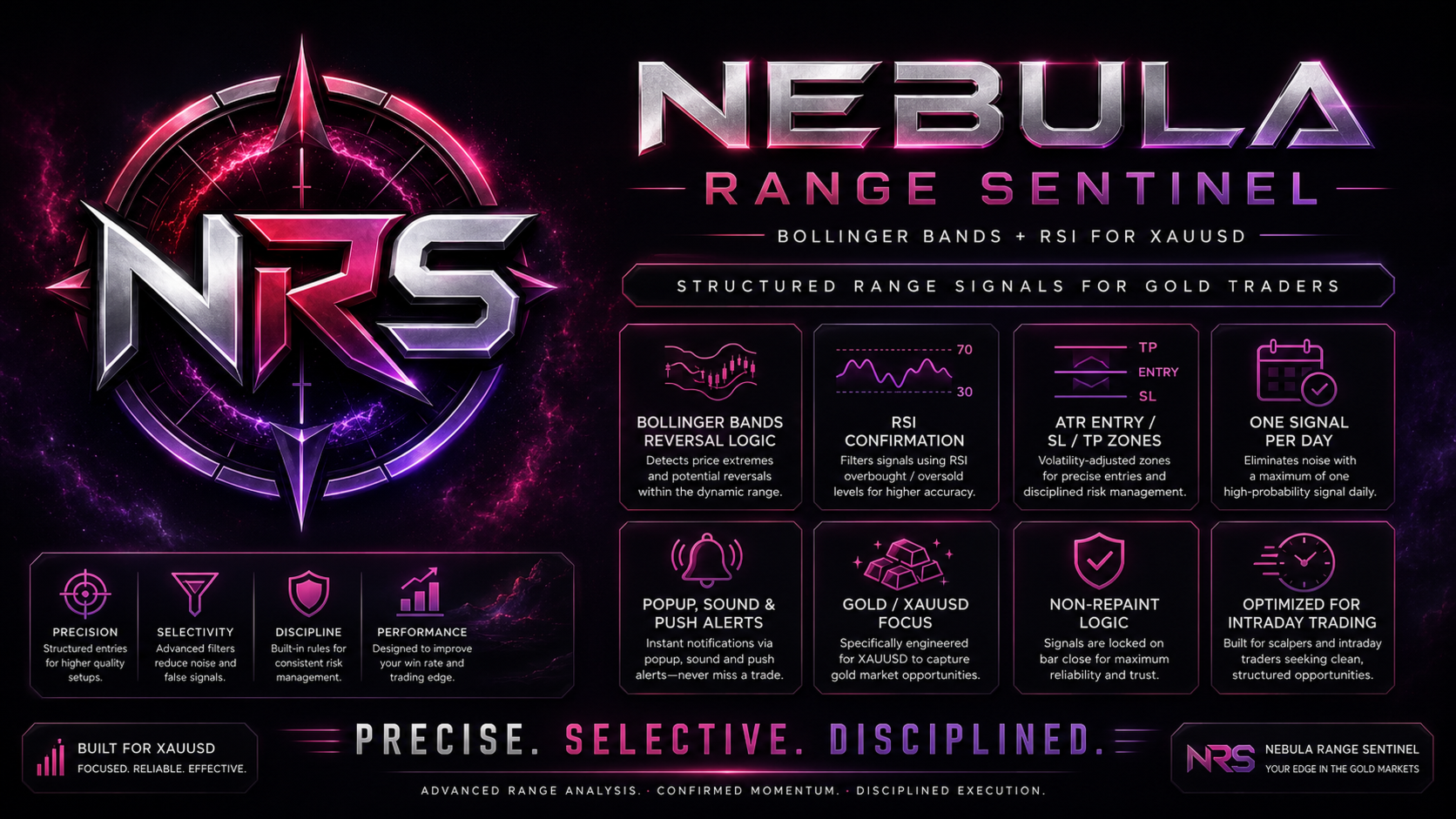
Nebula Range Sentinel is a professional Gold trading indicator designed to identify potential reversal opportunities around dynamic market extremes.
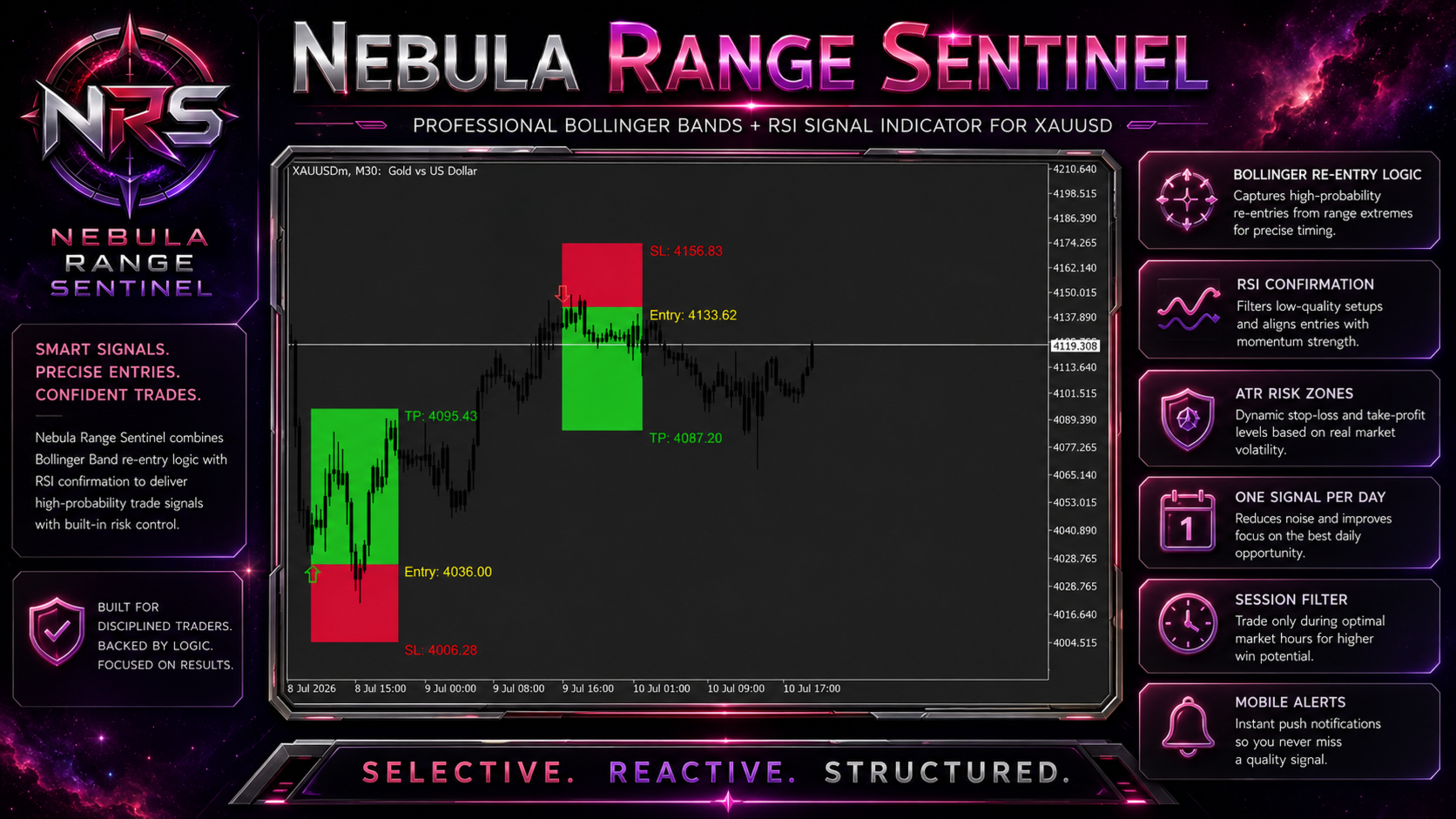
The indicator combines Bollinger Bands price rejection and re-entry logic with RSI momentum confirmation, ATR-based Entry, Stop Loss, and Take Profit zones, candle validation, session filtering, signal cooldown, and real-time alerts.
Its purpose is to reduce unnecessary market noise and provide selective BUY and SELL setups supported by multiple confirmation layers.
━━━━━━━━━━━━━━━━━━━━━━━━━━━━
CORE CONCEPT
━━━━━━━━━━━━━━━━━━━━━━━━━━━━
Nebula Range Sentinel focuses on situations where price reaches or moves beyond a Bollinger Band and then returns inside the dynamic range.
The RSI filter confirms whether momentum is sufficiently oversold for a potential BUY setup or overbought for a potential SELL setup.
A signal appears only when the required conditions agree.
The indicator is designed for traders who prefer:
✓ Bollinger Band rejection and re-entry setups
✓ RSI overbought and oversold confirmation
✓ Structured Entry, Stop Loss, and Take Profit zones
✓ Confirmed-candle signal validation
✓ Controlled signal frequency
✓ Real-time notifications
✓ A clean and disciplined Gold trading workflow
━━━━━━━━━━━━━━━━━━━━━━━━━━━━
MAIN FEATURES
━━━━━━━━━━━━━━━━━━━━━━━━━━━━
✓ Designed for Gold / XAUUSD
✓ BUY and SELL arrows displayed directly on the chart
✓ Bollinger Bands reversal and re-entry confirmation
✓ RSI momentum confirmation
✓ Optional Bollinger middle-band slope filter
✓ Optional RSI reversal-slope confirmation
✓ ATR-based Entry, Stop Loss, and Take Profit zones
✓ Bullish and bearish candle confirmation
✓ Trading session filter
✓ Adjustable minimum candles between signals
✓ One signal per trading day option
✓ Popup alerts
✓ Sound alerts
✓ Mobile push notifications
✓ Adaptive Gold step calculation by timeframe
✓ Adjustable historical candle scanning
✓ Customizable risk and signal parameters
✓ Clean and optimized chart presentation
━━━━━━━━━━━━━━━━━━━━━━━━━━━━
HOW THE SIGNAL LOGIC WORKS
━━━━━━━━━━━━━━━━━━━━━━━━━━━━
1. GOLD-FOCUSED PRICE ENGINE
The indicator analyzes confirmed Gold candles using an internal mathematical price model.
The calculated ATR target must align with one of the projected price levels before the Bollinger Bands and RSI filters are applied.
2. BOLLINGER BANDS CONFIRMATION
The Bollinger Bands filter identifies potential market extremes.
A potential BUY setup requires:
• Price touches or moves below the Lower Bollinger Band
• The candle closes back above the Lower Band when re-entry confirmation is enabled
A potential SELL setup requires:
• Price touches or moves above the Upper Bollinger Band
• The candle closes back below the Upper Band when re-entry confirmation is enabled
This logic helps identify possible rejection and mean-reversion opportunities.
3. RSI MOMENTUM CONFIRMATION
RSI confirms whether momentum supports the potential reversal.
Default BUY confirmation:
• RSI equal to or below 40
Default SELL confirmation:
• RSI equal to or above 60
Optional RSI slope confirmation can require RSI to begin moving away from the extreme zone.
4. CANDLE CONFIRMATION
When enabled:
• BUY setups require a bullish confirmed candle
• SELL setups require a bearish confirmed candle
This provides an additional validation layer before a signal is displayed.
5. ATR TRADE STRUCTURE
When all required conditions align, the indicator calculates and displays:
• Entry
• Stop Loss
• Take Profit
These levels are based on ATR volatility and automatically adapt to changing market conditions.
━━━━━━━━━━━━━━━━━━━━━━━━━━━━
WHY USE NEBULA RANGE SENTINEL?
━━━━━━━━━━━━━━━━━━━━━━━━━━━━
Bollinger Bands alone can generate many premature signals when price continues moving outside the bands.
Nebula Range Sentinel adds multiple filters to create a more selective process:
• Bollinger Bands identify dynamic price extremes
• Re-entry logic confirms rejection back inside the range
• RSI confirms overbought or oversold momentum
• Candle direction validates the setup
• Session filtering controls signal timing
• ATR creates structured risk levels
• One-signal-per-day mode helps reduce overtrading
The result is a structured decision-support tool focused on range extremes, confirmation, and risk control.
━━━━━━━━━━━━━━━━━━━━━━━━━━━━
INPUT PARAMETERS
━━━━━━━━━━━━━━━━━━━━━━━━━━━━
CORE SETTINGS
• Gold Step Mode
Controls the internal Gold step calculation.
Automatic mode selects the step according to the active chart timeframe.
• ATR Period
Defines the ATR period used for volatility calculations and trade-zone placement.
• Gold Threshold
Controls the maximum permitted distance between the calculated ATR target and the projected price levels.
A lower value creates stricter target-alignment requirements.
• Historical Bars To Scan
Defines how many historical candles are processed when the indicator is attached to a chart.
━━━━━━━━━━━━━━━━━━━━━━━━━━━━
BOLLINGER BANDS SETTINGS
━━━━━━━━━━━━━━━━━━━━━━━━━━━━
• Enable Bollinger Bands Filter
Activates or disables Bollinger Bands confirmation.
• Bollinger Bands Period
Defines the moving-average period used in the Bollinger Bands calculation.
Default value: 20.
• Bollinger Bands Deviation
Defines the standard-deviation multiplier used to calculate the Upper and Lower Bands.
Default value: 2.0.
• Require Band Re-entry
When enabled, price must touch or move beyond a band and then close back inside the range.
This provides stricter rejection confirmation.
• Use Middle-Band Slope
When enabled, the Bollinger middle-band direction must also support the setup.
━━━━━━━━━━━━━━━━━━━━━━━━━━━━
RSI FILTER SETTINGS
━━━━━━━━━━━━━━━━━━━━━━━━━━━━
• Enable RSI Filter
Activates or disables RSI momentum confirmation.
• RSI Period
Defines the RSI calculation period.
Default value: 14.
• RSI BUY Maximum
Defines the maximum RSI value permitted for BUY confirmation.
Default value: 40.
• RSI SELL Minimum
Defines the minimum RSI value required for SELL confirmation.
Default value: 60.
• RSI Slope Confirmation
When enabled, RSI must begin moving away from the extreme zone in the direction of the potential reversal.
━━━━━━━━━━━━━━━━━━━━━━━━━━━━
RISK MANAGEMENT SETTINGS
━━━━━━━━━━━━━━━━━━━━━━━━━━━━
• Entry Offset ATR
Controls the Entry level offset using ATR.
• Stop Loss ATR Multiplier
Defines the Stop Loss distance according to current volatility.
• Take Profit ATR Multiplier
Defines the Take Profit distance according to current volatility.
• Minimum Candles Between Signals
Controls the minimum number of candles required between two signals.
• One Signal Per Day
When enabled, the indicator allows a maximum of one valid signal during each trading day.
This option supports a more selective and disciplined workflow.
━━━━━━━━━━━━━━━━━━━━━━━━━━━━
ADDITIONAL FILTERS
━━━━━━━━━━━━━━━━━━━━━━━━━━━━
• Candle Confirmation
Requires the confirmed candle direction to match the BUY or SELL setup.
• Session Filter
Allows signals only during the selected market session.
• Session Start Hour
Defines the beginning of the active signal session.
• Session End Hour
Defines the end of the active signal session.
━━━━━━━━━━━━━━━━━━━━━━━━━━━━
DISPLAY SETTINGS
━━━━━━━━━━━━━━━━━━━━━━━━━━━━
• Draw Trade Zones
Shows or hides the Entry, Stop Loss, and Take Profit zones.
• Label Digits
Controls the number of decimal places displayed in the price labels.
• Entry Color
Controls the Entry label color.
• Take Profit Color
Controls the Take Profit label color.
• Stop Loss Color
Controls the Stop Loss label color.
━━━━━━━━━━━━━━━━━━━━━━━━━━━━
ALERT SETTINGS
━━━━━━━━━━━━━━━━━━━━━━━━━━━━
• Enable Alerts
Activates the notification system.
• Popup Alert
Displays a MetaTrader popup when a valid setup appears.
• Sound Alert
Plays the selected sound file when a signal is confirmed.
• Mobile Push Notification
Sends the signal details to the MetaTrader mobile application.
Push notifications must first be configured correctly in the MetaTrader terminal settings.
━━━━━━━━━━━━━━━━━━━━━━━━━━━━
RECOMMENDED DEFAULT SETTINGS
━━━━━━━━━━━━━━━━━━━━━━━━━━━━
• Bollinger Bands Period: 20
• Bollinger Bands Deviation: 2.0
• Require Band Re-entry: Enabled
• Middle-Band Slope Filter: Disabled
• RSI Period: 14
• RSI BUY Maximum: 40
• RSI SELL Minimum: 60
• RSI Slope Confirmation: Disabled
• ATR Period: 14
• Gold Threshold: 4.0
• Entry Offset ATR: 0.5
• Stop Loss ATR Multiplier: 2.0
• Take Profit ATR Multiplier: 4.0
• Minimum Candles Between Signals: 20
• One Signal Per Day: Enabled
• Candle Confirmation: Enabled
• Session Filter: Enabled
• Mobile Push Notification: Enabled
━━━━━━━━━━━━━━━━━━━━━━━━━━━━
RECOMMENDED WORKFLOW
━━━━━━━━━━━━━━━━━━━━━━━━━━━━
For a more complete trading process, combine Nebula Range Sentinel with:
• Support and resistance
• Market structure
• Higher-timeframe direction
• Economic news awareness
• Appropriate position sizing
• Consistent risk management
The indicator provides structured technical information but does not open or manage trades automatically.
━━━━━━━━━━━━━━━━━━━━━━━━━━━━
IMPORTANT RISK NOTICE
━━━━━━━━━━━━━━━━━━━━━━━━━━━━
Nebula Range Sentinel does not guarantee profitable results.
Trading Gold involves financial risk. Results can vary depending on market conditions, broker pricing, spread, timeframe, volatility, indicator settings, and the trader's risk-management process.
Always test the indicator on a demo account and evaluate its behavior before using it in live trading.