Order Blocks Detector
- Indicatori
- Versione: 2.50
- Attivazioni: 20

Order Blocks Detector — Supply & Demand Zones
MT5 Indicator | M1 to H1 | Institutional Order Blocks
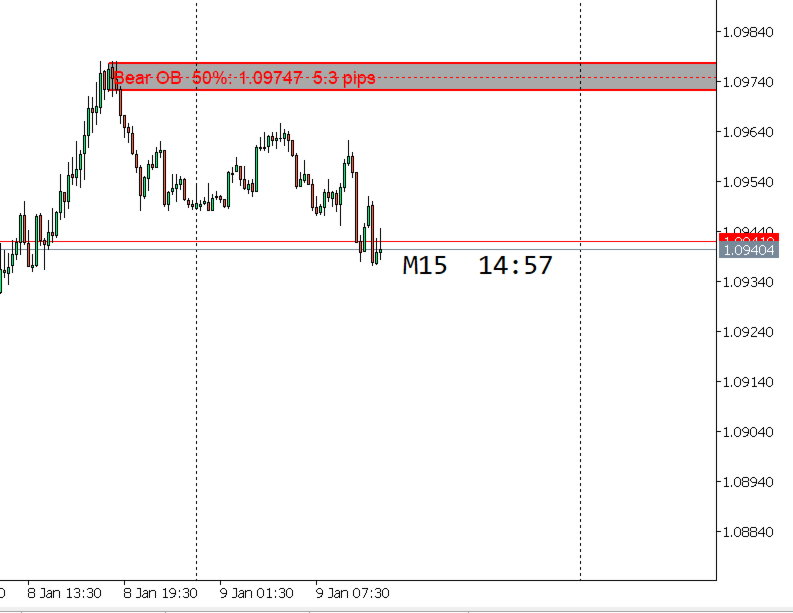
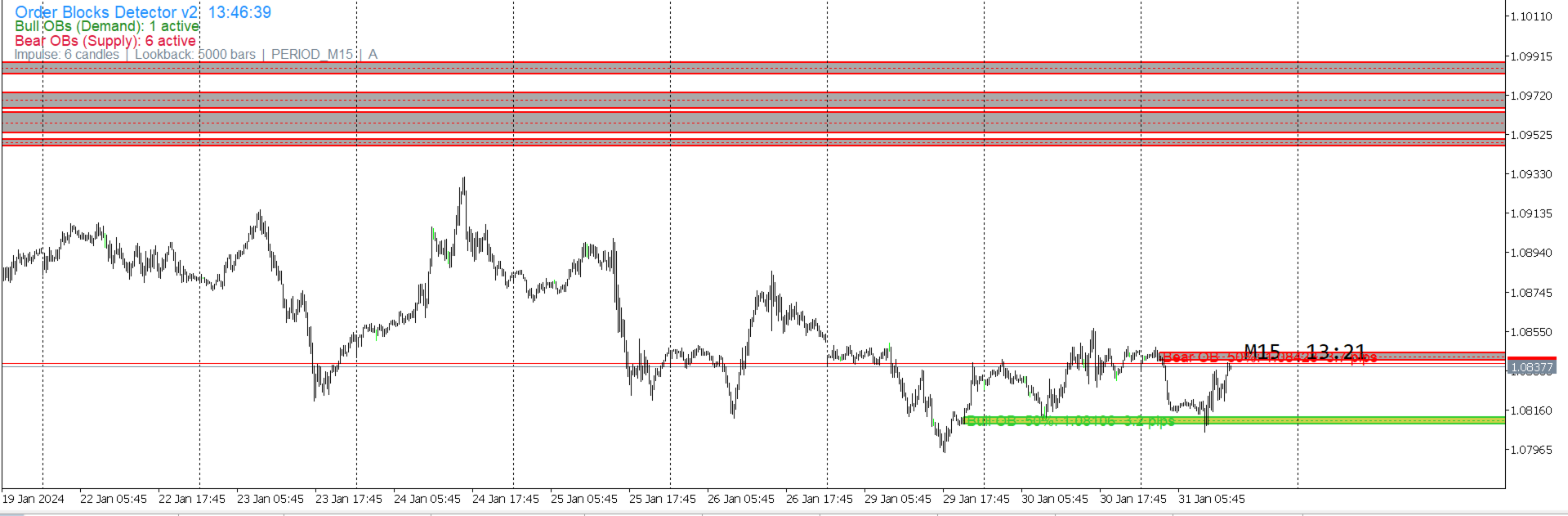
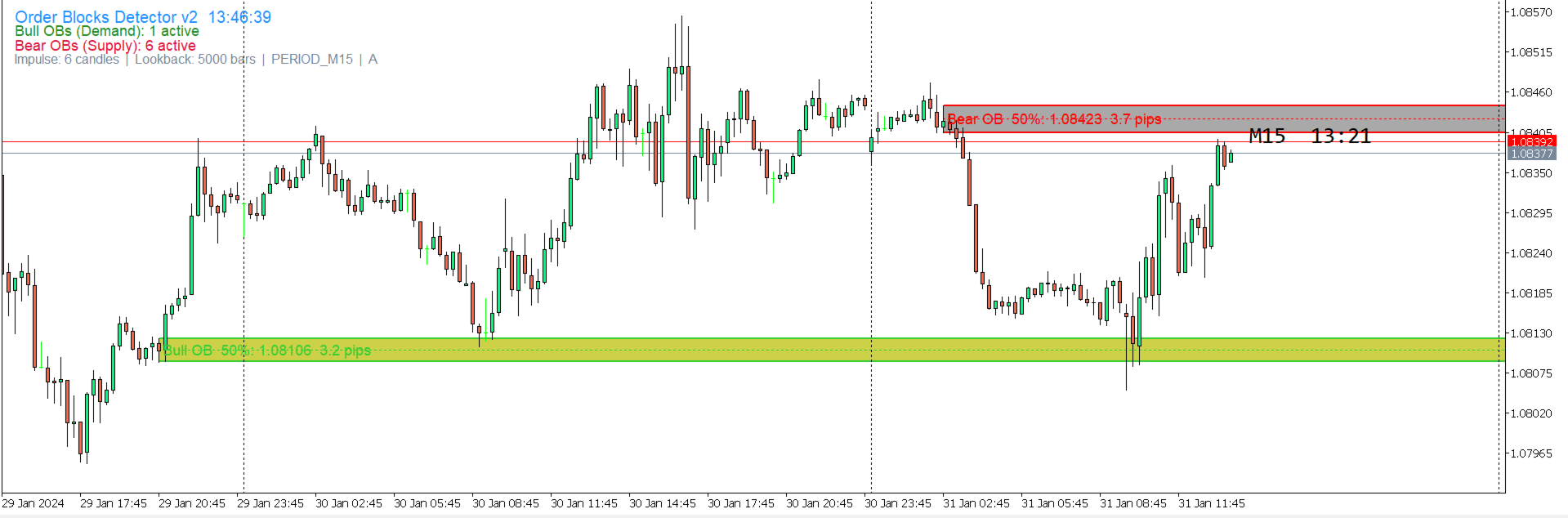
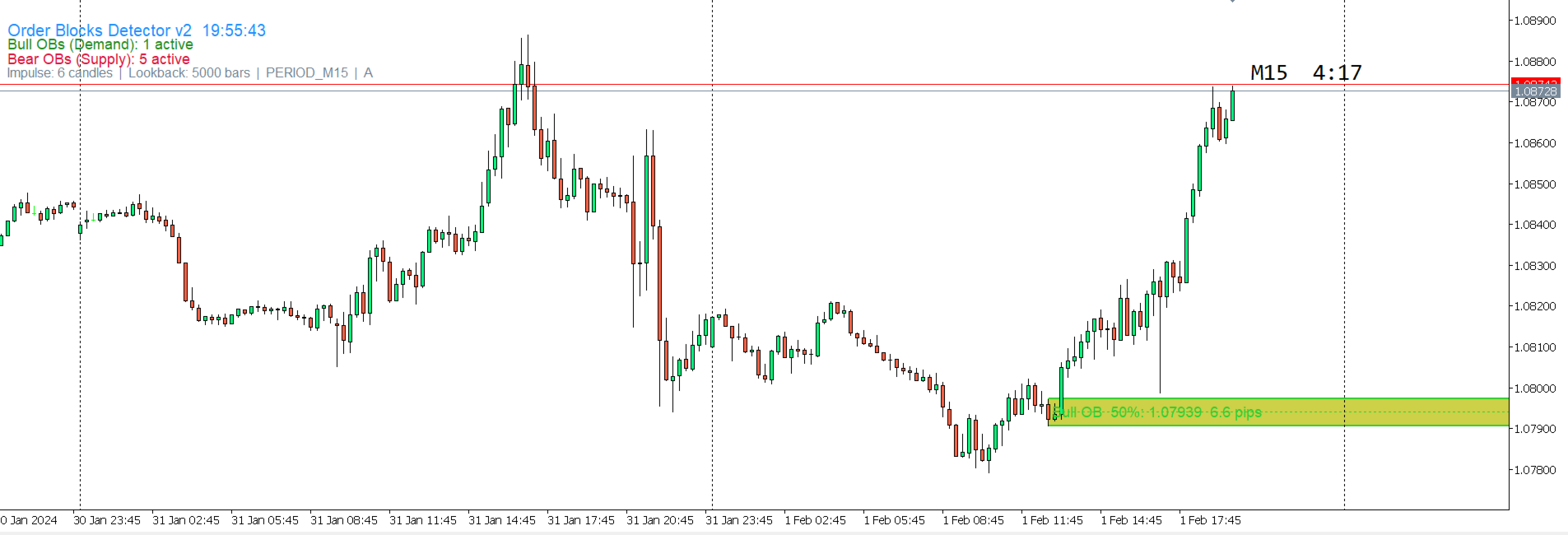
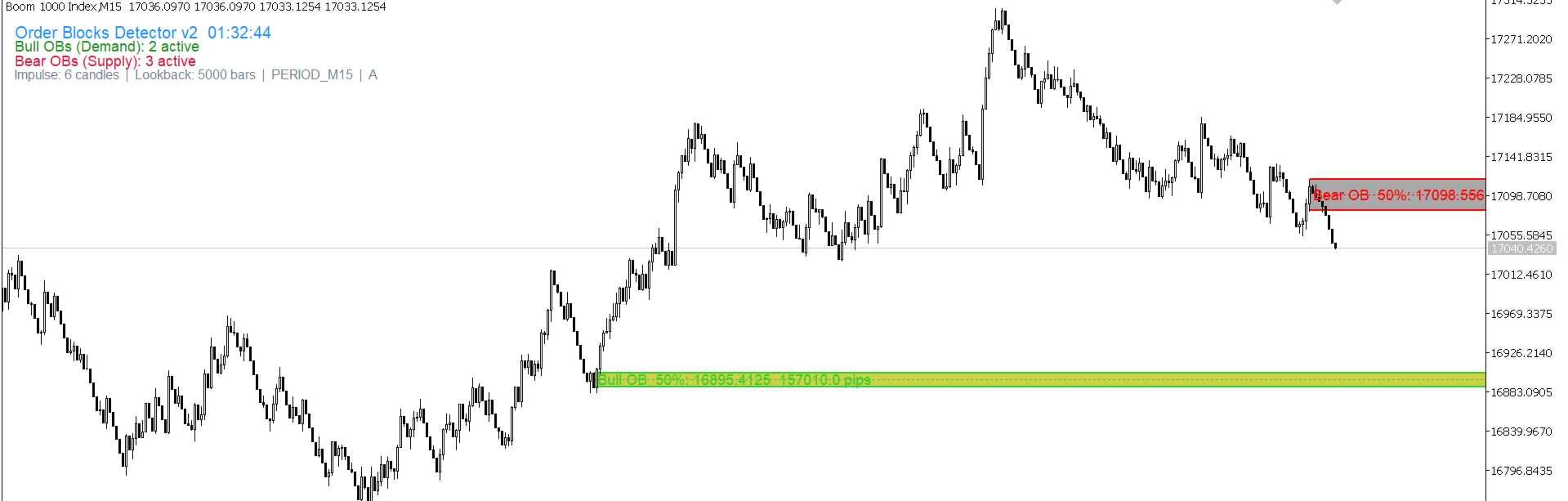
Automatically detects and draws institutional Order Blocks on the chart. A Bullish Order Block is the last bearish candle before a bullish impulse, representing a Demand Zone where institutional buyers were active. A Bearish Order Block is the last bullish candle before a bearish impulse, representing a Supply Zone where institutional sellers were active.
Bullish OB (Demand Zone): price is likely to bounce upward when it returns to this zone.
Bearish OB (Supply Zone): price is likely to drop downward when it returns to this zone.
A Bullish Order Block is the last bearish candle immediately before a bullish impulse of consecutive candles that breaks above the OB candle's high. A Bearish Order Block is the last bullish candle immediately before a bearish impulse of consecutive candles that breaks below the OB candle's low.
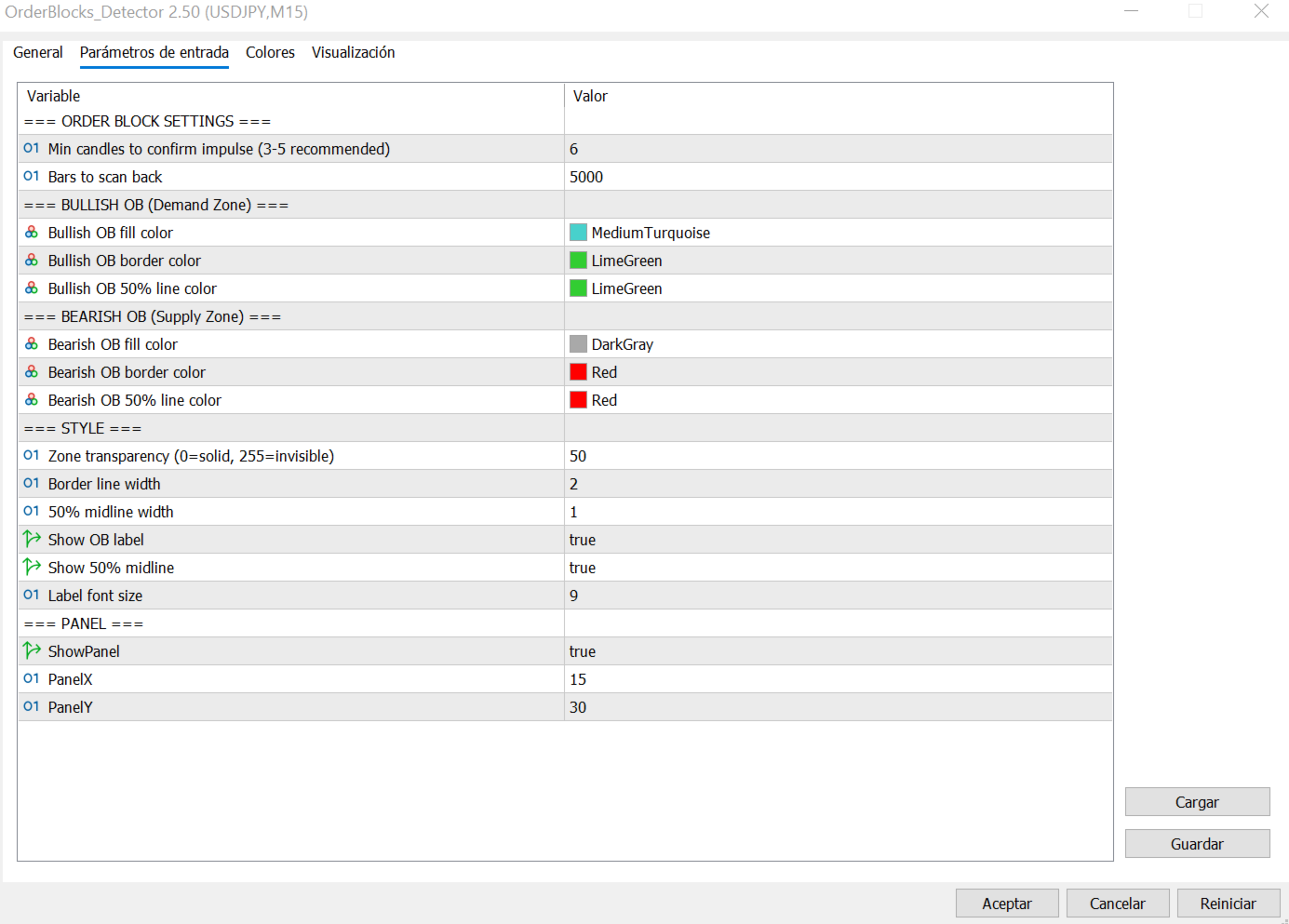
The number of impulse candles required to confirm a valid Order Block is configurable via the ImpulseCandles parameter. A higher value produces fewer but more significant zones. The default value is 6 candles.
Invalidation rule: an Order Block is removed from the chart only when a subsequent candle closes completely beyond the opposite boundary of the block. A wick touching the zone does not invalidate it. Only a candle body closing beyond the boundary does.
Bullish OB invalidated: when a candle closes below the OB Low.
Bearish OB invalidated: when a candle closes above the OB High.
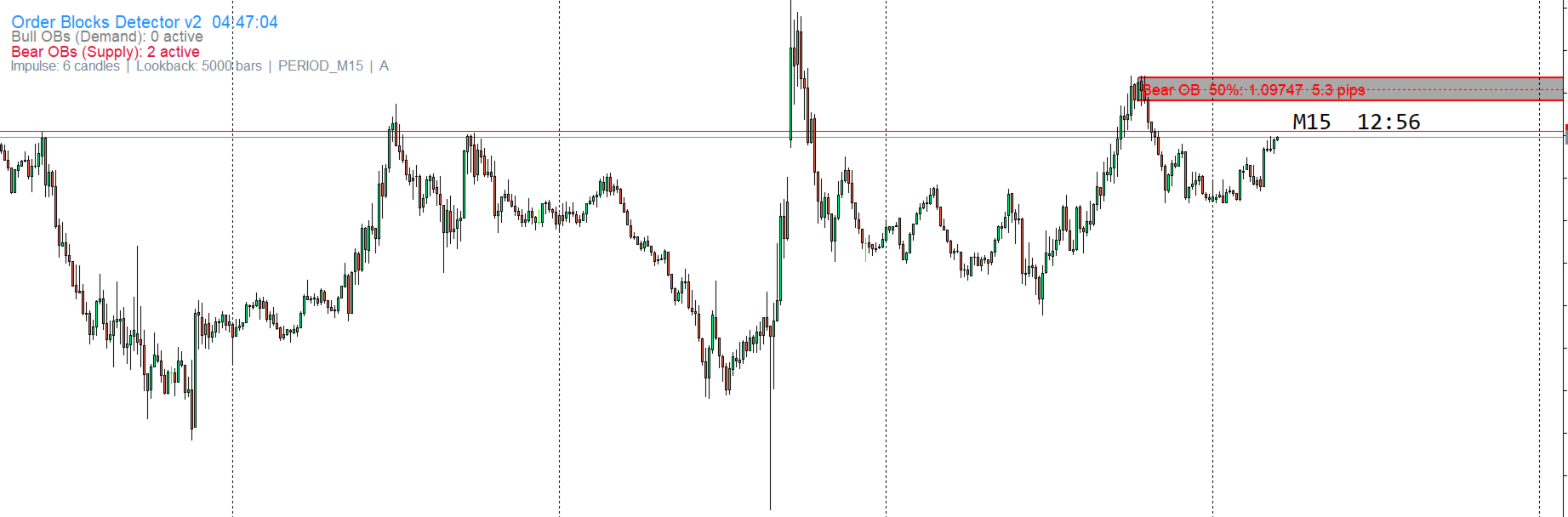
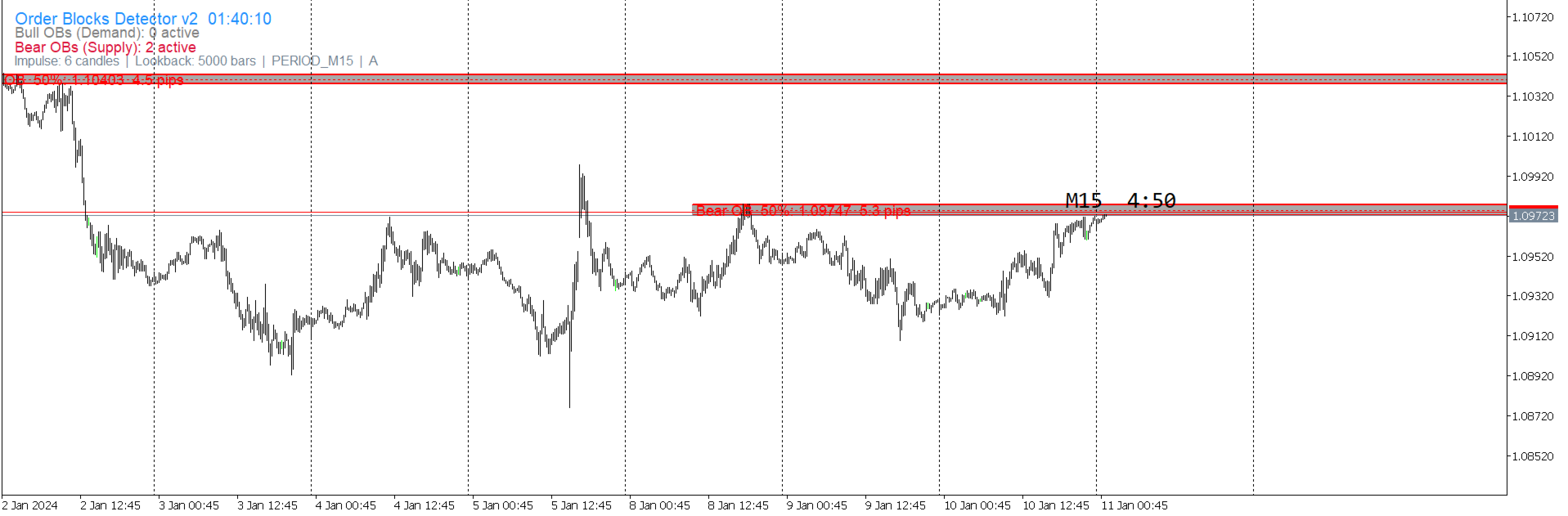
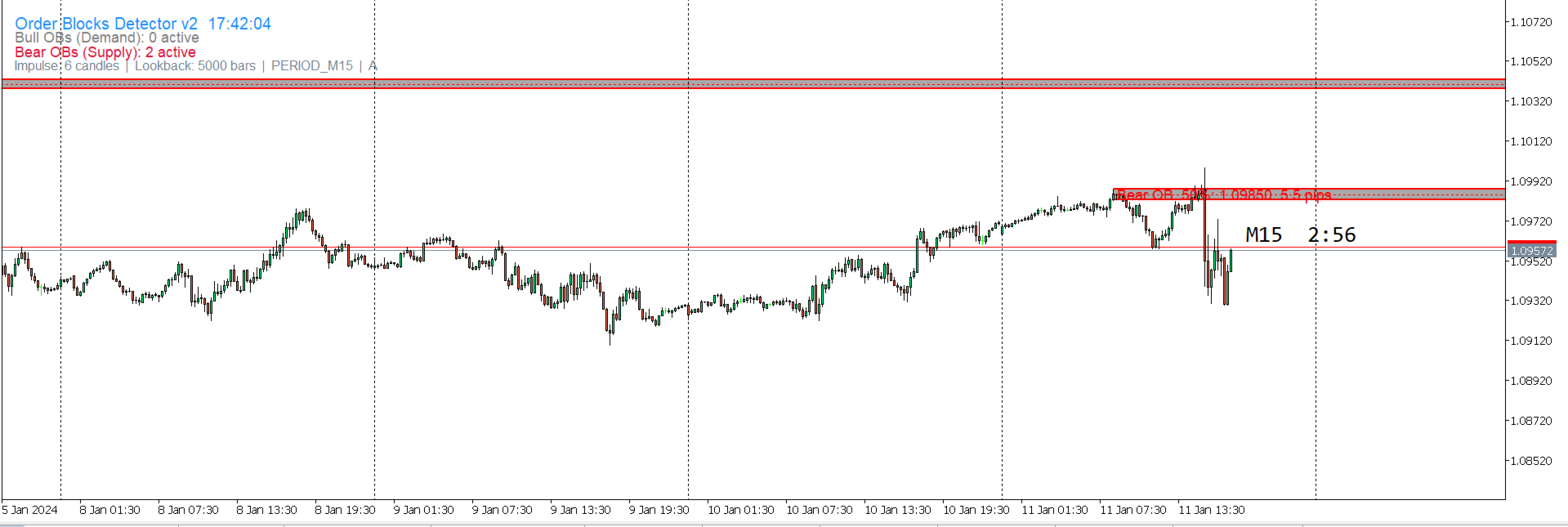
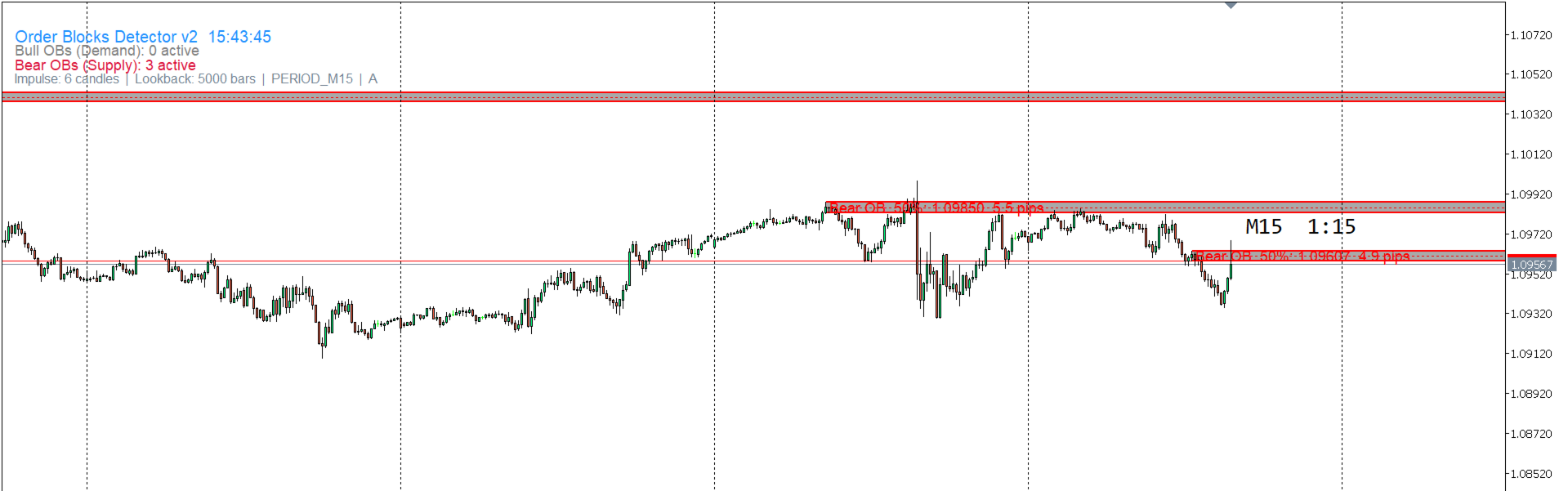
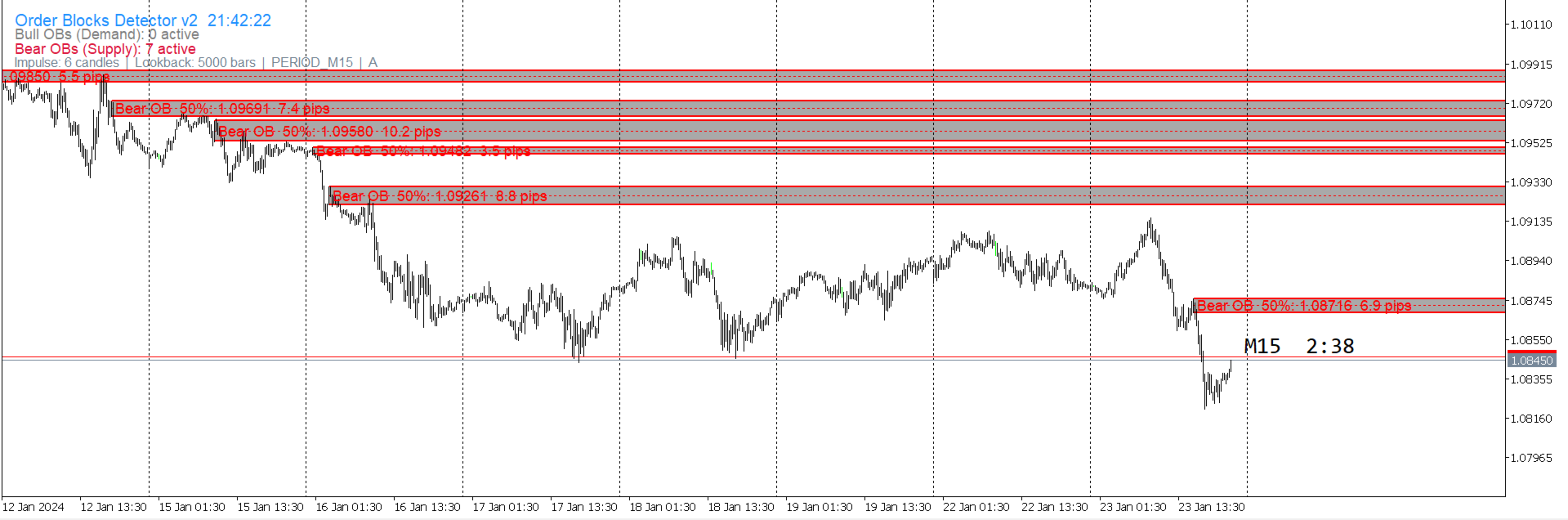
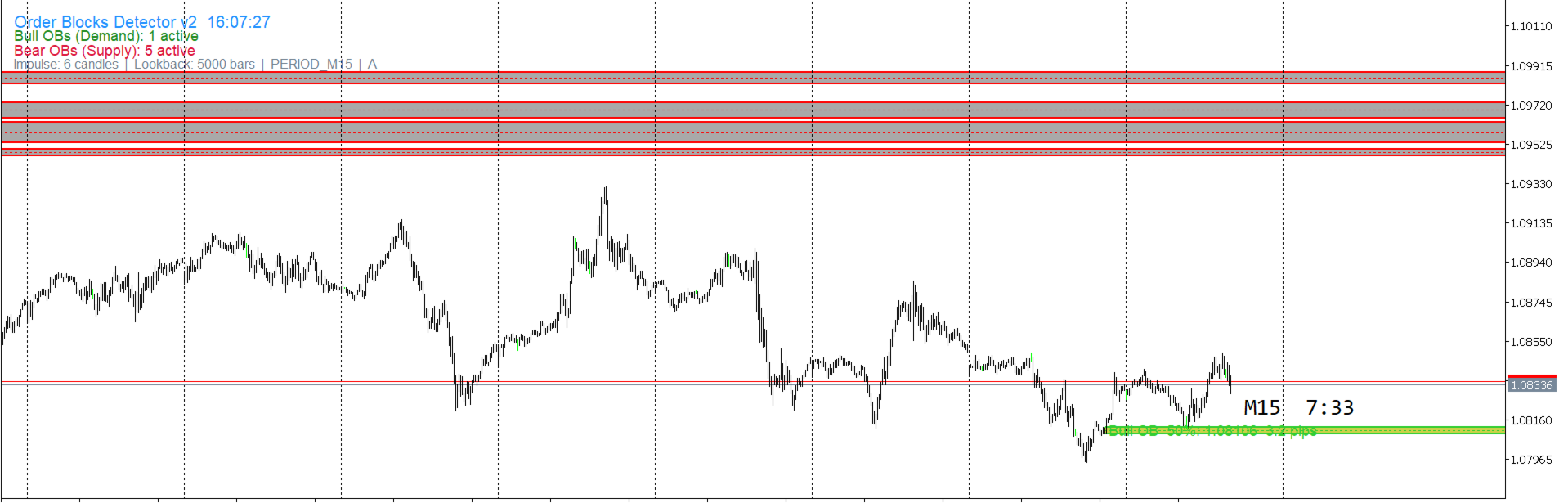
The indicator detects both Bullish and Bearish Order Blocks automatically and draws them as filled rectangles on the chart. Each zone includes a border line at the High and Low, a dotted 50% midline, and a label showing the zone type and pip size.
Only untouched Order Blocks are shown. Zones that have already been visited and closed beyond their boundary are removed automatically. All zones are drawn behind the candles so the chart remains clean and readable.
The indicator scans up to 5000 bars back in history, surfacing older untested zones that may still be structurally relevant. A real-time information panel shows the number of active Bullish and Bearish Order Blocks currently on the chart.
Works on M1, M5, M15, M30 and H1 timeframes. Colors for Bullish and Bearish zones are fully configurable independently.
Detection Settings
ImpulseCandles: minimum number of consecutive candles required to confirm a valid impulse. Default is 6. Higher values produce fewer but stronger Order Blocks.
LookbackBars: number of bars to scan back in history for valid Order Blocks. Default is 5000.
Bullish OB Visual Settings
BullOB_Color: fill color of the Bullish Order Block zone. Default is MediumTurquoise.
BullOB_Border: border line color of the Bullish Order Block. Default is LimeGreen.
BullOB_MidColor: color of the 50% midline inside the Bullish Order Block.
Bearish OB Visual Settings
BearOB_Color: fill color of the Bearish Order Block zone. Default is DarkGray.
BearOB_Border: border line color of the Bearish Order Block. Default is Red.
BearOB_MidColor: color of the 50% midline inside the Bearish Order Block.
Style Settings
OB_Alpha: zone transparency. 0 is fully solid, 255 is fully invisible. Default is 50.
BorderWidth: thickness of the Order Block border lines.
ShowMidLine: enable or disable the 50% midline inside each zone.
ShowLabel: show or hide the label with the zone type and pip size.
LabelFontSize: font size of the zone labels.
ShowPanel: enable or disable the real-time information panel.
Platform: MetaTrader 5.
Timeframe: M1 to H1.
Instruments: any Forex pair, index, metal or cryptocurrency available in MetaTrader 5.
Account type: compatible with demo and live accounts.
1. Apply the indicator to any chart with a timeframe between M1 and H1.
2. Adjust ImpulseCandles to control how strict the impulse confirmation is.
3. Adjust LookbackBars to control how far back in history the indicator scans.
4. Order Blocks appear automatically and remain on the chart until price invalidates them.
This indicator is a visual analysis tool. It does not generate automated trading signals and does not place orders. Always apply your own analysis and risk management before making any trading decision.