Double X Trade
- Utilità
- Gayathiri Gopalakrishnan
- Versione: 2.60
- Attivazioni: 5
DOUBLE X TRADE v2.6 PRO
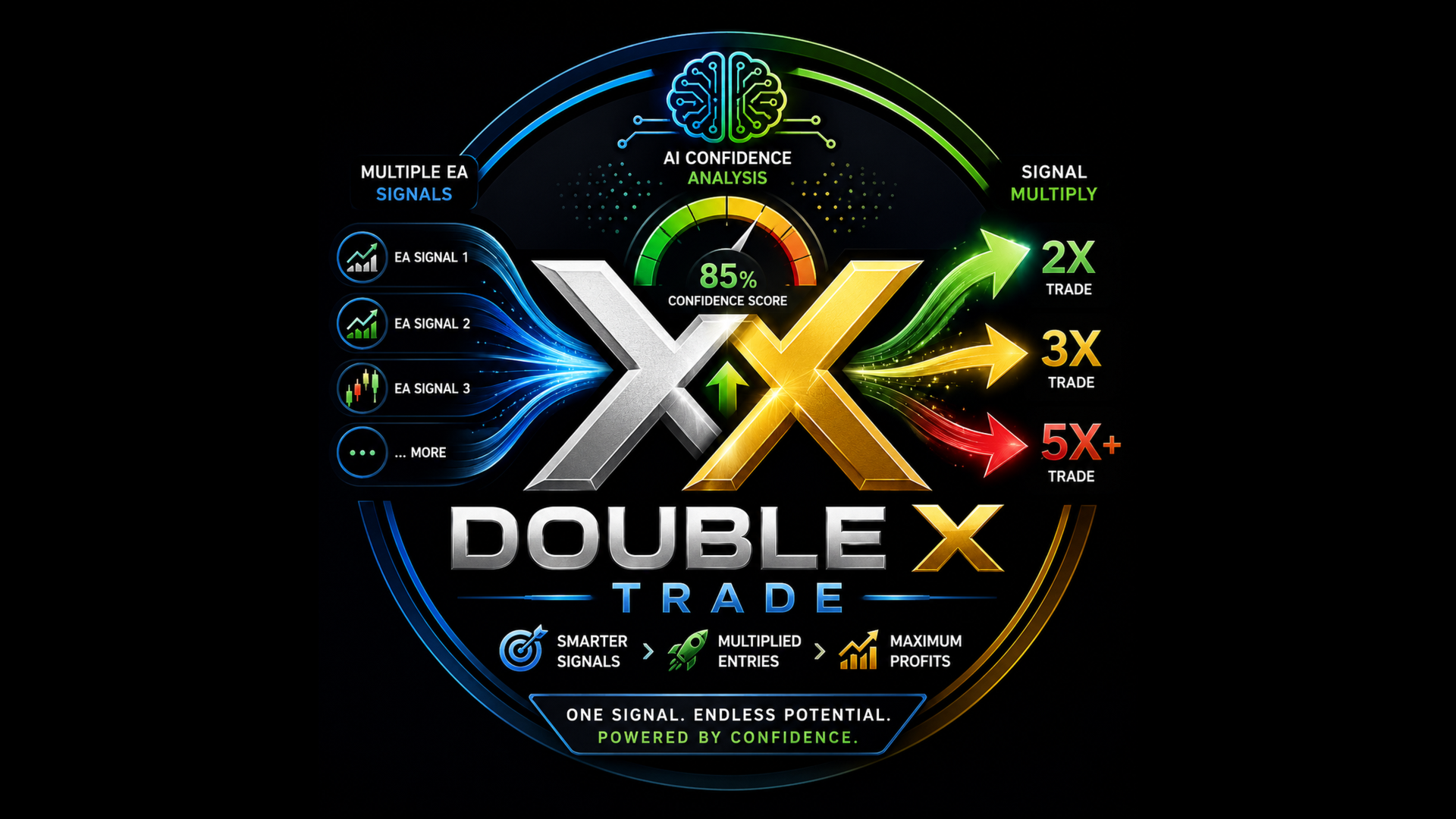
DOUBLE X TRADE is a MetaTrader 5 Expert Advisor designed to work as an additional trade-management layer beside your existing EAs.
Instead of replacing your current trading system, DOUBLE X TRADE monitors trading activity on the account, analyzes new signals, and can open additional multiplier trades when the internal confidence engine detects stronger conditions. It is made for traders who already use one or more EAs and want an advanced, structured way to scale selected signals with risk controls, warmup logic, and a clear dashboard.
The product is designed to be practical, visual, and easy to use. It can run on a dedicated chart, watch the whole MT5 account, detect source EAs, and display important information in one stable dashboard.
DOUBLE X TRADE does not promise future profit. It is a trading utility and automation tool. Results depend on the user’s broker, market conditions, spread, execution, account settings, source EA quality, and risk parameters.
Main Idea
Many traders already have EAs that generate entries, but not every signal has the same quality. DOUBLE X TRADE works as a separate layer that reads the trading activity, evaluates the signal environment, and decides whether extra trades should be added.
The concept is simple:
Your existing EA opens or sends a trade signal.
DOUBLE X TRADE detects the activity.
The internal confidence engine analyzes the market condition.
If the signal passes the selected filters, DXT can add multiplier trades from 2x to 6x, depending on the configured settings and confidence score.
Risk controls and warmup logic help keep the process structured.
This makes DOUBLE X TRADE suitable for users who want to keep their current EAs while adding a second decision layer for scaling.
Key Features
Works Beside Existing EAs
DOUBLE X TRADE is not designed to replace your current EA. It works beside it. Your original EA can continue running on its own chart, while DOUBLE X TRADE runs on a separate chart and monitors the account.
This is useful when you already trust your main EA but want an additional system to evaluate and scale only selected opportunities.
Dedicated Chart Operation
MetaTrader 5 allows only one EA per chart. For this reason, DOUBLE X TRADE should be attached to its own dedicated chart.
The chart symbol and timeframe are not critical because DXT monitors trade activity from the whole account. Your original EAs should remain on their own charts.
Example:
Chart 1: Your existing EA on EURUSD
Chart 2: Your existing EA on XAUUSD
Chart 3: DOUBLE X TRADE on any symbol
This keeps the setup clean and prevents your source EA from being removed by MetaTrader.
35-Layer Confidence Engine
DOUBLE X TRADE uses a multi-layer scoring engine to evaluate trade conditions before adding multiplier trades.
The engine combines different market-analysis groups, including:
Classical market filters such as trend, momentum, volatility, volume, spread, session, multi-timeframe context, and risk-reward structure.
Smart Money Concept style checks such as BOS, CHoCH, order blocks, fair value gap areas, liquidity sweep behavior, and premium/discount zones.
Statistical analysis such as Hurst behavior, Z-score, variance ratio, and market randomness checks.
Order-flow proxy logic such as tick movement, CVD-style behavior, and effort-versus-result analysis.
Pattern-recognition logic including candle confluence and harmonic-style pattern checks.
Volume profile references such as VWAP and POC.
Multi-asset context such as currency strength and correlation checks.
Adaptive learning components that track closed-trade outcomes and adjust internal scoring over time.
The purpose of the engine is not to guarantee a winning trade. Its purpose is to create a more disciplined filtering and scaling process.
Multiplier Trade Logic
When a source EA creates a trade and DOUBLE X TRADE detects strong conditions, it can add extra trades based on the selected multiplier settings.
The multiplier logic can scale from 2x to 6x depending on confidence, risk settings, and account conditions.
This allows the user to apply stronger scaling only when the system detects better-quality conditions, instead of treating every signal equally
30% Safe-Start Warmup
DOUBLE X TRADE includes a warmup system that starts from a reduced trading percentage.
By default, the warmup begins at 30%. This means the EA does not immediately start at full scaling size. The warmup is designed to let the system build gradually based on trade history and user settings.
This feature is useful for new installations, new accounts, and new source EA combinations.
Blocker Is OFF by Default
By default, DOUBLE X TRADE does not close your source EA trades.
The blocker option is disabled by default because many users prefer DXT to act only as a multiplier layer, not as a trade closer.
If the user manually enables the blocker, DXT can be configured to close low-confidence source trades based on the selected settings. This should be used carefully, especially if the source EA may reopen trades automatically.
Default behavior:
It can add multiplier trades.
It does not close host EA trades by default.
It keeps the source EA independent unless the user changes the settings.
Auto-Detection of Host EAs
DOUBLE X TRADE can detect source EA activity by monitoring account trade transactions, magic numbers, symbols, and trade comments.
This helps users run multiple EAs on the same account while DXT identifies which source activity is being evaluated.
The default watch setting can monitor all magic numbers, making the initial setup easier.
Cross-Terminal Bridge Mode
DOUBLE X TRADE also supports a bridge-style setup for users who want source EAs on one MT5 terminal and multiplier trades on another MT5 terminal.
Example:
Terminal 1: Account A with source EAs
Terminal 2: Account B with DOUBLE X TRADE
Shared bridge file: Common\Files\DXT_Bridge.csv
This setup is useful when the trader wants to separate the signal account and multiplier account on the same computer.
Both terminals must be able to access the same Common Files folder.
Trade Journal and Learning Files
DOUBLE X TRADE can create internal files for tracking and learning behavior.
Common files include:
DXT_Bridge.csv for bridge communication
DXT_Journal.csv for trade and signal records
DXT_Learning.bin for saved adaptive state
These files help the system preserve information across restarts and provide a structured record of activity.
Dashboard Overview
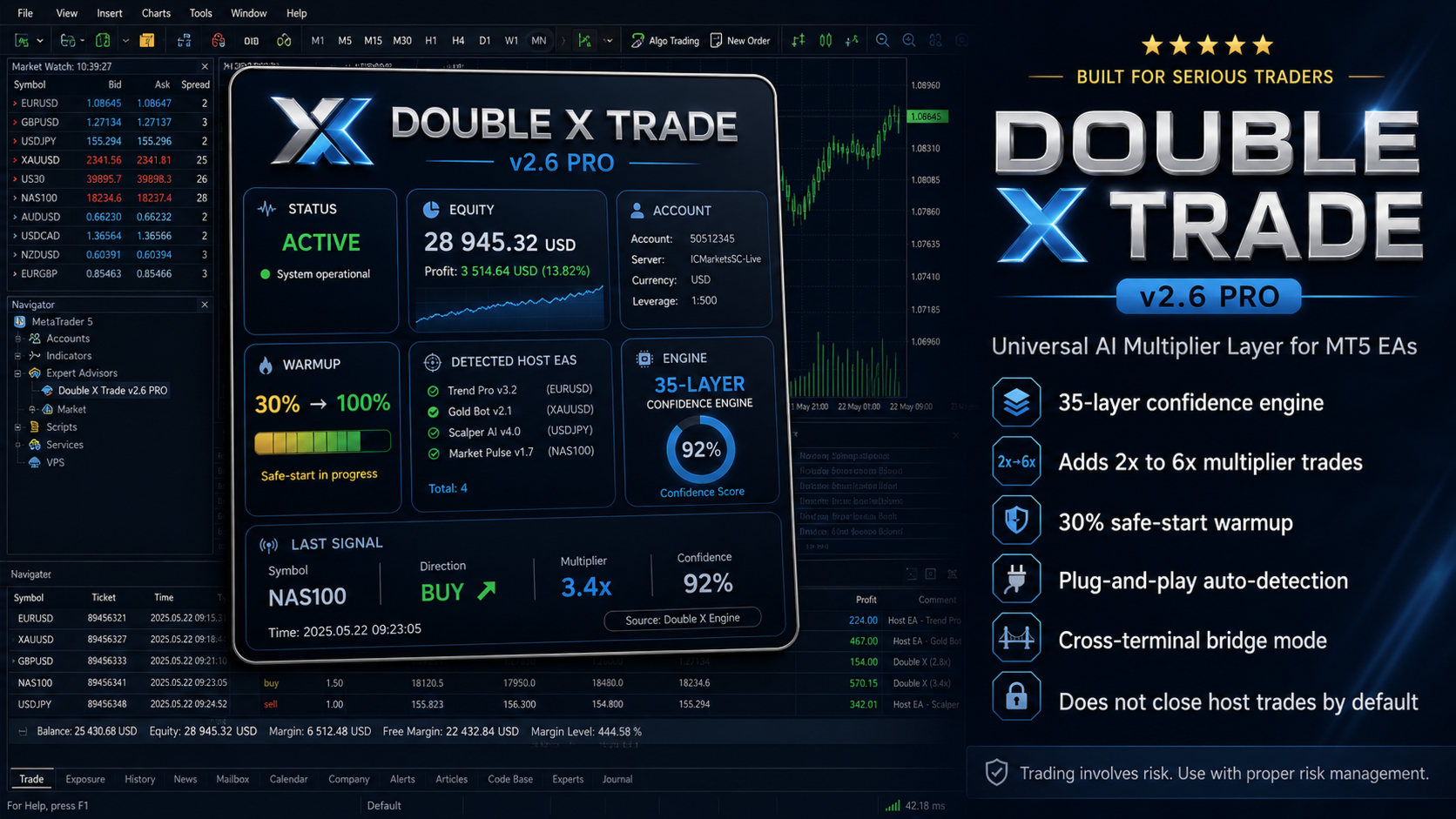
DOUBLE X TRADE includes a visual dashboard designed to show the most important information in one place.
The dashboard displays:
STATUS
Shows whether the system is active, paused, or in recovery mode.
EQUITY
Shows live account balance, equity, and daily performance information.
ACCOUNT
Shows account details such as account number, server, currency, and account mode.
WARMUP
Shows the warmup progress from the starting percentage toward full operation.
DETECTED HOST EAS
Shows detected source EAs and related symbol information.
ENGINE
Shows the confidence score, regime status, drawdown state, and engine activity.
LAST SIGNAL
Shows the latest detected signal, symbol, direction, source, multiplier, and confidence.
The dashboard is designed with an opaque background so chart candles do not interfere with the text.
Operating Modes
DOUBLE X TRADE includes several operating modes.
MODE_LOCAL
Default mode. Used when source EAs and DOUBLE X TRADE are running in the same MT5 terminal and on the same account.
MODE_PUBLISHER
Used on the terminal where the source EAs are running. It publishes signal information to the bridge file.
MODE_BRIDGE_READER
Used on the second terminal. It reads the bridge file and can place multiplier trades on the second account.

HYBRID
Advanced mode for users who want combined behavior, depending on setup and configuration.
Most users should start with MODE_LOCAL.
Important Inputs
InpMode
Selects the operating mode: local, publisher, bridge reader, or hybrid.
InpEnableMultiplier
Master switch for multiplier trades.
InpEnableBlocker
Controls whether DXT can close low-confidence source trades. Default is false.
InpWatchMagics
Controls which magic numbers are monitored. The default value can watch all.
InpWarmupStartPct
Sets the warmup starting percentage. Default is 30.
InpMaxTotalLots
Sets the maximum allowed total lot exposure.
InpDailyLossPct
Pauses trading if the daily loss limit is reached.
InpMaxDrawdownPct
Pauses trading if the drawdown limit is reached.
InpBridgeFile
Sets the bridge file name for cross-terminal mode.
InpSessionStartHr and InpSessionEndHr
Control the trading session filter.
How to Install
- Open MetaTrader 5.
- Go to File → Open Data Folder.
- Open the MQL5 folder.
- Open the Experts folder.
- Place the DOUBLE X TRADE EA file inside the Experts folder.
- Restart MetaTrader 5 or refresh the Navigator panel.
- Open any new chart.
- Attach DOUBLE X TRADE to the dedicated chart.
- Enable Algo Trading.
- Keep the default settings for first testing.
Important: Do not attach DOUBLE X TRADE to a chart that already has another EA. MT5 allows only one EA per chart.
Recommended First Setup
For the first test, use the default settings.
Recommended beginner setup:
Use MODE_LOCAL.
Use a demo account first.
Keep InpEnableBlocker set to false.
Keep InpWatchMagics at the default value.
Keep warmup enabled.
Use a reasonable maximum lot limit.
Check the Experts and Journal tabs after attaching the EA.
Allow the EA to collect enough closed trades before judging the adaptive behavior.
This product is designed for practical use, but every broker and every source EA behaves differently. Always test before using on a live account.

Same Account Setup
This is the simplest setup.
Run your existing EAs on their own charts.
Open a new dedicated chart for DOUBLE X TRADE.
Attach DOUBLE X TRADE to that chart.
Keep InpMode as MODE_LOCAL.
Enable Algo Trading.
Let DXT detect activity from the account.
The chart symbol used for DXT does not need to match the source EA symbol because DXT monitors account-level trade transactions.
Cross-Terminal Setup
Use this setup when you want source EAs on one account and multiplier trades on another account.
Terminal 1:
Run your source EAs.
Attach DOUBLE X TRADE on a dedicated chart.

Set InpMode to MODE_PUBLISHER.

Terminal 2:
Open the second MT5 terminal.
Attach DOUBLE X TRADE on a dedicated chart.
Set InpMode to MODE_BRIDGE_READER.
Both terminals must access the same Common\Files folder.
The bridge file name must match in both terminals.
Who This Product Is For
DOUBLE X TRADE is suitable for traders who:
Already use one or more MT5 EAs.
Want an additional scoring layer for source EA signals.
Want a visual dashboard for monitoring multiplier activity.
Prefer safe-start warmup instead of immediate full scaling.
Want to test controlled multiplier logic.
Need same-account or cross-terminal operation.
Want a tool that does not close host EA trades by default.