Ema wave
- Indicatori
-
Ridhdi Patel
 Independent developer and publisher of MT5 tools and trading utilities.
Technical development support by team members, including Abhay Kushwaha.
For official support, please use the contact links listed in this profile. - Versione: 1.0
EMA Wave — Advanced EMA Reversal and Breakout Detector for MetaTrader 5
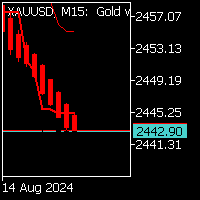
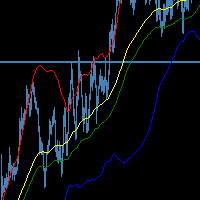
EMA Wave is a professional-grade custom indicator built for MetaTrader 5 that brings a completely new level of clarity and intelligence to one of the most fundamental tools in technical analysis — the Exponential Moving Average. Unlike standard EMA indicators that simply draw a line on the chart, EMA Wave actively monitors price behaviour in relation to the EMA and classifies every interaction into a meaningful market scenario. Whether the market is bouncing off the EMA in a classic reversal pattern, breaking through it with momentum, or collapsing below it in a breakdown, EMA Wave identifies and labels it in real time directly on your chart so that you never have to second-guess what the market structure is telling you.
The core engine of EMA Wave is built around a multi-pattern detection algorithm that scans a configurable number of historical bars and evaluates each bar's relationship with the EMA value at that point in time. The indicator tracks five distinct event types across the entire analysis window: total EMA touches, bullish reversals, bearish reversals, confirmed breakouts above the EMA, and confirmed breakdowns below the EMA. Each of these events is counted, stored, and displayed live on the on-chart panel so that you always have a statistical summary of how price has been interacting with your chosen EMA level. This kind of historical context is something that most traders lack when they rely on a plain moving average line, and EMA Wave fills that gap completely.
One of the most powerful features of EMA Wave is its reversal probability calculation. The indicator divides the total number of confirmed bullish and bearish reversals by the total number of EMA touches detected within your analysis window and expresses this as a percentage. This gives you an immediate, data-backed estimate of how likely price is to reverse when it touches the EMA on the current instrument and timeframe. If the reversal probability is high, you know the EMA has been acting as a strong dynamic support or resistance level. If it is low, the EMA has been getting broken through frequently, which signals a trending environment. This single number can save traders enormous amounts of time and dramatically improve trade selection quality.
The current scenario display is another feature that sets EMA Wave apart from everything else available. At any given moment, the indicator examines the last three completed bars and classifies the market into one of six states: two-bar bullish reversal, two-bar bearish reversal, single-bar bullish reversal, single-bar bearish reversal, breakout, or breakdown. The two-bar patterns are considered stronger signals because they require two consecutive bars to both touch the EMA and close on the correct side, followed by confirmation from the surrounding context. This scenario label is updated on every new bar automatically and is always visible at the bottom of the on-chart panel, giving you a constant real-time read of what the market is doing relative to the EMA.
The user interface of EMA Wave has been designed using the Material 3 dark color system, which is the same design language used in modern Android and Google applications. The panel uses a layered card-based layout with carefully selected colors for each type of information. Bullish events are shown in green, bearish events in red, breakouts in blue, and breakdowns in amber, all against a deep dark background that is extremely easy to read even during long trading sessions. The typography uses Segoe UI and Consolas fonts to maintain a clean and professional appearance. The entire panel is rendered using native MetaTrader 5 chart objects, which means it is lightweight and does not add any noticeable processing overhead to your terminal.
The EMA period can be changed at any time directly from the chart without needing to open the indicator settings dialog. The panel includes an UP button and a DOWN button that increment or decrement the EMA period by one with every click. When you press either button, the indicator instantly recreates the EMA handle with the new period, forces a full recalculation, and updates all statistics and the current scenario in real time. This interactive control makes it incredibly fast to test how different EMA periods behave on any instrument or timeframe, and it is particularly useful during live market analysis sessions where speed matters.
The notification system in EMA Wave supports four independent alert channels that can be toggled on or off individually through the input settings. The sound alert plays a customizable audio file from your MetaTrader 5 sounds folder whenever a non-neutral scenario is detected on a new bar. The email alert sends a formatted message to your configured email address containing the symbol, timeframe, EMA period, detected scenario, and the current reversal probability percentage. The push notification option delivers the same information to your MetaTrader 5 mobile application, allowing you to monitor signals even when you are away from your desk. Finally, a standard MetaTrader alert popup is always triggered regardless of which other notification options are enabled, ensuring you never miss an event while you are at your terminal.
EMA Wave works on all symbols available in your broker's market watch, including forex pairs, indices, commodities, cryptocurrencies, and stocks. It is fully compatible with all timeframes from M1 through MN1 and has been coded to handle edge cases such as insufficient historical data gracefully, returning zero on OnCalculate until enough bars are available for a reliable calculation. The EMA buffer is exposed as a proper indicator plot, which means it integrates natively with MetaTrader 5's indicator data system and can be referenced by Expert Advisors using iCustom if needed. The indicator short name in the navigator and data window updates dynamically to reflect the currently active EMA period at all times.
The default configuration ships with an EMA period of 50 and an analysis window of 100 bars, which are widely used standard settings that work well across most instruments and timeframes as a starting point. From there, you are encouraged to experiment with different periods to find the EMA level that your preferred instrument respects most consistently. Traders who use the 20 EMA for short-term momentum, the 50 EMA for medium-term trend following, or the 200 EMA for long-term structure analysis will all find EMA Wave equally useful because the entire logic adapts automatically to whatever period you select.
If you find EMA Wave useful in your trading, please take a moment to leave a review and rating on the product page. Your feedback helps other traders in the community discover this tool and also motivates continued development and improvement of the indicator. Honest reviews about your experience, the instruments you tested it on, and the timeframes where you found it most effective are especially valuable and are genuinely appreciated.
If you require any help with installing the indicator in your MetaTrader 5 terminal, understanding any of the input parameters, or customizing the settings for your specific trading style, please do not hesitate to send a message directly to the developer's profile page.