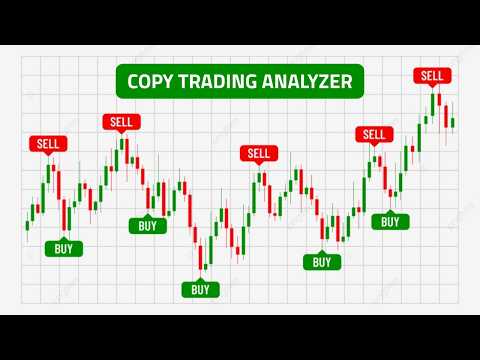
Copy Trading Analyzer
- Indicatori
- Versione: 1.10
- Attivazioni: 5

The Copy Trading History Analyzer is a powerful and easy-to-use indicator that displays real trading history directly on your chart. Instead of relying on the default MetaTrader 5 history tab, this tool provides a clear and visual representation of trades, helping you analyze performance and better understand any trading strategy.
Whether you are reviewing your own trades or analyzing a signal provider, this indicator allows you to see exactly how trades were executed — directly on the chart.
Key Features
- Displays historical trades directly on the chart
- Clear visualization of entry and exit points
- Shows profit and loss for each trade
- Works with exported CSV trading history files
- Compatible with any symbol and timeframe
- Clean and intuitive interface
Advantages
- Analyze trading performance visually instead of raw data
- Quickly identify strengths and weaknesses in a strategy
- Save time by avoiding manual trade analysis
- Ideal for strategy evaluation and learning
How to Use
This indicator allows you to visualize real trading history using exported data from MetaTrader 5 Trading Signals or any compatible source.
Step 1: Export Trading History
- Open MetaTrader 5 Trading Signals
- Select a signal (for example: MSC SuperGold Pro)
- Scroll down to the Trading History section
- Take note of the symbol name (e.g., XAUUSD)
- Click Export to CSV to download the file
Step 2: Add the File to MetaTrader 5
- Open MetaTrader 5
- Go to File → Open Data Folder
- Navigate to: MQL5 → Files
- Copy the downloaded CSV file into this folder
- Note the exact file name
Step 3: Load the Indicator
- Open a chart matching the symbol (e.g., XAUUSD)
- Attach the indicator to the chart
- In the inputs, enter the CSV file name
- Click OK
The indicator will instantly display the full trading history directly on the chart, including entries, exits, and trade outcomes.
Parameters
- CSV File Name: Name of the file placed in the MQL5/Files folder
- Shift Trade Times: Adjust trade timing if needed
- Trade Filter: Show only buy or sell trades
- Display Options: Control visibility of labels and elements
Important Notes
- The chart symbol must match the symbol in the CSV file
- Make sure your trading history is properly exported
- This indicator is designed for analysis purposes only
- It does not generate trading signals or execute trades
The Copy Trading History Analyzer gives you a clear, accurate, and practical way to evaluate real trading performance directly on your chart — no guesswork, no assumptions.