ZigZag Repaint Tracker
- Indicatori
-
Aleh Sasonka
 ✍️ Development and modification of experts, scripts, indicators MQL4, MQL5 to order https://www.mql5.com/en/job/new?prefered=sova75
 - Versione: 1.14
The ZigZag Repaint Tracker indicator is a powerful tool for traders and analysts, which not only constructs the classic ZigZag but also carefully tracks all instances of its repainting across the entire historical dataset.
Main features and advantages:
- Full history analysis: The indicator analyzes the entire available chart history, identifying moments when ZigZag changed its extremes, which allows understanding the dynamics and reliability of the constructions.
- Tracking repainting: Unlike standard ZigZags, which can hide their changes, this indicator visually and statistically records all repainting, helping the trader assess the level of confidence in the current signals.
- Enhanced visualization: Clear and vivid display of both the original and modified ZigZag points, which facilitates analysis and decision-making.
- Improving strategy quality: By understanding where and how often redraws occur, traders can adjust their trading strategies, minimizing false signals.
- Intuitive interface: Simple setup and a user-friendly interface make the indicator accessible to both beginners and experienced users.
- High speed of operation: All the work of the indicator happens quickly and imperceptibly - just like with a regular ZigZag indicator. The time for additional data processing takes 1-3 milliseconds.
- Double repaint control: The first control monitors significant repaints - former peaks/crests of the ZigZag indicator - displayed on the chart particularly brightly. The second control monitors all other insignificant repaints - displayed on the chart in modest tones that do not attract attention.
This indicator will become an indispensable assistant for those who strive for deep technical analysis and want to increase trading efficiency, taking into account the behavior characteristics of ZigZag on all timeframes.
Settings:
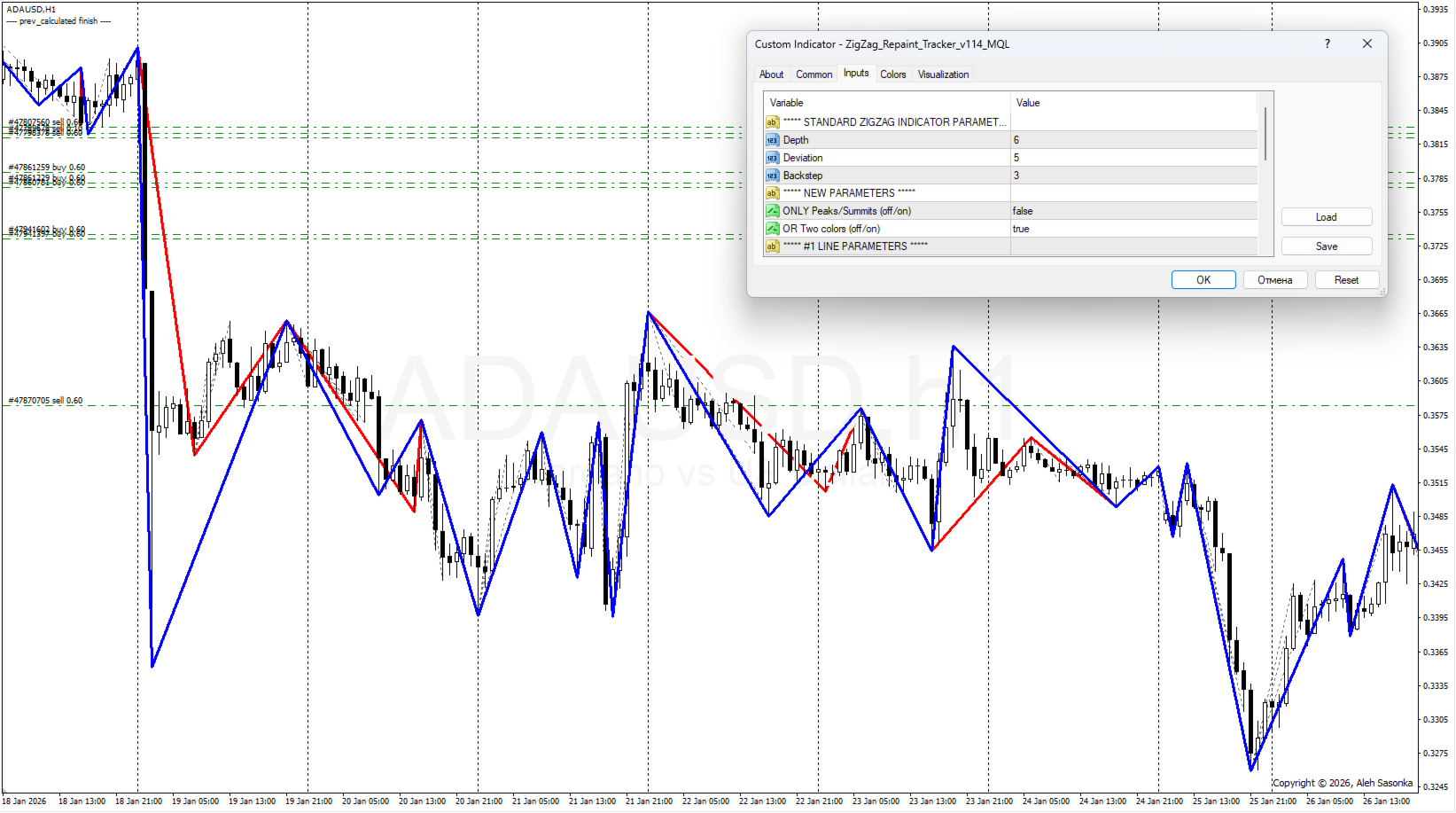
- ***** STANDARD ZIGZAG INDICATOR PARAMETERS *****
- Depth - this is the minimum number of bars on which there will be no second maximum (minimum)...
- Deviation - ... less (more) by Deviation pips than the previous one.
- Backstep - this is the minimum number of bars between maxima (minima).
- ***** NEW PARAMETERS *****
- ONLY Peaks/Summits (off/on) - show only peaks/summits? (yes - only line #1, no - all lines).
- OR Two colors (off/on) - or show lines #1 and #2 in different colors? (no - all lines in the first color).
- ***** #1 LINE PARAMETERS *****
- #1 Color of the lines that were redrawn - color of the lines that were redrawn.
- #1 Line style - style of the lines that were redrawn (solid, dashed, ...).
- #1 Line thickness - thickness of the lines that were redrawn.
- #1 Line in the background (off/on) - background position indicator for the lines that were redrawn.
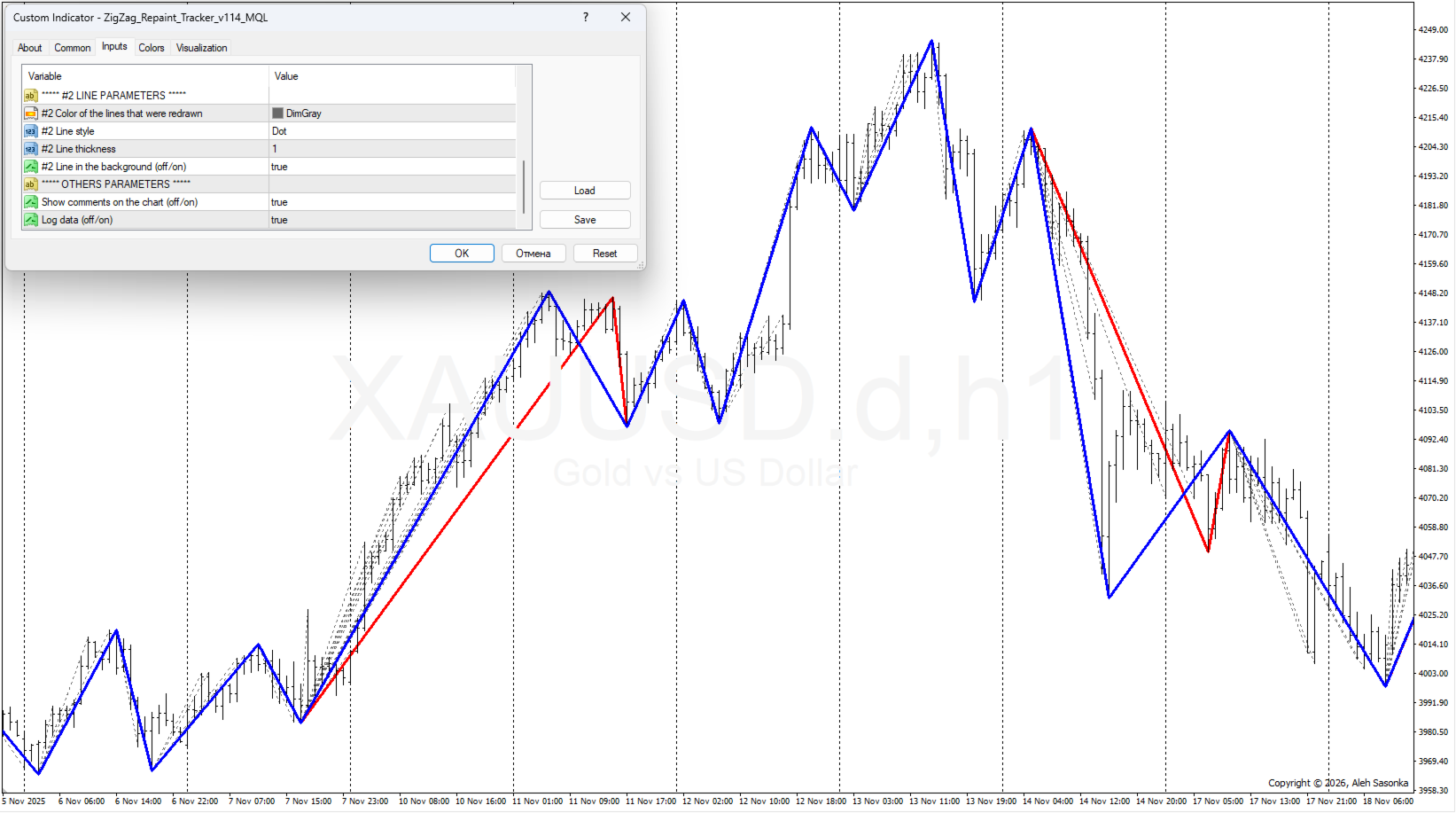
- ***** #2 LINE PARAMETERS *****
- #2 Color of the lines that were redrawn - color of the lines that were redrawn.
- #2 Line style - style of the lines that were redrawn (solid, dashed, ...).
- #2 Line thickness - thickness of the lines that were redrawn.
- #2 Line in the background (off/on) - indicator of the position of the lines that were redrawn in the background.
- ***** OTHER PARAMETERS *****
- Show comments on the chart (off/on) - show comments in the upper left corner of the chart?
- Log data (off/on) - record expert messages in the log file?
Usage options:
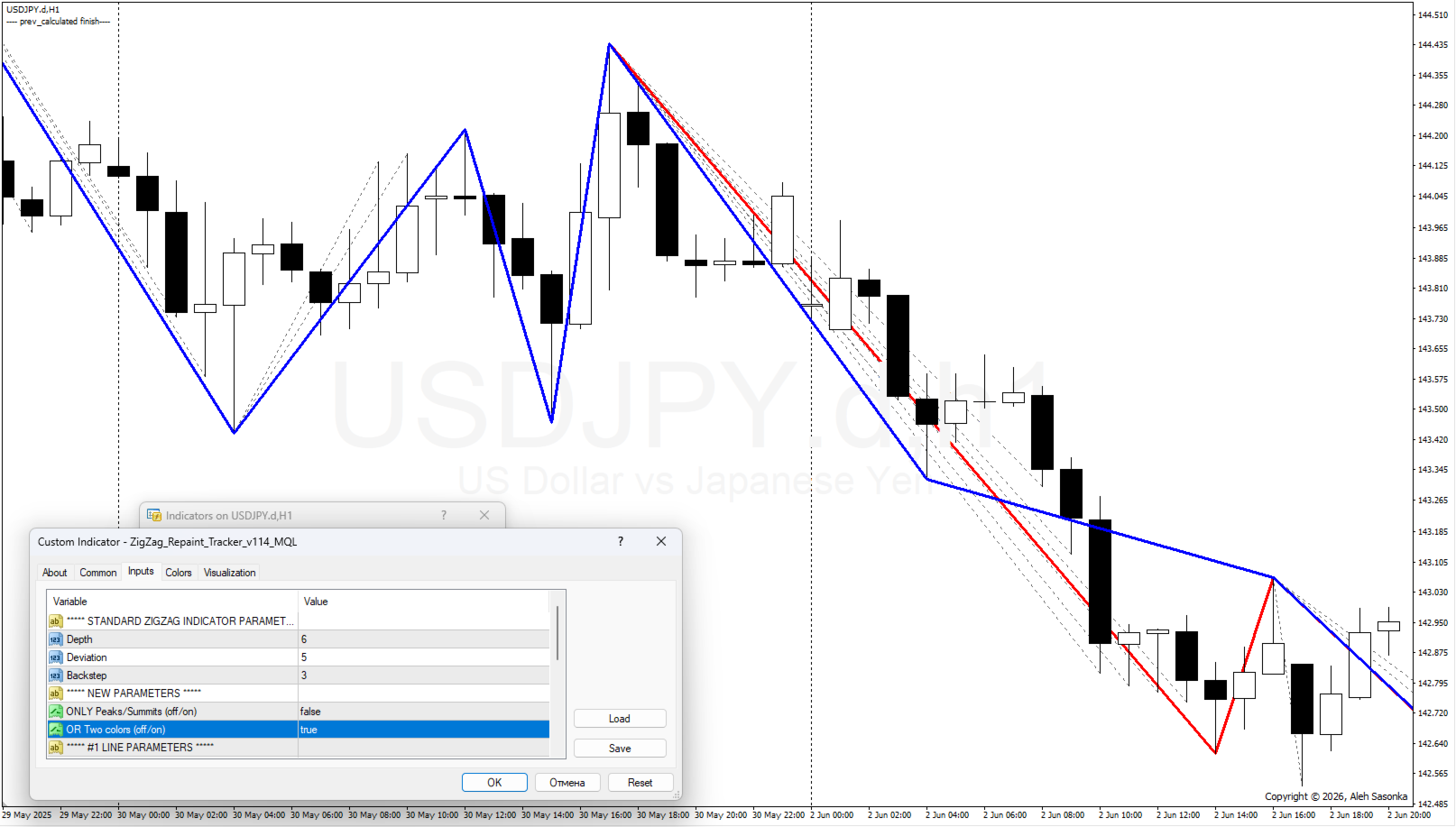
- Default settings: ONLY_Peaks/Summits = OFF, OR_Two_colors = ON. In this option, we see standard ZIGZAG in blue. Occasionally, a red peak appears, which has been changed/redrawn. The other gray lines are all other redrawn ZIGZAG lines. * See figure 1.
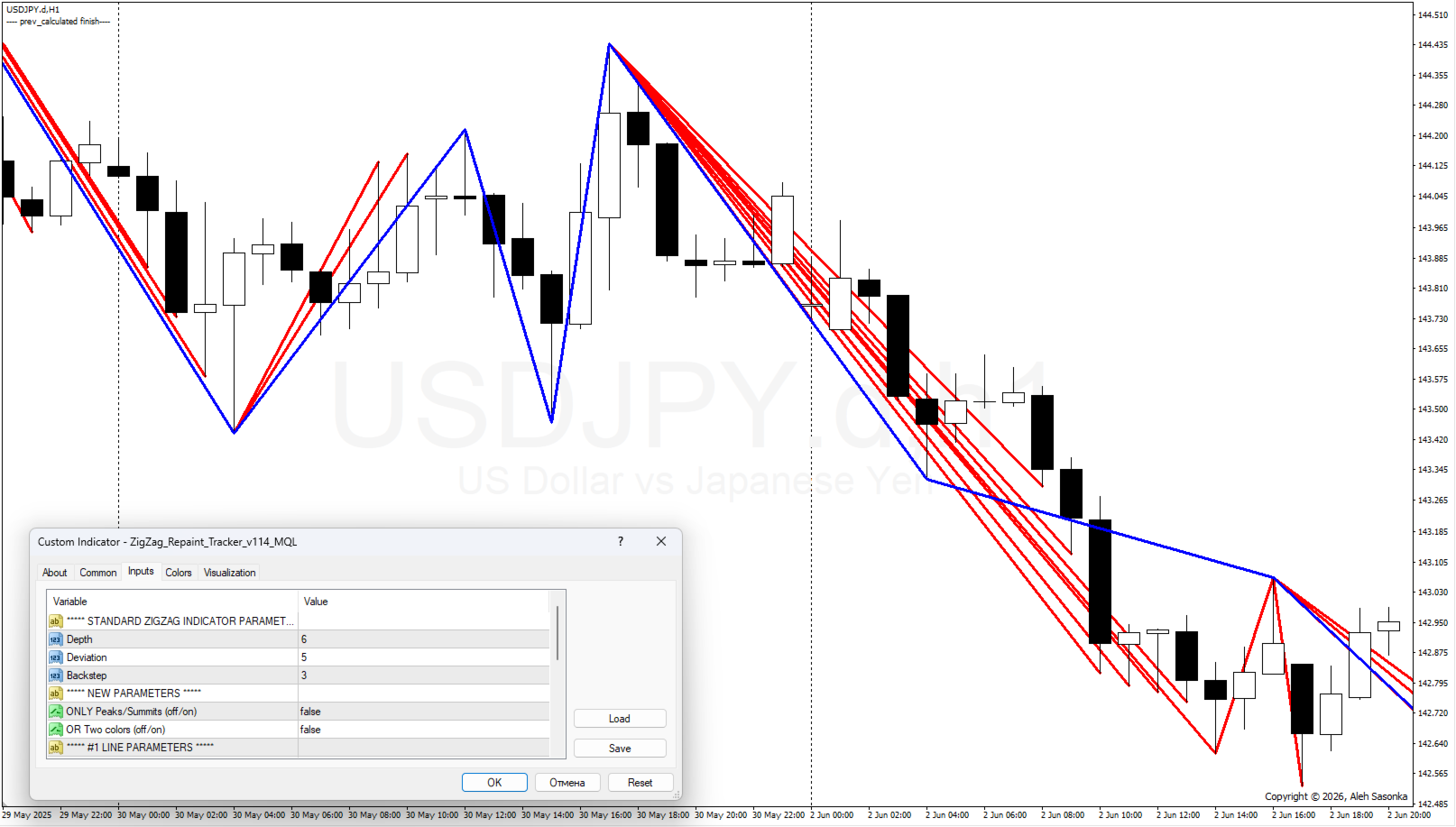
- ONLY_Peaks/Summits = OFF, OR_Two_colors = OFF. In this version, we see in blue - the standard ZIGZAG. All other red lines are all redrawn ZIGZAG lines. * See figure 2.
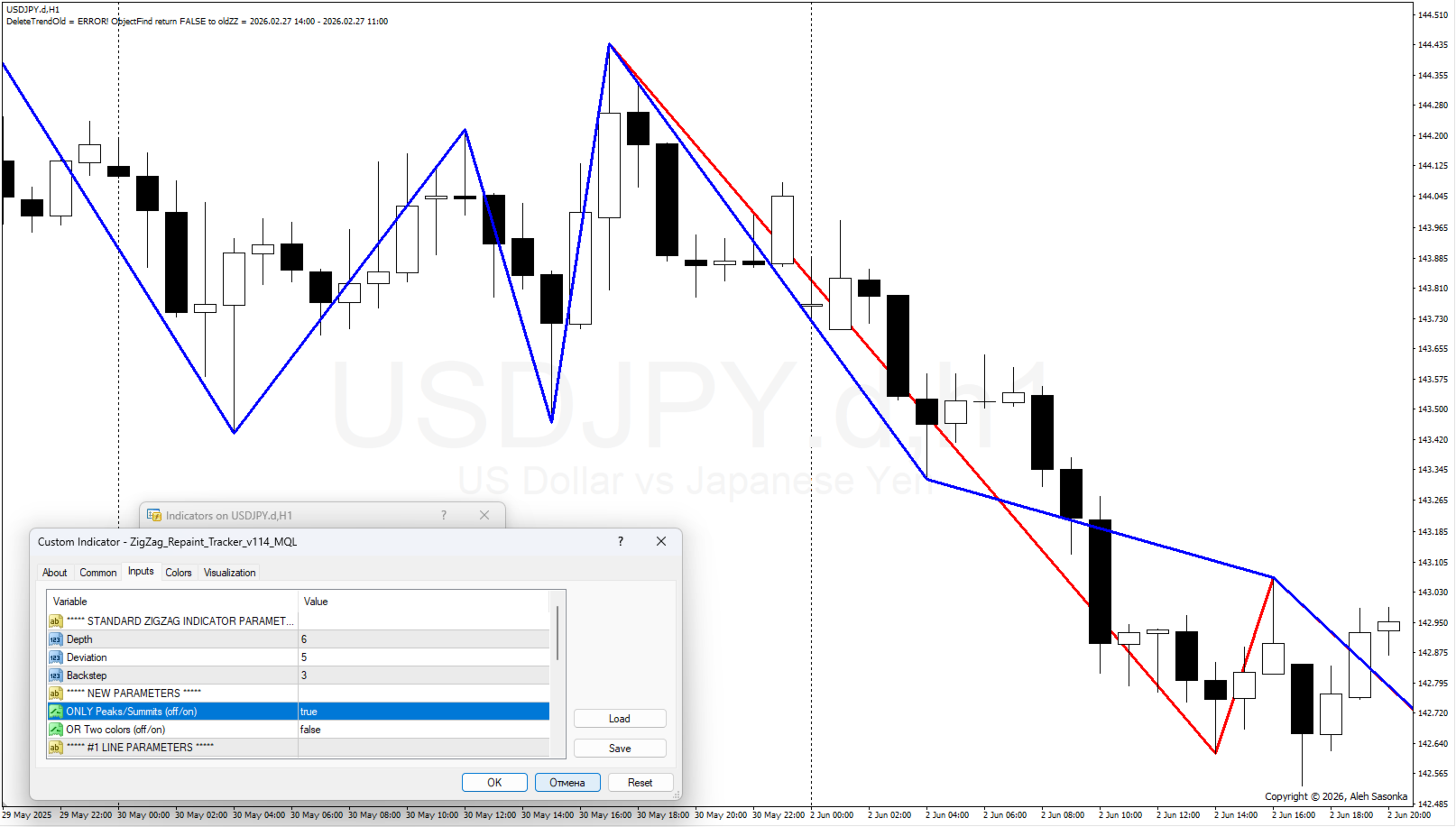
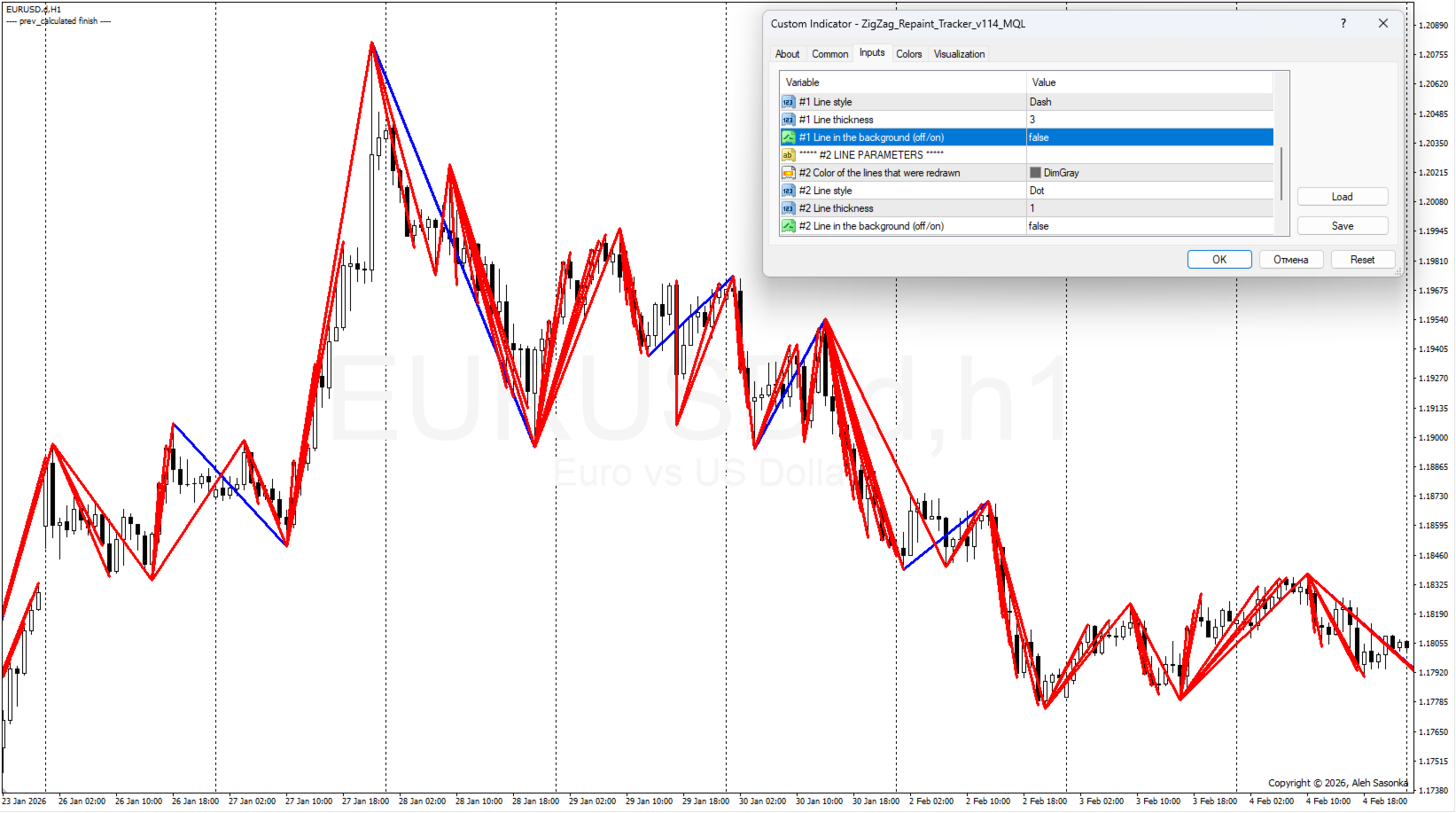
- ONLY_Peaks/Summits = ON, OR_Two_colors = ANY. In this version we see the standard ZIGZAG in blue. In places, a red peak peeks out, which has been changed/redrawn. All other redrawn ZIGZAG lines are hidden from the user. * See Figure 3.
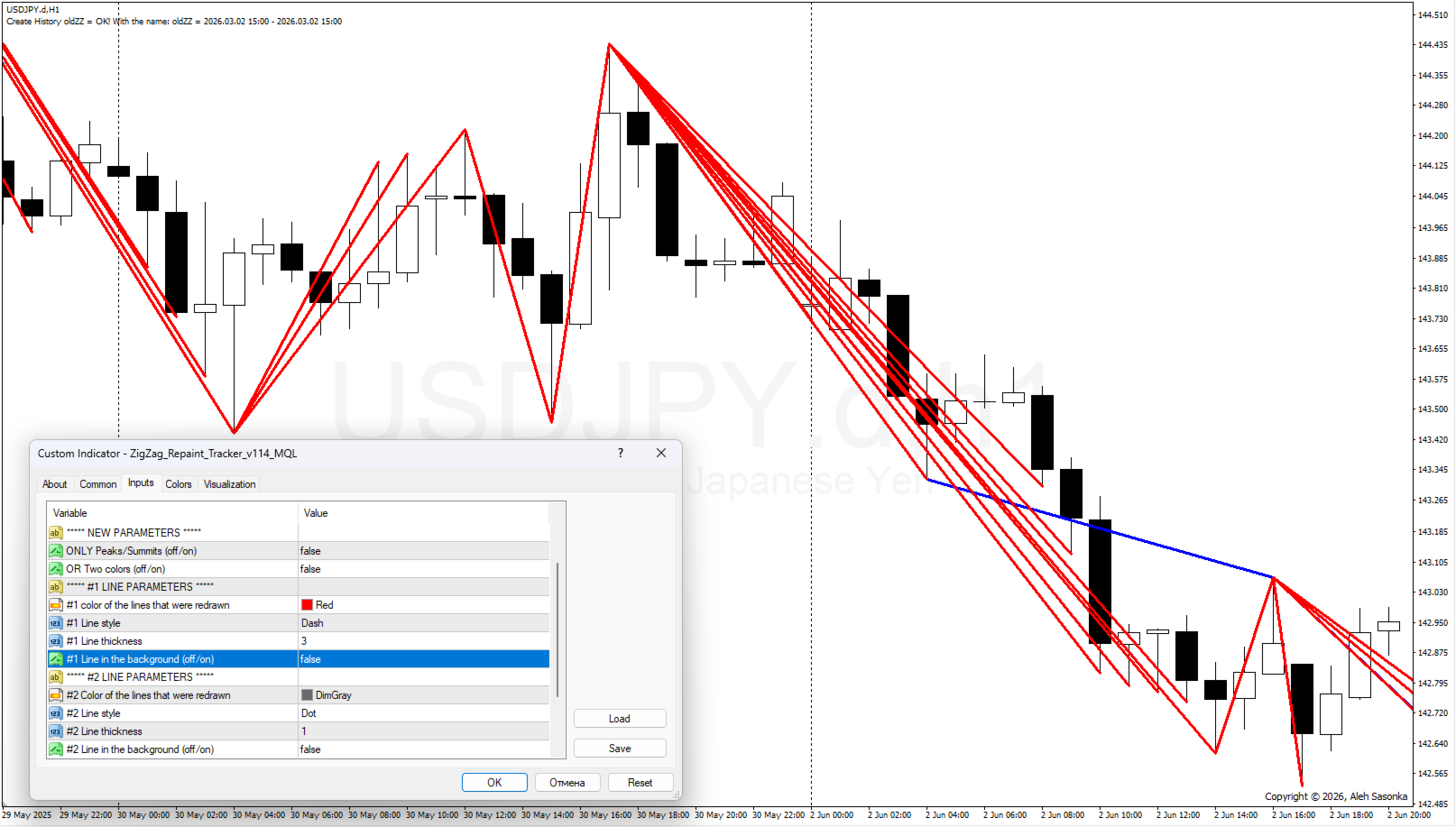
- ONLY_Peaks/Summits = OFF, OR_Two_colors = OFF, #1 Line in the background = OFF, #2 Line in the background = OFF. In this version, we see all the redrawn lines in the foreground. And in places, the blue line of the standard ZIGZAG peeks through – the place that was not changed during the appearance of new ticks. *See Figure 4.