Local Trade Copier with Risk Management
- Experts
-
Joseph Kamau Kangethe
 Professional Quantitative Developer & Financial Analyst
 - Versione: 2.4
- Attivazioni: 10
Local Trade Copier Pro is a high-speed, institutional-grade synchronization tool designed for traders managing multiple MetaTrader 5 accounts on a single PC. Built specifically with Prop Firm Traders and Account Managers in mind, this EA goes beyond simple copying by enforcing a "Hard-Lock" risk management system.
Whether you are looking to mirror trades from a Main account to a Slave account or protect your Slave account from emotional manual trading, this tool provides a seamless, "set-and-forget" solution.
Key Features:
-
Ultra-Low Latency: Millisecond-level synchronization using localized binary file sharing.
-
Strict Risk Guard: Set a Max Loss (USD) or Max Profit (USD) per session. Once hit, the EA automatically closes all positions and locks the account to prevent further trading.
-
Anti-Manual Protection: Automatically detects and closes any trades opened manually on the Slave account. Only Master-authorized trades are permitted.
-
Smart Symbol Mapping: Built-in suffix handling (e.g., US30 to US30.pro) ensures compatibility across different brokers.
-
No Conflict Sync: Advanced Ticket-to-Comment mapping ensures the Slave never "fights" with the Master or gets stuck in a modification loop.
-
Visual Dashboard: Real-time link status, session P/L tracking, and trade count limits visible directly on your chart.
How to Use / Setup Instructions
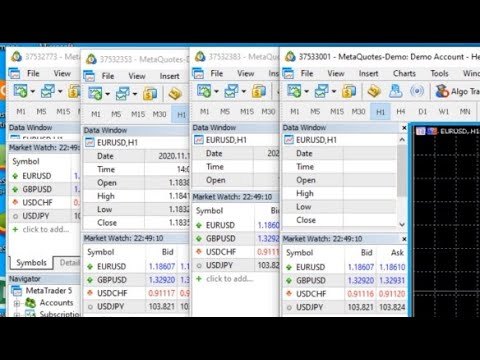
To use this EA, you must have two MetaTrader 5 terminals open on the same computer.
Step 1: Setup the Master Terminal
-
Open your Master MT5 terminal.
-
Attach the EA to any single chart (one chart is enough to monitor the whole account).
-
In the Inputs tab, set Mode to MODE_MASTER .
-
If your broker uses suffixes (e.g., EURUSD.m), enter .m in the Master_Suffix field.
-
Ensure "Algo Trading" is enabled at the top of your terminal.
Step 2: Setup the Slave Terminal
-
Open your Slave MT5 terminal.
-
Attach the EA to any single chart.
-
In the Inputs tab, set Mode to MODE_SLAVE .
-
Configure your Risk Settings:
-
FixedLot: The lot size the slave will use.
-
MaxLossUSD: The maximum loss allowed before the account locks.
-
LockHours: How long the account remains locked after hitting a limit.
-
- If the Slave broker uses a different suffix (e.g., EURUSD.pro), enter .pro in the Slave_Suffix field.
- Go to the "Common" tab of the EA settings and ensure "Allow Algo Trading" is checked.
Step 3: Verify Connection
-
On the Master chart, you should see: STATUS: BROADCASTING .
-
On the Slave chart, you should see: MASTER LINK: STABLE .
Technical Requirements
-
Platform: MetaTrader 5
-
Hosting: Both terminals must run on the same PC or VPS.
-
Permissions: Ensure "Allow Algo Trading" is active on both terminals.
Disclaimer
Trading involves risk.
This product is a trade copying and risk management tool, not a profit-guaranteeing system.
Proper testing on a demo account is recommended before live use.