Advanced Order Flow Volume Profile Indicator
- Indicatori
- Versione: 3.0
- Attivazioni: 5

🧩 Each VolumeProfile holds:
-
The price range for a given period
-
Buy/sell volume for each price level
-
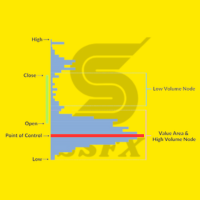
Calculated POC, VAH, VAL, Delta, and Imbalance
🔍 Indicator Logic Summary
-
Divide data by timeframe (e.g., one H1 profile per hour).
-
Aggregate volumes for each price level.
-
Separate buy and sell volumes using tick or trade direction.
-
Compute Delta (Buy − Sell) and Imbalance (dominance ≥70%).
-
Detect POC, VAH, VAL to outline the Value Area.
-
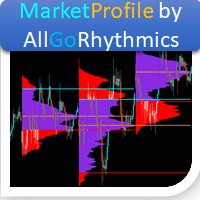
Draw graphical profiles beside price candles using color-coded bars:
-
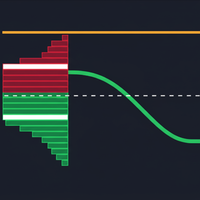
🟩 Green = Buy volume
-
🟥 Red = Sell volume
-
🟨 Yellow line = POC
-
🟦 Blue zone = Value Area
-
🟧 Orange = Imbalance highlight
-
📊 Reading and Interpreting the Indicator
| Symbol / Color | Meaning | Interpretation |
|---|---|---|
| 🟨 POC (Point of Control) | Price level with the highest traded volume | Market “fair price” — strong acceptance zone |
| 🟦 Value Area (VAH / VAL) | Range covering ~70% of total volume | Main price zone where most trades occurred |
| 🟩 Buy Volume | Volume from buyers | If dominant → bullish strength |
| 🟥 Sell Volume | Volume from sellers | If dominant → bearish pressure |
| ⚖️ Delta | Buy − Sell volume | Positive → buyers in control / Negative → sellers in control |
| ⚠️ Imbalance | One side exceeds 70% of the opposite side | Often signals breakouts or turning points |
💡 How to Use It on Your Chart
-
Attach the indicator to your chart (works in main window).
-
Choose your analysis timeframe (e.g., H1, M15).
-
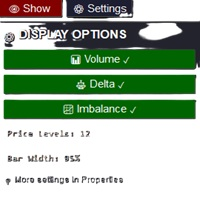
Adjust:
-
NumberOfProfiles → how many historical profiles to show
-
PriceLevels → resolution of the profile
-
-
Observe:
-
POC moving upward → uptrend (buyers gaining control)
-
POC moving downward → downtrend (sellers dominant)
-
Strong positive Delta → aggressive buying
-
Clusters of Imbalances → strong momentum direction
-
Price above Value Area → bullish bias
-
Price below Value Area → bearish bias
-