Trade Filter
- Indicatori
- Versione: 1.3
- Aggiornato: 4 settembre 2025
- Attivazioni: 10

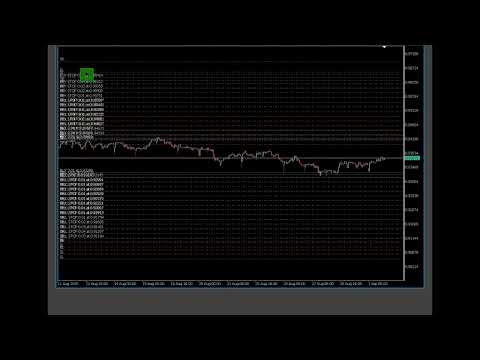
Trade Filter is a tool designed primarily for traders using many Expert Advisors on the same currency pair and/or grid systems creating many simultaneous trading operations. By adding the filter (as an indicator) to a given chart, must select a magic number of the EA and only its trades remain visible. Numerous settings for colors, line styles, font sizes and others have been added, through which you can adjust the display according to your preferences. Set files also can be created and loaded.
Expert Advisors run mostly on VPS and resources are severely limited, which is why Trade Filter is as lightweight as possible and no features for editing trade levels are included. Instead, a button Pause ";" is displayed through which we can temporarily disable the display and edit in the usual way. After completion, it is enough to click the button "4" to restore the visualization. Also, in the parameters there is a “Milliseconds Timer” value, which controls how often we check for changes. Lower values (30-50) make the chart update smoother, but also require a higher CPU load. If there are not many changes on the chart, this value can be increased to much larger values (500, 1000 and more).
Unlike the standard visualization of trading operations, options have been added to choose the color and style of the lines, separately for positions and pending orders. Stop and profit levels can also be excluded from display, as well as pending orders in general.
For convenience, a number is automatically added to each trading operation, and it is the same for stop and profit. This makes it easier to determine which level belongs to which operation.
For the purpose of improved visualization, a parameter "Spaces from left for SL/TP labels" has been introduced. It controls how far to the right relative to the left edge of the chart we move the text "TPx" or "SLx" . We also have the opportunity through "Over/Bellow SL line text position" to choose whether the "SLx" text should be above or below its line.
Please test the product on a demo account first and only when you are convinced that everything is fine, switch to real trading. No one is able to foresee all possible situations and conflicts with the huge number of EAs.
Safe and profitable trading