
Minty Triangle
- Experts
- Versione: 20.0
- Aggiornato: 2 agosto 2026

An MT5 Expert Advisor that hunts triangular arbitrage — brief moments when three currencies' exchange rates disagree with each other.
Read this first
Many brokers ban arbitrage. They can cancel trades, claw back profits weeks later, or quietly add a delay to your account that kills the strategy while everything still looks fine. Check your broker's terms in writing.
Most retail setups are too slow. These gaps last milliseconds. A typical connection takes 30–200ms. Professionals doing this sit in the same building as the exchange.
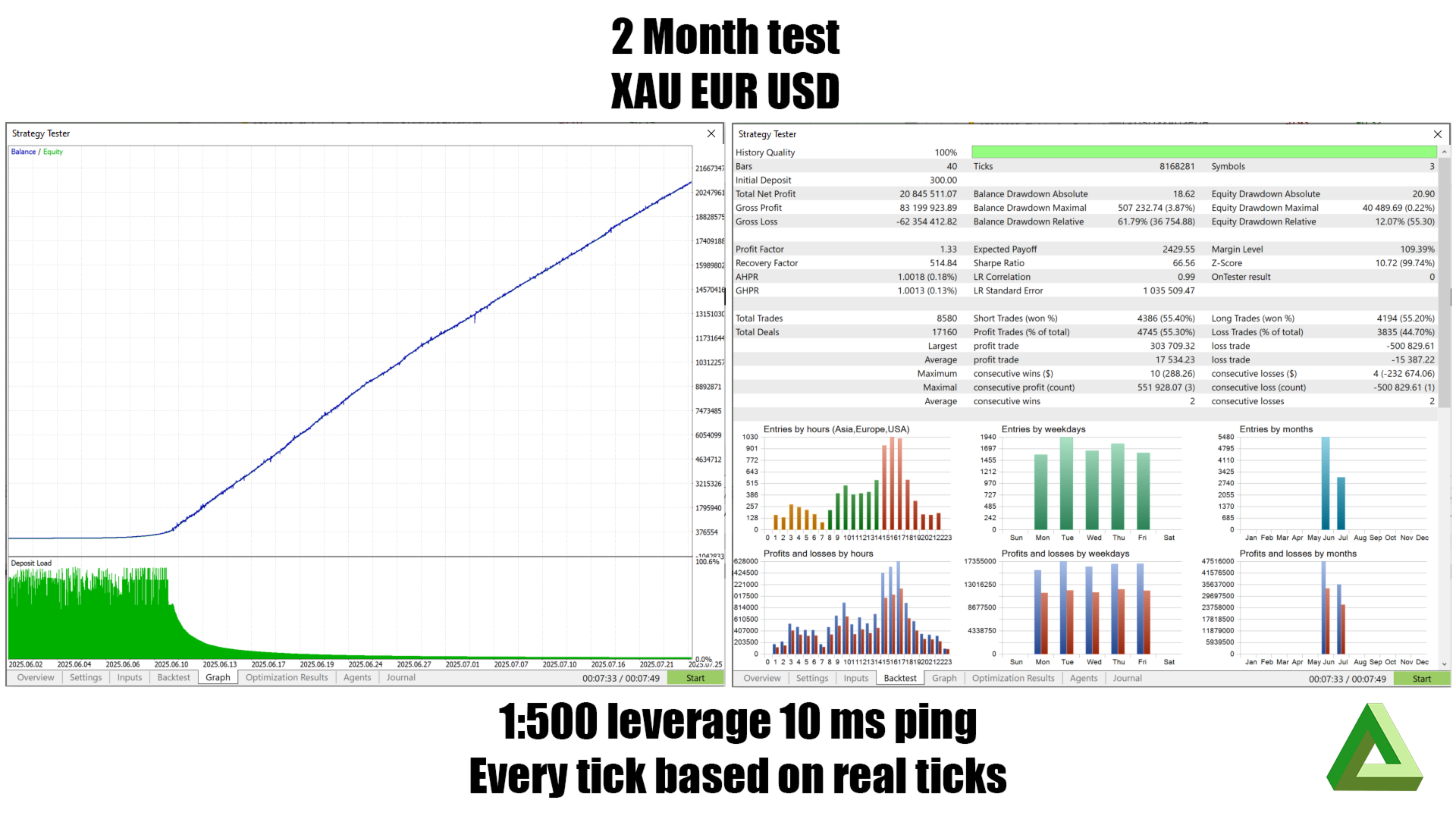
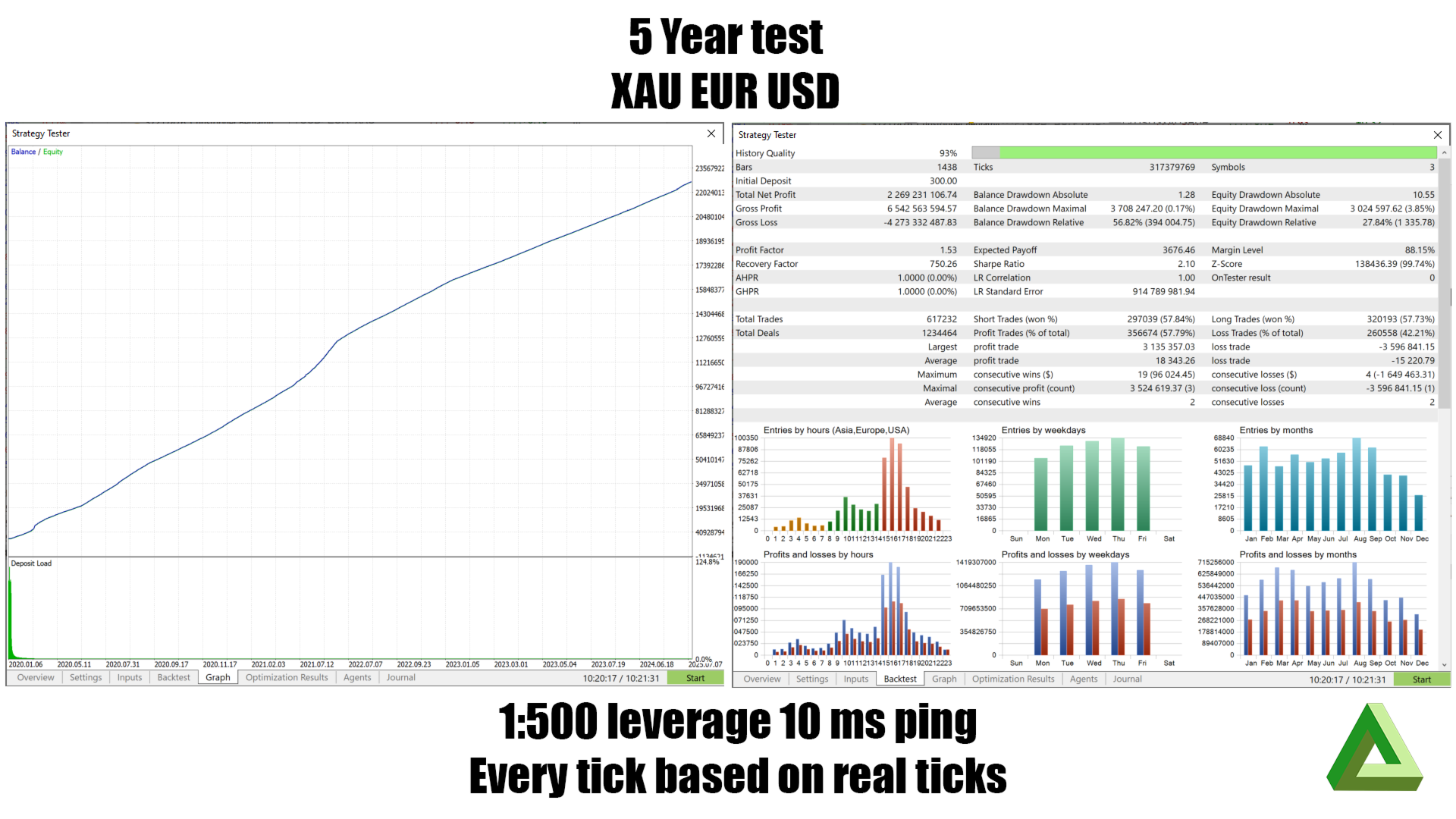
A good backtest proves very little here. The MT5 tester fills all three legs at the same instant. Real life doesn't. The tester can't simulate the one thing that decides whether this is profitable.
Before risking money, run Shadow Mode. It measures all of the above without placing a single trade.
The idea
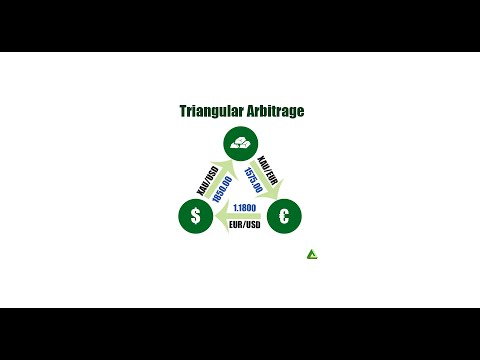
Start with gold, trade it for dollars, those dollars for euros, those euros back to gold.
If prices are consistent you end up where you started. But the three prices come from different places and don't update at the same instant — so occasionally the round trip leaves you with slightly more than you began with.
That surplus is the target. It's usually smaller than one leg's spread and typically gone within milliseconds.
You don't actually convert money. The EA opens three positions that roughly cancel each other out, leaving just the pricing gap.
How it works
Setup. You give it a currency list like XAU,USD,EUR . It finds your broker's symbol names (handling suffixes like .raw or m ), then builds every triangle. Going round a loop starting from a different corner is the same trade, so those are counted once — but going the opposite way round is different and gets its own entry. Three currencies gives you 2 triangles; four gives 8.
Each price update, per triangle:
- Work out trade sizes from RiskFactor and available margin.
- Walk a notional amount around the triangle at live prices. More comes back than went in? That's the potential profit.
- Subtract commission (doubled — you pay it opening and closing) and expected slippage. Slippage isn't guessed: the EA measures your real fills and budgets for a bad one (90th percentile by default), because roughly half of all fills are worse than average.
- What's left must clear ProfitThreshold — by default, at least the total cost again.
- Check all three prices are fresh. A 400ms-old price means the gap was calculated against a price the market already left — it isn't real. This filters out a lot of fake signals.
Placing the orders: grab the latest prices → re-check freshness → recalculate, and cancel if the opportunity has gone → compute all three stop-losses up front → send all three orders back-to-back, riskiest leg first.
That "cancel if it's gone" step matters. Prices move in the milliseconds between spotting an opportunity and acting on it, and sending anyway is exactly how a good signal becomes a real loss.
Managing the position: the profit target shrinks over time. An arbitrage that hasn't paid off quickly isn't one any more — it's three positions accruing swap. After BreakEvenAge (default 5 min) the EA will close at break-even just to be out.
It closes when the target is hit, when a market is about to close, on severe loss, or if a leg goes missing. That last one matters: a triangle with a missing leg isn't hedged — it's an accidental directional bet, so the EA exits rather than trying to repair it.
Filters: high-impact news (±30 min), volatility spikes, market open/close windows, and a one-hour cooldown after a bad exit.
Shadow Mode
The most useful feature here. Set ShadowMode = true and the EA does everything normally except it never places a trade.
When it spots an opportunity it records it, then after a realistic delay ( ShadowLatencyMs , default 150ms) re-checks what that opportunity was actually worth. Both numbers go to _MintyTriangleShadowLog.csv :
| Column | Meaning |
|---|---|
| sig_net | The profit it thought it found |
| real_net | What it was worth after the delay |
| edge_decay | The difference — the cost of being slow |
| survived | 1 if it would still have made money |
How to use it: sort by sig_net and find where survived becomes reliably 1 . That's the real minimum profit you need on your broker with your connection — a measured number, far more trustworthy than a tuned backtest. Set ProfitThreshold from it.
If edge_decay is consistently larger than sig_net , every opportunity is gone before you could reach the broker. That means the strategy won't work on your setup, and no setting will fix it. Better to learn that for free.
Run it at least a week, across different sessions.
The three risks in more detail
Broker permission
Arbitrage is explicitly prohibited by many retail brokers. Where it is, they typically reserve the right to cancel trades and reverse profits (sometimes weeks later), restrict or close the account, add execution delays, widen your spreads, or reject orders.
The real danger isn't just that it stops working — it's that it appears to work, builds a profit, and then that profit is reversed. Money withdrawn isn't necessarily money kept.
Most common at market-maker brokers, but these clauses exist at ECN/STP brokers too. Ask in writing and keep the reply.
Speed
| Professional | Typical retail | |
|---|---|---|
| Location | Inside the exchange datacentre | Home or a distant VPS |
| Round trip | Microseconds | 30–200ms+ |
| Execution | All legs at once | Three sequential orders |
Consequences: the gap is usually gone before your order lands; your three orders aren't atomic, so one can fill while another is rejected; partial fills break the balance; and slippage is structurally against you — you get filled fast when price moves against you, and delayed when it moves in your favour.
A VPS near your broker helps and is close to essential, but it narrows the gap rather than closing it.
Backtests
The tester fills all three legs at one instant, so the entire question — does the edge survive the round trip? — is assumed away.
Also: multi-symbol tick timing in the tester is approximate, and this strategy is entirely a bet on cross-symbol timing, so that approximation lands directly on your signal. A lot of backtest "arbitrage" is an artefact of the tester rather than something that existed. Spreads are simplified. There are no requotes, rejections, or partial fills. The news filter may not work in the tester at all — if so, your backtest and your live account are trading different opportunity sets.
Past performance does not indicate future results. Use the backtest to check nothing is broken; use Shadow Mode and small live size to find out if it makes money.
Other things worth knowing
A locked triangle isn't risk-free. Lot sizes round to your broker's steps so the circle never closes perfectly — a small directional position always remains. Swap accrues on all three legs and can exceed the profit overnight. Legs can be closed independently by a stop or margin call. All three legs consume margin.
Settings
| Setting | Default | Purpose |
|---|---|---|
| CurrencySet | XAU,USD,EUR | Currencies to build triangles from |
| RiskFactor | 10 | % of free margin to use |
| ProfitThreshold | 100 | Required profit as % of costs |
| ProfitTrgger | 50 | % of theoretical profit to take |
| BreakEvenAge | W1 | When to start closing at break-even |
| EnableStoploss / StopLossTimeframe | false/ H4 | Per-leg stop-loss |
| EnableVolatility / VolatilityTimeframe | false/ H1 | Skip range spikes |
| EnableNewsFilter | false | Avoid high-impact news |
| MaxDeviationPoints | 20 | Worst fill price accepted |
| MaxQuoteAgeMs | 250 | Reject stale prices (0 = off) |
| RevalidateBeforeFire | true | Re-check before sending |
| WorstLegFirst | true | Send riskiest leg first |
| SlippagePercentile | 90 | How pessimistic to be about fills |
| LegTimeoutMs | 5000 | Give up on unconfirmed orders |
| ShadowMode | false | Measure only, never trade |
| ShadowLatencyMs | 150 | Delay to simulate |
| ShadowCooldownMs | 1000 | Min gap between log entries per triangle |
| CommissionCacheSeconds | 300 | Commission re-check interval |
| NewsRefreshSeconds | 60 | Calendar re-check interval |
| DisplayRefreshMs | 250 | Panel redraw interval |
| SymbolSuffix | (empty) | e.g. .raw , m |
| MagicNumber | 8172934 | Trade ownership tag |
| DrawDisplay / Debug | true / false | Panel and logging |
| ClearSlippage | false | Wipe slippage history at startup |
Files created (in MQL5\Files ): _MintyTriangleSlippageLog.csv (fill history, feeds the cost model) and _MintyTriangleShadowLog.csv (Shadow Mode results).
Suggested approach
- Confirm your broker permits arbitrage — in writing.
- Backtest to check it runs and builds the triangles you expect. Not to judge profitability.
- Run Shadow Mode live for a week or more.
- Check edge_decay . If the edge doesn't survive your latency, stop — that's a real answer.
- If it does, set ProfitThreshold from the Shadow data, not from backtest tuning.
- Trade minimum size until real slippage matches Shadow predictions.
- Scale slowly, and re-check periodically — brokers and markets both change.




























Very smart triangl