Lightning HotKeys Momentum Scalper PRO
- Utilità
- Versione: 5.5
- Aggiornato: 18 marzo 2025
- Attivazioni: 5

Lightning Hotkeys Trade Faster, Smarter & Safer
Ever felt like you missed a great trade because you couldn't execute fast enough? Lightning Hotkeys turns your keyboard into a powerful trading command center, helping you trade in mili-seconds instead of minutes.
Speed Up Your Trading Game
Trade with the press of a key. No more clicking through menus or missing opportunities. Lightning Hotkeys lets you:
- Open buy/sell positions instantly
- Manage stop losses on the fly
- Close trades when you need to
- Handle multiple positions at once
Smart Risk Management Made Easy
Protect your capital with intelligent risk tools:
- Set trailing stops that follow price movements
- Move your stop loss closer or further with single keystrokes
- Create "safety stops" that lock in profits automatically
- Group similar positions to manage them together
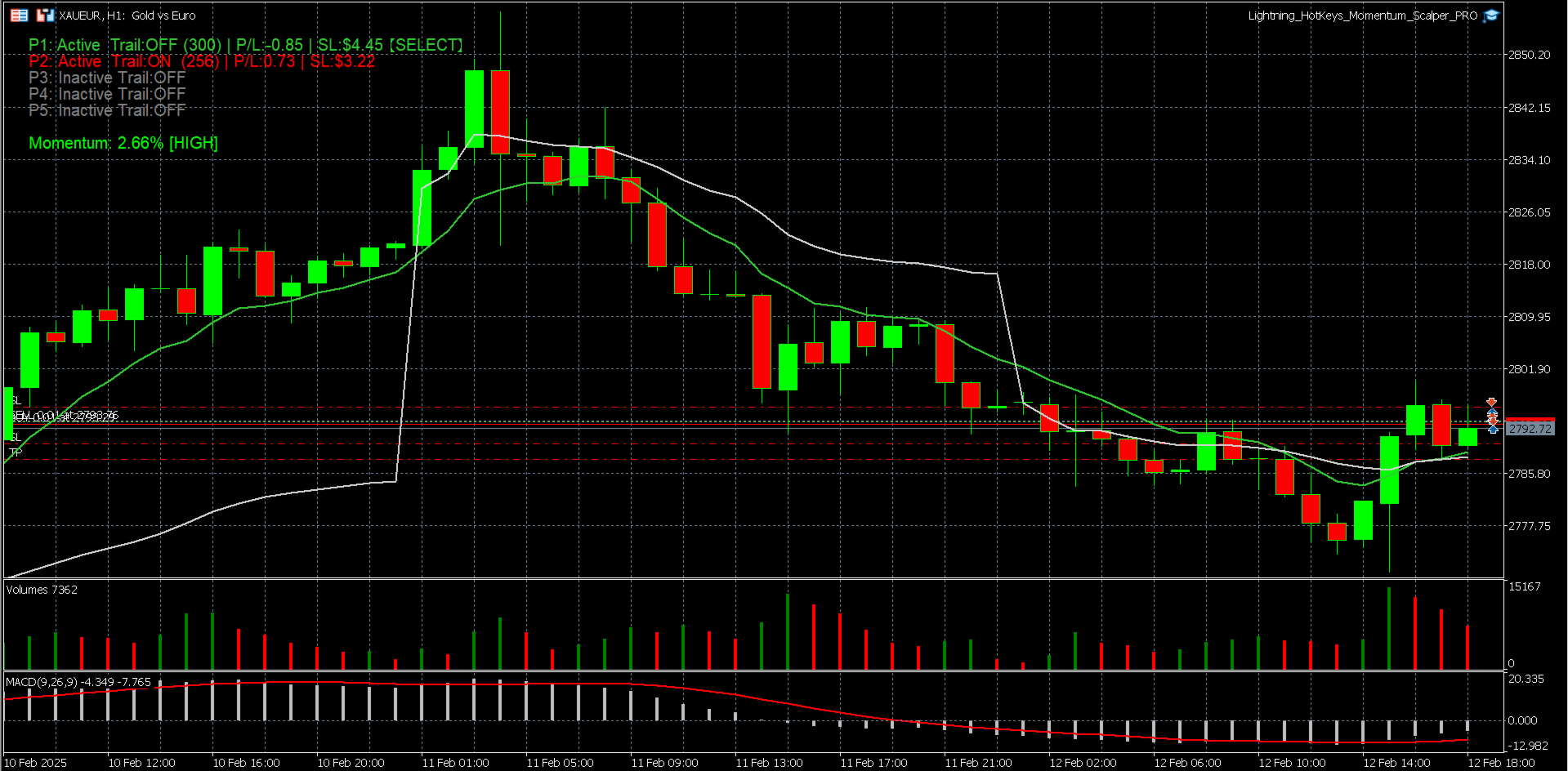
See Everything At a Glance
The clean, intuitive dashboard shows you:
- All your active positions
- Current profit/loss for each trade
- Market momentum indicator
- Trailing stop status
Trading Like a Pro Has Never Been Easier
Lightning Hotkeys feels like having trading superpowers. Press B to buy, S to sell, T to trail, C to close - it's that simple!
Group your trades with a single key and manage them together. Adjust your stop losses on multiple positions in seconds.
Customizable Keys & Settings
Make Lightning Hotkeys work for YOU:
- Set your preferred hotkeys
- Choose your lot size
- Customize stop loss distances
- Adjust trailing settings to match your strategy
- Personalize the dashboard colors and positionPerfect For:
- Day traders who need speed
- Swing traders wanting better position management
- Anyone looking to level-up their trading efficiency
- Traders who want to reduce emotional decisions
Lightning Hotkeys transforms the way you trade - making it faster and more precise. Start trading at the speed of thought!
Input Parameters
| Parameter | Description | Default |
|---|---|---|
| Hotkey Configuration | ||
| KeyBuy | Hotkey for instant buy orders | B |
| KeySell | Hotkey for instant sell orders | S |
| KeyTrail | Hotkey to toggle trailing stop | T |
| KeyClose | Hotkey to close selected position | C |
| KeyMoveBack | Hotkey to move stop loss away from price | Z |
| KeyMoveClose | Hotkey to move stop loss closer to price | Y |
| KeyToggleTP | Hotkey to toggle take profit | P |
| KeyToggleTrailingProfit | Hotkey to toggle profit-based trailing | O |
| KeyGroupBuy | Hotkey to group all buy positions | q |
| KeyGroupSell | Hotkey to group all sell positions | w |
| KeyCancelGroupSL | Hotkey to cancel stop losses for a group | e |
| KeyCancelGroupTP | Hotkey to cancel take profits for a group | r |
| Trade Parameters | ||
| InitialStopLoss | Enable automatic stop loss placement | false |
| StopLossPoints | Distance for initial stop loss in points | 300 |
| InitialTrailingStopPoints | Initial distance for trailing stops | 300 |
| LotSize | Default position size | 0.1 |
| BackwardMovePoints | Distance to move stop loss backward | 20 |
| ForwardMovePoints | Distance to move stop loss forward | 20 |
| TakeProfitPoints | Distance for take profit in points | 850 |
| MinimumTrailingDistance | Minimum allowed trailing stop distance | 20 |
| Trailing Profit Settings | ||
| AutoTrailingOnProfit | Enable automatic trailing when in profit | false |
| MinProfitPoints | Minimum profit to activate auto-trailing | 850 |
| AutoTrailingDistance | Distance for auto-trailing stops | 120 |
| Safety Stop Settings | ||
| EnableSafetyStop | Activate the Safety Stop feature | false |
| SafetyTriggerPoints | Distance to trigger the Safety Stop | 120 |
| SafetyStopPoints | Distance of the Safety Stop in points | 20 |
| KeyToggleSafety | Hotkey to toggle Safety Stop | L |
| Interface Settings | ||
| WindowBgColor | Background color of the status window | clrNONE |
| TextColor | Text color for the status window | clrGray |
| WindowX/Y | Position of the status window | 20, 20 |
| WindowWidth | Width of the status window | 400 |
| FontSize | Font size for the status window | 10 |