 MetaTrader 5
 Sistemi Esperti
 Indicatori
 Script
 Librerie
 Archiviazione
Guarda come scaricare robot di trading gratuitamente
Ci trovi su Twitter!
Unisciti alla nostra fan page
Unisciti alla nostra fan page
Ti è piaciuto lo script? Provalo nel Terminale MetaTrader 5

Quantora Margin Calculator MT4 - Professional Margin Requirement Calculator - sistema esperto per MetaTrader 4

- Visualizzazioni:
- 2115
- Pubblicato:
- Aggiornato:
-
 Ti stai perdendo delle opportunità di trading:
- App di trading gratuite
- Oltre 8.000 segnali per il copy trading
- Notizie economiche per esplorare i mercati finanziari
Registrazione AccediAccetti la politica del sito e le condizioni d’uso
Se non hai un account, registrati -
 Hai bisogno di un robot o indicatore basato su questo codice? Ordinalo su Freelance
Vai a Freelance
Hai bisogno di un robot o indicatore basato su questo codice? Ordinalo su Freelance
Vai a Freelance
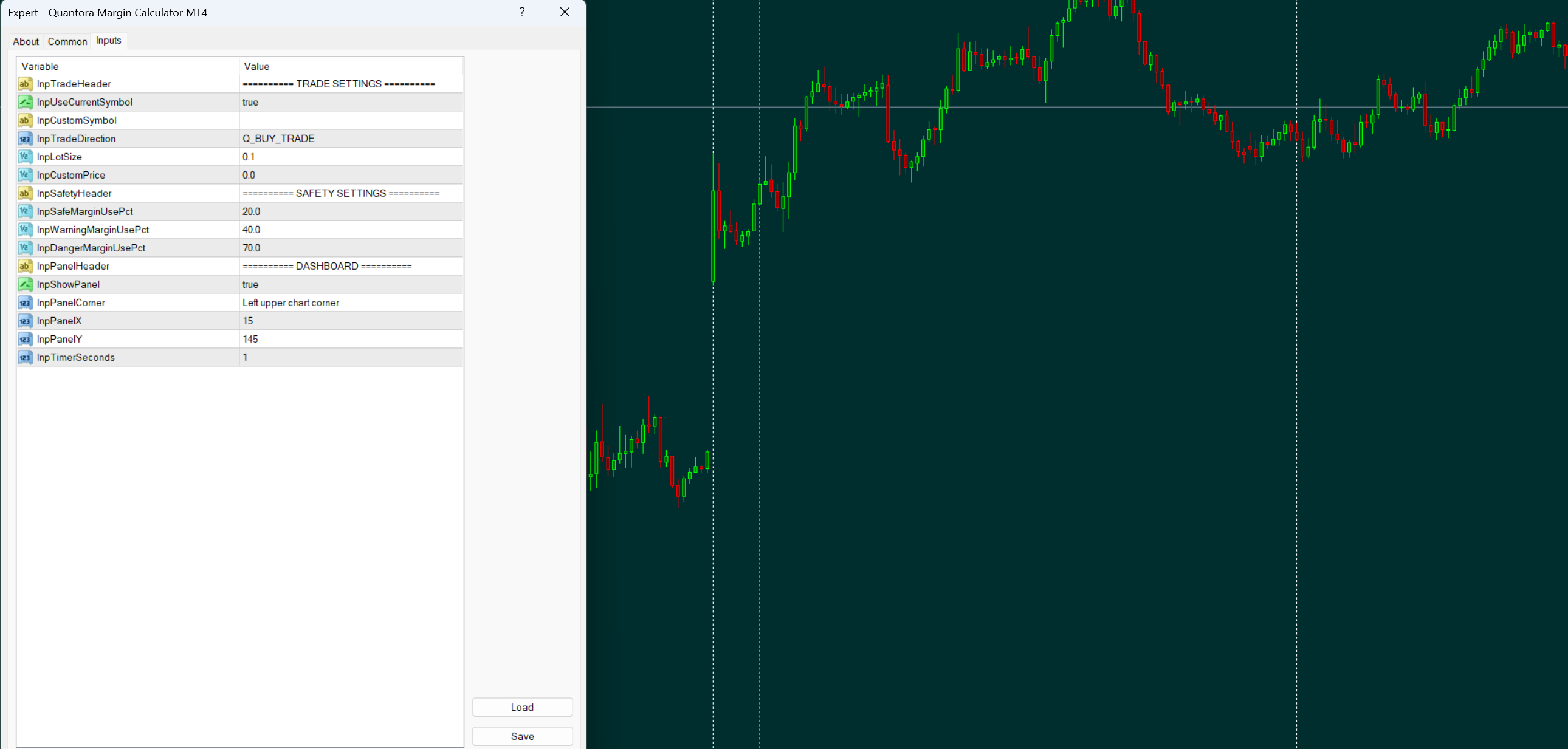
Quantora Margin Calculator MT4 is a utility that estimates the margin required before opening a trade. It does not open trades or generate signals, and is designed to help evaluate margin usage in advance.
The tool calculates required margin based on symbol, lot size, trade direction, and price. It also shows the expected free margin after the trade and the projected margin level, helping you understand the impact before execution.
It includes margin usage percentage and a simple safety classification to indicate risk level. Symbol specifications such as contract size and volume limits are handled automatically.
Suitable for traders who want a clear and practical way to check margin requirements before placing a trade.
Quantora Risk Calculator MT4 - Professional Trade Risk and Reward Calculator
Professional open-source Risk Calculator for MetaTrader 4. Calculates money risk, account risk percentage, potential profit, Reward-to-Risk ratio, margin requirement and risk level.
Quantora Position Size Calculator MT4
Professional open-source Position Size Calculator for MetaTrader 4. Calculates broker-compatible lot size using account value, risk percentage, fixed risk amount and Stop Loss distance with a modern Quantora dashboard.
 Smart Session Breakout MT4 Asian Range with ATR Body-Quality Filter Dashboard and Non-Repainting Alerts
Asian session range breakout indicator for MetaTrader 4. Signals are confirmed on bar close and never repaint. Unlike simple session breakout tools, it also measures the strength of the breakout candle: the candle body must reach a configurable multiple of ATR, so marginal breaks are filtered out. Includes range size filters, an on-chart dashboard with session phase, spread, ATR in pips and a bar close countdown, plus pop-up, sound, email and push alerts.
Smart S/R Zones MT4 Swing-Pivot Support and Resistance
Swing-pivot support and resistance zones clustered by touch count with adaptive zone thickness and higher-timeframe context.