Better MACD
- Indicateurs
- Version: 1.0

TradingView MACD for MetaTrader 5 (True 2-Line & 4-Color Histogram)
Tired of the native MetaTrader 5 MACD?
Overview
By default, MT5 plots the main MACD line as a single-color histogram and the signal line as a dotted line. For traders migrating from TradingView, this layout is counterintuitive, confusing, and strips away vital momentum data.
TradingView MACD for MT5 reconstructs the exact mathematical model, visual layout, and color-coded momentum dynamics of TradingView’s standard MACD indicator directly inside your MetaTrader 5 charts—now enhanced with visual crossover arrows and an automated multi-channel alert system.
Whether you trade Forex, cryptocurrencies, indices, commodities, or other supported instruments, Better MACD provides a configurable oscillator for technical analysis across different chart timeframes.
Key Features
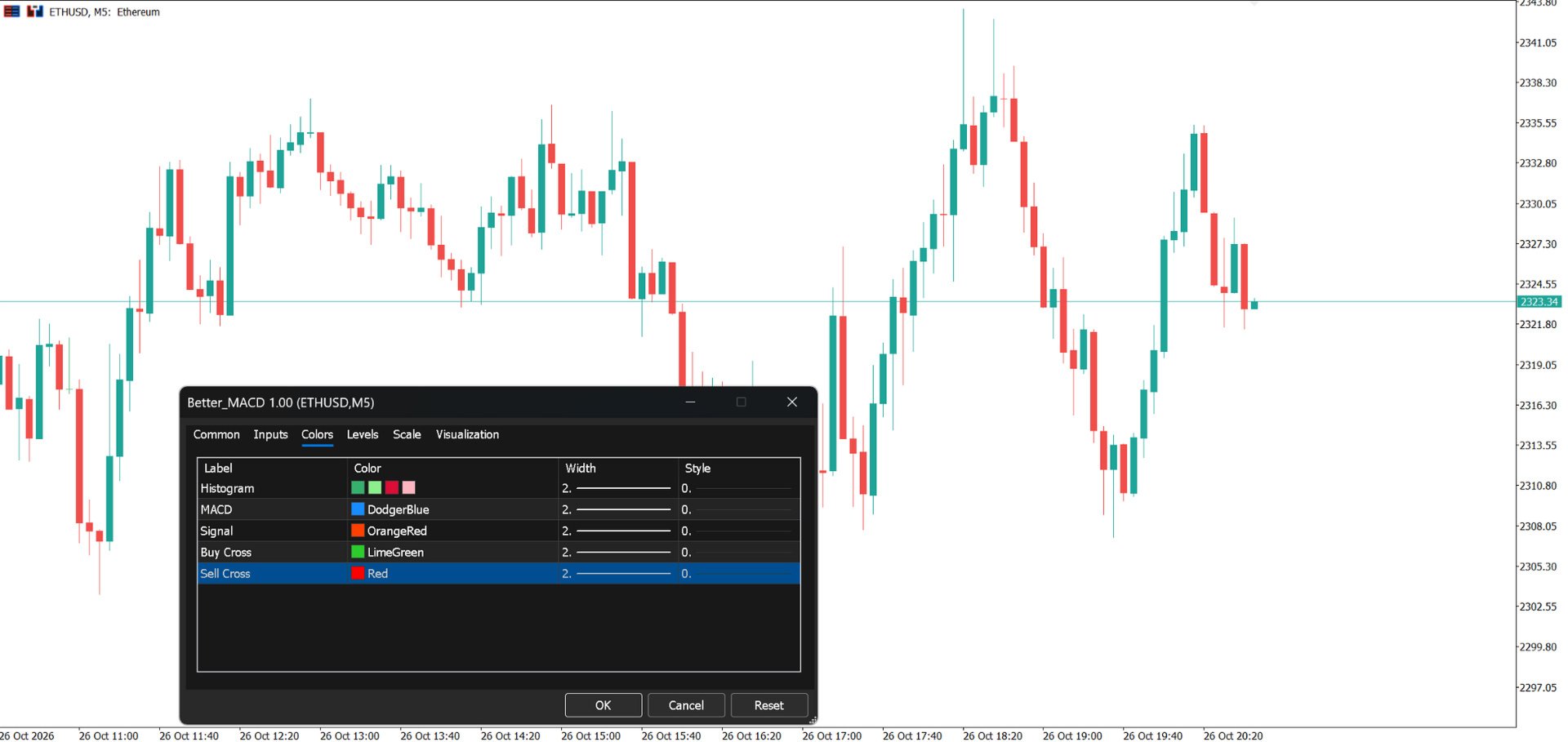
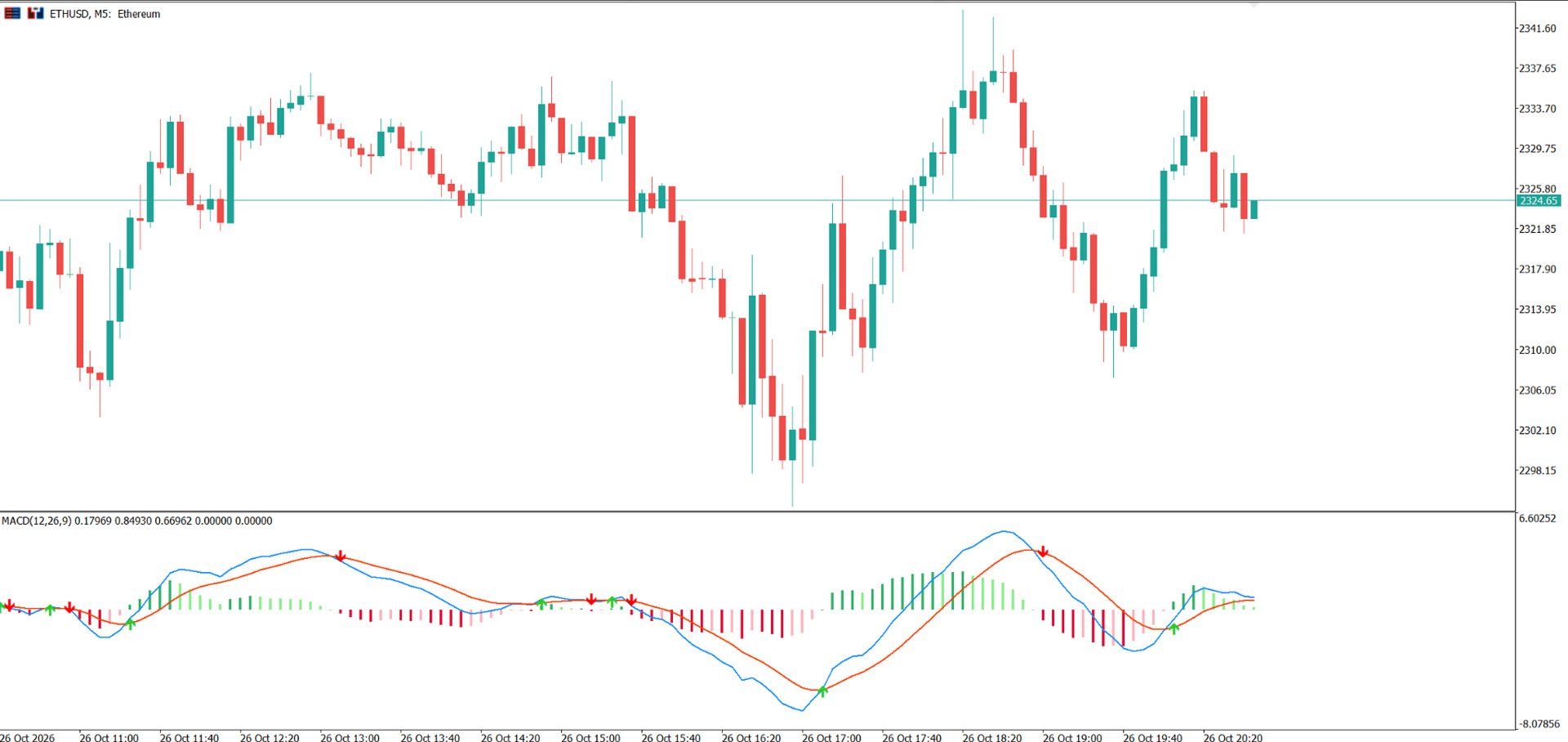
- True 2-Line Display: Clean, solid plots for both the MACD Line (Dodger Blue) and the Signal Line (Orange Red) with full customization over color, line width, and style.
- 4-Color Dynamic Histogram: Instant visual confirmation of momentum acceleration and exhaustion:
- Bright Green: Above zero line & expanding (Bullish acceleration)
- Soft/Pale Green: Above zero line & declining (Bullish exhaustion / warning)
- Bright Maroon/Crimson: Below zero line & falling (Bearish acceleration)
- Soft Red/Pink: Below zero line & rising (Bearish exhaustion / warning)
- Visual Crossover Arrows: Automatically plots Wingdings directional arrows directly on the indicator sub-window at the exact moment of a confirmed line crossover.
- Smart Non-Repainting Alerts: Never miss a setup. Alerts are evaluated strictly upon candle close to eliminate false signals and repainting.
- Desktop Pop-up Alert
- Audio / Sound Alert
- MetaTrader Mobile Push Notification (iOS / Android)
- Email Alert
- Math Parity with TradingView: Features Pine Script–style initial SMA seeding for the signal line EMA, ensuring value-for-value numerical accuracy with your TradingView setup.
- Ultra-Lightweight & VPS-Friendly: Built using MT5 native handles and delta bar calculation (prev_calculated). Runs effortlessly across multi-symbol and multi-timeframe workspaces without CPU drag.
How to Trade with It
1. Confirmed Crossovers:
a. Bullish Signal (Buy Arrow): Blue MACD line crosses above the Orange Signal line.
b. Bearish Signal (Sell Arrow): Blue MACD line crosses below the Orange Signal line.
2. Early Momentum Exhaustion (Histogram Fading):
a. Long Trades: A shift from Bright Green to Soft Green warns of waning buyer momentum before a cross occurs—an ideal trigger to trail stops or take partial profits.
b. Short Trades: A shift from Dark Red to Soft Pink warns that selling volume is dropping off.
3. Zero-Line Bias:
a. Look for bullish crossover arrows occurring below zero as discount value reversals, or above zero for momentum trend continuations.
Input Parameters
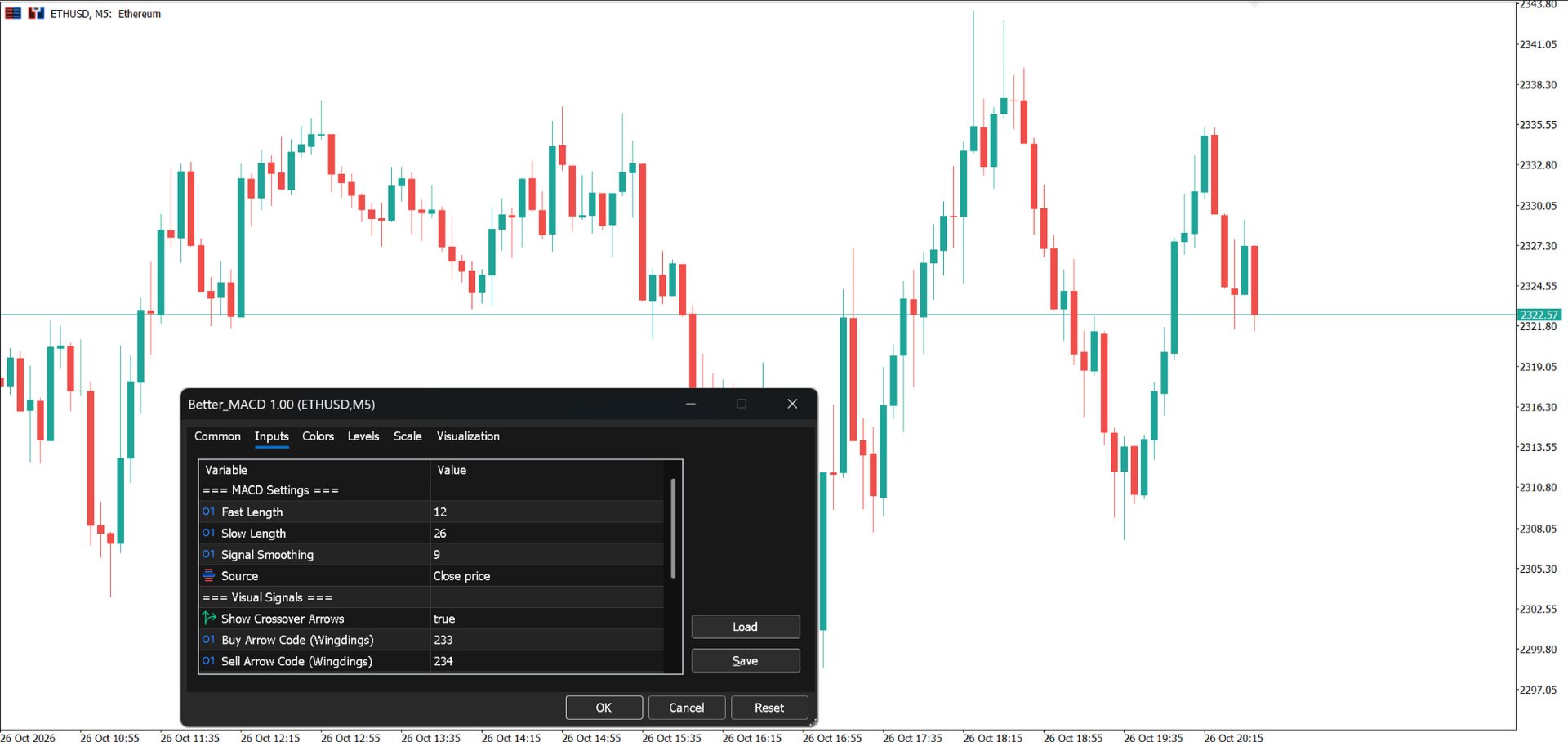
- Input Parameters
- MACD Settings:
- Fast Length (Default: 12): Period for the fast Exponential Moving Average.
- Slow Length (Default: 26): Period for the slow Exponential Moving Average.
- Signal Smoothing (Default: 9): Period for the signal line Exponential Moving Average.
- Source (Default: Close): Applied price calculation (Close, Open, High, Low, Median, Typical, Weighted).
- Visual Signals:
- Show Crossover Arrows (Default: true): Toggle buy/sell directional arrows on or off.
- Buy Arrow Code (Default: 233): Wingdings symbol code for the bullish arrow.
- Sell Arrow Code (Default: 234): Wingdings symbol code for the bearish arrow.
- Alert Settings:
- Enable Crossover Alerts (Default: true): Master toggle for crossover alerts.
- Desktop Popup Alert (Default: true): Standard terminal pop-up message box.
- Play Sound (Default: true): Audio alert trigger.
- Sound File (Default: "alert.wav"): Audio file name located in your MT5 Sounds folder.
- Send Mobile Push Notification (Default: false): Immediate push alert to your phone via MetaQuotes ID.
- Send Email Alert (Default: false): Direct notification via configured SMTP mail.
Setup & Recommendations
Attach the indicator to any clean sub-window. For optimal performance across volatile markets (e.g., Gold or Crypto), combine momentum exhaustion signals with higher-timeframe key support and resistance zones.
Important Information
Better MACD is a technical analysis indicator, not an automated trading system.
It does not execute trades, generate dedicated Buy/Sell arrows, or provide built-in trading alerts.
The indicator is intended to support discretionary technical analysis. Trading decisions should account for market conditions, confirmation from other analytical methods where appropriate, and suitable risk management.
No indicator can guarantee profitable trading results.