MACD Divergence Radar EA
- Experts
- Version: 1.0
- Activations: 10

MACD Divergence Radar EA
MACD Divergence Radar EA trades MACD divergences automatically. It uses the same signal engine as the indicator MACD Divergence Radar Pro — price pivots compared with the MACD histogram (OsMA) or the MACD main line, regular and hidden divergences, bullish and bearish — and turns every freshly confirmed divergence into a trade with a stop beyond the divergence pivot and a fixed reward-to-risk target. One EA on one chart can trade a whole portfolio; by default EURUSD, GBPUSD, USDJPY and AUDUSD on H4.
The default settings were selected with a full sweep over 8 markets and 5 timeframes on 2019–2023 data and then checked on unseen 2024–2026 data (see Backtest below).
How it trades
- Signal: pivot lows / highs on closed bars (pivot span bars on each side) are compared with the oscillator at the same bars. Regular divergence (price lower low, oscillator higher low and the mirror for sells) signals a reversal, hidden divergence (price higher low, oscillator lower low) a continuation. Minimum price and oscillator differences filter out noise.
- Entry: a market order as soon as the second pivot is confirmed. Signals older than the allowed entry delay are never traded, and history loaded at start-up or after a reconnect is never traded either.
- Trend filter (optional): EMA on the signal timeframe; trade all divergences, or only hidden divergences, in the direction of the trend. The EMA is drawn on the chart.
- Stop loss: beyond the divergence pivot plus an ATR buffer (and optional points). Too-tight stops are widened to a minimum ATR distance; signals whose stop would exceed a maximum ATR distance are skipped.
- Take profit: R multiple of the stop distance (or none).
- Opposite signal: optionally closes the open position and reverses.
- Trade management (optional): break-even at a chosen R with a lock in points, ATR trailing stop from a chosen R, time exit after N bars.
- One position per symbol at a time; optional cap on open positions across the portfolio; optional maximum spread.
- When a new bar opens while the market is still closed (for example the daily or H4 bar at midnight), or the spread is too wide or the server busy, the signal waits and is executed as soon as trading is possible within the entry delay.
Portfolio from one chart
- Symbols input: any comma-separated list, default EURUSD,GBPUSD,USDJPY,AUDUSD; leave it empty to trade only the chart symbol. Attach the EA to any single chart — the signal timeframe is an input, so the chart timeframe does not matter.
- Broker names are found automatically: suffixes and prefixes such as EURUSD.a, EURUSDm, EURUSD.pro are matched, and a fully tradable variant is preferred over a close-only one. Symbols that do not exist at the broker are skipped and written to the Experts log.
- Each symbol keeps its own signal state and is processed on every new bar of the signal timeframe.
Position sizing and safety
- Lot modes: fixed lots, risk % of balance, risk % of equity, or fixed risk in account currency. The loss per lot is calculated from tick value and size and cross-checked with the contract size.
- Optional lot cap. If the risk-based lot is below the broker minimum, the minimum lot is used only when it risks at most N × the target (N is an input; 0 = never).
- Volume step, minimum / maximum volume and the broker's total volume limit per symbol are respected; the lot is reduced until the required margin fits into 90 % of the free margin.
- Stop and freeze levels are respected for every order and modification. No orders are sent when automated trading is disabled, when the symbol is close-only or outside its trading session.
- Own magic number and order comment (REG / HID marks the divergence type), so it can run next to other EAs.
On the chart
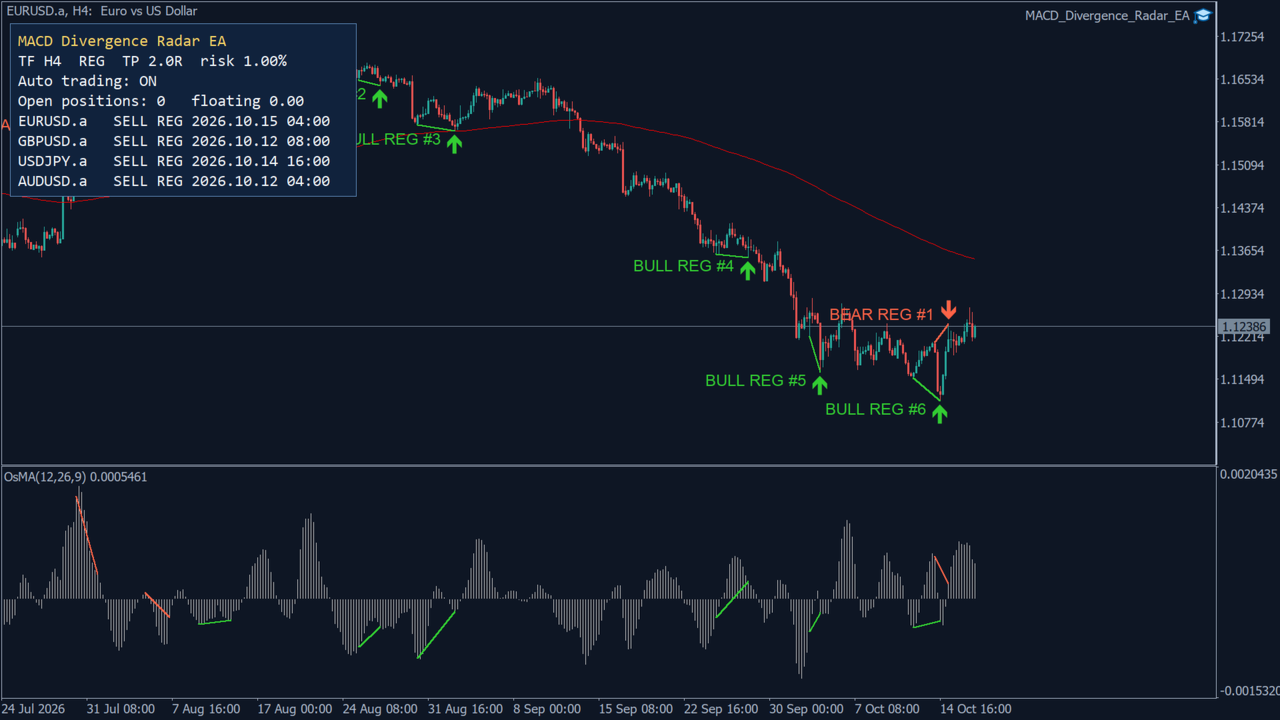
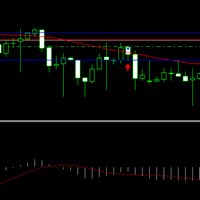
- Divergence lines, arrows and labels (BULL / BEAR, REG / HID, count in a row) on the price chart, colour-coded by type.
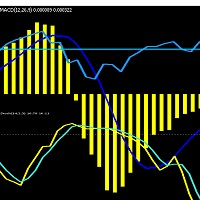
- Oscillator window added automatically — OsMA in histogram mode, MACD in main-line mode — with the matching divergence line on the values that were compared. It is removed again when the EA is removed.
- Past divergences of the last N bars are drawn when the EA starts, so you see how the engine has been signalling.
- Status panel: signal timeframe, mode, target and risk, auto-trading state, open positions and floating P/L, and the last signal of every symbol. The layout follows the screen DPI.
- Alerts: popup, push notification and e-mail for every trade (each can be switched on or off).
Backtest
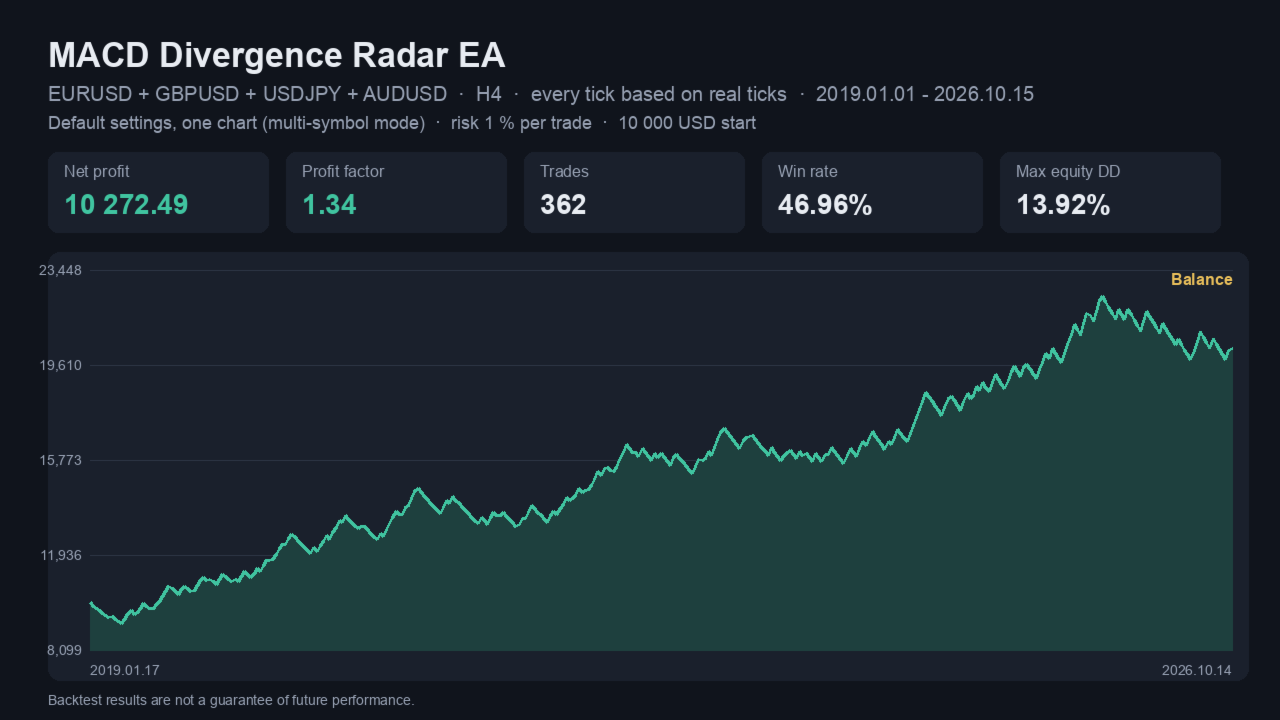
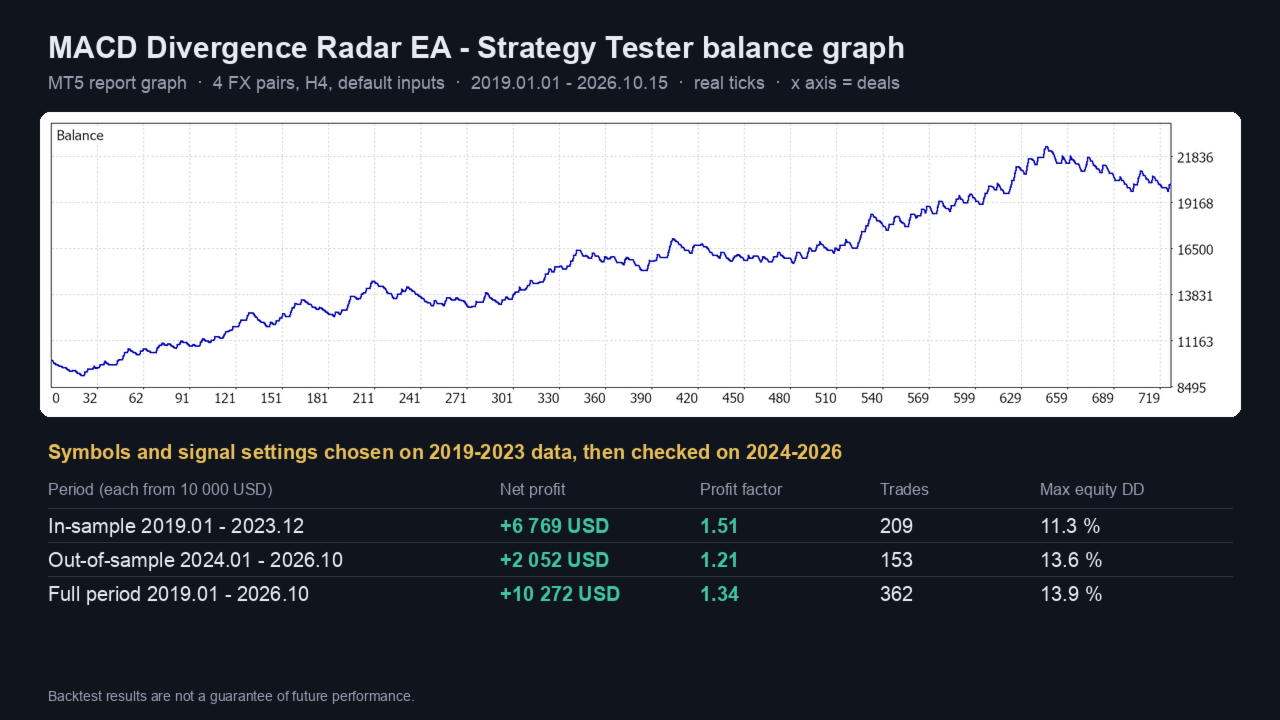
IC Markets data, 10 000 USD, 1 % risk per trade, default inputs, every tick based on real ticks. Symbols and signal settings were chosen on 2019–2023 only; 2024–2026 was not used for the choice.
- 2019.01 – 2023.12 (in-sample): net +6 769 USD, profit factor 1.51, 209 trades, max equity drawdown 11.3 %.
- 2024.01 – 2026.10 (out-of-sample): net +2 052 USD, profit factor 1.21, 153 trades, max equity drawdown 13.6 %.
- 2019.01 – 2026.10 (full): net +10 272 USD, profit factor 1.34, 362 trades, win rate 47 %, max equity drawdown 13.9 %.
What the sweep showed, so you can choose your own setup:
- H4 is the best timeframe for this engine. M15 and M30 lost money with every tested setting; H1 was mostly negative; D1 works but trades rarely.
- The EMA 200 trend filter and regular divergences on the OsMA histogram with a short pivot span (3) gave the most stable results on the major FX pairs.
- XAUUSD was the most robust single market on H4 / D1, with different best settings (both divergence types, 3R).
- Optimising one symbol alone tends to overfit — prefer settings that work on several symbols and check them on a period you did not optimise on.
Main inputs
- Symbols and timeframe: Symbols (default EURUSD,GBPUSD,USDJPY,AUDUSD), Signal timeframe (default H4; Current = chart timeframe).
- Signal engine: MACD fast / slow / signal (12 / 26 / 9), Divergence measured on (MACD histogram), Pivot span (3), Lookback bars (300), Min price difference (50 points), Min oscillator difference (0.00005), Divergences to trade (regular), Same-direction signal cap (off), Max entry delay (2 bars), Trend filter (all divergences) and EMA period (200).
- Stop loss / take profit: SL buffer (0.5 × ATR) and extra points (0), ATR period (14), Minimum stop (0.5 × ATR), Maximum stop (4 × ATR), Take profit (2 R), Close on opposite signal (on).
- Trade management: Break-even at R (off) and lock points (10), ATR trailing start R (off) and distance (2 × ATR), Time exit after N bars (off).
- Position sizing: Lot mode (risk % of balance), Fixed lots (0.01), Risk % (1.0), Risk money (50), Lot cap (none), Minimum-lot risk multiple (3).
- Limits: Max open positions across symbols (no limit), Max spread (off), Magic number, Order comment.
- Chart and alerts: Draw divergences, Oscillator window, History bars (300), Status panel, four signal colours, Popup / Push / E-mail alerts.
Recommendations
- Attach the EA to one chart only (any symbol, any timeframe) and keep the terminal running, ideally on a VPS.
- Start on a demo account and use a risk per trade you are comfortable with; the default is 1 %.
- To use your broker's other markets, change the Symbols list — and test the settings on your broker's data in the Strategy Tester first.
- Hedging and netting accounts are supported.
Backtest results are not a guarantee of future performance. Trading involves risk.