Regime Watch
- Utilitaires
- Version: 1.0

Many EAs only make money in a trending market. When the market goes sideways, they give back profits for months. Regime Watch tells you which kind of market you are in, so you can decide when to scale your EA up or down, before the drawdown shows it to you.
How it works
Regime Watch measures how far price has moved over the last 126 daily bars (about 6 months), in either direction.
- When the move reaches 12%, the market is TRENDING.
- When it falls below 10%, the market is SIDEWAYS.
- A change only counts after it has held for 3 daily closes in a row.
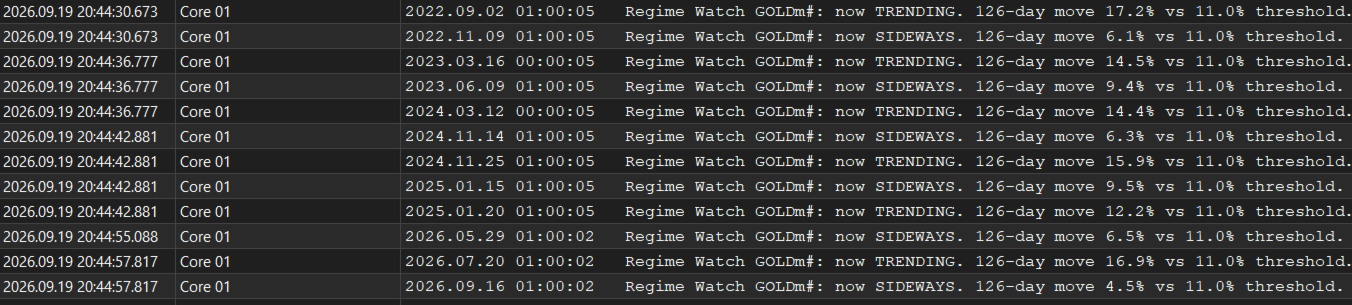
The gap between 10% and 12% and the 3-close rule stop it from flip-flopping when price sits near the line. On XAUUSD over 2022–2026 this gives about 3 regime changes a year.
What you get
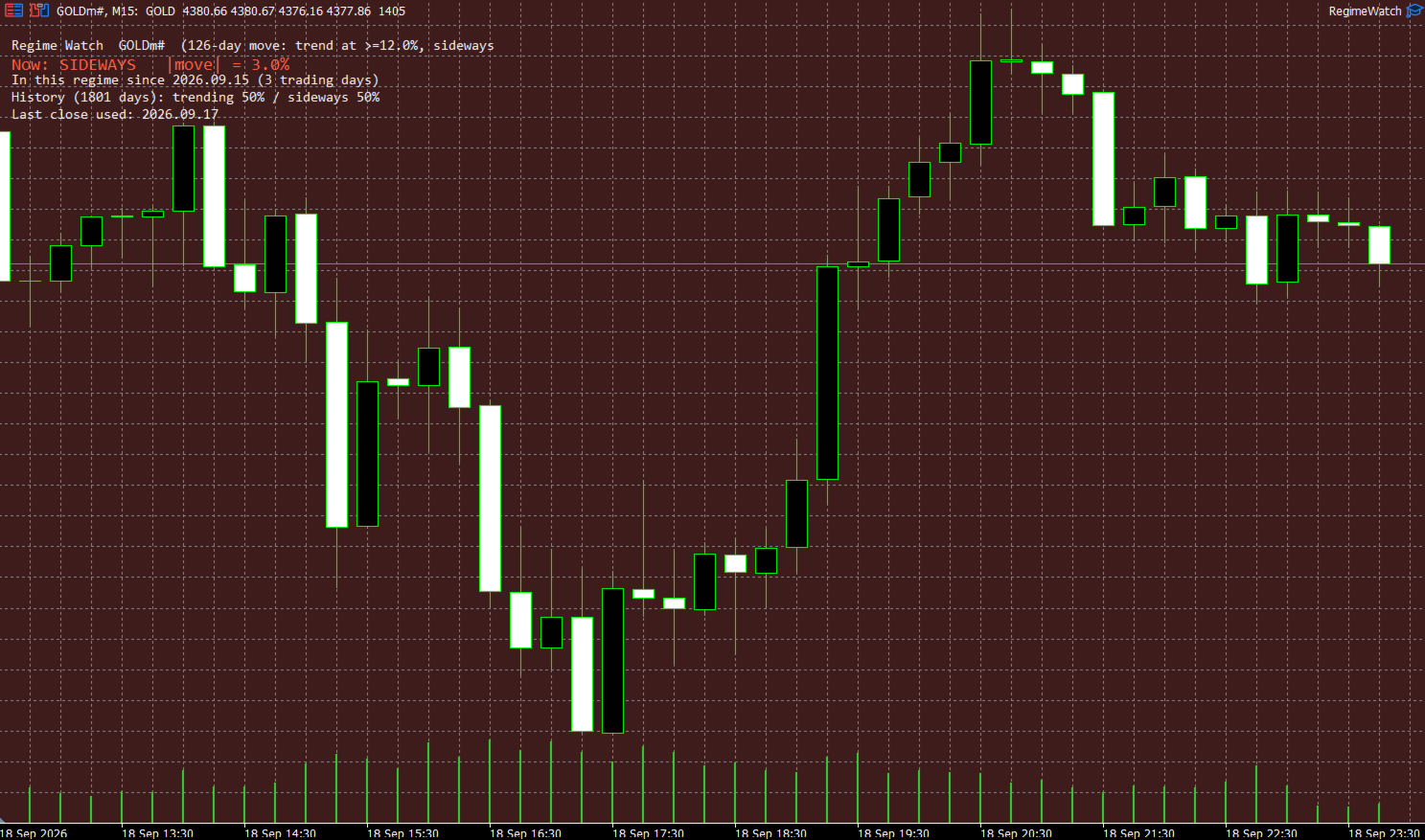
- A panel with the current regime, the size of the move, how long this regime has lasted, and how the history splits between trending and sideways.
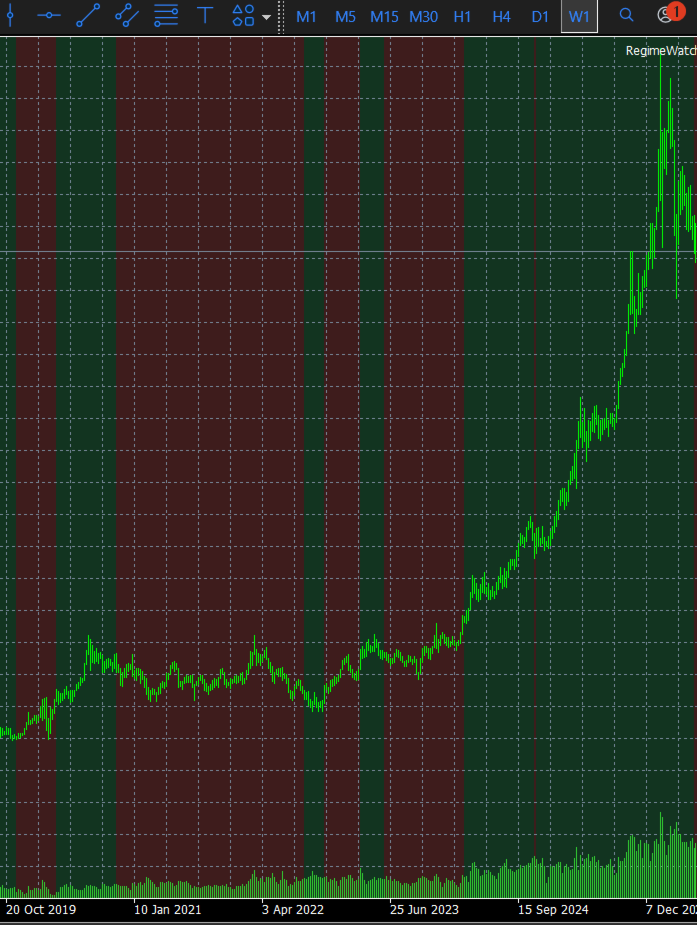
- Background shading of every past trending (green) and sideways (red) stretch, about 7 years back. Each day is coloured by what was known at the previous close, so the history shows what you would really have seen at the time.
- A pop-up, phone push notification and/or e-mail when the regime changes, and only then. It remembers its state across restarts, so you don't get false alerts.
- Watch a different symbol than the chart it's on, for example gold's regime while the EA runs elsewhere.
What it does NOT do
- It never opens, closes or changes any trade.
- It cannot change another EA's settings. You decide what to do when the regime changes: lower the lot size, pause the EA, or do nothing.
- It does not predict prices. It describes the market conditions you are in now.
Why the defaults are 126 days and 11%
The defaults come from a study of a trend-dependent XAUUSD EA over 2020–2026. In months that started with a 6-month move above about 11%, the EA's average next-month profit was roughly six times higher than in months below it. The study and the threshold used the same history, so treat this as a consistency check, not a guarantee. If you use Regime Watch with another EA or symbol, calibrate the threshold on your own backtest first.
Setup
- Open a chart of the symbol you want to watch (for example XAUUSD) and attach Regime Watch.
- For phone alerts: install the MetaTrader 5 mobile app, copy your MetaQuotes ID from it, and enter it in the desktop terminal under Tools → Options → Notifications.
- If you run your EAs on a VPS, migrate Regime Watch together with them so alerts keep coming when your PC is off.
Inputs
| Input | Default | Meaning |
|---|---|---|
| InpSymbol | (empty) | Symbol to watch. Empty = the chart's symbol |
| InpLookbackDays | 126 | Look-back in daily bars (~6 months) |
| InpThresholdPct | 11.0 | Regime line, in % move over the look-back |
| InpHysteresisPct | 1.0 | Switch to trending at line + this, back to sideways below line − this. 0 = off |
| InpConfirmDays | 3 | Closes a change must hold before it counts. 1 = immediate |
| InpShowPanel | true | Show the info panel |
| InpCorner | Left upper | Panel corner |
| InpTopOffset | 40 | Pixels from the top, clears the chart title |
| InpTextColor | WhiteSmoke | Panel text colour |
| InpShadeHistory | true | Shade past regimes (only when watching the chart's own symbol) |
| InpHistoryBars | 1800 | Daily bars of history to shade (~7 years) |
| InpTrendColor / InpRangeColor | dark green / dark red | Shading colours |
| InpAlert / InpPush / InpEmail | true / true / false | Notification channels |
Not investment advice. Regime Watch describes market conditions; decisions about your trading are your own.
Keywords / tags
regime, trend filter, sideways market, market condition, XAUUSD, gold, volatility regime, EA risk management, position sizing, alert, push notification, utility