Anchored Volume Profile
- Indicateurs
- Version: 3.51
- Mise à jour: 5 septembre 2026

Short description
Right-anchored, flicker-free Volume Profile with POC/VAH/VAL lines, tick-throttled updates, and zero measurable lag even on fast, high-volume symbols.
Full description
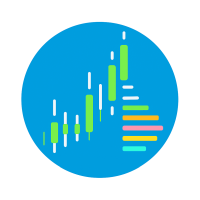
        Anchored Volume Profile draws a fixed-range volume histogram from a chosen
start date through to the live, forming bar — pinned to the right edge of
your chart like the panels in TradingView, and built to stay smooth even on
fast-moving, high-tick-volume symbols.

KEY FEATURES
- Fixed-range profile anchored to any start date (or an automatic rolling
  window), rebuilt only when it actually needs to be — not on every tick.
- Point of Control (POC), Value Area High (VAH) and Value Area Low (VAL)
  drawn as dashed rays starting exactly at your anchor date, with live
  labels that track them.
- Optional up/down volume coloring per bin, so you can see buying vs.
  selling pressure at each price level.
- Zero-volume "void" bins are marked with a thin hairline instead of being
  left blank — useful for spotting unfilled FVGs / liquidity voids.
- One-click show/hide toggle button, and an optional auto-fit of the
  chart's right margin so price sits flush against the panel.
- Fully configurable panel position, bin count (10–400), colors, fonts,
  and Value Area percentage.

BUILT FOR PERFORMANCE
Earlier volume-profile panels can bog down the whole terminal on fast or
high-volume symbols because they redraw and recompute far more than they
need to. This indicator only pays for what changed:
- A full historical rescan runs solely on load, on a genuine breach of the
  profile's price range, or after a detected data gap — never on an
  ordinary bar close.
- The forming (current) bar updates incrementally and is throttled to a
  configurable interval, so a burst of many ticks per second can't spike
  CPU usage, while still guaranteeing no volume is ever silently dropped
  at bar close.
- Chart objects are only rewritten when their on-screen position or color
  actually changes, and the chart is only redrawn when something moved.
- All price-to-pixel positions are derived by fast linear interpolation
  from two reference points per frame, not one lookup per bin.

The result is a panel that stays accurate and responsive without adding
noticeable load to your terminal, even with many charts open at once.

INPUTS
- Anchor: start date, number of bins (10–400), Value Area %
- Panel position, size, and margin auto-fit
- Colors for normal/value-area/POC bins, up/down volume, void hairlines
- POC/VAH/VAL line and label toggles
- Toggle button position and size
- Performance: tick update throttle, redraw throttle, large-anchor warning
  threshold
- Instance ID, for running more than one copy on the same chart

Works on any symbol and timeframe. Recommended for traders who use
Volume Profile / Market Profile concepts (POC, Value Area) as part of
their price-action or order-flow analysis.

DISCLAIMER

Anchored Volume Profile is an analytical/charting tool only. It does not
generate trade signals, does not place or manage trades, and does not
predict future price movement. The Point of Control, Value Area, and
volume distribution it displays are calculated from historical and
currently forming price/volume data and are provided for informational
and analytical purposes only.

Trading forex, CFDs, commodities, indices, and other leveraged financial
instruments carries a high level of risk and may not be suitable for all
investors. Past performance, historical volume patterns, or any levels
shown by this indicator are not a reliable indicator of future results.
You could lose some or all of your invested capital, and you should not
trade with money you cannot afford to lose.

This product is provided "as is," without warranty of any kind, express
or implied. The author is not responsible for any trading losses, missed
opportunities, or other damages resulting from the use, misuse, or
inability to use this indicator. You are solely responsible for your own
trading decisions. It is strongly recommended that you test this
indicator thoroughly on a demo account before using it on a live account,
and that you consult an independent financial advisor if you are unsure
about any aspect of your trading.