InFinityGoldFx
- Experts
-
David Vicente Martin
Trader depuis 2011 et professionnel sur le marché depuis 2018. Passionné par l'informatique, les calculs et les statistiques, je trouve mon véritable amour devant un écran d'ordinateur. Mon incursion dans le monde de la finance va de pair avec ma fascination pour les chiffres et les analyses - Version: 1.3
- Mise à jour: 9 août 2026
- Activations: 10
INFINITYGOLD MT5 — VERSION 1.01
EIGHT XAUUSD STRATEGY PROFILES. TEN CLEAR INPUTS. ONE FOCUSED WORKFLOW.
InfinityGold is a native MetaTrader 5 Expert Advisor designed for XAUUSD and recommended for the H1 chart. It brings eight distinct strategy profiles into one shared execution, position-sizing and order-management runtime—without turning the settings panel into a research project.
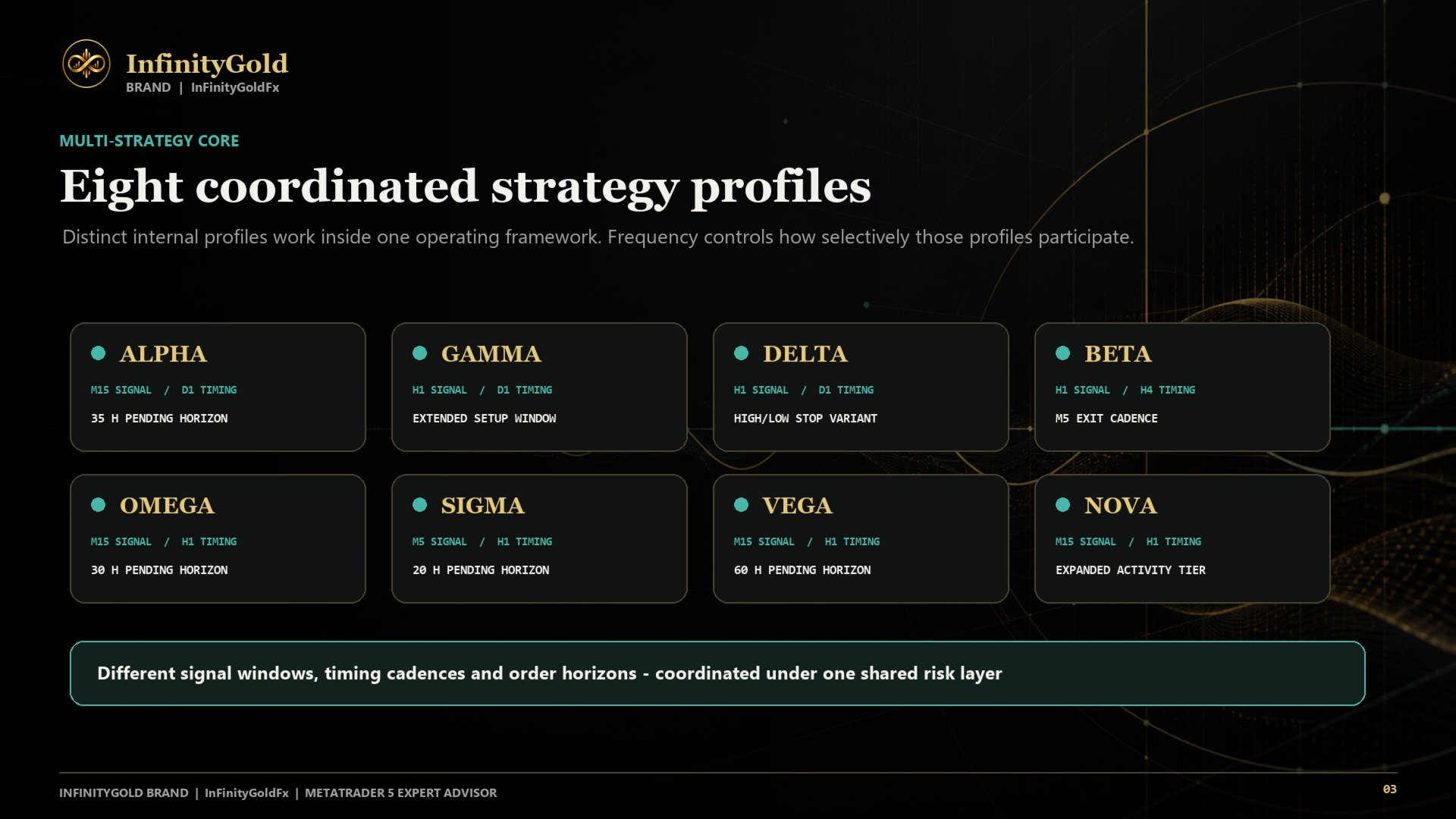
Each profile has its own entry timing, distance model and exit configuration. The selected Frequency mode controls which profiles are eligible to operate, while the dashboard keeps their status visible on the chart.
InfinityGold is built for traders who want structured gold automation, meaningful risk choices and a fast setup process. It is not presented as a guaranteed-profit system, and it should always be tested with the intended broker before live use.
WHAT INFINITYGOLD OFFERS
- Eight coordinated profiles: ALPHA, GAMMA, DELTA, BETA, OMEGA, SIGMA, VEGA and NOVA provide multiple internal operating models inside one EA.
- A curated ten-input interface: control the decisions that matter while the remaining internal parameters stay deliberately preset.
- Flexible opportunity coverage: choose a manual profile mix or let Automatic mode select it from the current balance-based sizing context and RiskProfile.
- Profile-based position sizing: combine a selected risk profile with optional profile-specific risk weighting.
- Visible operating context: follow account, risk, frequency, spread and strategy status from the on-chart dashboard.
- Native MT5 execution: no DLL imports, WebRequest permission or external license server.
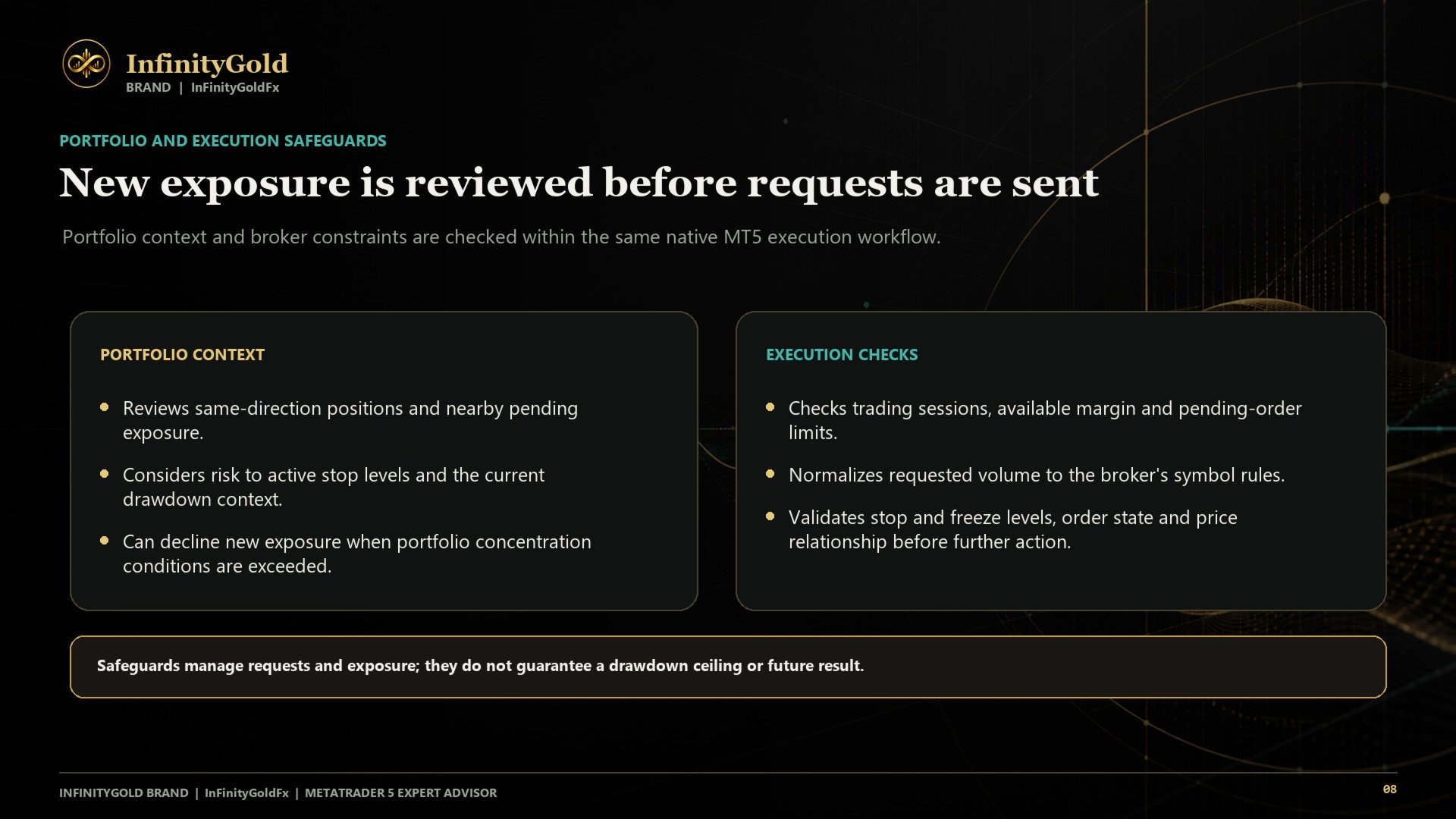
- Broker-aware safeguards: volume normalization, free-margin checks, symbol volume and pending-order limit handling, plus preventive stop/freeze-level validation.
- Managed trade lifecycle: native stop loss, take profit, breakeven, trailing, optional high/low trailing and optional virtual pending-order expiry workflows.
HOW IT OPERATES
1. Frequency selects the eligible strategy mix.
2. Each eligible profile evaluates its own timing and price-distance conditions for buy and sell setups.
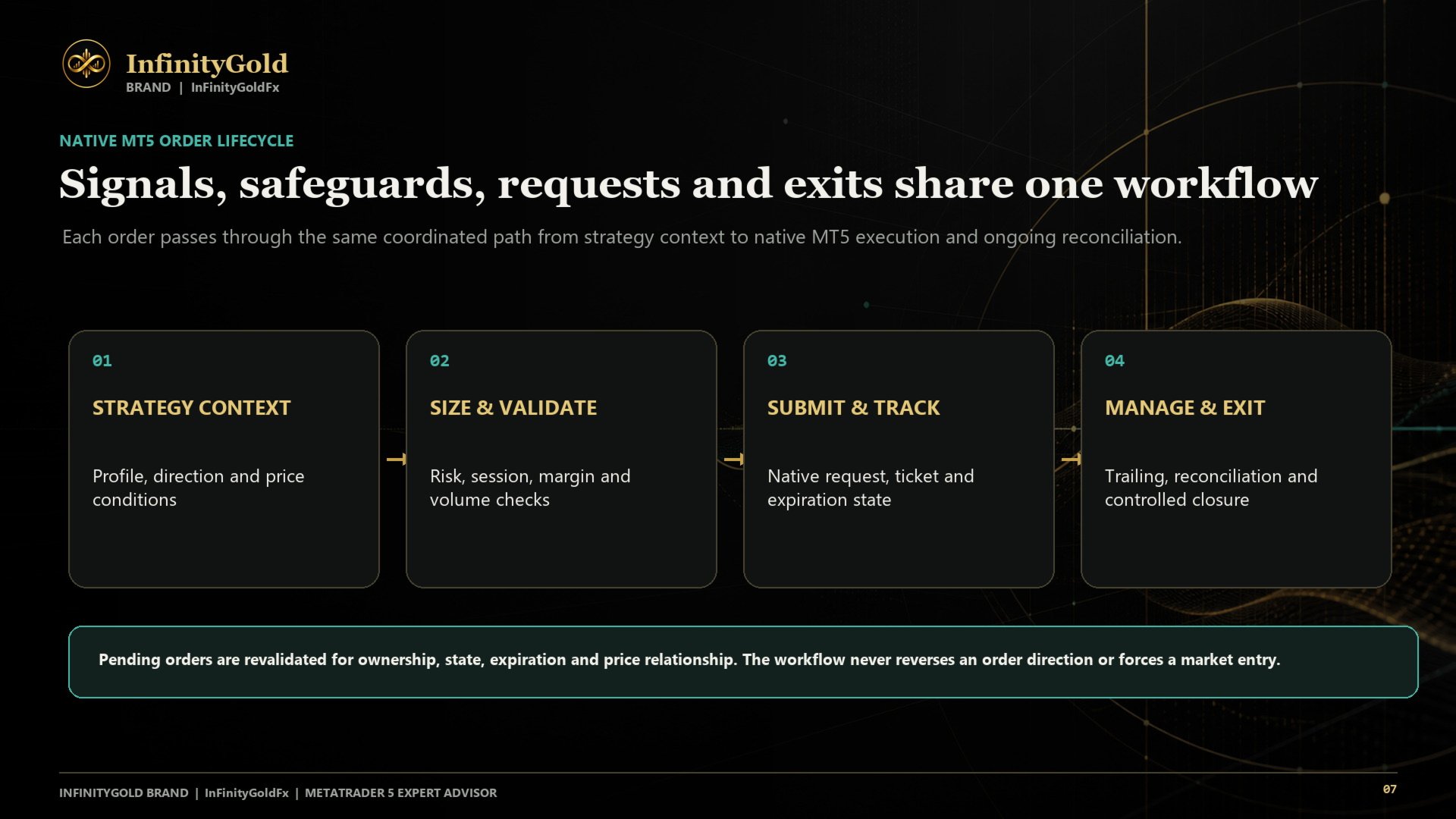
3. The shared runtime calculates and normalizes the requested volume using the selected risk settings and broker specifications.
4. Entry, pending-order and open-position workflows are then managed under the profile's own exit configuration.
This is a rules-based system. A profile can remain inactive when its conditions are not met, and an otherwise valid request can be deferred when the broker's margin, volume, session or order constraints do not permit execution.
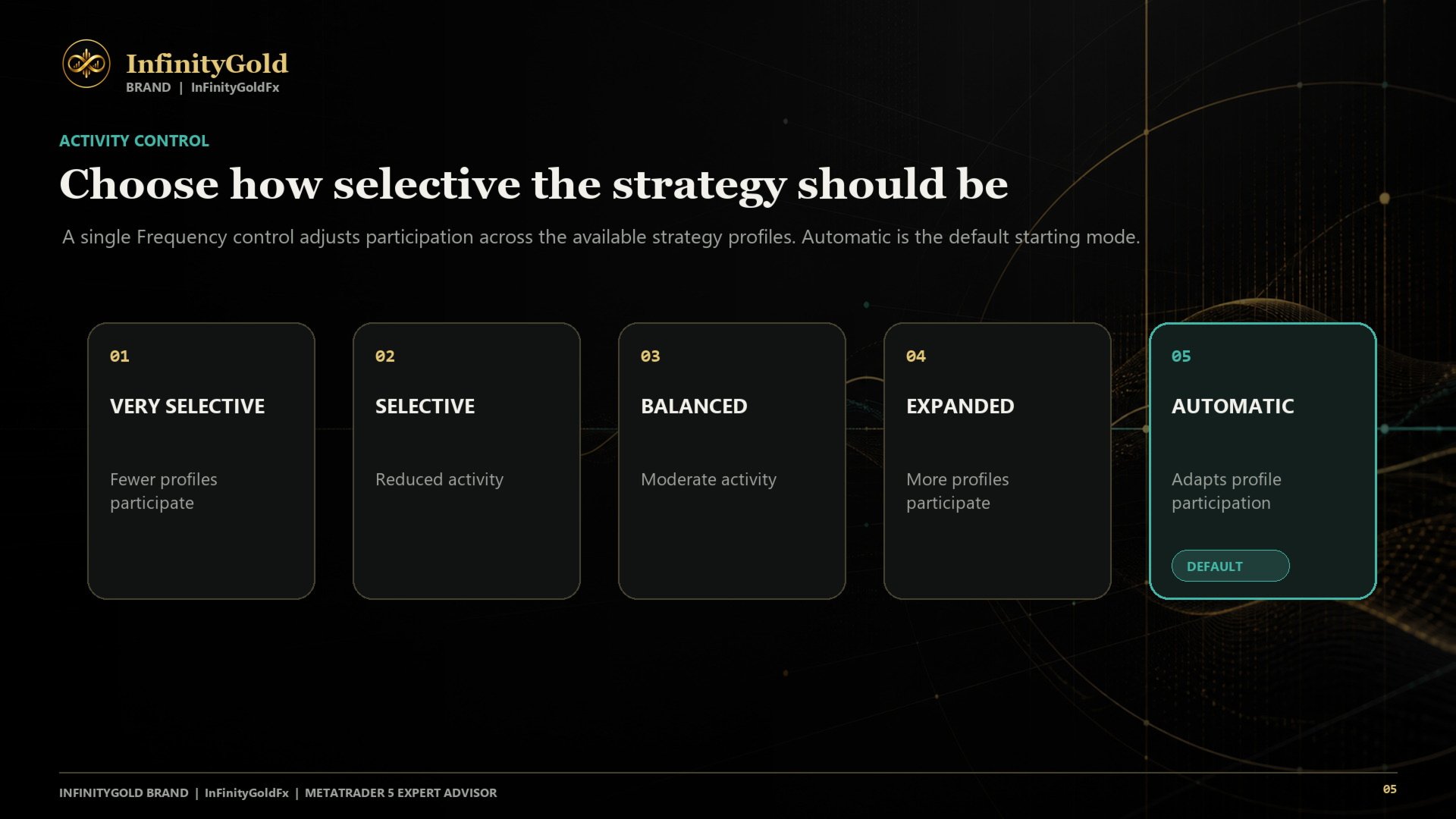
FREQUENCY: CHOOSE COVERAGE, NOT COMPLEXITY
- Very Selective: 3 eligible profiles
- Selective: 5 eligible profiles
- Balanced: 7 eligible profiles
- Expanded: 8 eligible profiles
- Automatic: selects one of those mixes from the balance-based sizing context and selected RiskProfile
Frequency changes opportunity coverage. It does not guarantee a specific number of trades: setups, market data, trading sessions and broker execution conditions still determine whether an order can be placed.
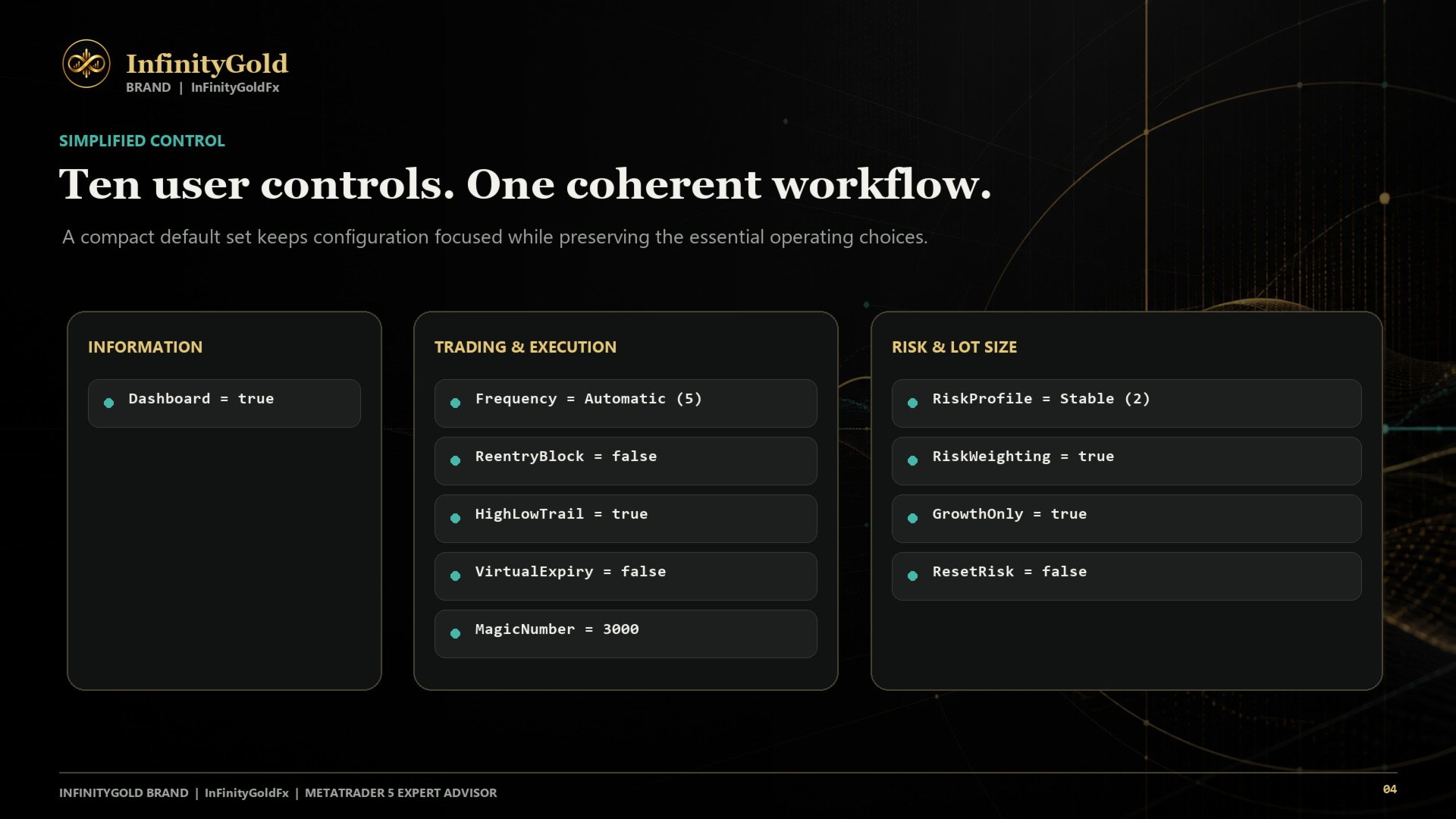
EXACTLY TEN USER INPUTS
1. Dashboard — Show or hide the on-chart information panel.
2. Frequency — Very Selective, Selective, Balanced, Expanded or Automatic.
3. ReentryBlock — Prevent nearby re-entries when enabled.
4. HighLowTrail — Enable or disable the high/low trailing workflow.
5. VirtualExpiry — Enable or disable the internal pending-order expiry workflow.
6. MagicNumber — Identify the EA's orders; use a unique value for every independent instance.
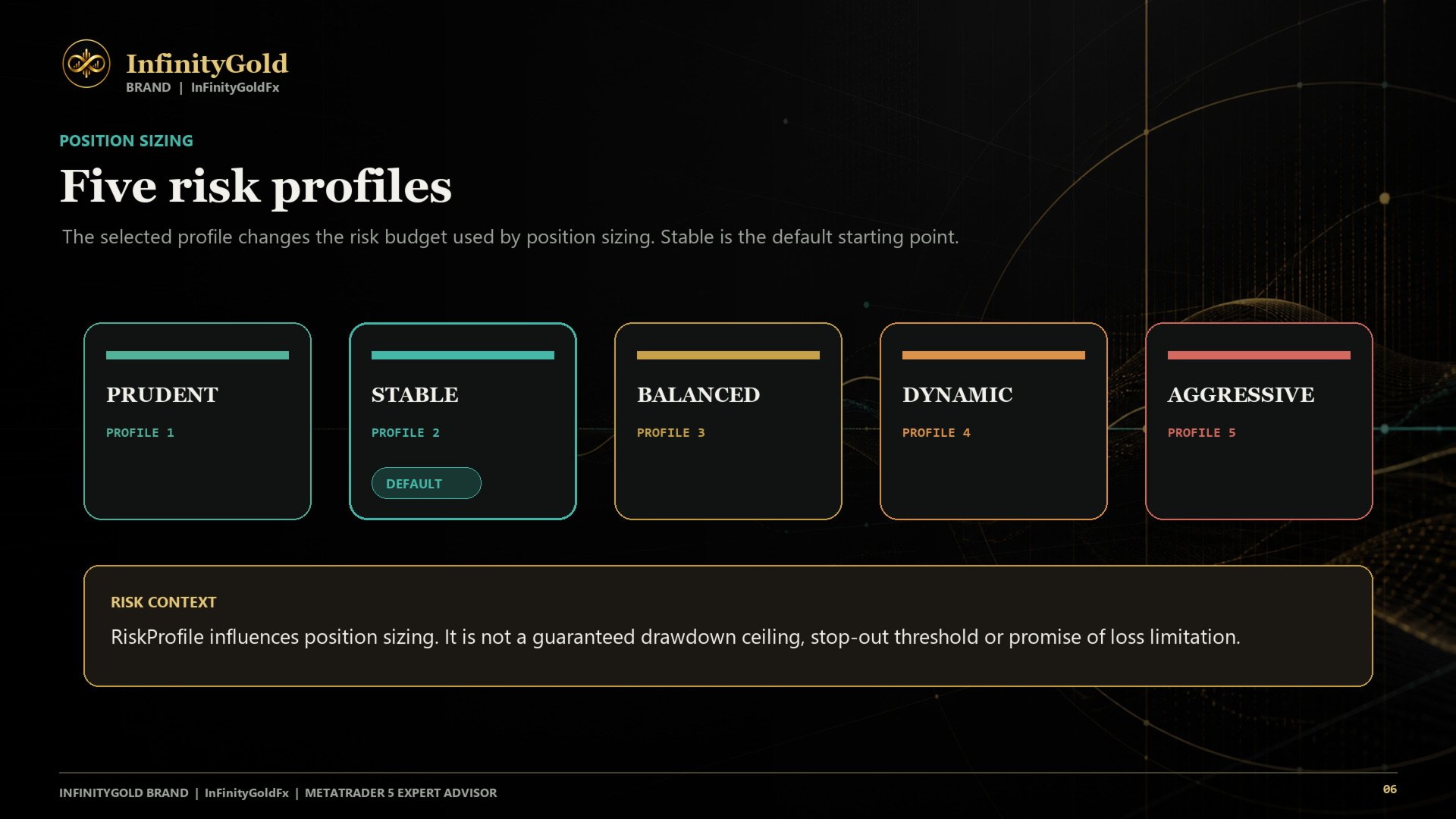
7. RiskProfile — Prudent, Stable, Balanced, Dynamic or Aggressive position-sizing profile.
8. RiskWeighting — Apply profile-specific risk weighting to lot-size calculations.
9. GrowthOnly — Retain the highest recorded risk-sizing balance as the sizing reference when enabled.
10. ResetRisk — Replace the saved sizing reference with the current balance on the next initialization.
Internal operating parameters remain curated. This Market edition does not expose additional breakout/fakeout filters or a second hidden layer of public settings.
RECOMMENDED FIRST RUN
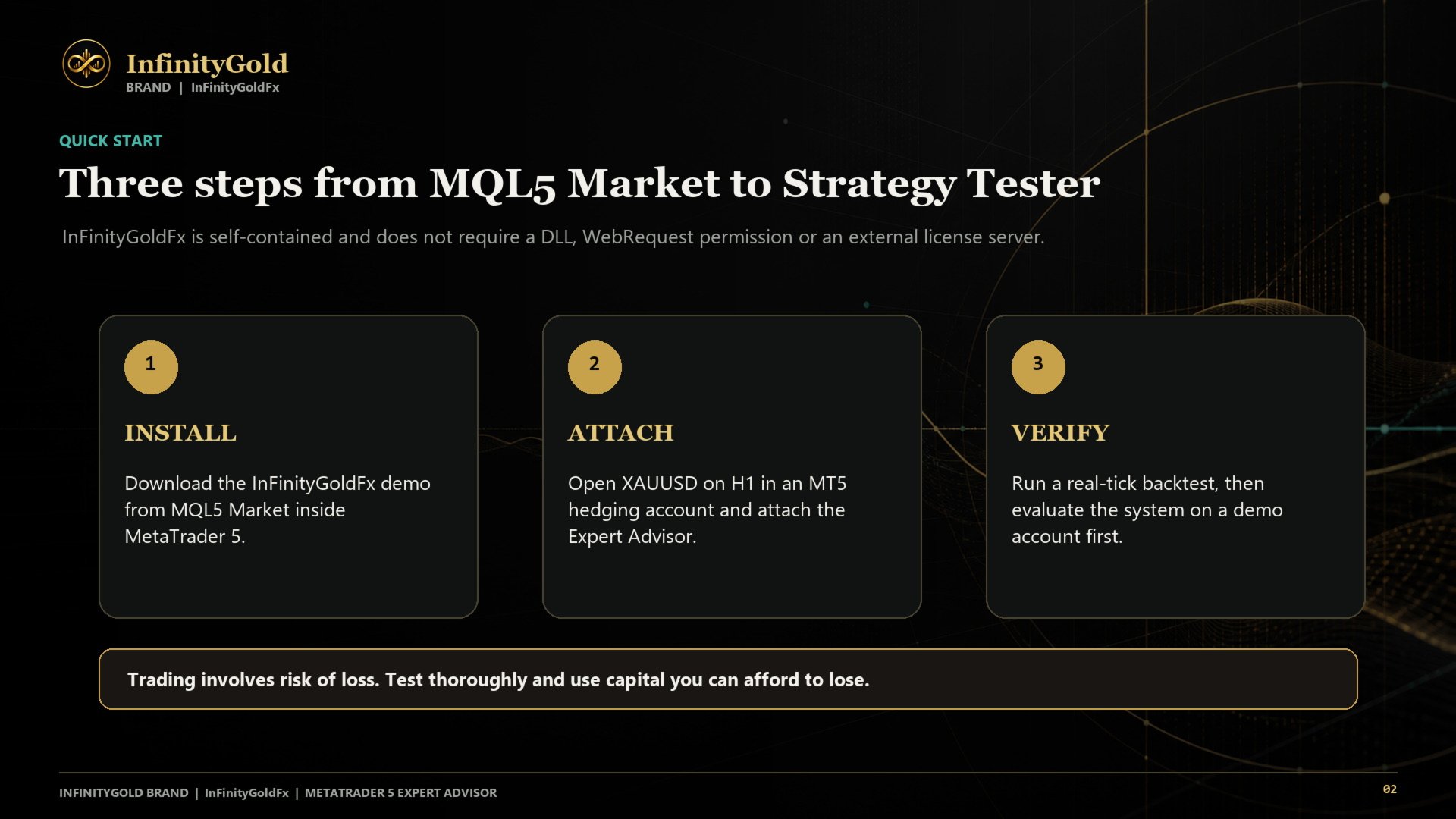
Start with the built-in defaults—no SET file is required:
- Symbol: your broker's XAUUSD instrument
- Timeframe: H1
- Account type: MT5 hedging
- Dashboard: true
- Frequency: Automatic
- ReentryBlock: false
- HighLowTrail: true
- VirtualExpiry: false
- MagicNumber: 3000
- RiskProfile: Stable
- RiskWeighting: true
- GrowthOnly: true
- ResetRisk: false
Then follow this onboarding path:
1. Run a Strategy Tester simulation with high-quality tick data and your broker's symbol specifications.
2. Review the dashboard, order activity, drawdown and Journal messages—not only the final balance.
3. Repeat the test with realistic spread, commission and deposit conditions.
4. Forward-test on a demo hedging account.
5. Consider live use only after selecting a risk profile that fits your own tolerance and available margin.
The MQL5 Market demo can be used in the Strategy Tester before purchase. Use it to check InfinityGold with your broker's XAUUSD data and contract conditions.
DASHBOARD: OPERATING CONTEXT ON THE CHART
The on-chart dashboard summarizes operating information such as open and closed P/L, balance, the active risk base, selected frequency, risk profile, current spread and the state of all eight profiles. It is an operational display, not a prediction of future performance.
HISTORICAL STRATEGY TESTER EVIDENCE
The gallery includes an original dashboard capture and the balance curve from the same historical MT5 Strategy Tester simulation:
- Product build: InfinityGold Market 1.01
- Symbol and timeframe: XAU_USD, H1
- Period: 2020.01.01 to 2026.08.07
- Data model: Every tick based on real ticks, 100% history quality
- Test volume: 384,759,190 ticks
- Initial deposit and leverage: USD 5,000, 1:500
- Inputs: all ten release defaults, including Dashboard=true, Frequency=Automatic and RiskProfile=Stable
- Total result: +USD 154,849.75; final balance USD 159,849.75
- Profit Factor: 1.90
- Maximum equity drawdown: USD 16,871.28 (32.76%)
- Activity: 5,032 trades and 10,064 deals; 69.50% profitable trades
These are backtest results from one broker-specific historical data set, not live trading results or a forecast. Spreads, commissions, slippage, contract specifications and future market conditions can materially change the outcome. Past simulated performance does not guarantee future results.
IMPORTANT ACCOUNT REQUIREMENT
InfinityGold manages independent positions and therefore requires an MT5 hedging account. Initialization stops on a netting account.
Broker symbol naming, contract size, minimum and maximum volume, volume step, aggregate volume limits, spread, stop levels, freeze levels, slippage, commission, liquidity and execution quality can materially change behavior and results.
UNDERSTANDING THE RISK CONTROLS
RiskProfile controls the sizing budget used by the lot calculation. The internal 10–50 scale associated with the five profiles is a calculation factor; it is not a guaranteed or hard maximum-drawdown limit.
With GrowthOnly=true, the EA keeps the highest recorded balance used for risk sizing. The sizing reference therefore does not automatically decrease after a balance decline. To intentionally replace it with the current balance, initialize once with ResetRisk=true, then return ResetRisk to false.
IS INFINITYGOLD RIGHT FOR YOU?
InfinityGold may be a good fit if you:
- primarily trade or research XAUUSD on MetaTrader 5;
- have a hedging account and understand leveraged-product risk;
- value a multi-profile architecture but prefer a concise interface;
- are prepared to backtest and demo-test with your own broker conditions;
- can keep the terminal or a VPS connected when continuous management is required.
It is not a fit if you require netting-account support, guaranteed returns, a fixed trade count or identical results across brokers.
BEFORE LIVE USE
- Confirm that Expert Advisors and automated trading are allowed.
- Use a unique MagicNumber for every separate InfinityGold instance.
- Do not remove the EA or change its operating environment while positions or pending orders still require management.
- Keep sufficient free margin for the selected RiskProfile and Frequency.
- Review the Experts and Journal tabs whenever initialization or order placement is blocked.
RISK NOTICE
Trading leveraged products can result in substantial loss, including the loss of the entire trading deposit. Historical simulations, visual tests, screenshots and examples do not guarantee future results. Demo and live execution can differ because of spreads, slippage, commission, liquidity, broker specifications and market conditions. Use only capital you can afford to lose and choose settings according to your own financial situation, experience and risk tolerance.