Burst Trade Utility

2
Burst Trade Utility – Multi-Position Manager & One-Click Execution
Burst Trade Utility is a powerful, fast, and intuitive assistant designed for MetaTrader 5 to simplify your daily trading. If you follow copy trading channels, signal groups, or scale into positions, this utility will completely transform your execution speed.
Stop wasting time opening multiple orders manually. With a single click, you can open, manage, and close multiple positions simultaneously on any financial instrument.
🚀 Key Features
  • One-Click Multi-Trade Execution: Open 2, 5, 10, or up to 20 trades instantly with a single click.
  • Smart Position Sizing: Set your desired symbol, custom lot size, and trade count directly from the panel.
  • Bulk Stop Loss Management: Input your target price and apply the Stop Loss to all open positions simultaneously using the Apply SL button.
  • Advanced Trade Management:
    • Breakeven: Protect your capital by moving your SL to entry price instantly.
    • Partial Close: Take partial profits across your positions with one click.
    • Close All: Panic button to completely exit all open trades immediately.
📈 Universal Compatibility
Works seamlessly on any financial asset provided by your broker:
  • Forex Currency Pairs
  • Gold & Commodities (XAUUSD, Oil, Silver)
  • Major Indices (S&P500, Nasdaq, DAX)
  • Crypto & Shares
🛠 How to Use
  1. Attach the utility to any single chart.
  2. Select your asset, lot size, and number of trades.
  3. Execute your strategy with unparalleled speed and zero stress

Produits recommandés
Automated Timeframe cycling with Symbols centered.  Force every timeframe onto one clock window, so the story you see on Daily is the same story you are slicing on H4, H1, and M1.  Traders usually flip timeframes and lose the span. A Daily chart shows a few weeks, then M15 shows a few hours, and the eye treats them as different markets. This indicator locks the window to N bars of the highest enabled timeframe — default 10 Daily — and maps every lower timeframe to that same stretch. You stay ins
FREE
Phone Notification Send Information from VPS direct to Phone No TradingOperation only MessageNotification Send Information to your selected Time-Window Configure Time when want to receive the Message  What will be send:-Bull/Bear Candle Bull: 0 Bear: 0 Level that get Touched by Price most Level: 00000.00 any Question or modification ex5 Code write me a Message 
FREE
MT5toTLGRM
Fernando Morales
4.2 (5)
Do not use Windows 7 with this EA MT5toTLGRM EA only sends text messages to a Telegram group or channel of your choice. The messages are customizable to show information about any trading activity in the account. Also it shows a daily PnL report. Several instances of this EA can be used simultaneously in the same MT5 terminal for sending messages to different Telegram group/channel but ensure that each one has a different number in [B13] setting. Following are the features of MT5toTLGRM EA send
FREE
VTB High Watermark Drawdown INFO Indicator for MT5 Advanced Account Monitoring & Drawdown Information Dashboard VTB High Watermark Drawdown INFO is a professional account monitoring indicator designed to display drawdown statistics, account performance, and risk management information directly on the chart. Unlike Expert Advisors, this indicator does not interfere with trading activity. It does not open or close positions, modify orders, or block trading. Its sole purpose is to provide a clear a
FREE
QuickClose is a small panel that closes positions in one click when every second counts. ACTIONS Close all positions Close winners only (positions in profit, including swap) Close losers only Close buys / close sells Delete pending orders SCOPE This chart's symbol or all symbols: switch with the Scope button Optional magic number filter (-1 = all, 0 = manual trades only) HOTKEYS (Shift + key) C close all, P winners, L losers, B buys, S sells, D delete pending orders. Hotkeys can be switched off
FREE
Introduction: The RosMaFin Trading Panel is not just a standard order execution tool. It is a comprehensive, professional assistant designed for manual and price-action traders who want to save time, manage risk with mathematical precision, and maintain full market awareness. Say goodbye to manual lot size calculations and tedious Stop Loss adjustments. This panel streamlines your entire trading workflow from analysis to trade exit. KEY FEATURES & BENEFITS: Advanced Risk Management & Exec
FREE
Session Highlighter V3.0F – Market Session Visualizer Overview The Session Highlighter is a professional MT5 indicator that automatically displays colored backgrounds for the three major trading sessions:   Asia, London, and US . No more guessing when sessions open or calculating time zones – just look at your chart and see. What it does Draws   three separate boxes   on your chart (one for each session) Boxes   grow dynamically   with price during the session (highest high / lowest low) To
FREE
MT5 History Checker Can you trust the historical data behind your MT5 backtest? MT5 History Checker is a diagnostic utility designed to identify missing periods and coverage problems in the historical data supplied by your MetaTrader 5 broker. Select the symbol and date range you want to examine and run the checker. The utility analyses the available history and provides a clear PASS, WARNING or FAIL result. What it checks Historical tick-hour coverage M1 historical-data coverage Missing periods
FREE
ChartChaos
Dustin Ricardo Pierenz
A MetaTrader 5 script that automatically closes all charts except for a specified number to keep open. Simply enter numbers like   1,2,5,10   to keep those corresponding charts open, or a single number (e.g.,   3 ) to keep the first 3 charts open. All other charts are closed in one action, helping you manage multiple open positions with ease. Perfect for decluttering your workspace and focusing on the charts that matter most. Source Code here:  https://github.com/pwn-forex/ChartChaos Youtube T
FREE
Risk Lot
Cameron Reece Allcock
Risk Lot gives you precise control over your lot size and risk on every trade. Think of it as a smart position-size calculator: you set how much you're willing to risk and where your stop goes, and it works out the exact lot so you don't take on more risk than you planned. It never opens trades itself. It's built with larger accounts and prop firm challenges in mind, including a daily loss budget mode. Choose risk as a percent of equity, a fixed money amount, or a share of your remaining daily l
FREE
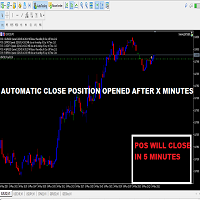
This Small tool allows you to define a time counter in minutes for the closing of your positions according to the number of minutes you have set. For example if you set it to 30 Min, the tool will close each open position after 30 minutes from its opening. The settings ACTIVE: It is to activate the tool and use it to close your positions after the number of minutes defined. MANAGE: you to choose with the symbols managed by the tool. Choose "ALL CURENCY" if you want the system to apply to
FREE
# MrFractal Trade Planner **Trade manually in the MT5 Visual Strategy Tester — then use the same panel on your trading chart.** MrFractal Trade Planner lets you plan an entry, calculate lot size from account balance and Stop Loss distance, and manage partial exits from one panel. You decide when to enter. The EA handles the calculations and the exit rules you set. ## Practice on historical charts Use the visual tester to practise entries, pending orders, partial Take Profits and stop manage
FREE
is a visual market-monitoring indicator that displays multiple trading instruments and timeframes within a single chart window. Developed using MQL5, the indicator transforms historical price data into a structured dashboard featuring custom candlesticks or price dots. Each row represents a symbol, while each column represents a selected timeframe. This arrangement allows traders to examine recent market behavior across several instruments and timeframes without continually opening and closing c
FREE
PulseBar MT5 Pro
Oscar Gomez Fuente
PulseBar takes the guesswork out of trade management. It puts a horizontal line on your chart that you can drag anywhere. At whatever price you place it, PulseBar shows what your open positions on that symbol would make or lose if price got there. The figure is in your account currency and already includes swap and commissions. It suits Price Action traders, scalpers and day traders who want to see Take Profit targets, partial exits, risk zones and their exact breakeven without leaving the char
FREE
This indicator monitors the vital constants of your trading account to keep it healthy and away from excessive risks. It monitors all trades, absolute exposure, account floating point and leverage currently in use, using different color codes for your interpretation.  [ Installation Guide | Update Guide | Troubleshooting | FAQ | All Products  |  Get Help ] Amazingly easy to understand The indicator is clean and simple It calculates exposure by pairs and currencies Keep your used leverage cont
FREE
Swap is the part of the cost that is easy to forget, because it arrives once a day, quietly, and never appears in the spread. Swap Cost Calendar puts it on the chart as a number you can act on. What It Shows The panel reads what the broker publishes for the current symbol and shows four things. The cost of one night for a long position and for a short one, in your account currency or in points. The weekday line, showing how many nightly charges a position carries on each day of the week. The tri
FREE
NEW :  integration with Ofir Signals to send personalized alerts Ofir Notify is a tool which send alerts on trades to Telegram Alert on any event concerning a position : Opening, Closing, modification (SL, TP) Send alerts to Chats, Groups and Channel Alert on Equity change Display Risk, Reward and progress of profit/lost for each position Customization of alerts Sending charts screenshots with alerts Send signals from your indicators or experts Multi-lingual NEW  : version 2 brings integration

FREE
Core Positioning A lightweight risk calculation tool tailored exclusively for the MT5 platform, focusing on the core needs of traders' daily risk control calculations. It deeply optimizes the operation experience and data display effect, adapts to various chart viewing and trading scenarios such as intraday trading and swing trading, and is a highly practical auxiliary tool for traders' daily risk control operations. Core Functions Easy Lot Size Editing: Click the input box to enter values dire
FREE
TrendVision AI
Murtadha Majid Jeyad Al-Khuzaie
TrendVision AI – Smart Trend Channels & Price Forecasting for MetaTrader 5 Discover market structure and explore potential future price direction with TrendVision AI, an advanced technical indicator for MetaTrader 5 that combines automatic trendline analysis with a machine-learning-based price forecasting model. How Does TrendVision AI Work? TrendVision AI analyzes historical candlestick data within a configurable lookback window. It automatically draws two trendlines directly on the chart:
FREE
Trade Report to CSV
Hirabayashi Masayuki
Trade Report to CSV — Your Trade History, One Clean Row at a Time Tired of MT5's built-in reports leaving you wanting more? This script turns your closed trade history into a tidy, ready-to-analyze CSV — one row per trade, no digging required. Fields exported Entry time, Type (BUY/SELL), Lots, Symbol, Entry price, Stop loss, Take profit, Close time, Close price, Commission, Swap, Profit, Profit in pips, Magic number, Holding time, Close reason (SL/TP/manual/EA), Comment Highlights Choose you
FREE
"Support or Resistance Alert Broken" is a simple and very intuitive tool that allows you to create or eliminate horizontal and trend supports and / or resistances with a simple click. When the support or resistance line is broken by the closing price at the end of the current candle, the "Support or Resistance Alert Broken" tool will send an alert with sound, as well as a notification to the MT4 or MT5 mobile application. This tool can send alerts from multiple pairs at the same time. Utility
Drag the stop line on your chart and see the lot size update live. Sizes every trade from your own risk setting, using the broker's real contract size and lot step. It does not trade and it sends no orders. What it does Set the stop where you actually want it - by dragging a line on the chart, not by typing points into a box - and read the lot size straight off the panel. The panel shows direction, entry, stop, stop distance in price and points, your risk in both percent and account currency, th
FREE
Risk Position Tool
Allan Aparece Ninal
Risk Position Tool is a free position size calculator for MetaTrader 5. Drag the entry, stop-loss and take-profit lines on the chart. It shows the lot for your risk, the money at the stop and target, the reward:risk ratio and the margin. It only calculates. It never places, changes or closes an order, so it is safe on any account. Standalone: Everything is built in. You do not need to buy or install any other product named on this page. Quick start Attach the indicator to the chart of the symbol
FREE
Ping-Monitor — Never Miss a Tick Again! Do you run EAs and worry about silent chart freezes or data feed stalls ?  This utility is your ultimate watchdog, alerting you the moment your charts stop receiving updates. Ping-Monitor is designed to detect when a chart freezes or the data feed stalls, even if MT5 still shows that the connection is active. It works by tracking the time of the last incoming tick. Every time the chart receives a new price update, the EA records the timestamp. Then, on a
FREE
This is a decorative utility that replaces the standard marks of completed deals with "Kingdom Come: Deliverance" game style markers. In addition to the graphic display of the price and time of the transaction, the notes also contain a textual representation of the transaction volume. Running utility Drag the utility from the Navigator window to the desired graph. The utility does not use input parameters and does not require configuration. All trademarks available on the chart will be replaced
FREE
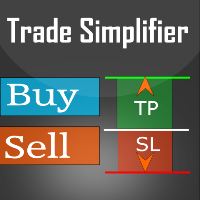
Trade simplifier is a trade panel that simplifies trade opening. It is simple and easy to understand, with key features to ease trading. Features include: Order type selection Fixed lot entry from the chart user interface Easy Take profit entry field on the chart user interface Visual take profit selection and adjustment via the line that appears when you click the Take Profit button Easy Stop loss entry field in points on the chart user interface  Visual Stop Loss selection and adjustment  via
FREE
Deal multiplier Mt5
Mikhail Mitin
4.5 (8)
The utility opens copies of open trades. It is very convenient if you use the   Signals   service and want to increase the volume of transactions. Settings: Symbols: all symbols only current symbol Orders: Buy Sell Magic Any Magic Input Magic Lot size Original - lot size from original order; Fix Lot - fix lot size (input); Lot X Mult - lot size X koef; Stop Loss From sender - Stop Loss from original; Without - without Stop Loss; Plus Fix - Stop Loss from original order + fix points; Fix Point -
FREE
AI Telegram Trade Signal Sender automatically sends every trade opened or closed on the chart straight to your own Telegram bot/channel, in real time, using MetaTrader 5's native WebRequest function. Key features: Listens to OnTradeTransaction and instantly detects every deal (open, close, partial close) on the account Sends a clean formatted message to your Telegram chat: symbol, type, volume, price, SL/TP, and profit on close Works with your own Telegram Bot Token and Chat ID - you stay in ful
FREE
LT Watermark MT5
Thiago Duarte
4.79 (24)
This indicator draw a watermark on the chart, with the timeframe and symbol name. You can change everything, including add a aditional watermark. Functions: Symbol watermark: Size -  text size. Font -  text font. Color -  text color. Background text -  watermark at foreground or background mode. Horizontal correction -  x correction in pixels. Vertical correction -  y correction in pixels. Separator period X symbol -  what will separate the period from symbol. Aditional watermark: Enable custom
FREE
Economic calendar defender
Damaso Perez Moneo Suarez
Economic Calendar Defender – Smart News Protection for MT5 Economic Calendar Defender est un utilitaire conçu pour protéger vos opérations pendant les événements de forte volatilité causés par des nouvelles économiques importantes, sans avoir besoin d'être devant le graphique ni de modifier l'opération standard ou les EAs que vous utilisiez. Installez-le simplement sur n'importe quel graphique et l'EA se chargera de surveiller le calendrier économique en temps réel et de gérer vos opérations ava
FREE
Les acheteurs de ce produit ont également acheté
Trade Assistant MT5
Evgeniy Kravchenko
4.43 (216)
It helps to calculate the risk per trade, the easy installation of a new order, order management with partial closing functions, trailing stop of 7 types and other useful functions. Additional materials and instructions Installation instructions - Application instructions Line function -   shows on the chart the Opening line, Stop Loss, Take Profit. With this function it is easy to set a new order and see its additional characteristics before opening.   Risk management  - The risk calculation
Bienvenue sur Trade Manager EA, l’outil ultime de gestion des risques conçu pour rendre le trading plus intuitif, précis et efficace. Ce n’est pas seulement un outil d’exécution d’ordres ; c’est une solution complète pour la planification des trades, la gestion des positions et le contrôle des risques. Que vous soyez débutant, trader expérimenté ou scalpeur ayant besoin d’une exécution rapide, Trade Manager EA s’adapte à vos besoins, offrant une flexibilité sur tous les marchés, des devises et i
Telegram to MT5 Multi-Channel Copier   copie automatiquement les signaux de trading de vos canaux Telegram et Discord directement vers MetaTrader 5. Pas de bots, pas d'extensions de navigateur, pas de copie manuelle. Un signal arrive sur Telegram ou Discord et l'EA ouvre le trade dans votre terminal en quelques secondes. Et avant de copier un canal, le backtester intégré vous montre ce que ce canal aurait fait sur votre compte. Le produit comprend deux composants : une application Windows qui éc
Local Trade Copier EA MT5
Juvenille Emperor Limited
4.94 (150)
Local Trade Copier EA MT5 est un copieur de trades rapide et flexible permettant de copier et de gérer des trades entre plusieurs comptes MetaTrader 5 sur le même ordinateur Windows ou Windows VPS. Il combine la synchronisation locale des trades avec des contrôles côté Receiver pour la taille des lots, la gestion du risque, le filtrage des trades, le mappage des symboles, la gestion des trades et la protection du compte. Configurez vos terminaux Transmitter et Receiver en environ 1 minute et co
REVDEN AI Desk : pilotez votre trading depuis une seule conversation avec votre propre IA, sur le contexte de marché de REVDEN Imaginez piloter votre trading depuis une seule conversation. REVDEN AI Desk le rend possible dans MetaTrader 5 : vous demandez à votre propre IA comment elle lit le marché, et elle répond à partir du contexte complet de REVDEN sur les symboles que vous tradez, avec leur état, leur profil de risque et les publications à venir. Ses propositions arrivent avec entrée, stop,
EA Overfitter
Stephen J Martret
5 (5)
That backtest looks great. But will it still be making money tomorrow, next week, next month? EA Overfitter re-runs your EA on 100 price histories it has never seen. One score tells you if the edge is real. A backtest tells you what an EA did on one price history — the one that happened to occur. What you cannot tell from it is how much of that result was the strategy and how much was the particular path. EA Overfitter answers that. It builds up to 100 synthetic price histories your EA has n
Farmed Hedge Yield Farming | All Markets (Manual - Hybrid - Semi/Automated EA) VERIFIED TRADING RESULTS - Farmed Hedge Yield Axi Copy:  https://www.mql5.com/en/signals/2356376 - Farmed Hedge Yield Exn Copy:   https://www.mql5.com/en/signals/2356404 - Farmed Hedge Yield V Copy:  https://www.mql5.com/en/signals/2357156 IMPORTANT NOTICE: FarmedHedge is a MANUAL-FOCUSED TRADING UTILITY ,not a fully automated EA. Results shown on this Signal include manual trades and overall strategic management.
TradePanel MT5
Alfiya Fazylova
4.89 (176)
Trade Panel est un assistant commercial multifonction. L'application contient plus de 50 fonctions de trading pour le trading manuel et permet d'automatiser la plupart des tâches commerciales. Instructions d'utilisation : https://www.mql5.com/fr/blogs/post/762589 Version d'essai de l'application pour un compte démo : https://www.mql5.com/fr/blogs/post/762644 Comment installer l'application : https://www.mql5.com/fr/blogs/post/762645 Comment tester l'application en mode visuel : https://www.mql5.
Strategy Ledger Pro
Abdullah Uygar Tuna
5 (17)
Désormais disponible en français. Strategy Ledger Pro est un panneau d'analyse de compte en lecture seule pour MetaTrader 5. Il sépare les résultats du compte par Expert Advisor, stratégie, symbole et numéro magic, pour que vous voyiez ce que chacun apporte réellement. Le panneau est disponible en 11 langues : English, Français, Deutsch, Español, Italiano, Português, Русский, Türkçe, 中文, 日本語 et 한국어. Essayez la démo. Lancez-la en mode visuel du Testeur de stratégie : le panneau s'ouvre sur un co
Copiez les signaux Telegram avec vos propres règles de trading Telegram to MT5 Signal Trader copie automatiquement les signaux de trading au format texte provenant de canaux et de groupes Telegram publics et privés vers MetaTrader 5. Gérez plusieurs fournisseurs et comptes MT5 depuis une seule application de bureau, avec des paramètres de risque et de trading propres à chaque fournisseur . Aucun bot Telegram ni configuration d'API n'est nécessaire pour copier les signaux. Connectez-vous simpleme
Exp COPYLOT CLIENT for MT5
Vladislav Andruschenko
3.97 (35)
Copieur professionnel de trades pour MetaTrader 5 Un copieur de trades rapide, professionnel et fiable pour MetaTrader . COPYLOT permet de copier des trades Forex entre les terminaux MT4 et MT5 avec prise en charge des comptes Hedge et Netting . La version MT5 de COPYLOT prend en charge : - MT5 Hedge → MT5 Hedge - MT5 Hedge → MT5 Netting - MT5 Netting → MT5 Hedge - MT5 Netting → MT5 Netting - MT4 → MT5 Hedge - MT4 → MT5 Netting Version MT4 Description complète + DEMO + PDF Comment acheter Comme
EA Auditor
Stephen J Martret
5 (7)
EA Auditor is an independent analysis tool for traders evaluating Expert Advisors and trading signals on MetaTrader 5. It audits backtest reports, reviews posted developer signals, and cross-verifies the two against each other to help traders assess strategies before committing capital. The MQL5 market offers a wide range of Expert Advisors from many developers, with varying approaches, quality, and transparency. EA Auditor provides a consistent, data-driven framework for reviewing them, answer
HINN MagicEntry Extra
ALGOFLOW OÜ
4.74 (19)
HINN MAGIC ENTRY 4 – click the chart, the trade is done! SIMPLE. FAST. PRECISE. Stop, entry and take right on the chart – the lot is sized to your risk automatically. full description   ::  install & FAQ   ::  support chat What's inside: - LIMIT in 3 clicks, MARKET in 2 – risk in %, $, lots or classic Fixed Lots - DEFAULTS: your TP, partials and BE scheme pre-loaded into every new trade – MARKET in 1 click - Unlimited partial take-profits with a % volume splitter - Breakeven with any trigger an
AI Agent Supervisor is NOT an Expert Advisor. AI Agent Supervisor   is a   multi-agent AI risk & portfolio supervisor   that watches every EA on your account and intervenes in real time.  WANT AN AI PORTFOLIO MANAGER WATCHING YOUR FLEET 24/7?   Run your fleet on the same brokers I do:   IC MARKETS , IC TRADING   .  Unlike the centralized stock market, Forex has no single, unified price feed.  Every broker sources liquidity from different providers, creating unique data streams. The Supervisor r
Power Candles Strategy Scanner : détecteur de setups multi-symboles auto-optimisé Un scanner qui sonne au moindre frémissement vous apprend à l'ignorer. Une clôture de bougie agitée, alerte après alerte, et le seul setup que vous tradez vraiment se noie dans le bruit. Power Candles Strategy Scanner fait tourner le moteur auto-optimisé de Power Candles sur chaque symbole de votre Market Watch et ne vous alerte que sur ce qui passe vos propres filtres : la force de la dernière bougie clôturée, le
================================================================================ POC BREAKOUT - V20.72. Full Professional Grade Toolkit ================================================================================ POC Breakout is a full MetaTrader 5 trading dashboard for discretionary traders who want breakout signals, Point of Control (POC) context, volume profiles, order flow, market structure, news, alerts, and advanced trade planning in one professional workspace. Attached directly to you
News Trade EA MT5
Konstantin Kulikov
4.55 (11)
Je voudrais vous présenter un robot efficace que j'utilise depuis plusieurs années. Il peut être utilisé en mode semi-automatique, comme en mode totalement automatique. >>> Chat <<< Le programme comporte des paramètres souples pour le commerce sur les nouvelles du calendrier économique. Il est impossible de le vérifier dans le testeur des stratégies. Ce qu’il faut, c’est le travail réel. Téléchargez la dernière archive des paramètres : https://www.mql5.com/en/blogs/post/747929 Surveillance des
Timeless Charts
Samuel Manoel De Souza
5 (9)
Timeless Charts est un utilitaire de trading tout-en-un destiné aux traders professionnels. Il combine des types de graphiques personnalisés tels que les graphiques en secondes et Renko avec une analyse avancée du flux d’ordre s utilisant Footprints , Clusters , Profils de Volume , études VWAP et outils d’analyse ancrés pour une compréhension plus approfondie du marché. Le trading et la gestion des positions sont effectués directement depuis le graphique via un panneau intégré de gestion des ord
Besoin d'aide ? Comment le configurer ? Des questions ? Demandez ici dans votre langue, réponse rapide : https://www.mql5.com/en/market/product/139088/comments Télécharger la démo fonctionnelle Copy Cat More (Chat Copieur) — Copieur de Trades (Trade Copier) MT5 est un copieur de trades local et un cadre complet de gestion du risque et d'exécution, conçu pour les défis du trading d'aujourd'hui. Des challenges de prop firm à la gestion de portefeuille personnel, il s'adapte à chaque situation gr
The product will copy all telegram signal to MT5 ( which you are member) , also it can work as remote copier.  Easy to set up, copy order instant, can work with almost signal formats, image signal,  s upport to translate other language to English Work with all type of channel or group, even channel have "Restrict Saving Content", work with  multi channel, multi MT5 Work as remote copier: with signal have ticket number, it will copy exactly via ticket number. Support to backtest signal. How to s
Astro Trade MT5
Indra Maulana
5 (8)
25% discount on the release of the tool: only for the next 3 buyers Send a message to receive a demo version. AstroTrade Trading Assistant AstroTrade is a comprehensive multi-functional trading utility developed for the MetaTrader 5 platform. It integrates essential tools for trade execution, risk management, and technical monitoring into a single unified interface. The application is designed to assist traders in managing their daily operations through a visual and structured environment. Vi
Zentral Trading Manager
Ray Zeanrik Parreno Fredeluces
5 (4)
Zentral Manager Your Command Center for Precision Trading — Now Stronger than Ever Take control of your trades like never before. Zentral Trading Manager is your all-in-one manual trading panel for MetaTrader 5 — built for scalpers, day traders, and serious strategy execution. Fully compatible with both Mac and Windows laptops. High-DPI safe. No more layout issues. Key Features (Latest 2025 Update): • One-Click Close – Instantly close Buy/Sell, winning/losing trades, or even half positions with
KT Equity Protector MT5
KEENBASE SOFTWARE SOLUTIONS
3.6 (5)
An equity protection EA for MetaTrader that enforces your loss limits and profit target for you: when your account reaches a rule you set, it closes your trades on every symbol, before one bad day turns into a lost account. It suits prop firm challenges and personal accounts alike. Attach it to one chart, answer a few questions in the on-chart setup wizard, and it watches your whole account in the background while you trade by hand or with other EAs. What it protects Daily loss limit: a percenta
Custom Alerts MT5
Daniel Stein
5 (8)
Custom Alerts : Surveillez plusieurs marchés sans jamais manquer une configuration clé Présentation Custom Alerts est une solution dynamique pour les traders qui souhaitent surveiller plusieurs instruments de manière centralisée. En intégrant les données de nos outils phares — comme FX Power, FX Volume, FX Dynamic, FX Levels et IX Power — Custom Alerts vous alerte automatiquement des mouvements importants du marché sans avoir à surveiller plusieurs graphiques ou risquer de manquer des opportun
Trade copier MT5
Alfiya Fazylova
4.62 (58)
Trade Copier est un utilitaire professionnel conçu pour copier et synchroniser les commandesentre les comptes de trading. Les commandes sont copiées du compte/terminal du fournisseur vers le compte/terminal du destinataire, qui sont installés sur le même ordinateur ou vps. Avant d'acheter, vous pouvez tester la version démo sur un compte démo. Version démo ici . Instructions complètes ici . Principales fonctionnalités et avantages: Prend en charge la copie des commandes MT5> MT5, MT4> MT5, MT5>
EA Performance Hub
Joao Jara Carvalho
5 (2)
EA Performance Hub — Tableau de bord de performance pour MetaTrader 5 Identifiez les Expert Advisors qui contribuent le plus au résultat de votre compte. EA Performance Hub réunit vos stratégies dans un seul indicateur, avec une vue d’ensemble du portefeuille et une analyse détaillée par EA ou par groupe. Identifiez et regroupez vos EA L’indicateur détecte les numéros magiques (Magic Numbers) dans l’historique des transactions et les positions ouvertes. Il utilise les commentaires d’ouverture
Equity Protect Pro : Votre expert en protection de compte complet pour un trading en toute sérénité Si vous recherchez des fonctionnalités telles que la protection de compte, la protection des capitaux propres, la protection de portefeuille, la protection multi-stratégies, la protection des bénéfices, la prise de bénéfices, la sécurité de trading, les programmes de contrôle des risques, le contrôle automatique des risques, la liquidation automatique, la liquidation conditionnelle, la liquidatio
Connaissez votre risque avant de cliquer. Gérez le trade ensuite. Faites glisser les lignes, cliquez sur BUY ou SELL, et la taille du lot est calculée pour vous. Gérez ensuite le trade avec le break even, la clôture partielle, les objectifs multiples et plus encore. Mercurial Position Sizing PRO est un outil MT5 pour les traders manuels. Il calcule la taille de lot adaptée à partir de votre solde, de votre pourcentage de risque et de la distance du stop loss, puis ouvre le trade avec SL et TP dé
Les signaux de vos canaux Telegram, copiés sur MetaTrader 4 et MetaTrader 5 en quelques secondes. TradingMind Signal Bridge lit les canaux et les groupes que vous choisissez, reconnaît chaque signal grâce à des règles intégrées rapides, confie les messages confus à un modèle d'IA, y compris les signaux publiés sous forme de captures d'écran, et transmet l'ordre à un expert advisor sur votre terminal. Un filtre news, une protection pour les comptes de prop firm et un bot Telegram de contrôle à di
Check your trade before you place it Your risk checks out. Does the trade fit your rules? APEX AI Advisor shows your estimated risk and position size, then lets you ask AI to challenge the setup against your playbook and market context—all inside MT5. You decide whether to act. One trade idea, two different checks In the walkthrough, a EURUSD buy limit passes the local checks: 0.10 lots, $10 estimated risk at the stop and a 2:1 reward-to-risk ratio on the sample account. That does not make it a
Plus de l'auteur
RANGE BREAKOUT EA (N-Days, H1) - Strategie de breakout du range journalier. Fonctionnement: Calcule le plus haut et le plus bas des N derniers jours (7 par defaut) en lisant chaque bougie H1 cloturee. Place un BUY STOP juste sous le plus haut du range et un SELL STOP juste au-dessus du plus bas (offset configurable, defini en prix/dollars). Stop Loss fixe et Take Profit configurable avec ratio risque/rendement (par defaut 1:2). Taille de position calculee en pourcentage du solde, avec controle
Filtrer:
vikjr64163
84
vikjr64163 2026.08.06 01:31 

No lo utilice lo quite de inmediato

Corrado Argentino
504
Réponse du développeur Corrado Argentino 2026.08.06 10:19
Why?
Répondre à l'avis