CcF Reporter

Stop Guessing, Start Tracking: Why You Need CcF Reporter

In the fast-paced world of algorithmic and manual trading, your edge relies on clear data, not emotions. However, evaluating your true performance inside the standard MetaTrader 5 history tab can be frustrating. Deposits, withdrawals, and broker bonuses often clutter your history, making it difficult to see your actual trading Profit and Loss (PnL) at a glance. Furthermore, if you are running multiple Expert Advisors or combining automated systems with manual trades, tracking which specific strategy is actually making money becomes a time-consuming chore.

Enter CcF Reporter.

Think of this utility EA as your automated personal accountant. It runs silently in the background, filtering out all the non-trading noise to calculate your pure, exact trading PnL. Instead of forcing you to log into your VPS or open your terminal to check your progress, CcF Reporter delivers comprehensive, easy-to-read performance breakdowns directly to your phone via Telegram or Discord.

With CcF Reporter, you instantly know:

  • Your True PnL: Stripped of deposits, withdrawals, and confusing credit bonuses.

  • What’s Working: A clear ranking of your Top 3 winning and losing symbols.

  • Who’s Performing: A detailed breakdown of profits and trade counts sorted by Strategy, Magic Number, or Order Comment, so you know exactly which bot to scale up and which to turn off.

Whether you want a daily recap over your morning coffee, a weekly summary to review your portfolio, or scheduled updates throughout the day, CcF Reporter gives you the exact metrics you need, exactly when you need them.

Automate your tracking. Optimize your strategies. Keep disciplined.


User Manual: CcF Reporter

Overview

CcF Reporter is an automated MetaTrader 5 reporting utility Expert Advisor (EA). It monitors your trading history and sends detailed performance summaries—including PnL, top traded symbols, and strategy breakdowns—directly to your Telegram or Discord.

Core Logic & Features

  • Clean PnL Calculation: The EA exclusively calculates trading performance. It automatically filters out deposits, withdrawals, credits, and bonuses so your trading PnL remains accurate.

  • Strategy Categorization: It groups trades based on either Magic Number or Order Comment . You can manually group multiple magic numbers/comments into a single "Strategy Name", or let the EA auto-detect them.

  • Smart Triggers: Reports can be sent manually via chart buttons, automatically at the end of the day/week/month, or at specific scheduled server times.

  • Anti-Spam & Auto-Split: If a report exceeds Telegram's or Discord's character limits, the EA will automatically split the message into smaller chunks and send them with a 1-second delay to prevent API blocking.

Input Parameters Explained

1. General Settings

  • Send Report To: Choose your preferred messaging app ( PLATFORM_TELEGRAM or PLATFORM_DISCORD ).

  • Analysis Mode: Defines how the EA identifies different strategies.

    • Magic Number : Exact match based on EA Magic Numbers.

    • Order Comment : Partial match based on trade comments (e.g., if the comment contains the mapped text).

  • Auto-Detect Strategies: If true , any trade that does not match your manual "Strategy Mapping" will be automatically grouped and reported based on its raw Magic Number or Comment.

2. Telegram Settings (Requires Send Report To = Telegram)

  • Telegram Bot Token: Your Telegram Bot API token (obtained from BotFather).

  • Telegram Chat ID: The destination Chat ID (can be a personal chat, group chat, or channel). Include the - prefix if it is a group/channel.

3. Discord Settings (Requires Send Report To = Discord)

  • Discord Webhook URL: The Webhook URL generated from your Discord channel settings (Integrations > Webhooks).

4. Specific Time Notification

  • Enable Specific Hour Report: If true , the EA will send regular updates at the exact times specified below.

  • Specific Hours: A comma-separated list of times you want to receive reports. Note: This uses Broker Server Time, not your local PC time. Format: HH:MM (e.g., 06:00, 12:05, 18:00 ).

5. Strategy Mapping

Used to group multiple Magic Numbers or Comments under one clean, readable name in the report.

  • Strategy Mapping 1 to 5: Format must be CustomName1=Value1,Value2;CustomName2=Value3;CustomName3=Value4,Value5

    • Magic Number Example: GridBot=1001,1002,1003;BreakoutBot=201,202;Scalp=400

    • Comment Example: Scalper=EA_V1,EA_V2;BreakoutBot=EA Breakout;Scalp=Scalp

6. Report Settings

  • Custom Header Title: Custom title printed at the very top of the report message.

  • Extra Comment at Bottom: A custom footer note printed at the bottom of the report.

  • Send Report on Weekend ?: If false , the EA will not send Daily or Scheduled reports on Saturdays and Sundays.

  • Show Symbol Analysis (Top3): If true , the report will include the Top 3 Gainers and Top 3 Losers by traded symbol.

  • Show Strategy Overview: If true , the report will include the PnL breakdown per strategy (Mapped & Auto-detected).

On-Chart UI Controls

Once attached to a chart, the EA provides four clickable buttons on the top-left corner for manual, instant reporting:

  1. Send Daily: Generates a report from 00:00 server time today until the current moment.

  2. Send Weekly: Generates a report from Monday 00:00 of the current week until the current moment.

  3. Send Monthly: Generates a report from the 1st day of the current month until the current moment.

  4. Send All History: Generates a comprehensive report of the entire account history from the very first trade.

Setup Instructions

  1. Allow WebRequests in MT5: Go to Tools > Options > Expert Advisors.

  2. Check the box "Allow WebRequest for listed URL".

  3. Add these URLs to the list depending on your platform:

  4. Attach the EA to any chart on any timeframe, configure the inputs, and ensure "Algo Trading" is enabled.


Appendix: Platform Setup Guide

To use the CcF Reporter EA, you need to connect it to your preferred messaging platform. Follow the instructions below to generate the necessary API credentials.

Setting Up Telegram Notifications

To send reports to Telegram, you need two things: a Bot API Token (to authorize the bot) and a Chat ID (to tell the bot where to send the message).

Step 1: Create a Bot & Get Your API Token

  1. Open your Telegram app and search for @BotFather (ensure it has the official blue verified checkmark).

  2. Click Start or send the command /newbot .

  3. Follow BotFather's prompts:

    • Name: Enter a display name for your bot (e.g., CcF MT5 Reporter).

    • Username: Enter a unique username that ends in "bot" (e.g., ccf_report_123_bot).

  4. Once successfully created, BotFather will reply with a congratulatory message containing your HTTP API Token (it looks like a long string of characters, e.g., 1234567890:ABCDefGhIjKlMnOpQrStUvWxYz ).

  5. Copy and save this Token. You will paste this into the InpBotToken input in the EA settings.

Step 2: Find Your Chat ID

The bot needs to know exactly which chat room to send the reports to. The method depends on whether you want reports sent to a direct message or a group/channel.

Option A: For Personal Direct Messages (You alone)

  1. Search for @userinfobot or @RawDataBot in Telegram.

  2. Click Start.

  3. The bot will instantly reply with your account information.

  4. Look for the line that says Id: 123456789 . That number is your Chat ID. Copy it into the InpChatID input in the EA.

Option B: For a Group or Channel

  1. Create a new Telegram Group or Channel (or use an existing one).

  2. Add your newly created Bot to this group/channel and promote it to Administrator (so it has permission to send messages).

  3. Send a random test message in that group (e.g., "Hello Bot").

  4. Open your web browser and visit this URL (replace <YourBotToken> with the token you got from Step 1): https://api.telegram.org/bot&lt;YourBotToken>/getUpdates

  5. You will see a block of text (JSON data). Look for the section that says "chat":{"id":-1001234567890 .

  6. Copy that entire number including the negative sign ( - ). This is your Group/Channel Chat ID. Paste it into the InpChatID input in the EA.

Security Warning: Never share your Bot Token publicly. Anyone with your token can control your bot.

Setting Up Discord Notifications

Sending reports to Discord is much simpler and only requires a single Webhook URL.

Step 1: Create a Webhook URL

  1. Open Discord and navigate to the Server and specific Text Channel where you want to receive your trading reports. (Note: You must have "Manage Webhooks" or Administrator permissions for that server).

  2. Hover over the text channel's name on the left sidebar and click the Edit Channel (gear icon) button.

  3. On the left-hand menu, click on Integrations.

  4. Click on Webhooks, then click the New Webhook button.

  5. Discord will create a default webhook (usually named "Captain Hook"). Click on it to expand the settings.

  6. Customize it: You can change its name (e.g., "CcF EA Reporter") and upload an avatar/logo for it.

  7. Click the Copy Webhook URL button.

  8. Click Save Changes at the bottom.

Step 2: Insert into the EA

  1. Paste the copied URL directly into the InpDiscordWebhook input in the EA settings.

  2. Ensure you have selected PLATFORM_DISCORD in the EA's General Settings.

Security Warning: Treat your Webhook URL like a password. Anyone who has this URL can post messages to your Discord channel.

Produits recommandés
Price Action Builder Premium
Florea E. Sorin-Mihai Persoana Fizica Autorizata
The Price Action Builder Premium expert advisor is an extension of the freely available Price Action Builder Basic :     it provides 2 new candlestick patterns besides the pinbar (already available in the basic edition);     in most configurations, backtesting usually shows an average yearly return rate increased by approximately 50%;     the account growth curve is also smoother, due to larger number of trades, almost double (2x) compared to the free version. While aimed primarily at obtaining
MyFXRoom ProEA
Darren Graham Pallatina
MyFXRoom Pro EA A semi-automated trade management EA built around the MyFXRoom Strategies (Guides in my profile) Designed for traders who make their own decisions and want precise execution, clean risk management and professional chart tools — without handing control to a fully automated system. TRADE EXECUTION Execute 1, 2 or 3 simultaneous market orders with a single button click. The EA calculates exact po
Imagine flying a real aircraft without ever stepping into a flight simulator. That's what trading is like. You have to simulate your strategy before you can take it to a live market. It is good if you can simulate things speedily before even stepping into any live market, or before coming up with an automated system.  People don't have all day to stare at a higher timeframe chart until the entry signal finally arrives. That's why I built this so that you can simulate your strategy with speed. Th
FREE
Trading Assistent is a multifunctional trading panel that combines all necessary tools for professional trading. The panel provides complete control over positions, in-depth risk analysis, and fast order execution. MAIN FUNCTIONAL BLOCKS Position Management: - Real-time viewing of all open positions - Sorting by symbol, profit, volume, and type - Visual indication of profitable and losing positions - Bulk closing operations - Breakeven function for profit protection Trading Operations: - I
SmartLot MT5
Nikita Chernyshov
Version gratuite pour comptes démo | Version MT4 SmartLot   MT5  est un panneau interactif et simple pour le calcul rapide des lots, la passation d'ordres en attente et au marché directement depuis le graphique. Ne fonctionne pas dans le Testeur de Stratégies.   Pour tester l'utilitaire, téléchargez la version gratuite pour comptes démo. Les instructions et le fichier se trouvent dans l'en-tête de la description. Fonctionnalités : Interface Graphique :   Lignes interactives d'Entrée, SL, T
BoTutor
Janos Peter Bartucz
Introducing BoTutor - Simplify Candlestick Data Collection and Export!   Are you tired of the hassle of manually collecting and exporting candlestick data from your charts? Look no further, because BoTutor is here to revolutionize your data mining experience . BoTutor offers a user-friendly graphical interface that is intuitive, clean, and easy to navigate. Say goodbye to complex data extraction procedures, and effortlessly gather candlestick data with just a few clicks.   BoTutor lets you expo
Gioteen Volatility Index (GVI) - your ultimate solution to overcoming market unpredictability and maximizing trading opportunities. This revolutionary indicator helps you in lowering your losing trades due to choppy market movements. The GVI is designed to measure market volatility, providing you with valuable insights to identify the most favorable trading prospects. Its intuitive interface consists of a dynamic red line representing the volatility index, accompanied by blue line that indicate
Auto Grid Bot
Victor Ifeanyi Dozie
https://youtu.be/Yj1TC3xRCnA Grid Trade Manager – Precision, Control, and Smarter Grid Trading Take full control of your grid trading strategy with Grid Trade Manager, a powerful and intuitive tool designed for traders who demand precision, flexibility, and intelligent risk handling. Whether you’re a beginner exploring grid systems or an advanced trader optimizing execution, this all-in-one solution equips you with everything needed to manage trades efficiently and confidently. ⸻ Core
Global Market Sessions – Visual Analyzer for MT5 A lightweight MT5 indicator that visually maps Tokyo, London and New York sessions, auto-detects broker timezone & DST, and highlights the best liquidity windows for smarter trading. See the market’s rhythm at a glance. Trade with clarity, precision, and confidence. Overview Global Market Sessions is a powerful yet easy-to-use MT5 indicator that visually displays the world’s major trading sessions (Tokyo, London, New York) directly on your chart
FREE
Painel Nelogica ChartTrading
Tiago Silvano Souza Felipe
Painel Profit is an operational trading panel for MetaTrader 5 created to make manual execution and visual order management easier directly on the chart. The operating principle is simple: the trader selects the symbol, timeframe, volume, entry type, and exit strategy. Based on these commands, the panel sends or organizes the trade through the interface, displaying the entry, take profit, and stop loss levels on the chart for visual monitoring. This product is not a signal robot and does not mak
Master Edition
Peter Ofunda Fischer
Harvester Pro Universal Master The Ultimate Volatility Breakout & Trend-Following Solution for XAUUSD and Major Pairs. Harvester Pro Universal Master is a professional-grade Expert Advisor (EA) engineered for high-performance trading on the MetaTrader 5 (MT5) platform. Optimized specifically for XAUUSD (Gold) and major currency pairs like EURUSD , this EA combines a sophisticated Volatility Breakout engine with a robust EMA/TEMA Trend-Following filter to capture explosive market moves with surg
EA auto take profit, achat/vente automatique, gestionnaire de volume, trading latéral, point d'ouverture suiveur 1 – Ouverture automatique achat/vente EA ouvre automatiquement l'achat ou la vente en fonction des paramètres : profit, stoploss, volume. Gestion du volume : nombre total d'ordres et taille fixe 2 – Auto take profit : take profit avec profit minimum selon les paramètres, bouton take profit selon profit minimum et maximum 3 – Traitement des ordres : il existe 3 niveaux de stoploss de
Capital Management EA – Smart Risk Management & Profit Optimization for MT5 Take control of your trading capital with smart, automated strategies — fully optimized for MetaTrader 5 (MT5). Looking to protect your capital and maximize profits through automated money management strategies ? Capital Management EA is the all-in-one Expert Advisor for MetaTrader 5 (MT5) that helps you trade smarter, not harder. Core Features: 5-in-1 Capital Management Strategies – Built-in versatility Gr
Harmonic Pattern Hunter Harmonic Pattern Hunter is a technical indicator for MetaTrader 5 that automatically identifies and draws high-probability harmonic patterns directly on the chart. It is designed to assist traders who use harmonic analysis as part of their trading methodology. How It Works The indicator scans historical and live price data for completed XABCD harmonic structures using Fibonacci ratio validation. When a valid pattern is detected, it draws the full pattern geometry, marks t
MT5 To Telegram Copier
Levi Dane Benjamin
3 (2)
Envoyez des signaux entièrement personnalisables de MT5 à Telegram et devenez un fournisseur de signaux ! Ce produit est présenté dans une interface graphique conviviale et visuellement attrayante. Personnalisez vos paramètres et commencez à utiliser le produit en quelques minutes seulement ! Guide de l'utilisateur + Démo  | Version MT4  | Version Discord Si vous souhaitez essayer une démo, veuillez consulter le Guide de l'utilisateur. L'émetteur de MT5 vers Telegram NE fonctionne PAS dans le t
Introducing the DYNAMIC PIVOTFLEX SUPPLY EA – your ultimate trading companion that brings the power of flexibility and dynamic strategy right to your fingertips. Designed for the modern trader who demands control and adaptability, this Semi-Automated Expert Advisor is a game-changer in the world of Forex trading. Key Features: Semi-Automated Precision : Open sell positions and hedge with buystop orders (user preferred price) seamlessly, leveraging the robust Martingale principle for consistent
Was: $249  Now: $99   Market Profile defines a number of day types that can help the trader to determine market behaviour. A key feature is the Value Area, representing the range of price action where 70% of trading took place. Understanding the Value Area can give traders valuable insight into market direction and establish the higher odds trade. It is an excellent addition to any system you may be using. Inspired by Jim Dalton’s book “Mind Over Markets”, this indicator is designed to suit the
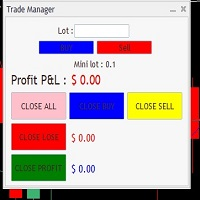
It Will Close Your All Trade   in Half of second  no matter you open 100 plus trade open it will close all trade half of second  . it good work for 1 -5 min scalping   this Ea have  many function see the pic i uploaded   there  . ea that have function close all trade , close all lossing trade , close all profit trade . also have lot system where you can put your  expected lot and buy sell button and it can close 100 trade in 1 second  
Smart TP SL Manager MT5 Smart TP SL Manager MT5 is a trade management utility for MetaTrader 5 designed to monitor and manage position protection directly from the chart through a compact panel. The tool focuses on a common problem in manual trading: loss of control over stop loss, take profit, and position risk when multiple trades are active. Instead of relying on manual checking or switching between terminal windows, the panel provides a structured view of protection status and risk conditio
TradeGo Assistant v1.0 — Professional Manual Trading Tool for MetaTrader 5 What Is TradeGo Assistant? TradeGo Assistant is a professional trading tool for MetaTrader 5, built specifically for manual traders. It does not trade on your behalf, generate signals, or open positions automatically. It acts as your complete trading desk built directly into your MT5 chart — helping you execute orders faster, manage positions more efficiently, and stay informed about market conditions, all from a single s
TradePilotmt5
Hossein Khalil Alishir
TradePilot Expert Advisor (EA) for MetaTrader 5 TradePilot is a professional and user-friendly Expert Advisor (EA) for MetaTrader 5 (MT5) . It simplifies automated trading , risk management , and trade execution with a smart trading panel . Perfect for beginners and experienced traders looking for a reliable trade manager EA with automated lot size calculation and smart position management. Key Advantages User-Friendly Trading Panel: Customizable panel with buttons and hotkeys for fast ex
NEXUS QUANTUM EDGE INDICATOR is a professional trading indicator designed to help traders follow high-probability trends and enter at optimal risk/reward zones. Instead of relying on lagging indicators, this system combines: - Advanced trend channel analysis - Precision entry timing logic - Dynamic stop loss & take profit system → Delivering a complete trend-following + smart entry solution Fewer trades, higher quality setups ️ KEY FEATURES 1. Smart Trend Channel Engine Automatically detec
RRtoolBox
David Ruiz Moreno
RRtoolbox - Professional Tools: Risk:Reward Trading Tool (SL/TP Horizontals + Pending orders + Diagonals), Alerts set on trend lines (for alerts on diagonal levels), SelfManagement (BE, partials...), close/cancelling by time, Statistics, Info and trading on chart. One-Click Trading with Visual Risk:Reward Management RRtoolbox is a comprehensive trading panel that combines one-click order execution,  statistics and  powerful visual Risk:Reward tools, alerts set with trendlines, on chart butt
This indicator allows you to enjoy the two most popular products for analyzing request volumes and market deals at a favorable price: Actual Depth of Market Chart Actual Tick Footprint Volume Chart This product combines the power of both indicators and is provided as a single file. The functionality of Actual COMBO Depth of Market AND Tick Volume Chart is fully identical to the original indicators. You will enjoy the power of these two products combined into the single super-indicator! Below is
Introducing the   DYNAMIC PIVOTFLEX DEMAND   EA – your ultimate trading companion that brings the power of flexibility and dynamic strategy right to your fingertips. Designed for the modern trader who demands control and adaptability, this Semi-Automated Expert Advisor   is a game-changer in the world of Forex trading. Key Features: Semi-Automated Precision : Open buy positions and hedge with sellstop orders (user preferred price) seamlessly, leveraging the robust Martingale principle for consis
Indicateur Crypto_Forex « HTF Momentum » pour MT5. - HTF Momentum est l'un des principaux indicateurs mesurant le taux de variation des prix. HTF signifie « unité de temps supérieure ». - Cet indicateur indique la direction de la tendance et mesure le rythme de variation des prix en comparant les valeurs actuelles et passées. - L'indicateur HTF Momentum est idéal pour les systèmes de trading multi-unités de temps avec des entrées de scalping ou en combinaison avec d'autres indicateurs. - Cet in
Here   our more valuable tools SMC Trend Trading   ,  Easy SMC Trading  ,  Institutional SMC Architect Volume Analysis Tools  ,  Volume flow Profile  ,  Market volume profile  , FVG with Volume  , Liquidity Heatmap Profile  ,  Volume Spread Analysis The    Liquidity Heatmap   is a sophisticated institutional trading tool designed to reveal where over-leveraged traders are trapped. By calculating estimated liquidation levels based on volume spikes and leverage, this indicator draws a dynamic "h
Harmonic Pattern Structure Harmonic Pattern Structure is a professional MetaTrader 5 indicator that automatically detects classic harmonic patterns using strict Fibonacci ratio validation and XABCD price structure. Designed for traders who value precision, clean visuals, and structured analysis, the indicator highlights potential reversal zones based on price geometry, supporting consistent and objective decision-making. SUPPORTED HARMONIC PATTERNS Gartley (222) Butterfly Bat Crab Shark Cy
FVG EA Pro
Haidar Lionel Haj Ali
4.61 (33)
FVG EA PRO est un EA (Expert Advisor) incontournable basé sur le concept SMC, hautement personnalisable et utilisant des techniques avancées de FVG "Fair Value Gap" et de structure de marché pour prendre des transactions à probabilité élevée. Il est hautement configurable, vous pouvez construire diverses stratégies basées sur la structure du marché et le FVG comme critère d'entrée. FVG EA PRO peut être utilisé pour trader les Kill  Zones et les Silver Bullet. Il est entièrement compatible avec l
Trade Manger
Israr Hussain Shah
Here   our more valuable tools SMC Trend Trading   ,  Easy SMC Trading  ,  Institutional SMC Architect Volume Analysis Tools  ,  Volume flow Profile  ,  Market volume profile  , FVG with Volume  , Liquidity Heatmap Profile  ,  Volume Spread Analysis You Give an Instruction: When you run the script, a window pops up with a dropdown menu. You choose exactly what you want it to do from the list (e.g., "Close Profit Only" or "Delete Pending Orders"). It Scans Your Positions: The script then reads
Les acheteurs de ce produit ont également acheté
Trade Assistant MT5
Evgeniy Kravchenko
4.43 (211)
It helps to calculate the risk per trade, the easy installation of a new order, order management with partial closing functions, trailing stop of 7 types and other useful functions. Additional materials and instructions Installation instructions - Application instructions - Trial version of the application for a demo account Line function -   shows on the chart the Opening line, Stop Loss, Take Profit. With this function it is easy to set a new order and see its additional characteristics bef
Bienvenue sur Trade Manager EA, l’outil ultime de gestion des risques conçu pour rendre le trading plus intuitif, précis et efficace. Ce n’est pas seulement un outil d’exécution d’ordres ; c’est une solution complète pour la planification des trades, la gestion des positions et le contrôle des risques. Que vous soyez débutant, trader expérimenté ou scalpeur ayant besoin d’une exécution rapide, Trade Manager EA s’adapte à vos besoins, offrant une flexibilité sur tous les marchés, des devises et i
Local Trade Copier EA MT5
Juvenille Emperor Limited
4.96 (139)
Découvrez une expérience exceptionnellement rapide de copie de trades avec le   Local Trade Copier EA MT5 . Avec sa configuration facile en 1 minute, ce copieur de trades vous permet de copier des trades entre plusieurs terminaux MetaTrader sur le même ordinateur Windows ou Windows VPS avec des vitesses de copie ultra-rapides de moins de 0.5 seconde. Que vous soyez un trader débutant ou professionnel, le   Local Trade Copier EA MT5   offre une large gamme d'options pour le personnaliser en fonc
AI Agent Supervisor is NOT an Expert Advisor. AI Agent Supervisor   is a   multi-agent AI risk & portfolio supervisor   that watches every EA on your account and intervenes in real time.  WANT AN AI PORTFOLIO MANAGER WATCHING YOUR FLEET 24/7?   Run your fleet on the same brokers I do:   IC MARKETS , IC TRADING   .  Unlike the centralized stock market, Forex has no single, unified price feed.  Every broker sources liquidity from different providers, creating unique data streams. The Supervisor r
Version Bêta Le Telegram to MT5 Signal Trader est presque prêt pour la sortie officielle en version alpha. Certaines fonctionnalités sont encore en développement et vous pourriez rencontrer de petits bugs. Si vous rencontrez des problèmes, merci de les signaler, vos retours aident à améliorer le logiciel pour tout le monde. Telegram to MT5 Signal Trader est un outil puissant qui copie automatiquement les signaux de trading depuis des chaînes ou groupes Telegram vers votre compte MetaTrader 5 .
TradePanel MT5
Alfiya Fazylova
4.87 (156)
Trade Panel est un assistant commercial multifonction. L'application contient plus de 50 fonctions de trading pour le trading manuel et permet d'automatiser la plupart des tâches commerciales. Avant l'achat, vous pouvez tester la version de démonstration sur un compte de démonstration. Télécharger la version d'essai de l'application pour un compte de démonstration : https://www.mql5.com/fr/blogs/post/762644 . Instructions complètes ici . Commerce. Permet d'effectuer des opérations commerciales e
Quant AI Agents are independent trading Expert Advisors. Instead of trading using a fixed strategy like other conventional EAs, Quant AI Agents   is a   multi-agent AI trading framework   that turns natural-language strategy prompts into live.  WANT THE SAME RESULTS AS MY LIVE SIGNAL?   Use the exact same brokers I do:   IC MARKETS , IC TRADING   .  Unlike the centralized stock market, Forex has no single, unified price feed.  Every broker sources liquidity from different providers, creating un
Exp COPYLOT CLIENT for MT5
Vladislav Andruschenko
3.91 (33)
Copieur professionnel de trades pour MetaTrader 5 Un copieur de trades rapide, professionnel et fiable pour MetaTrader . COPYLOT permet de copier des trades Forex entre les terminaux MT4 et MT5 avec prise en charge des comptes Hedge et Netting . La version MT5 de COPYLOT prend en charge : - MT5 Hedge → MT5 Hedge - MT5 Hedge → MT5 Netting - MT5 Netting → MT5 Hedge - MT5 Netting → MT5 Netting - MT4 → MT5 Hedge - MT4 → MT5 Netting Version MT4 Description complète + DEMO + PDF Comment acheter Comme
AntiOverfit PRO MT5
Enrique Enguix
5 (6)
Avant d’acheter un EA, vérifiez s’il tient vraiment la route ou s’il a simplement eu de la chance en backtest. La plupart des robots se vendent avec un beau backtest. Une courbe qui monte. Un bon profit factor. Très peu de doutes. Et pourtant, beaucoup de ces EA s’effondrent dès que le marché cesse de se comporter comme dans cet historique précis. Pourquoi ? Parce qu’un backtest ne prouve qu’une seule chose : que cette stratégie a fonctionné sur un parcours de prix bien précis. Il ne prouve pas
Farmed Hedge Yield Farming | All Markets (Manual - Hybrid - Semi/Automated EA) MULTI-ASSET SUPPORT Trade any asset available on your broker - Forex: Major, Minor, Exotic pairs - Crypto: BTC, ETH, XRP, SOL, BNB - Stocks: Apple, Tesla, Amazon, Google, etc. - Commodities: Gold, Silver, Oil, Gas - Indices: US30, NAS100, SPX500, DAX40 - Any CFD your broker offers VERIFIED TRADING RESULTS - Farmed Hedge Yield Axi Copy:  https://www.mql5.com/en/signals/2356376 - Farmed Hedge Yield Exn Copy:   https:/
The News Filter MT5
Leolouiski Gan
4.77 (22)
Ce produit filtre tous les conseillers experts et les graphiques manuels pendant les heures de publication des actualités, de sorte que vous n'avez pas à vous soucier des pics de prix soudains qui pourraient détruire vos configurations de trading manuelles ou les transactions entrées par d'autres conseillers experts. Ce produit est également livré avec un système de gestion des ordres complet qui peut gérer vos positions ouvertes et vos ordres en attente avant la publication de toute actualité.
Trade Dashboard MT5
Fatemeh Ameri
4.94 (126)
Trade Dashboard simplifies how you open, manage, and control your trades, with built-in lot size calculation. It allows you to execute trades, manage risk, and control positions directly on the chart, with tools such as partial close, breakeven, and trailing stop. Designed to reduce manual work and help you stay focused on your trading decisions. A demo version is available for testing. Detailed explanations of features are provided within the MQL5 platform. Installation instructions are include
Premium Trade Manager - Gestion de trades rapide et disciplinée pour MetaTrader 5 Premium Trade Manager est fait pour les traders qui veulent garder leur attention sur la décision pendant que le panneau prend en charge la routine : dimensionnement, placement, partiels, trailing, actualités et limites de prop firm, traités de la même façon disciplinée à chaque trade. C'est un panneau rapide sur le graphique pour MetaTrader 5 qui supprime le travail mécanique de chaque trade. Vous décidez de la di
Power Candles Strategy Scanner - Outil de recherche de configurations multi-symboles à optimisation automatique Le Power Candles Strategy Scanner utilise le même moteur d'auto-optimisation que celui qui alimente l'indicateur Power Candles, pour chaque symbole de votre Market Watch, en parallèle. Un panneau vous indique quels symboles sont statistiquement négociables à l'instant, quelle stratégie est la plus performante pour chacun, la paire Stop Loss / Take Profit optimale, et vous alerte dès qu
Copy Cat More Trade Copier MT5 (Chat Copieur MT5) est un copieur de trades local et un framework complet de gestion des risques et d'exécution conçu pour les défis commerciaux d'aujourd'hui. Des défis de prop firms à la gestion de portefeuille personnel, il s'adapte à chaque situation avec une combinaison d'exécution robuste, de protection du capital, de configuration flexible et de gestion avancée des trades. Le copieur fonctionne à la fois en mode Master (expéditeur) et Slave (récepteur), avec
Timeless Charts
Samuel Manoel De Souza
5 (6)
Timeless Charts est un utilitaire de trading tout-en-un destiné aux traders professionnels. Il combine des types de graphiques personnalisés tels que les graphiques en secondes et Renko avec une analyse avancée du flux d’ordre s utilisant Footprints , Clusters , Profils de Volume , études VWAP et outils d’analyse ancrés pour une compréhension plus approfondie du marché. Le trading et la gestion des positions sont effectués directement depuis le graphique via un panneau intégré de gestion des ord
Footprint Chart Pro — Professional OrderFlow EA for MetaTrader 5 Version 6.34 | Professional tool for real traders | Institutional-Grade Visualization DEMO USERS - PLEASE SELECT EVERY TICK / REAL TICK WHEN TESTING AND YOU HAVE DOWNLOADED HISTORICAL DATA. IF YOU SEE A WAITING SCREEN AND IT IS NOT DOWNLOADING, IT MEANS YOU HAVE LOW HISTORICAL DATA. TRY 1 MIN AND 5 MIN FIRST ON 1 DAY DATA. ONE DAY DATA SHOULD BE THE NEWEST AND MOST CURRENT DATE. PLEASE WAIT UNTIL THE MARKET HAS ROLLED OVER PERIOD.
HINN MagicEntry Extra
ALGOFLOW OÜ
4.73 (15)
HINN MAGIC ENTRY – the ultimate tool for entry and position management! Place orders by selecting a level directly on the chart! full description   ::  demo-version  :: 60-sec-video-description Key features: - Market, limit, and pending orders - Automatic lot size calculation - Automatic spread and commission accounting - Unlimited partitial take-profits  - Breakeven and trailing stop-loss and take-profit  functions - Invalidation leves - Intuitive, adaptive, and customizable interface - Works
Telegram To MT5 Receiver
Levi Dane Benjamin
4.31 (16)
Copiez les signaux de n'importe quel canal dont vous êtes membre (y compris les canaux privés et restreints) directement sur votre MT5.  Cet outil a été conçu en pensant à l'utilisateur et offre de nombreuses fonctionnalités nécessaires pour gérer et surveiller les trades. Ce produit est présenté dans une interface graphique conviviale et attrayante. Personnalisez vos paramètres et commencez à utiliser le produit en quelques minutes ! Guide de l'utilisateur + Démo  | Version MT4 | Version Disc
Telegram to mt5 pro
Janet Abu Khalil
3.67 (3)
Telegram to MT5 Pro — Advanced Telegram Signal Copier with Auto-Fix, Multi-TP, Risk Control and Full Trade Management Telegram to MT5 Pro — Copieur de signaux Telegram professionnel Telegram to MT5 Pro est un copieur de trading haute performance qui exécute automatiquement les signaux de Telegram directement dans votre compte MetaTrader 5, avec un contrôle total du risque, de l’exécution et de la gestion des trades. Le système se compose de deux composants : • L’Expert Advisor (EA) exécuté dans
Prop Firm Os
Gayathiri Gopalakrishnan
5 (1)
PROP FIRM OS Structured Trading Assistant for MetaTrader 5 PROP FIRM OS is a structured trading assistant designed for MetaTrader 5 users who prefer rule-based market analysis and organized trading workflows. The Expert Advisor combines market analysis tools, scanner functions, dashboard monitoring, alerts, risk-control settings, and trade management features inside one system. PROP FIRM OS is designed to help traders follow selected rules, filters, and monitoring conditions during trading activ
YuClusters
Yury Kulikov
4.93 (43)
Attention: You can view the program operation in the free version  YuClusters DEMO .  YuClusters is a professional market analysis system. The trader has unique opportunities to analyze the flow of orders, trade volumes, price movements using various charts, profiles, indicators, and graphical objects. YuClusters operates on data based on Time&Sales or ticks information, depending on what is available in the quotes of a financial instrument. YuClusters allows you to build graphs by combining da
MT5 to Telegram Signal Provider est un utilitaire facile à utiliser et entièrement personnalisable qui permet l'envoi de signaux spécifiés vers un chat, un canal ou un groupe Telegram, transformant ainsi votre compte en fournisseur de signaux. Contrairement à la plupart des produits concurrents, il n'utilise pas d'importations DLL. [ Démonstration ] [ Manuel ] [ Version MT4 ] [ Version Discord ] [ Canal Telegram ]  New: [ Telegram To MT5 ] Configuration Un guide utilisateur étape par étape est
Trading View ToMT5
Mirel Daniel Gheonu
The Ultimate TradingView to MT5 Bridge Automation Arrêtez le trading manuel et les problèmes de latence. TradingView to MT5 Copier PRO est la passerelle (bridge) la plus rapide et la plus fiable pour exécuter vos alertes TradingView directement sur MetaTrader 5. Que vous utilisiez des indicateurs personnalisés, des scripts du Testeur de Stratégie ou des dessins manuels, cet Expert Advisor (EA) exécute vos trades instantanément grâce à la technologie WebSocket Haute Vitesse . Contrairement aux co
Trade Manager DaneTrades
Levi Dane Benjamin
4.28 (29)
Trade Manager pour vous aider à entrer et sortir rapidement des transactions tout en calculant automatiquement votre risque. Y compris des fonctionnalités pour vous aider à éviter le sur-trading, le trading de vengeance et le trading émotionnel. Les transactions peuvent être gérées automatiquement et les mesures de performances du compte peuvent être visualisées dans un graphique. Ces fonctionnalités rendent ce panneau idéal pour tous les traders manuels et contribuent à améliorer la plateforme
Signal TradingView to MT5 Pro Automator Exécution professionnelle instantanée entre TradingView et MetaTrader 5 Automatisez votre stratégie de trading avec le pont de communication le plus robuste entre les alertes TradingView et l'exécution réelle sur MT5. Conçu pour les traders qui exigent vitesse, flexibilité et une gestion des risques impeccable, cet Expert Advisor transforme tout message d'alerte en un ordre au marché ou à cours limité précis. POINTS FORTS ET AVANTAGES Moteur d'analyse univ
The product will copy all telegram signal to MT5 ( which you are member) , also it can work as remote copier.  Easy to set up, copy order instant, can work with almost signal formats, image signal,  s upport to translate other language to English Work with all type of channel or group, even channel have "Restrict Saving Content", work with  multi channel, multi MT5 Work as remote copier: with signal have ticket number, it will copy exactly via ticket number. Support to backtest signal. How to s
SMC Trade Pilot MT5 Assistant de trading semi-automatique pour les traders Smart Money Concepts. Recevez les signaux directement sur Telegram avec capture du graphique, puis placez le trade en un seul appui. Gérez vos positions depuis votre téléphone, même loin de votre ordinateur. Le problème résolu Les setups Smart Money n'attendent pas. Les Order Blocks et les Liquidity Sweeps se forment pendant l'ouverture de Londres, de New York ou en plein milieu de la session asiatique, souvent quand vous
EA Portfolio Analyzer
Jimmy Peter Eriksson
4 (1)
Guide d'installation :    Cliquez ici ! Analyser simultanément plusieurs conseillers experts Comparer les résultats des EA par numéro magique Suivi de la rentabilité et des pertes Filtrer les résultats par plage de dates Courbe d'équité visuelle et indicateurs détaillés Prêt à l'emploi en moins d'une minute EA Portfolio Analyzer EA Portfolio Analyzer est un   outil d'analyse professionnel   conçu pour suivre   en temps réel les performances de plusieurs Expert Advisors   de manière claire et st
FUTURES ORDERFLOW FOOTPRINT CHART Professional OrderFlow EA for MetaTrader 5 Version 1.01| Professional tool for real traders | Institutional-Grade Visualization STRATEGY TESTER USERS - PLEASE SELECT EVERY REAL TICK WHEN TESTING AND YOU HAVE DOWNLOADED HISTORICAL DATA. IF YOU SEE A WAITING SCREEN AND IT IS NOT DOWNLOADING, IT MEANS YOU HAVE LOW HISTORICAL DATA. TRY 1 MIN AND 5 MIN FIRST ON 1 DAY DATA. ONE DAY DATA SHOULD BE THE NEWEST AND MOST CURRENT DATE. PLEASE WAIT UNTIL THE MARKET HAS ROL
Filtrer:
Aucun avis
Répondre à l'avis