Trade Assistant Panel for MT5

Risk Manager – Assistant de Trade pour MT5


Aperçu

Risk Manager – Assistant de Trade est un outil avancé conçu pour améliorer l’exécution des trades, automatiser la gestion des risques et optimiser la performance de trading. Il intègre le calcul dynamique de la taille des lots, une protection par stop-loss caché, l’automatisation des trades et un journal de trading en temps réel pour offrir aux traders un avantage sur le marché.

Avec son interface intuitive et ses capacités d’automatisation, Risk Manager est idéal pour les scalpers, day traders et swing traders souhaitant exécuter des trades efficacement tout en gardant le risque sous contrôle.

Caractéristiques principales

Exécution des Trades & Gestion des Ordres

  • Panneau d'Exécution Intelligent – Placez rapidement des ordres au marché, en attente ou en mode sniper.
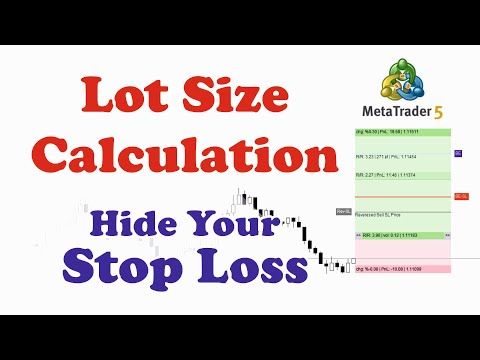
  • Calcul Dynamique de la Taille des Lots – Ajuste la taille des lots en fonction du pourcentage de risque ou d’un montant prédéfini.
  • Take Profit (TP) & Stop Loss (SL) Partiels – Sécurisez les profits et réduisez les pertes de manière systématique.

Gestion des Risques & Protection

  • Stop-Loss Caché – Empêche les brokers de détecter et cibler les niveaux de SL.
  • SL Factice – Protège contre le stop hunting et la manipulation des prix.
  • Exécution Basée sur l'Écart (Spread) – N’exécute les trades que si le spread est dans une limite définie.
  • Stratégie de Sortie à la Clôture de Bougie – Ferme automatiquement les trades en fonction des conditions de clôture des bougies.

Optimisation du Trading & Analyse Stratégique

  • Minuteur de Clôture de Bougie – Affiche le temps restant avant la fermeture de la bougie actuelle pour une meilleure précision d’exécution.
  • Capture d’Écran Automatisée – Sauvegarde des captures d’exécution des trades pour analyse et journalisation.
  • Journal de Trading Intégré – Stocke toutes les données et captures de trades pour analyse et amélioration de la stratégie.

Gestion Avancée des Boîtes de Trade

  • Outils Visuels de Boîte de Trade – Insérez, modifiez et gérez les boîtes de trade directement sur le graphique.
  • Visualisation avec Ligne Rayons – Améliore la prise de décision en affichant les niveaux de prix clés.
  • Ajustement TP & SL en Un Clic – Modifiez facilement les paramètres des trades en un seul geste.

Fonctionnalités Supplémentaires

  • Support Multilingue – Disponible en français, anglais, russe, espagnol, chinois, turc, et plus.
  • Paramètres Personnalisables – Adaptable à tous les styles de trading et préférences de risque.

À qui s’adresse cet outil ?

Risk Manager – Assistant de Trade est parfait pour :

  • Scalpers & Day Traders – Exécutez rapidement les trades avec des ajustements de risque en temps réel.
  • Swing & Position Traders – Automatisez le calcul des risques et l’exécution des trades.
  • Traders recherchant un journal de trading – Sauvegardez captures d’écran et données pour analyse.
  • Ceux qui veulent réduire le trading émotionnel – Optimisez la prise de décision avec un contrôle structuré du risque.

Comment ça marche ?

  • Panneau d’Exécution – Choisissez entre ordres au marché, en attente ou sniper en un clic.
  • Gestion des Risques & Trades – Configurez des tailles de lots fixes ou basées sur le risque, TP et SL.
  • Journal & Capture d’Écran – Capture automatique des trades exécutés pour suivi de performance.
  • Minuteur de Clôture de Bougie – Suivez le temps restant pour mieux synchroniser vos entrées.
  • Fermeture Auto & Protection – Les trades peuvent être fermés automatiquement en fonction de la clôture de bougie, des profits/pertes ou de conditions personnalisées.


    Pourquoi choisir Risk Manager – Assistant de Trade ?

    • Gestion des Risques Complète – Fonctionnalités avancées adaptées à tous les styles de trading.
    • Plus de Fonctions à Moindre Coût – Comparable à des outils à plus de 100 $ pour une fraction du prix.
    • Interface Intuitive – Conçue pour les traders débutants comme expérimentés.
    • Minuteur de Clôture de Bougie pour Précision – Essentiel pour scalping et stratégies de breakout.
    • Mises à Jour & Support à Vie – Améliorations continues basées sur les retours des utilisateurs.


    Cela fait un an que cet assistant de trading est disponible gratuitement pour nos chers utilisateurs. Merci pour votre confiance.


    Pourquoi mettre à niveau maintenant ?

    • Verrouillez un accès à vie à moins de la moitié du prix futur.

    • Continuez à utiliser la Version Pro sans interruption après la période gratuite.

    • Pas d'abonnement, pas de frais récurrents — payez une fois, utilisez à vie.


    Produits recommandés
    CChart
    Rong Bin Su
    Overview In the fast-paced world of forex and financial markets, quick reactions and precise decision-making are crucial. However, the standard MetaTrader 5 terminal only supports a minimum of 1-minute charts, limiting traders' sensitivity to market fluctuations. To address this issue, we introduce the Second-Level Chart Candlestick Indicator , allowing you to effortlessly view and analyze market dynamics from 1 second to 30 seconds on a sub-chart. Key Features Support for Multiple Second-Level
    About indicator > The indicator is a function based on one value (open/high prices up to now) and then it is a mathematical representation of the whole function that is totally independent from any else values. So, if you ask yourself will the future be as it is on the graph... I can tell you - as it was the same as the trading function up to the moment "now"... In conclusion, the point of the indicator is  to try to show the future of the trading function into eternity. The graphic is sometime
    This is an utility for MetaTrader 5 designed to send notifications to a Telegram bot regarding trading activity on the terminal. The EA monitors changes in positions and orders, then sends structured messages to specified Telegram chats through the Telegram Bot API. It can optionally include chart screenshots when positions are opened. The EA uses the WebRequest function to communicate with the Telegram API. No additional servers or external services are required. Main Features Position Activity
    Aurum Quant Engine Pro
    Javed Ali Khan Patan
    Aurum Quant Engine Pro A disciplined execution model designed for decision clarity, trend alignment, and precise signal filtration. Trades are triggered only when price structure, directional context, and pattern strength align cohesively. Aurum Quant Engine Pro is the enhanced Version 2 of the original release Aurum Quant Engine now equipped with advanced filtering layers for improved trade quality, precision entries, and stronger overall performance. Support & Feedback If you have any qu
    The primary function of this script, Tick Data Exporter , is to efficiently extract historical tick data. Tick data represents the most granular level of market data, capturing every single price change. The script downloads this data from a broker and formats it into CSV files for external quantitative analysis. Five things tick data shows that bars permanently hide: Spread microstructure: Bars give you one spread number per period (typically the spread at bar close). Ticks show you the sprea

    MT5 to Telegram Notification Hub   is a user-friendly tool that connects MetaTrader 5 (MT5) with Telegram, enabling seamless transmission of trade alerts, updates, and custom messages directly from MT5 to your Telegram account or channel. You can easily adjust and enable or disable specific parts of the notifications, making it ideal for signal providers and traders who want to keep their audience informed with real-time updates Setup guide A setup guide is available here . Key Features: Instan
    Gold Sniper Panel Master Pro High-Precision Manual Trading Terminal for Scalpers Gold Sniper Panel Master Pro is a sophisticated trading utility designed for traders who demand speed, precision, and surgical control over their positions. This all-in-one dashboard streamlines manual execution and introduces an advanced recovery engine to navigate volatile market conditions with confidence. Key Features Dual-Orientation Interface : Instantly toggle between Horizontal and Vertical layouts to perfe
    Akihiko
    Dragan Drenjanin
    2.5 (2)
    Akihiko is a sophisticated trading robot distinguished by its minimalist user interface, designed to deliver powerful functionality with simplicity at its core. To further enhance its capabilities, I’m excited to announce the release of version 19, a significant update that refines its performance and usability. This robot integrates a versatile strategy, blending multiple options to adapt to diverse market conditions. It employs carefully crafted rules for initiating both long and short positi
    This utility shows various types of information on chart, controlled by many filters and option for each of them. If you want any custom feature or want to remove something from this product for your personal use. Please send me a personal message, I'll be happy to do so for you. Inputs and features explained: BG Color - Background color of the Dashboard Text Color - Color of text info on the Dashboard Border Color - Color of Border of the Dashboard Set Color on +/- Text - True/False option wh
    ️ Trade Manager oneclick  ( Reverse Trade,  Partial Close,  Breakeven, Close All Running Trade )   control – Smart Manual Trade Control for MT5 Trade Manager oneclick control is a powerful yet lightweight trade management utility built for manual traders who want precise control over their open positions — directly from the MT5 chart. This EA does not open or close trades automatically based on any strategy. It simply provides one-click management tools to handle your running trades efficient
    FREE
    Introducing our Trailing Stop Tool, a powerful solution designed to enhance your trading strategy by trailing your trades based on a selected number of candles. This tool provides an advanced feature that allows you to dynamically adjust your stop loss level as the market moves in your favor, aiming to lock in profits while minimizing potential losses. With the Trailing Stop Tool, you have the flexibility to choose the number of candles you want the tool to trail. Whether you prefer a conservat
    Introduction This indicator detects volume spread patterns for buy and sell opportunity. The patterns include demand and supply patterns. You might use each pattern for trading. However, these patterns are best used to detect the demand zone (=accumulation area) and supply zone (=distribution area). Demand pattern indicates generally potential buying opportunity. Supply pattern indicates generally potential selling opportunity. These are the underlying patterns rather than direct price action. T
    Hybrid Assisted Trading Engine Manual Trading. Machine Discipline. The Hybrid Assisted Trading Engine is an institutional-grade manual trade management system designed to protect traders from emotional mistakes — without taking control away from them. You decide when to enter . The engine decides how the trade is managed . What It Does This system continuously monitors your manual trades and enforces professional-level trade management rules in real time: Smart Breakeven logic R-based trai
    Martingale panel MT5
    Mohammadbagher Ramezan Akbari
    In this article, we would like to introduce the trade panel product with the Martingale panel. This panel is made in such a way that it can meet the needs of traders to a great extent. This trade panel actually consists of two trade panels at the same time, with the first one you can take positions with certain profit and loss limits, and with the second one, you can have positions with profit limits but without loss limits. When positions lose, a new position will be added based on the settings
    Multiple Positions
    Emanuel Reynard Phillips
    Besoin d'ouvrir plusieurs positions/trades en même temps ? Nous avons créé votre solution simple. Vous pouvez désormais saisir plusieurs postes à la fois. Vous pouvez définir la taille du lot, le nombre de positions, le take profit et le stop loss. Par exemple : vous souhaitez acheter 3, 5, 10 ou n’importe quel nombre de positions avec une certaine taille de lot. Vous pouvez maintenant le faire en appuyant simplement sur le bouton « Acheter ». Ou Par exemple : vous souhaitez vendre 3, 5, 10 ou
    Tools to open multiple positions/trades all at once?  We've created your easy solution. You can now enter multiple positions at one time. You can set you Lot size, Number of positions, Interval every open position, Take profit, and stop loss and trailing stop too. an addition button for Close All Close All Profit Close All Loss Close All Sell Close All Buy For example: You want to buy 2, 4, 6 or any number of positions with a certain lot size, every 10 second. You can now do so by simply
    Keyboard Trader
    MARTIN ANDRES DEL NEGRO
    Keyboard Trader   is a tool designed for ultra-fast trading in   MetaTrader 5 (MT5)   using   keyboard shortcuts . Here’s a concise description of its features: Swift Execution : Keyboard Trader allows you to execute orders rapidly without clicking. You can use keyboard shortcuts to efficiently open and close positions. Ideal for News Trading : Given the need for quick action during news events, this tool is particularly useful for trading during high volatility moments. Customizable Hotkeys : T
    It has never been so easy to manage the risk of your account until now, this tool will allow you to have full control of your capital and manage your entries in the synthetic index derivative markets, in an easy, practical and safe way. The available input and configuration parameters are as follows :  RISK MANAGEMENT 1. Value of your account: Here as its name says you will place the value corresponding to the size of your account, for example if your account is 150 dollars the corresponding val
    HFT Bot Builder
    Thomas Bradley Butler
    Build an HFT Bot with source code.  This specialized algorithm in the bot will build an HFT bot for you, to alter, enhance and optimize to trade by.  The algorithm in the bot is a special recipe to build an HFT program.  One that you can enhance upon creation. Just follow the steps: Load the bot on a chart Wait for it to load, could takes some time depending on computer, refresh chart if needed (USE DEMO SO IT WON'T MAKE REAL TRADES WHILE YOU BUILD).  THIS IS BEING USED AS A BUILDER NOT AN EA A
    Take control of your trading with OGL PositionSizer PRO , the ultimate trade management tool for MetaTrader 5. Designed for both professional and aspiring traders, this panel helps you manage your risk, positions, and profits efficiently. Key Features: Automatic Lot Calculation: Calculate lots based on risk % or fixed amount. Auto Breakeven all active positions on showing chart. Pending Protection - > If the prices comes stoploss before active position. The order will auto delete. Smart Partial
    Overview AlphaForge Range Chart is a professional non-trading range-bar charting utility for MetaTrader 5. It generates live Range charts as MT5 custom symbols, helping traders analyze price movement through fixed-range bars instead of standard time-based candles. Unlike visual-only overlays, the generated Range chart behaves like a real MT5 custom-symbol chart. This means you can open it as a normal chart, apply templates, draw analysis objects, and add indicators directly to the Range chart fo
    SuperScalp Pro Trader EA Automated trading EA for the SuperScalp Pro indicator — dual-source Fibonacci TP, per-ticket management, and advanced trailing stop. Quick start: Apply the SuperScalp Pro indicator to your chart first, then attach this EA. Default settings are pre-configured to match the SuperScalp Pro indicator out of the box. SuperScalp Pro indicator   How to use Open your chart and select your preferred symbol and timeframe. Insert the SuperScalp Pro indicator onto the chart. Atta
    Trade Manager DashPlus
    Henry Lyubomir Wallace
    5 (13)
    DashPlus est un outil de gestion de trading avancé conçu pour améliorer l'efficacité et la performance de vos transactions sur la plateforme MetaTrader 5. Il offre un ensemble complet de fonctionnalités, incluant le calcul des risques, la gestion des ordres, des systèmes de grilles avancés, des outils basés sur les graphiques et des analyses de performance. Fonctionnalités principales 1. Grille de récupération Implémente un système de grille flexible et de moyenne pour gérer les transactions dan
    Price Action Builder Premium
    Florea E. Sorin-Mihai Persoana Fizica Autorizata
    The Price Action Builder Premium expert advisor is an extension of the freely available Price Action Builder Basic :     it provides 2 new candlestick patterns besides the pinbar (already available in the basic edition);     in most configurations, backtesting usually shows an average yearly return rate increased by approximately 50%;     the account growth curve is also smoother, due to larger number of trades, almost double (2x) compared to the free version. While aimed primarily at obtaining
    (Graphiques de crypto-monnaie) Il apporte l'historique autant que le nombre de barres que vous spécifiez et commence à afficher directement les données instantanées. Offre la possibilité de travailler dans tous les délais. Vous permet de travailler avec plusieurs symboles. Cette application est un service d'arrière-plan. Il télécharge l'historique de tous les symboles commençant par "S" sur l'écran de surveillance du marché et affiche les données des ticks. Transfère automatiquement l
    High Frequency Ct
    Elidio Xavier Guimaraes
    This utility copies Market orders, Limit orders, and Stop orders with a focus on high speed and easy setup. The utility works by setting up a Master and one or more Slaves. The setup is quite simple: you just need to define which account is the Master and which account is the Slave, and then set up the same Copy Trade Id for both. For the Slave to recognize the Master's orders, the Copy Trade Id parameter must be the same. Do not use numbers or special characters when setting the Copy Trade Id
    Kronos is a multi-timer that displays local time, server time and the countdown of the current period. The programme is multilingual, with a choice of English, Italian and Spanish Language selectables in input. Available in four colours and with the choise of five types of font to be used. Like any other programme we have created, the graphic interface is developed to be non-invasive and intuitive. At start-up, the three windows that make up the graphic interface of Kronos are closed on the left
    Account Informer MT5
    Ismail Hakki Delibas
    5 (2)
    Utility Description This is a useful utility that can help traders to Stay in touch with their Accounts and hear about account critical conditions. With this utility, traders will receive notifications of broker server connectivity status. Different forms of notifications are supported such as Android or IOS phone notifications, Email messages or Popup Alerts. Also any changes on positions can be sent as a notification based on user settings. All above features can be customized using the EA inp
    Secura Trade Manager
    KINGSLEY IFEANYI IWUFRED
    Secura Trade Manager Risk Management, Position Sizing, All Markets, Trailing Stops, Break Even, Forex-Gold-Crypto-Indices Overview Secura Trade Manager  is the most complete risk management and trade execution panel available for MetaTrader 5. Designed for serious traders who refuse to leave money on the table, it transforms the way you plan, enter, manage, and close trades — across every asset class from Forex and Gold to Indices, Commodities, and Cryptocurrency. Stop guessing lot sizes. Stop m
    This tool will allow you to export the Historical data (Open, High, Low, Close, Volume) for any financial instrument present in your MetaTrader 5. You can download multiple Symbols and TimeFrames in the same csv file. Also, you can schedule the frequency of download (every 5 minutes, 60 minutes, etc.). No need to open a lot of charts in order to get the last data, the tool will download the data directly. The CSV File will be stored in the folder: \MQL5\Files . How it works Select the Symbols t
    Les acheteurs de ce produit ont également acheté
    Trade Assistant MT5
    Evgeniy Kravchenko
    4.42 (210)
    It helps to calculate the risk per trade, the easy installation of a new order, order management with partial closing functions, trailing stop of 7 types and other useful functions. Additional materials and instructions Installation instructions - Application instructions - Trial version of the application for a demo account Line function -   shows on the chart the Opening line, Stop Loss, Take Profit. With this function it is easy to set a new order and see its additional characteristics bef
    Bienvenue sur Trade Manager EA, l’outil ultime de gestion des risques conçu pour rendre le trading plus intuitif, précis et efficace. Ce n’est pas seulement un outil d’exécution d’ordres ; c’est une solution complète pour la planification des trades, la gestion des positions et le contrôle des risques. Que vous soyez débutant, trader expérimenté ou scalpeur ayant besoin d’une exécution rapide, Trade Manager EA s’adapte à vos besoins, offrant une flexibilité sur tous les marchés, des devises et i
    Local Trade Copier EA MT5
    Juvenille Emperor Limited
    4.96 (136)
    Découvrez une expérience exceptionnellement rapide de copie de trades avec le   Local Trade Copier EA MT5 . Avec sa configuration facile en 1 minute, ce copieur de trades vous permet de copier des trades entre plusieurs terminaux MetaTrader sur le même ordinateur Windows ou Windows VPS avec des vitesses de copie ultra-rapides de moins de 0.5 seconde. Que vous soyez un trader débutant ou professionnel, le   Local Trade Copier EA MT5   offre une large gamme d'options pour le personnaliser en fonc
    Farmed Hedge Yield Farming | All Markets (Manual - Hybrid - Semi/Automated EA) MULTI-ASSET SUPPORT Trade any asset available on your broker - Forex: Major, Minor, Exotic pairs - Crypto: BTC, ETH, XRP, SOL, BNB - Stocks: Apple, Tesla, Amazon, Google, etc. - Commodities: Gold, Silver, Oil, Gas - Indices: US30, NAS100, SPX500, DAX40 - Any CFD your broker offers VERIFIED TRADING RESULTS - Farmed Hedge Yield Axi Copy:  https://www.mql5.com/en/signals/2356376 - Farmed Hedge Yield Exn Copy:   https:/
    TradePanel MT5
    Alfiya Fazylova
    4.87 (154)
    Trade Panel est un assistant commercial multifonction. L'application contient plus de 50 fonctions de trading pour le trading manuel et permet d'automatiser la plupart des tâches commerciales. Avant l'achat, vous pouvez tester la version de démonstration sur un compte de démonstration. Télécharger la version d'essai de l'application pour un compte de démonstration : https://www.mql5.com/fr/blogs/post/762644 . Instructions complètes ici . Commerce. Permet d'effectuer des opérations commerciales e
    Version Bêta Le Telegram to MT5 Signal Trader est presque prêt pour la sortie officielle en version alpha. Certaines fonctionnalités sont encore en développement et vous pourriez rencontrer de petits bugs. Si vous rencontrez des problèmes, merci de les signaler, vos retours aident à améliorer le logiciel pour tout le monde. Telegram to MT5 Signal Trader est un outil puissant qui copie automatiquement les signaux de trading depuis des chaînes ou groupes Telegram vers votre compte MetaTrader 5 .
    Power Candles Strategy Scanner - Outil de recherche de configurations multi-symboles à optimisation automatique Le Power Candles Strategy Scanner utilise le même moteur d'auto-optimisation que celui qui alimente l'indicateur Power Candles, pour chaque symbole de votre Market Watch, en parallèle. Un panneau vous indique quels symboles sont statistiquement négociables à l'instant, quelle stratégie est la plus performante pour chacun, la paire Stop Loss / Take Profit optimale, et vous alerte dès qu
    Trade Dashboard MT5
    Fatemeh Ameri
    4.94 (124)
    Trade Dashboard simplifies how you open, manage, and control your trades, with built-in lot size calculation. It allows you to execute trades, manage risk, and control positions directly on the chart, with tools such as partial close, breakeven, and trailing stop. Designed to reduce manual work and help you stay focused on your trading decisions. A demo version is available for testing. Detailed explanations of features are provided within the MQL5 platform. Installation instructions are include
    Copy Cat More Trade Copier MT5 (Chat Copieur MT5) est un copieur de trades local et un framework complet de gestion des risques et d'exécution conçu pour les défis commerciaux d'aujourd'hui. Des défis de prop firms à la gestion de portefeuille personnel, il s'adapte à chaque situation avec une combinaison d'exécution robuste, de protection du capital, de configuration flexible et de gestion avancée des trades. Le copieur fonctionne à la fois en mode Master (expéditeur) et Slave (récepteur), avec
    AntiOverfit PRO MT5
    Enrique Enguix
    5 (4)
    Avant d’acheter un EA, vérifiez s’il tient vraiment la route ou s’il a simplement eu de la chance en backtest. La plupart des robots se vendent avec un beau backtest. Une courbe qui monte. Un bon profit factor. Très peu de doutes. Et pourtant, beaucoup de ces EA s’effondrent dès que le marché cesse de se comporter comme dans cet historique précis. Pourquoi ? Parce qu’un backtest ne prouve qu’une seule chose : que cette stratégie a fonctionné sur un parcours de prix bien précis. Il ne prouve pas
    Exp COPYLOT CLIENT for MT5
    Vladislav Andruschenko
    3.82 (34)
    Copieur professionnel de trades pour MetaTrader 5 Un copieur de trades rapide, professionnel et fiable pour MetaTrader . COPYLOT permet de copier des trades Forex entre les terminaux MT4 et MT5 avec prise en charge des comptes Hedge et Netting . La version MT5 de COPYLOT prend en charge : - MT5 Hedge → MT5 Hedge - MT5 Hedge → MT5 Netting - MT5 Netting → MT5 Hedge - MT5 Netting → MT5 Netting - MT4 → MT5 Hedge - MT4 → MT5 Netting Version MT4 Description complète + DEMO + PDF Comment acheter Comme
    Trade copier MT5
    Alfiya Fazylova
    4.53 (43)
    Trade Copier est un utilitaire professionnel conçu pour copier et synchroniser les commandesentre les comptes de trading. Les commandes sont copiées du compte/terminal du fournisseur vers le compte/terminal du destinataire, qui sont installés sur le même ordinateur ou vps. PROMOTION - Si vous avez déjà acquis le "Trade copier MT5", vous pouvez obtenir le "Trade copier MT4" gratuitement (pour la copie MT4 > MT5 et MT4 < MT5). Pour obtenir des informations plus détaillées sur les conditions, veuil
    Footprint Chart Pro — Professional OrderFlow EA for MetaTrader 5 Version 6.34 | Professional tool for real traders | Institutional-Grade Visualization DEMO USERS - PLEASE SELECT EVERY TICK / REAL TICK WHEN TESTING AND YOU HAVE DOWNLOADED HISTORICAL DATA. IF YOU SEE A WAITING SCREEN AND IT IS NOT DOWNLOADING, IT MEANS YOU HAVE LOW HISTORICAL DATA. TRY 1 MIN AND 5 MIN FIRST ON 1 DAY DATA. ONE DAY DATA SHOULD BE THE NEWEST AND MOST CURRENT DATE. PLEASE WAIT UNTIL THE MARKET HAS ROLLED OVER PERIOD.
    Timeless Charts
    Samuel Manoel De Souza
    5 (4)
    Timeless Charts est une solution de graphiques avancée conçue pour les traders professionnels qui ont besoin de graphiques personnalisés / unités de temps personnalisées – y compris les graphiques en secondes / unités de temps en secondes, les graphiques Renko / barres Renko, les graphiques en clusters / footprints et des outils avancés similaires à ceux disponibles sur les plateformes les plus populaires. Contrairement aux graphiques hors ligne traditionnels ou aux simples indicateurs personnal
    HINN MagicEntry Extra
    ALGOFLOW OÜ
    4.71 (14)
    HINN MAGIC ENTRY – the ultimate tool for entry and position management! Place orders by selecting a level directly on the chart! full description   ::  demo-version  :: 60-sec-video-description Key features: - Market, limit, and pending orders - Automatic lot size calculation - Automatic spread and commission accounting - Unlimited partitial take-profits  - Breakeven and trailing stop-loss and take-profit  functions - Invalidation leves - Intuitive, adaptive, and customizable interface - Works
    Telegram to MT5 Coppy
    Sergey Batudayev
    5 (8)
    Télégramme vers MT5 :   la solution ultime pour copier des signaux Simplifiez votre trading avec Telegram vers MT5, l'outil moderne qui copie les signaux de trading directement des canaux et chats Telegram vers votre plateforme MetaTrader 5, sans DLL. Cette solution puissante garantit une exécution précise des signaux, de nombreuses options de personnalisation, un gain de temps et une efficacité accrue. [ Instructions and DEMO ] Caractéristiques principales Intégration directe de l'API Telegram
    ABQ Visual Risk Sizer
    Cristian David Castillo Arrieta
    ABQ Visual Risk Sizer - Risque Institutionnel et Exécution de Transaction Catégorie : Utilitaires / Gestion du Risque Le calcul manuel des lots coûte du temps et de l'argent. Dans le trading moderne, particulièrement lors de la gestion de comptes financés (Prop Firms), une erreur de calcul de lotissage ou un délai de 5 secondes lors de la saisie d'un ordre peut signifier la violation de la règle de Drawdown quotidien ou la perte du prix d'entrée parfait. ABQ Visual Risk Sizer est un outil de qua
    Seconds Chart MT5
    Boris Sedov
    4.59 (17)
    Seconds Chart - un outil unique pour créer des graphiques en secondes dans MetaTrader 5 . Grâce à Seconds Chart , vous pouvez créer un graphique avec une période définie en secondes, offrant une flexibilité et une précision idéales pour l'analyse, indisponibles sur les graphiques standards en minutes ou en heures. Par exemple, la période S15 indique un graphique avec des bougies d'une durée de 15 secondes. Vous pouvez utiliser n'importe quels indicateurs et experts advisors compatibles avec les
    MT5 to Telegram Signal Provider est un utilitaire facile à utiliser et entièrement personnalisable qui permet l'envoi de signaux spécifiés vers un chat, un canal ou un groupe Telegram, transformant ainsi votre compte en fournisseur de signaux. Contrairement à la plupart des produits concurrents, il n'utilise pas d'importations DLL. [ Démonstration ] [ Manuel ] [ Version MT4 ] [ Version Discord ] [ Canal Telegram ]  New: [ Telegram To MT5 ] Configuration Un guide utilisateur étape par étape est
    HINN Lazy Trader
    ALGOFLOW OÜ
    5 (2)
    The core idea: using the user interface, you configure the parameters the chart must meet before entering a position (or positions), choose which entry models to use, and set the rules for when trading and planning should end. Lazy Trader  handles the rest: it  takes over all the routine chart watching and execution! full description  :: 3 key videos [1] ->  [2]   ->  [3] What can it do? - Understands Larry Williams market structure - Understands swing market structure by Michael Huddleston
    Ultimate Extractor
    Clifton Creath
    5 (9)
    Ultimate Extractor - Professional Trading Analytics for MT5 *****this is the local HTML version of Ultimate Extractor. !!!!!it is not compatible with Cloud!!!! For the online version please reach out to me directly****** Ultimate Extractor transforms your MetaTrader 5 trading history into actionable insights with comprehensive analytics, interactive charts, and real-time performance tracking. What It Does Automatically analyzes your MT5 trading history across all Expert Advisors and generates
    Ultimate Trailing Stop EA MT5
    BLAKE STEVEN RODGER
    4.13 (8)
    This EA Utility allows you to manage (with advanced filtering) unlimited open orders (manual or EA) with 16 trailing stop methods: fixed, percent, ATR Exit, Chandelier Exit, Moving Average, Candle High Low Exit, Bollinger Bands, Parabolic, Envelope, Fractal, Ichimoku Kijun-Sen, Alligator, Exit After X Minutes or Bars, RSI and Stochastic. The trailing stop can be either real or virtual, and you can exit fully or with a partial close percent on touch or bar close.  Moreover, you can add (override
    Signal TradingView to MT5 Pro Automator Exécution professionnelle instantanée entre TradingView et MetaTrader 5 Automatisez votre stratégie de trading avec le pont de communication le plus robuste entre les alertes TradingView et l'exécution réelle sur MT5. Conçu pour les traders qui exigent vitesse, flexibilité et une gestion des risques impeccable, cet Expert Advisor transforme tout message d'alerte en un ordre au marché ou à cours limité précis. POINTS FORTS ET AVANTAGES Moteur d'analyse univ
    The News Filter MT5
    Leolouiski Gan
    4.77 (22)
    Ce produit filtre tous les conseillers experts et les graphiques manuels pendant les heures de publication des actualités, de sorte que vous n'avez pas à vous soucier des pics de prix soudains qui pourraient détruire vos configurations de trading manuelles ou les transactions entrées par d'autres conseillers experts. Ce produit est également livré avec un système de gestion des ordres complet qui peut gérer vos positions ouvertes et vos ordres en attente avant la publication de toute actualité.
    FUTURES ORDERFLOW FOOTPRINT CHART Professional OrderFlow EA for MetaTrader 5 Version 1.01| Professional tool for real traders | Institutional-Grade Visualization STRATEGY TESTER USERS - PLEASE SELECT EVERY REAL TICK WHEN TESTING AND YOU HAVE DOWNLOADED HISTORICAL DATA. IF YOU SEE A WAITING SCREEN AND IT IS NOT DOWNLOADING, IT MEANS YOU HAVE LOW HISTORICAL DATA. TRY 1 MIN AND 5 MIN FIRST ON 1 DAY DATA. ONE DAY DATA SHOULD BE THE NEWEST AND MOST CURRENT DATE. PLEASE WAIT UNTIL THE MARKET HAS ROL
    Anchor Trade Manager
    Kalinskie Gilliam
    5 (2)
    Anchor: The EA Manager Run your full EA portfolio without conflicts, without stacked risk, and without watching every chart yourself. Anchor coordinates up to 64 Expert Advisors on a single account so only one trades at a time. Attach Anchor to any chart. Type your EA names and magic numbers in one line. Anchor handles the rest. Built for portfolios. Built for discipline. Built for prop firms. The Problem Running multiple EAs on the same account creates risk. Two gold EAs can open opposite posit
    Take a Break MT5
    Eric Emmrich
    4.75 (24)
    News filter, equity guard & session control for all your EAs — one tool, full protection Take a Break has evolved from a basic news filter into a comprehensive account protection solution . It pauses your other Expert Advisors during news events or based on custom filters. When trading resumes, it automatically restores your entire chart setup , including all EA settings. Why traders choose Take a Break One news filter for all your EAs — no more relying on individual built-in filters that may o
    Poc Breakout Signal: The Ultimate Institutional Order Flow & Price Action System Elevate your trading with Poc Breakout, a comprehensive technical analysis tool designed to bridge the gap between retail trading and institutional market understanding. This all-in-one system combines powerful Buy/Sell signals, advanced Volume Profile analysis, real-time Order Flow (Depth of Market), and critical macroeconomic data to give you a clear, unambiguous edge in the markets. Poc Breakout Signal decodes c
    Panneau de trading pour MetaTrader 5 — contrôle professionnel du trading en un clic depuis le graphique et le clavier Un panneau de trading avancé conçu pour les traders actifs, afin d’ouvrir, gérer et clôturer des positions bien plus rapidement qu’avec l’interface standard de MetaTrader. Cette solution s’adresse à ceux qui veulent contrôler positions, ordres en attente, profit global et exécution depuis un seul espace de travail professionnel. Il ne s’agit pas d’un simple utilitaire. C’est un
    Auto Trade Copier is designed to copy trades to multiple MT4, MT5 and cTrader accounts/terminals with 100% accuracy. The provider and receiver accounts must be on the same PC/VPS. With this tool, you can copy trades to receiver accounts on the same PC/VPS. All trading actions will be copied from provider to receiver perfectly. This version can be used on MT5 accounts only. For MT4 accounts, you must use Auto Trade Copier (for MT4). Reference: - For MT4 receiver, please download Trade Receiver Fr
    Filtrer:
    jfp61
    19
    jfp61 2026.03.26 17:01 
     

    L'utilisateur n'a laissé aucun commentaire sur la note

    Mohammadamin Bagheri
    1700
    Réponse du développeur Mohammadamin Bagheri 2026.04.09 06:22
    Vielen Dank für Ihr Feedback. Dieser Trade-Assistent wurde bereits seit über einem Jahr von Tradern weltweit kostenlos getestet. In dieser Zeit wurden mögliche Fehler identifiziert und behoben. Aktuell haben viele Nutzer das Produkt erworben, ohne ähnliche Probleme zu melden.
    Gerne helfen wir Ihnen dabei, auf alle Funktionen zuzugreifen und das Tool korrekt zu nutzen. Bitte teilen Sie uns mehr Details zu Ihrem Anliegen mit (z. B. Plattform, Installationsschritte oder Fehlermeldungen), damit wir Sie schnell und gezielt unterstützen können.
    Répondre à l'avis