Telegram Buddy MT4

Telegram Buddy – Professional Reporting and Notification Tool


Are you worried about losing your balance when you're away from your computer? Do you need to check your account balance frequently, but find it inconvenient to log into the MT5 mobile terminal each time?

The problem with standard reports: Most Telegram tools send huge amounts of text detailing each trade. These messages are difficult to read on a smartphone, and over time, traders stop paying attention to them, risking missing critical account changes.

Telegram Buddy Solution: Designed for modern traders, Telegram Buddy provides a secure connection between your MetaTrader 5 terminal and smartphone. Thanks to the "Simple Mode" feature, you get exactly the information you need—in a clear format. The utility filters out unnecessary data, providing only the facts for effective capital management.

Trade with confidence and control your account with ease.


⚠️ Important: Operation logic

Please note: This utility is intended for macro-monitoring of account status.

  • No unnecessary notifications: The bot doesn't send messages about every tick or order opening. Details like Ticket, Volume, or Opening Price are excluded to save your attention.

  • Balance Summary: It monitors the account over a specified interval (e.g. every 5 minutes) and sends one summary message of the net profit or loss for that period.

  • Focus on the deposit: All notifications (Closed trades, Drawdown, Reports) are focused strictly on the financial result and deposit security.


    🚀 Key Features

    1. Customizable report detail ("Simple Mode"): Separate switches for "Simple" (the shortest possible messages) or "Full" (messages with context) modes for each notification type: Drawdowns, Closed Trades, and Reports.

    2. Centralized Monitoring: Manage multiple MT5/MT4 terminals through a single central bot. Use unique Account Names to instantly understand where reports came from.

    3. Smart "Silent Mode": Silences profit notifications during specified hours (e.g., at night), but sends drawdown notifications if needed , if the drawdown reaches a critical level. You'll sleep soundly, knowing the bot will only wake you up in the event of a real problem.

    4. Group collaboration: Share notifications with partners and colleagues using the Multi-Chat ID feature.

    5. Support for cent accounts and currencies: Includes a "Balance Divisor" for converting cent account values to standard units (e.g. dividing by 100) and allows you to set your own currency symbol.

    6. Modular reporting system: You can individually enable/disable Daily, Weekly, and Monthly reports, as well as Trade reports. You can also disable reports on weekends (non-trading days).


      🛠 Technical advantages

      Telegram Buddy is designed for high performance. It runs on a timer (OnTimer) rather than on every tick:

      • Update aggregation: Instead of sending multiple messages during high-frequency trading, the bot calculates the total balance change over a specified interval.

      • Configurable Frequency: Set the check interval from 1 second for real-time updates to 3600 seconds (1 hour) for hourly summaries or a longer period.

      • Low Load: By avoiding calculations in the OnTick function, the bot creates significantly less load on your PC or VPS.


        ⚙️ Description of parameters (Inputs)

        (Below are the names of the parameters as they appear in the MT5 terminal)

        1. 🤖 Telegram Connection & Identity

        • Telegram bot token: Paste your bot's API token (received from @BotFather) here.

        • Bot/Account name (label in reports): A custom label for this account (e.g., "BrokerZXY"). It will appear in the title of every message.

        • true = process user commands, false = only auto reports:

          • true : Interactive mode. The bot responds to the /start, /daily, /dd commands. (Enable this only on one terminal if you use the same bot for multiple accounts.)

          • false : Broadcast mode. The bot sends notifications but ignores incoming messages.

        • Multichat IDs list: A comma-separated list of chat IDs to receive notifications (e.g., 12345678, 987654321). If you're using this feature for yourself, include only your Chat ID.

        2. 🎨 Message Styling (Visualization)

        • Simple mode: Drawdown alerts: true = compact notifications; false = detailed (with margin level and StopOut).

        • Simple mode: Closed deals: true = one line with profit total; false = more details with balance.

        • Simple mode: Daily/Weekly/Monthly reports: true = only Profit and Max. drawdown; false = full statistics.

        3. 💰 Currency & Formatting

        • Balance divisor: Divisor of values. Set to 100.0 for cent accounts to display standard values. Set to 1.0 for regular accounts.

        • Currency symbol: The currency symbol to append to the values (e.g. $, €, USD).

        4. ⏱️ Monitoring Intervals

        • Interval for DD check (sec): How often (in seconds) the bot checks for changes in drawdown.

        • Interval for Closed deals check (sec): How often (in seconds) the bot checks for new closed deals.

        5. 🔔 Alerts Configuration

        • Enable drawdown alerts: Turn on/off automatic notifications when drawdown increases.

        • Enable closed trades alerts: Turn on/off notifications about balance changes.

        6. 📅 Reporting Schedule

        • Weekend days: Select days that are considered weekends (to skip reports).

        • Enable daily report: Enable daily reports.

        • Daily report time: Time of sending daily report (local time of PC/VPS).

        • Enable weekly report: Enable weekly summaries.

        • Weekly report day: Day of the week to send the report.

        • Enable monthly report: Enable monthly summaries (sent on the last business day of the month).

        7. 🌙 Silent Mode

        • Silent mode type:

          • SILENT_NONE : Disabled.

          • SILENT_FULL : Complete silence during the specified hours.

          • SILENT_DRAWDOWN : Only drawdown notifications are sent.

        • Silent mode start/end hour: The start and end time of silent mode   (local time of PC/VPS).

        8. 🛠️ Advanced

        • Use custom monthly period (manual mode): For manual testing or non-standard reporting periods.


        9! New Remote Emergency Commands (Admin Only): For security reasons, remote terminal control commands have been added. These commands are executed only if your Telegram ID is whitelisted in the InpAdminChatIds parameter.

        • /shut! — Emergency Shutdown. Immediately terminates the MetaTrader terminal. Open positions remain active in the market. Use this to stop EAs quickly while keeping trades open.

        • /stopshut! — PANIC BUTTON (Close All & Shutdown). The bot attempts to close all open market positions and delete pending orders, then forces the terminal to close.


        10! New: Bypass Telegram Restrictions (Custom API Mirror) We have added a new InpTelegramApiUrl parameter to help users in regions where Telegram is blocked. Instead of dealing with complex proxy settings or buying a VPS, you can now route the bot's connection through a custom reverse proxy (such as a free Cloudflare Worker). Simply create your mirror, paste the URL into the bot's settings, and enjoy uninterrupted notifications directly in your terminal.


          📥 Installation instructions

          Step 1: Allow WebRequest in MT5 - MetaTrader blocks external connections by default. You must allow access to Telegram.

          1. Open MT5, go to Tools -> Options (Ctrl+O).

          2. Go to the Advisors tab.

          3. Check the box "Allow WebRequest for the following URLs" .

          4. Double-click "Add New URL" and paste: https://api.telegram.org

          5. Click OK.

          Step 2: Get a bot token

          1. Open Telegram and search for @BotFather .

          2. Send the command /newbot .

          3. Come up with a name and username for the bot (must end in bot ).

          4. BotFather will give you a token . Copy and paste it into the Telegram bot token parameter in the advisor settings.

          Step 3: Get your Chat ID

          1. Install Telegram Buddy on your chart.

          2. Paste the token received in the previous step into the settings. Save, run the advisor, and it will display the "Online" status and your parameters on the chart.

          3. Make sure the EA is running and send a message (e.g. /start ) to your Telegram bot.

          4. The bot will automatically reply to you with a message with your Chat ID (for example: Your chatID is: 123456789 ).

          5. Copy this ID and paste it into the Multichat IDs list parameter.

          Note: If you want to add other users, ask them to message the bot. They should then forward you the ID they receive so you can add it to your settings.

          Step 4: Personalization

          1. Identification: Set a unique name in Bot/Account name to differentiate reports.

          2. Intervals: Adjust the frequency of checks to suit your trading style.

          3. Visual: Use the Simple mode settings to avoid overloading the chat.

          4. Schedule: Set up the reports you need.

          5. Silent Mode: Set your watch to Silent mode for a peaceful rest.

          Produits recommandés
          Trade Manager MT4 DaneTrades
          Levi Dane Benjamin
          4.09 (11)
          Trade Manager pour vous aider à entrer et sortir rapidement des transactions tout en calculant automatiquement votre risque. Y compris des fonctionnalités pour vous aider à éviter le sur-trading, le trading de vengeance et le trading émotionnel. Les transactions peuvent être gérées automatiquement et les mesures de performances du compte peuvent être visualisées dans un graphique. Ces fonctionnalités rendent ce panneau idéal pour tous les traders manuels et contribuent à améliorer la plateforme
          This product is a multi-functional MT4 indicator and is an indispensable tool for account information statistics, strategy analysis and risk assessment. Functions: 1. Statistical account basic information of profit and loss . 2. Statistics and display the account profit and loss fund curve. 3. Display the order's track on chart ,so that we can analys the strategy and risk of the account. 4 .List account's trade pairs and order totals ,we also can see the profits of each pair. If you have any qu

          Order Block Draw MTF
          Jorge Delgado Segura
          4 (1)
          Just $30 for six months!!!. This will draw Order Blocks just by clicking on a candle with different colors for different timeframes. It will use the body or the wicks. It can also draw the mean threshold of the candle open/close or high/low. As a drawing tool, it is not active all the time after adding it to the chart. Activate by pressing 'b' twice on the keyboard within a second. If activated but then decided not to draw, deactivate by pressing 'b' once.  Box color depends if candle is abov
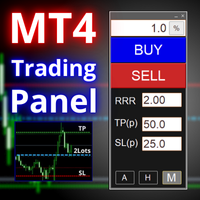
          FX-Support Presents the Trading Panel for MT4 The Trading Panel for MT4 is a powerful and versatile tool designed to assist traders in their daily trading activities. It helps traders open positions and identify market signals, such as ENG and STAR patterns. The panel simplifies decision-making and supports efficient trading. Key Features: Automatic Lot Size Calculation Calculates lot sizes accurately, considering market conditions and currency conversions for effective risk management. Accura
          Just $30 for six months!!!. This will draw Supply & Demand zones just by clicking on a candle. It can also draw a 50% line on the zone. https://youtu.be/XeO_x7cpx8g As a drawing tool, it is not active all the time after adding it to the chart. Activate by pressing 's' twice on the keyboard within a second. If activated but then decided not to draw, deactivate by pressing 's' once.  Box color depends if candle is above or below current price. Features: Draw the box up to the last current candl
          Prenez le contrôle de votre routine de trading sans effort avec le Trades Time Manager révolutionnaire. Cet outil puissant automatise l'exécution des ordres à des moments précis, transformant votre approche de trading. Créez des listes de tâches personnalisées pour diverses actions commerciales, de l'achat à la définition des commandes, le tout sans intervention manuelle. Guide d'installation et d'entrées de Trades Time Manager Si vous souhaitez recevoir des notifications sur l'EA, ajoutez notre
          Trade Assistant Pro 36 in 1
          Makarii Gubaydullin
          4.76 (21)
          Outil Multifonction : Calculatrice de Lots, Ordres Grid, Ratio R/R, Gestionnaire de Trades, Zones d'Offre et de Demande, Price Action et bien plus Version Démo   |   Manuel d'utilisation L'Assistant de Trading ne fonctionne pas dans le testeur de stratégies : vous pouvez télécharger la Version Démo ICI pour tester l' utilitaire . Contactez-moi pour toute question / idées d'amélioration / en cas de bug trouvé Si vous avez besoin d'une version MT5, elle est disponible ici Simplifiez, accélérez et
          Size Calculator allow you to calculate the size you need for your position giving two parametres: the number of pips risked and the money risked, for example if you want to risk 20 USD on 200 pips, then you will need to input 200 in the case reserved for pips and 20 in the case reserved for risk, the size will appear in left top carner of the chart in your metatrader 4 platform,  Size Calculator  support the following symbols : EURUSD GBPUSD AUDUSD NZDUSD  GOLD WTI  EURJPY GBPJPY USDJPY AUDJPY C
          Live testing available. Please contact. This is a simple utility which will put Automatic Stop Loss and Take Profit. It also has Trailing Stop Loss and Break Even features. The input value of the Stop Loss and Take Profit is in Pips. Whenever you open a trade it will put stop loss and take profit in pips automatically. *If you need a more practical stop loss and take profit for your trades then you may like our ATR based stop loss utility. Inputs: 1. SL and Trailing SL - This is the Stop Los
          Grid Trading
          Waseem Raza
          5 (3)
          Grid Trading EA is a semi-automated one-click trading EA for both Normal Trading and Grid/Martingale Trading . Normal Trading Simply click Buy or Sell directly from the chart. The EA will automatically manage trades by: Setting Stop Loss and Take Profit Managing Trailing Stop Grid / Martingale Trading When Grid Trading mode is enabled, the EA will automatically open additional grid orders at specified distances while increasing the lot size based on your settings. Inputs & Settings Lots — Initia
          The Simple Lot Size Calculator can help you with risk management. Just type risk percentage, stop loss points and click calculate to get required lot size. The Simple Lot Size Calculator calculates a current chart's instrument. It's lightweight. Just load it to your chart then The Simple Lot Size Calculator will apper in the left upper corner of your chart.
          This tool will perform Trailing stop loss and Break even management for orders. Helps you limit or reduce the time spend watching orders on the screen, especially when you need to go to sleep. Just add this EA to 1 chart, you can manage all pairs. You can filter orders by comment, magic number, symbol, and order ticket number. When Breakeven it can add shift/offset pips (to cover the commission...). You can try in strategy tester before purchase. The EA will add Buy and Sell alternately, so yo
          Un panneau professionnel pour le trading manuel qui réunit tout le cycle d'une opération dans une seule fenêtre sur le graphique, de l'entrée précise à la protection du compte. Calibrez chaque position au plus près du risque que vous fixez, dessinez votre trade avec des lignes directement sur le graphique grâce au RR Tool, et passez des ordres au marché et en attente, des grilles et de l'OCO. Le panneau prend en charge le suivi de la position : clôture partielle jusqu'à cinq niveaux, six types d
          Trade Dashboard MT4
          Fatemeh Ameri
          4.96 (54)
          Trade Dashboard simplifies how you open, manage, and control your trades, with built-in lot size calculation. It allows you to execute trades, manage risk, and control positions directly on the chart, with tools such as partial close, breakeven, and trailing stop. Designed to reduce manual work and help you stay focused on your trading decisions. A demo version is available for testing. Detailed explanations of features are provided within the MQL5 platform. Installation instructions are include
          SuperOrders
          Vladimir Pokora
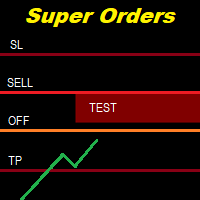
          You can place an unlimited number of invisible pending orders using this tool. Orders will be filled under the following conditions: Spread is not greater than the set Max. spread Slippage is not greater than the set Max. slippage The set trading time was not exceeded The expiration time was not reached TRADING button is not switched to PAUSE   If these conditions are not met, the order will be cancelled. You can also set up a Test Zone with an Off line for each order. The order will be cancel
          ScalpingOne
          Xian Er Sha Ao
          Scalping Day Trading Support Utility Scalping One for MT4 setting faile (for white Chart)    http://www.emkyuradias.shop/indexenglish.html One position is displayed with one button. View P & L, Lot, and Point in real time. It is possible to switch the display of positions of only chart currencies and all currency pairs.   Supports automatic identification in Japanese and English   Account currency notation corresponds to dollar, euro, pound, yen (automatic identification) Lot, take profit and
          Equity Safe V1
          Luis Carlos Lucero Hernandez
          EquitySafe V1.0   is a   powerful risk management tool   designed for   MetaTrader 4 . It enables traders to effectively manage their risk by setting   maximum loss limits   based on custom time frames. With this tool, you have the flexibility to   define your own time   intervals and   allocate specific risk   thresholds accordingly. This helps you   maintain control   over your trading account and   minimize potential losses.   By utilizing EquitySafe, you can ensure that your trading strategy
          Every trader is watching over his account over and over.... trying to anlayse every system he or she has. With this tool you are able to  export your complete history of every account export withdrawls / deposits / rebates to a separate file export account status with balance / equity / current drawdown recalculate micro to standard lots / profits ...  export decimal by "." or ","  combine a series of Magic Numbers to one unique Magic Number   filter to ignore OrderComments.
          ChartTrader is a professional trading tool that every trader needs in their toolbox. It has been developed to work with the MT4 Platform. ChartTrader offers a number of options to make placing orders in the Forex market quick and easy. The GUI sits on the chart window so there is no need to navigate to separate windows when placing orders. The program allows you to set pending and instant orders. It has a built in risk management system, so every trade can risk a percentage or a fixed amount in
          Period Change Button
          Rainer Albrecht
          3 (1)
          Fastest way to change the period. Suitable for traders who use many charts and timeframes. Size, shape and color can be customized. Inputs Parameters Corner — Choose corner placement Standart is "Right lower chart corner" Color — Background color of the button ColorText — Text color of the button ColorOn — Background color of the button for the current period ColorOnText — Text color of the button for the current period Font — Arial, Verdana... FontSize — Size of the font in pixels DistanceX —
          FREE
          TesterPro
          Miguel Angel Barahona Ochoa
          TesterPro est un panneau conçu pour être utilisé dans le *Strategy Tester* de MT4. Il permet de simuler des ordres d’achat et de vente, de définir la taille du lot, le *take profit* et le *stop loss*. Vous pouvez modifier vos ordres ouverts et les fermer partiellement à tout moment. Vous pouvez également ajuster les niveaux de *take profit* et de *stop loss* simplement en déplaçant les lignes correspondantes avec la souris. Pendant le *backtesting*, ** TesterPro ** fournit un rapport en temps
          Ce produit vous permettra de contrôler vos commandes et votre compte avec de nombreuses fonctions 1- il calculera la taille correcte du lot en fonction de la taille de votre compte/taille SL/valeur en points de paire pour 1 taille de lot. 2- il vous donnera la situation actuelle des commandes en fonction des emplacements des lignes (cible sl tp). 3- il déplacera toutes les commandes cible/sl en appuyant sur 1 bouton. 4- il vous donnera des informations sur votre compte et la marge nécessair
          Stay updated with Multicurrency Overview!! The algorithm of this EA releases an average of the movement percentage of all the Forex currencies linked to a single currency, isolating it, letting us to comprehend its real and specific trend. Above on the left, a panel show us efficiently the trend of the currency, in the timeframe actually used. The second panel will keep you updated on macroeconomic news. P.N.:The news time is based on your pc clock time, this way you won't have any problem reg
          DG Equity Monitor
          David Mugo Gathaga
          DG Equity Monitor is a useful tool that keeps track of the daily transactions made on the account. The EA automatically and instantly closes all the trades running based on two conditions: 1. If the daily profit target is hit. 2. If the maximum drawdown is reached. An alert is sent immediately one of the above conditions are met. Parameters: Show Account Info -Choose whether or not to display the Account Info on the chart. Show Pop Up Alert -Show alert on chart when either condition 1 or 2 are
          FREE
          SL and TP Setter
          Giacomo Barone
          4 (1)
          You can manually open a trade (one click), and this EA will take care of setting the SL and TP. SL and TP are set based on the number of pips you specify in the input screen. You can also choose monetary SL and TP. SL and TP are determined based on the weighted average price (WAP), so if you open a new trade, SL and TP will be updated according to the new WAP. The WAP is not unique but differentiated between buy and sell trades (this is useful only if you open opposite trades on the same chart)
          FREE
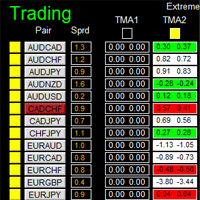
          如果产品有任何问题或者您需要在此产品上添加功能,请联系我 Contact/message me if you encounter any issue using the product or need extra feature to add on the base version. There is Demo version of this panel Dashboard Extreme TMA System Demo in my product list, please try it out to get familiar with all functionalities free, LINK . This system basically utilizes 4 TMA (Triangular Moving Average) slope indicators on 4 time-frame and TMA Band as the core indicators to generate trading signal mainly on time-frame M15. The sig
          Gann Box MT4
          Frederic Jacques Collomb
          5 (1)
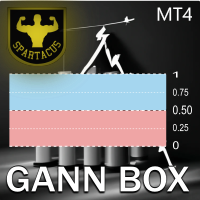
          L'indicateur Gann Box est un outil puissant et polyvalent conçu pour aider les traders à identifier et exploiter les niveaux clés du marché. Cet indicateur permet de dessiner un rectangle sur le graphique, qui est automatiquement divisé en plusieurs zones avec des niveaux stratégiques  0, 0.25, 0.50, 075, 1 . Lorsque le prix touche un de ces niveaux, des alertes se déclenchent, offrant ainsi une aide précieuse pour les décisions de trading. Vous savez instantanément l'évolution du marché par ra
          Program Overview: This program is a trading tool designed to monitor and analyze the 7 major currency pairs. It is a variant of a similar program used for tracking stock indices, but this version focuses on the seven major currency pairs. The program helps in identifying and calculating significant price movements (gaps) between the high and low prices of these currency pairs over a specified time frame. It then provides insights through comments and alerts based on the calculated gaps. Major Cu
          Close All Selected Chart Overview: This is one of the smart choices to help you make your trading management a lot easier. Especially when you have to manage a large number of orders. This utility will work like a helping hand to close all the unrelated order windows in less than no time, plus without making any kind of unwanted effects. :: 3 simple steps to use :: 1. Select your chart window.  2. Click "Close All" 3. Click "OK" Note: For the better understanding on how this utility works, plea
          This script is designed to automatically open charts for all available forex pairs on the MetaTrader 4 platform, as well as the gold (XAUUSD) chart. The script iterates through all symbols available on the platform, determines which of them are forex pairs, and opens their charts on the M1 (one minute) timeframe. Key Features: Gold Chart Opening: The script automatically opens the XAUUSD (gold/dollar) chart if this symbol is available from your broker. If the gold symbol is not found, an error m
          Les acheteurs de ce produit ont également acheté
          Bienvenue sur Trade Manager EA, l’outil ultime de gestion des risques conçu pour rendre le trading plus intuitif, précis et efficace. Ce n’est pas seulement un outil d’exécution d’ordres ; c’est une solution complète pour la planification des trades, la gestion des positions et le contrôle des risques. Que vous soyez débutant, trader expérimenté ou scalpeur ayant besoin d’une exécution rapide, Trade Manager EA s’adapte à vos besoins, offrant une flexibilité sur tous les marchés, des devises et i
          The product will copy all telegram signal to MT4   ( which you are member  ) , also it can work as remote copier.  Easy to set up, copy order instant, can work with almost signal formats, image signal, s upport to translate other language to English Work with all type of channel or group, even channel have "Restrict Saving Content", work with  multi channel, multi MT5 Work as remote copier: with signal have ticket number, it will copy exactly via ticket number. Support to backtest signal. How to
          TradeMirror est un outil de copie d'ordres localisé, spécialement conçu pour les plateformes MT4/MT5, qui synchronise les opérations de trading en temps réel. Tutoriel Veuillez cliquer sur le lien Tutoriel Trademirror pour voir plus de tutoriels. Avantages du produit En se basant sur les normes élevées des logiciels financiers en matière de sécurité, de stabilité et de protection de la vie privée, nous avons procédé à des optimisations en profondeur sur trois dimensions principales : Une interfa
          Trade panel Sniper
          Andrey Kaunov
          5 (4)
          Простая в управлении Торговая панель обеспечит безопасную торговлю. Вычислит объём сделки от заданного уровня Stop Loss и величины убытка. Поможет рассчитать сейф, и в ноль закрыть неверную сделку. Интуитивно понятный интерфейс делает панель удобной в управлении, освобождая внимание трейдера для принятия решения о входе в сделку. Программа сделает все расчёты за вас. Поэтому работа с помощью панели Снайпер - оптимальное решение для торговли с соблюдением Мани-менеджмента. А это главный ключ к по
          Custom Alerts AIO : Surveillez tous les marchés à la fois — sans aucune configuration Présentation Custom Alerts AIO est une solution de surveillance du marché prête à l’emploi, sans configuration nécessaire. Tous les indicateurs requis — FX Power, FX Volume, FX Dynamic, FX Levels, IX Power — sont directement intégrés. Aucun graphique n’est affiché, ce qui rend cet outil idéal pour la génération d’alertes en temps réel. Il prend en charge toutes les classes d’actifs proposées par votre courtie
          EasyInsight AIO MT4
          Alain Verleyen
          4 (2)
          EASY Insight AIO – La solution tout-en-un pour un trading intelligent et sans effort Présentation Imaginez pouvoir analyser l’ensemble du marché — Forex, Or, Crypto, Indices et même Actions — en quelques secondes, sans aucune analyse manuelle de graphiques, sans installation complexe ni configuration d’indicateurs. EASY Insight AIO est votre outil d’exportation ultime, prêt à l’emploi, pour un trading alimenté par l’IA. Il fournit une vue d’ensemble du marché dans un fichier CSV propre — prêt
          Unlimited Trade Copier Pro is a tool to copy trade remotely to multiple MT4, MT5 and cTrader accounts at different computers/locations over internet. This is an ideal solution for you if you are a signal provider and want to copy your trades to other receivers globally on your own rules. One provider can copy trades to multiple receivers and one receiver can get trade from multiple providers as well. The provider can even set the subscription expiry for each receiver, so that receiver will not b
          ManHedger MT4
          Peter Mueller
          5 (2)
          THIS EA IS A SEMI-AUTO EA, IT NEEDS USER INPUT. Manual & Test Version Please TEST this product before   BUYING  and watch my video about it. Contact me for user support or bug reports, or if you want the MT5 version! MT5 Version I do not guarantee any profits or financial success using this EA. With this Expert Advisor, you can: Implement your own   Zone Recovery   strategy to capitalize on trending markets. Create   Grid   trading strategies, to profit from ranging markets. Place orders easil
          VirtualTradePad PRO SE MT4 — panneau de trading avancé et espace graphique pour MetaTrader 4 VirtualTradePad PRO SE est un panneau de trading professionnel et un espace de gestion des trades pour MetaTrader 4 . Il aide les traders à ouvrir, gérer, protéger, fermer et analyser leurs trades plus rapidement depuis une seule interface basée sur le graphique. Le produit a été créé pour les traders manuels actifs qui ont besoin de plus qu’un simple ensemble de boutons. PRO SE combine l’exécution en un
          RedFox Copier Pro
          Rui Manh Tien
          4.7 (10)
          Time saving and fast execution Whether you’re traveling or sleeping, always know that Telegram To Mt4 performs the trades for you. In other words, Our   Telegram MT4 Signal Trader  will analyze the trading signals you receive on your selected Telegram channels and execute them to your Telegram to MT4 account. Reduce The Risk Telegram To Mt4   defines the whole experience of copying signals from   Telegram signal copier to mt4 platforms. Users not only can follow all instructions from the signa
          PZ Trade Pad Pro MT4
          PZ TRADING SLU
          3.67 (3)
          Effortlessly calculate lot sizes and manage trades to save time and avoid costly errors The Trade Pad Pro EA is a tool for the Metatrader Platform that aims to help traders manage their trades more efficiently and effectively. It has a user-friendly visual interface that allows users to easily place and manage an unlimited number of trades, helping to avoid human errors and enhance their trading activity. [ Installation Guide | Update Guide | Troubleshooting | FAQ | All Products ] One of the k
          Ultimate Trailing Stop EA
          BLAKE STEVEN RODGER
          4.33 (15)
          This EA Utility allows you to manage (with advanced filtering) unlimited open orders (manual or EA) with 16 trailing stop methods: fixed, percent, ATR Exit, Chandelier Exit, Moving Average, Candle High Low Exit, Bollinger Bands, Parabolic, Envelope, Fractal, Ichimoku Kijun-Sen, Alligator, Exit After X Minutes or Bars, RSI and Stochastic. The trailing stop can be either real or virtual, and you can exit fully or with a partial close percent on touch or bar close.  Moreover, you can add (overrid
          Smart Channel M4
          Vahidreza Heidar Gholami
          The trend in the market can be predicted using trend lines but the problem is you don’t know where exactly the price is going to touch the trend line where you can put your pending orders on. Smart Channel Expert Advisor makes it possible to put an advanced channel around the price data, which can be configured to handle placing orders, opening and closing positions, managing risk per trade, spread, slippage, and trailing stop-loss and take-profit automatically. Features Money Management (Calcul
          Le Local Trade Copier EA est une solution pour les commerçants individuels ou les gestionnaires de compte qui ont besoin d'exécuter des signaux commerciaux à partir de sources externes ou qui ont besoin de gérer plusieurs comptes en même temps, sans avoir besoin d'un compte MAM ou PAMM. Il copie jusqu'à 8 comptes maîtres vers un nombre illimité de comptes esclaves [ Guide d'installation | Guide de mise à jour | Dépannage | FAQ | Tous les produits ] 100% auto-hébergé Facile à installer et à util
          Riskless Pyramid
          Snapdragon Systems Ltd
          5 (1)
          Introduction This powerful MT4 trade mangement EA offers a way potentially to aggressively multiply trade profits in a riskfree manner. Once a trade has been entered with a defined stoploss and take profit target then the EA will add three pyramid add-on trades in order to increase the overall level of profit. The user sets the total combined profit target to be gained if everything works out. This can be specified either as a multiple of the original trade profit or as a total dollar amount. Fo
          MultiOrder Assistent V3.0   - Your professional trading assistant for MetaTrader 4 The  MultiOrder Manager  is a powerful trading tool designed to optimize your trading while managing risk efficiently. With intuitive features and a user-friendly interface, this Tool is ideal for traders who want to manage multiple orders simultaneously without losing track.   Symbols: FX pairs, gold and cryptocurrencies Here you get a detailed description of the parameters and functions Manual     Features and
          The Expert Advisor will help you forward all pop-up alert with screenshot from  MetaTrader 4 to Telegram channel/ group, also forward all notifications to Telegram. Parameters  -  Telegram Bot Token - create bot on Telegram and get token.  -  Telegram Chat ID  - input your Telegram user ID,  group / channel ID  -  Forward Alert - default true, to forward alert.  -  Send message as caption of Screenshot - default false, set true to send message below Screenshot  How to setup and guide  - Telegram
          Automate Risk Management with Smart Trailing Stop Manager for MetaTrader 4 Looking for MetaTrader 5 version? I t is available separately in the Market:   Smart Trailing Stop Manager MT5 Full User Guide    –  Public channel:   CLICK HERE Struggling with manually adjusting stops and securing profits? Smart Trailing Stop Manager MT4 is an intelligent utility for MetaTrader 4 that automates trailing stops, break-even management, partial closes, and auto SL. Optimized specifically for MT4 users, it e
          Crystal Trade Manager PRO – Système Avancé de Gestion du Risque et de Contrôle des Positions pour MT4 Version gratuite : https://www.mql5.com/en/market/product/150632 Présentation Générale Crystal Trade Manager PRO (CTM) est un utilitaire professionnel pour MetaTrader 4 dédié à la gestion du risque, au contrôle des opérations et à l’automatisation intelligente du trading. Il a été conçu pour les traders qui exigent une exécution disciplinée, une protection solide du capital et un contrôle avancé
          If you need an advisor on any arrow indicator signals - this utility will definitely help you.  You will be able, with the help of this utility to form an unlimited number of EAs on YOUR signals , with your set of settings, with your copyright and complete source code . You will be able to use the resulting EAs unlimitedly , including adding them to the Market and other resources. Free simple version of the generation script to help you understand how it works - here What does the utility do? 
          The product will copy all  Discord  signal   to MT4   ( which you are member  ) , also it can work as remote copier.  Easy to set up. Work with almost signal formats, support to translate other language to English Work with multi channel, multi MT4. Work with Image signal. Copy order instant, auto detect symbol. Work as remote copier: with signal have ticket number, it will copy exactly via ticket number. How to setup and guide: Let read all details about setup and download Discord To MetaTrader
          EchoTrade Telegram to MT4 Copier
          Perpetual Chinemerem Vincent
          5 (2)
          EchoTrade Telegram to MT5 Copier Seamless, Instant, and Reliable Signal Copying - Direct from Telegram to MetaTrader 4! The product does not run in the strategy tester but you can get free trial version   here  for testing before purchase. Tired of manually executing trades from Telegram signals? EchoTrade automates the process, instantly copying trades from any Telegram channel or group directly into your MT5 account—accurately, efficiently, and without delay. Key Features: Universal Compatib
          Dashboard Trade Manager
          Moegamat Luqmaan Titus
          Dashboard.mq4 - Gestionnaire de Trading Simple Conçu pour ceux qui apprécient le trading manuel et souhaitent quelque chose pour rendre la gestion des trades plus simple, cet utilitaire MQL4 robuste améliore l'efficacité du trading en fournissant un tableau de bord en temps réel pour gérer vos trades. Il s'intègre parfaitement dans MetaTrader, calcule la taille des lots et suit les métriques de risque sans effort. Principales fonctionnalités : Affichage du Risque et de la Marge : Calcul en temps
          Auto Trade Driver
          Vu Trung Kien
          4.6 (15)
          Auto Trade Driver is an automatic powerful tool (run as Expert Advisor) that helps you to manage risk and control orders and maximize your profit in multi-protect/trailing-stop rules. This tool is very useful for both scalpers and trend followers. It not only calculates the trade risk exactly, but also protects and maximizes your profits in real-time. With this tool, the only thing you have to do is to enter trade by your own strategy, then it will auto-drive your position with exit strategy you
          The FFx Hidden Manager panel will help you to manage easily your orders directly on the chart. Below all features described: TP, SL and TrailingStop are hidden Each order has its own lines on chart Drag & Drop any line to change the TP/SL as per your need Option to move automatically the SL line at breakeven when TP #1 is reached Option to choose the TP/SL type (by pips or price) Option to choose the TrailingStop type (by pips, MA, Fractals, PSAR or ATR) Define which order(s) you want to manage
          FFx Risk Calculator panel will help you to calculate very easily your trades size, SL or the risk directly on the chart. All features are described below: Option to select which parameter to calculate: Risk, Stop Loss or Lot Size The panel will show if the lot size is allowed according to the current account free margin Button to maximize/minimize the panel Drag and Drop the panel anywhere on the chart How to use it? Select the parameter you want to be calculated. It will be based on the 2 other
          Trade Copier Pro
          Vu Trung Kien
          4.29 (14)
          Trade Copier Pro is a tool to copy trade remotely to MT4, MT5 and cTrader accounts at different computers/locations over internet. This is an ideal solution for you if you are a signal provider and want to copy your trades to other receivers globally on your own rules. One provider can copy trades to multiple receivers and one receiver can get trade from multiple providers as well. The provider can even set the subscription expiry for each receiver, so that receiver will not be able to receive t
          News Trader Pro
          Vu Trung Kien
          4.38 (16)
          News Trader Pro is a unique robot that allows you to trade the news by your predefined strategy. It loads every piece of news from several popular Forex websites. You can choose any news and preset the strategy to trade it, and then News Trader Pro will trade that news by selected strategy automatically when the news comes. News release gives opportunity to have pips since the price usually has big move at that time. Now, with this tool, trading news becomes easier, more flexible and more exciti
          Bears CD HTB Global  (Bears Convergence/Divergence High Top Bottom Global) is an analytical bears convergence/divergence indicator (C, D or CD) between a financial instrument and 22 MT4 indicators working on all periods simultaneously. The indicator measures the power of CD for indicators and periods and is the second one out of the two possible versions (HBT and HTB). Features The analyzer is not a lagging one. It works by ticks and is able to show CD in the main window even in case the MT4 in
          Bulls CD LBT Global  (Bulls Convergence/Divergence Low Bottom  Top   Global) is an analytical bulls convergence/divergence indicator (C, D or CD) between a financial instrument and 22 MT4 indicators working on all periods simultaneously. The indicator measures the power of CD for indicators and periods and is the first one out of the two possible versions (LBT and LTB). Features The analyzer is not a lagging one. It works by ticks and is able to show CD in the main window even in case the MT4 i
          Plus de l'auteur
          Telegram Buddy
          Evgenii Kriachkin
          Telegram Buddy – Professional Trade Reporting & Alerting Tool Are you worried about drawdown when you are away from your computer? Do you need to check your account balance frequently, but find it inconvenient to access the mobile MT5 terminal every time? The Problem with Standard Reports: Most Telegram tools send huge blocks of text listing details of every single trade. Reading such messages on a smartphone is inconvenient, and over time, traders stop paying attention to them, risking missin
          NTFY Buddy
          Evgenii Kriachkin
          NTFY Buddy: The Ultimate Remote Control & Notification Infrastructure for MT5 Tired of Telegram messaging limits, delayed alerts, and zero interactive control? NTFY Buddy is a next-generation notification system built for professional algorithmic traders, account managers, and signal providers. It is not just an alert bot—it is a remote control panel for your MT5 terminals directly from your smartphone's push notifications. Based on the powerful NTFY protocol, it offers zero latency, ultimate pr
          Filtrer:
          Aucun avis
          Répondre à l'avis