Trader Toolbox Multi Panel
- Utilitaires
-
Joshy Antony
 Professional Gold trader and MQL5 developer specializing in automated trading systems for XAUUSD.
Developed Matrix Gold Pro EA — a multi-strategy system with 12 trading strategies, smart risk management, and Telegram alerts. Trading Gold since 2013. - Version: 1.10
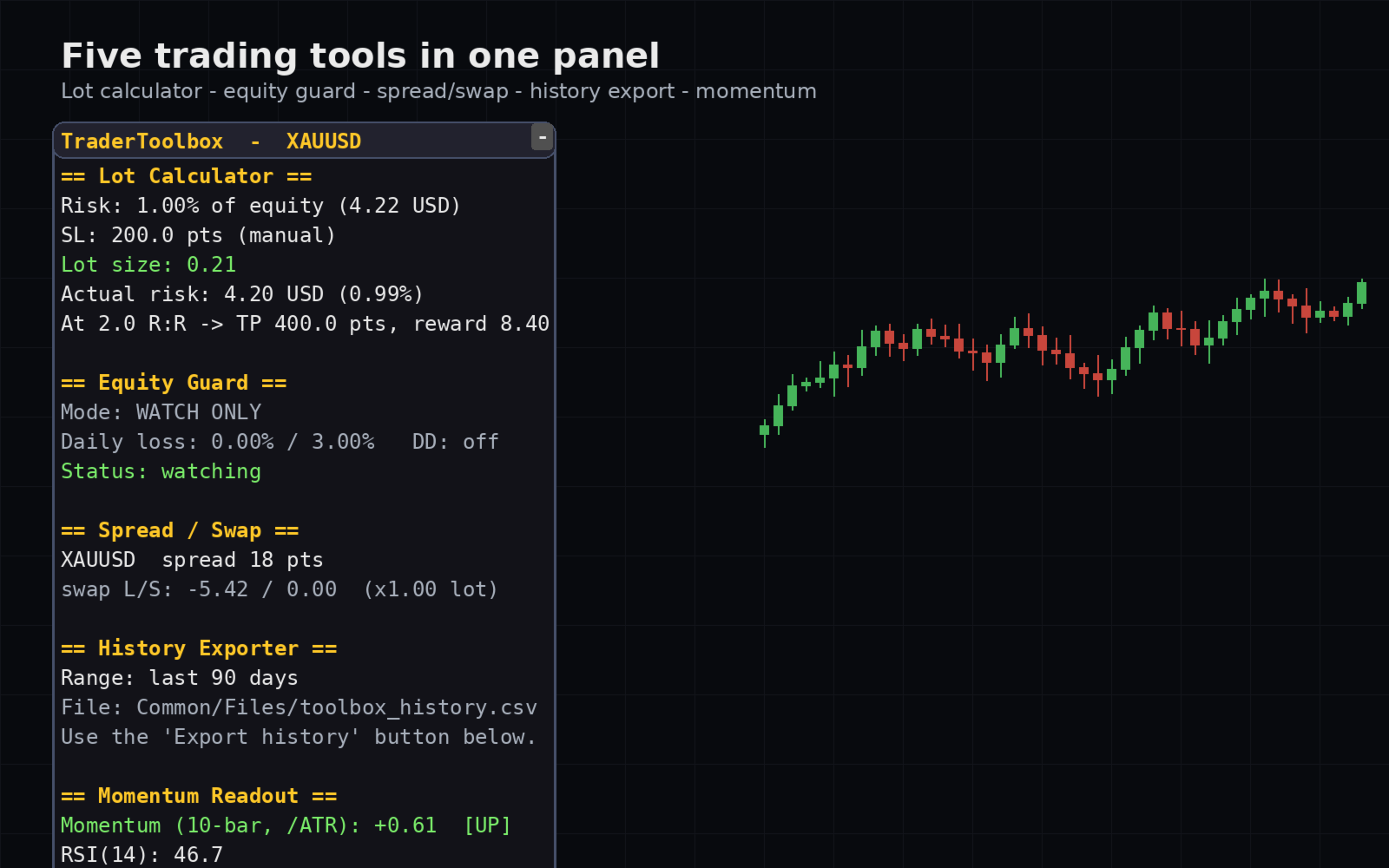
[b]Trader Toolbox[/b] puts five everyday trading utilities into one tidy on-chart panel. Pick a single tool from the dropdown, or show all five at once. The panel is movable, resizable, minimizable, and draws cleanly over any chart.
[b]Important:[/b] Only the Equity Guard tool can act on the market, and only to [b]close[/b] positions within a scope you choose. The other four tools are read-only - they never open or modify trades. Always test on a demo account first.
[h2]What's inside[/h2]
[list]
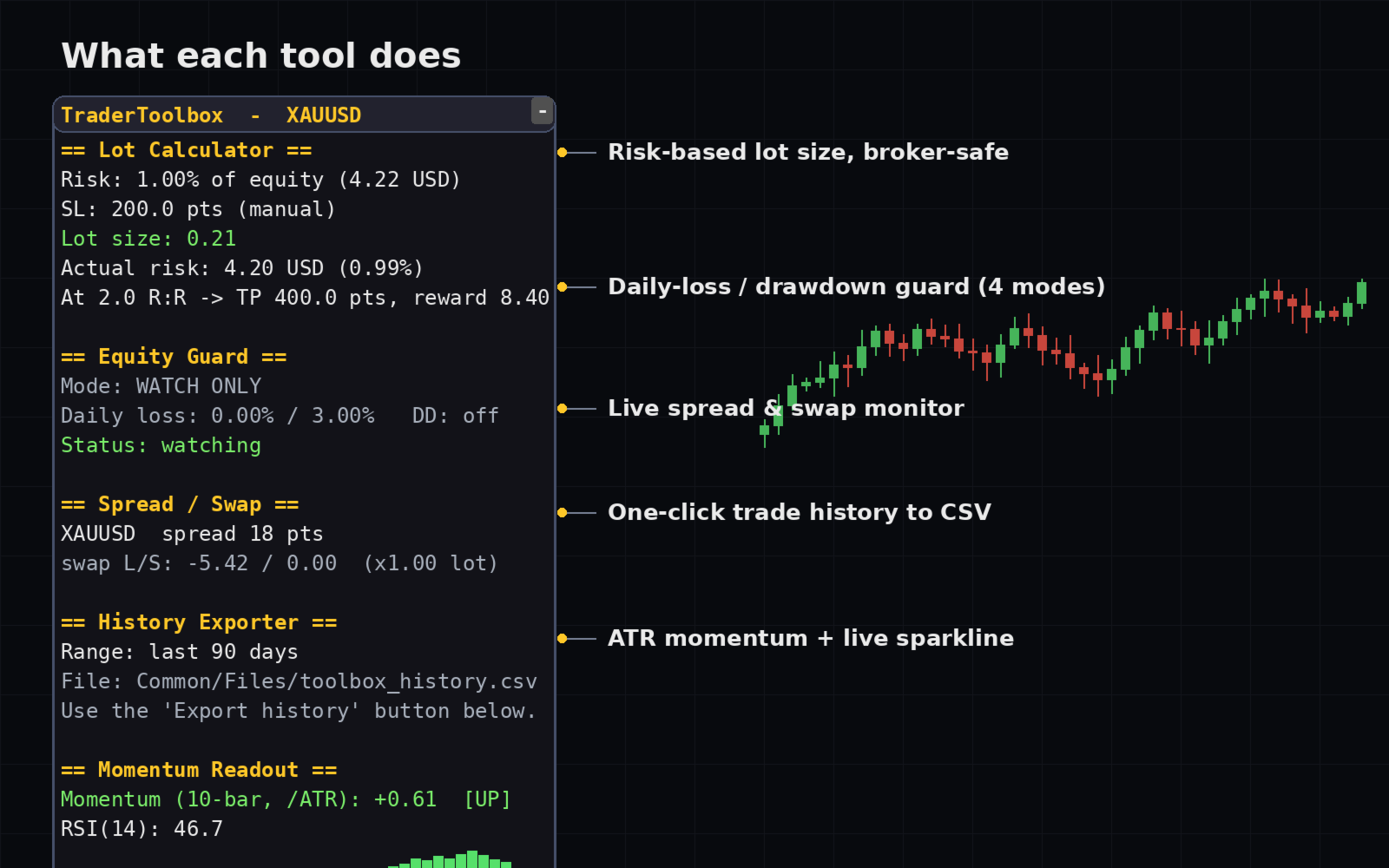
[*][b]Lot Calculator[/b] - Instantly shows the position size that risks exactly your chosen percentage of equity or balance for a given stop-loss. The result is normalized to your broker's volume step and limits, so it is always a valid lot. Optionally shows the reward at a target reward-to-risk ratio.
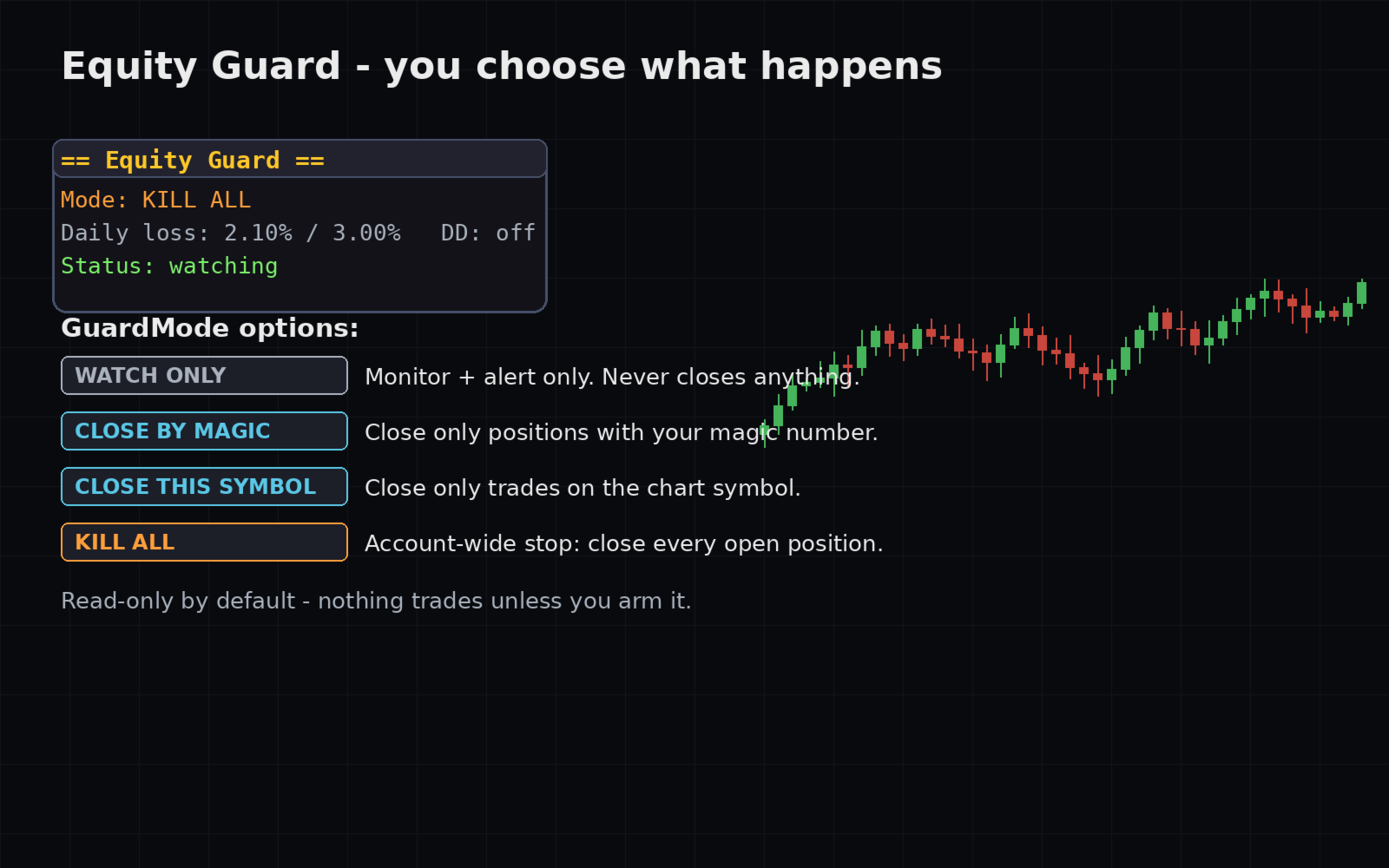
[*][b]Equity Guard[/b] - Watches your account for a daily loss or a drawdown from peak. On a breach it can alert you and, if you choose, close positions. You decide the behavior: watch-only, close by magic number, close this symbol only, or close everything (account-wide kill switch).
[*][b]Spread & Swap Monitor[/b] - Live spread and swap for the current symbol, with an optional scan of your Market Watch list so you can compare costs across instruments at a glance.
[*][b]History Exporter[/b] - Exports your closed-deal history to a CSV file with one click, ready for analysis in a spreadsheet.
[*][b]Momentum Readout[/b] - An ATR-normalized momentum value plus RSI, with a live in-panel sparkline so you can see the recent trend at a glance.
[/list]
[h2]Why traders like it[/h2]
[list]
[*]Five tools in one - no need to clutter your chart with several separate programs.
[*]Clean, collapsible panel that you can position anywhere.
[*]Read-only by default - nothing trades unless you deliberately arm the Equity Guard.
[*]Broker-safe lot sizing that respects volume step, minimum, and maximum.
[*]Works on any symbol and timeframe.
[/list]
[h2]Input Parameters[/h2]
[b]Tool[/b]
[list]
[*][b]Tool[/b] - Which utility to run, or SHOW_ALL to display all five at once.
[/list]
[b]Lot Calculator[/b]
[list]
[*][b]RiskPct[/b] - Risk per trade as a percent of the account.
[*][b]Basis[/b] - Size from account Equity or Balance.
[*][b]SLMode[/b] - How the stop distance is given: points, price, or ATR multiple.
[*][b]SLPoints[/b] - Stop distance in points (used in points mode).
[*][b]SLPrice[/b] - Stop distance in price units (used in price mode).
[*][b]ATRPeriod[/b] - ATR period (used in ATR mode).
[*][b]ATRMult[/b] - Stop = ATR x this value (used in ATR mode).
[*][b]TPtoSL_RR[/b] - Reward-to-risk ratio to display (0 turns it off).
[/list]
[b]Equity Guard[/b]
[list]
[*][b]MaxDailyLossPct[/b] - Trigger after this daily loss percent (0 = off).
[*][b]MaxDrawdownPct[/b] - Trigger after this drawdown percent from the equity peak (0 = off).
[*][b]GuardMode[/b] - What happens on a breach: watch-only, close by magic, close this symbol, or close all.
[*][b]FilterMagic[/b] - Magic number to match when GuardMode is "close by magic".
[*][b]ClosePendings[/b] - Also delete in-scope pending orders on a breach.
[*][b]HaltAfterBreach[/b] - Stay halted until the next day or re-attach.
[*][b]ResetPeakDaily[/b] - Reset the drawdown peak at the start of each day.
[*][b]PopupAlert[/b] - Show a terminal alert on a breach.
[*][b]PushNotify[/b] - Send a push notification on a breach.
[*][b]CloseRetries[/b] - Number of close attempts per position.
[/list]
[b]Spread / Swap Monitor[/b]
[list]
[*][b]ScanMarketWatch[/b] - Also list Market Watch symbols (single-tool mode).
[*][b]ScanMaxSymbols[/b] - Maximum number of symbols to list.
[*][b]SwapRefLots[/b] - Lot size used for the swap estimate.
[/list]
[b]History Exporter[/b]
[list]
[*][b]ExportDays[/b] - How many days of history to export.
[*][b]ExportFile[/b] - CSV file name (written to the Common Files folder).
[*][b]ExportOnStart[/b] - Export automatically when the tool is attached.
[/list]
[b]Momentum Readout[/b]
[list]
[*][b]MomBars[/b] - Momentum lookback in bars.
[*][b]MomATRPeriod[/b] - ATR period used to normalize momentum.
[*][b]MomRSIPeriod[/b] - RSI period.
[*][b]ShowMomChart[/b] - Draw the in-panel momentum sparkline.
[*][b]SparkBars[/b] - Sparkline history length in bars.
[*][b]SparkHeight[/b] - Sparkline height in pixels.
[*][b]SparkScale[/b] - Momentum value mapped to full bar height.
[/list]
[b]Panel Layout[/b]
[list]
[*][b]PanelX[/b], [b]PanelY[/b] - Panel position offset in pixels.
[*][b]PanelW[/b] - Panel background width in pixels.
[*][b]ShowBackground[/b] - Draw a background behind the panel.
[*][b]PanelBg[/b], [b]PanelBorder[/b], [b]HeaderBg[/b] - Panel colors.
[*][b]StartCollapsed[/b] - Start with the panel minimized.
[/list]
[b]General[/b]
[list]
[*][b]TF[/b] - Timeframe used by the ATR/RSI tools.
[*][b]SlippagePts[/b] - Maximum deviation when the guard closes positions.
[*][b]FontSize[/b] - Panel font size.
[/list]