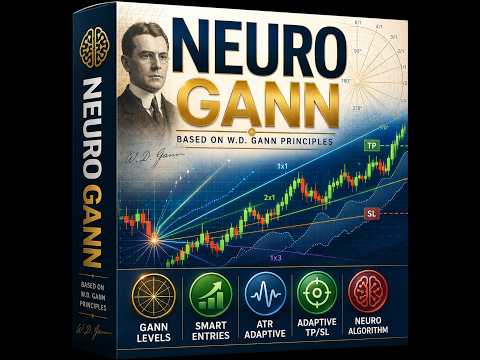
Neuro Gann
- Indicators
-
MeanFX
 ⚡ MeanFX Trading Algorithms ⚡ https://www.mql5.com/en/users/3022931/seller
✅ Ultima Markets: - Version: 1.0
- Activations: 10
Neurologic Learning Indicator: Set it on the chart and let it find its own best settings.
Neuro Gann AI is a Neural learning signal indicator for MetaTrader 5 that does something most tools leave to you. It studies the recent history and the actual market state of the symbol you are on, finds out all the best settings for the indicator filters, the stop and target distances that would give the best results, and applies them for you. Switch to another timeframe and it learns again from scratch, so you are always trading settings that fit the chart in front of you instead of numbers you guessed at.
The method behind it is W.D. Gann's division of a price range. When price returns to the signal zone in line with the higher timeframe trend, the indicator marks the entry on the candle and plots an entry line, three targets and a stop. It confirms also signals with a moving average and her bands filter and picks the higher timeframe confirmation for you, so you are not stuck with one fixed setting across every market, you are trading with the trend mainly.
Try Our best EA for Gold: Gold Slayer- Proven statistical performance (works almost on every asset ) M1 - M5 - M15 - M30 - H1 very versatille can work on all timeframe at once for more signals!
- Adapts strategy and all settings on LIVE generating trades with high winrate percentage and all the statistical edge on our side
- Only confirmed BUY and SELL signals present on the chart
- Adaptive TP and SL levels generated by the indicator for each trade
- Average Winrate 75%+
- Alarms and notifications also sent on Mobile Phone
- Prop firm friendly trading approach
- Easy to understand - suitable for all levels of experience
- Personal support from the creator
- 100% Non-repainting, non-redrawing, and non-lagging
What the learning part actually does
Most indicators give you a fixed stop and fixed targets and hope they suit your symbol. Neuro Gann AI does not. It replays the recent signals on your chart, tries a range of stop and target distances within sensible limits, and keeps the combination that holds a strong win rate first and then captures the most points. You choose the minimum win rate you are comfortable with. The default is seventy five percent.
It stays honest. The search is bounded, so it can never hide behind an unrealistic stop that simply never gets hit. It will not trust a result built on a handful of trades, so on quiet symbols it keeps your own settings until there is enough history to learn from. It tunes once when it loads and refreshes about once a day, adjusting gently as the market changes rather than jumping around.
On the chart
Entries are marked with clear arrows. Targets and the stop show as labelled lines, and each one updates the moment it is reached. A trade that reaches the second target keeps working toward the third, and if a fresh setup appears the new one takes over. Every past signal is left on the chart as a light marker, so the record of the method is always in front of you rather than hidden away.
The panel keeps you informed at a glance. It shows the direction, the confirmation timeframe, whether the engine has tuned and how many past signals it studied, the exact settings it chose, and rolling win rate and point totals for the last seven and thirty days. A single click hides or shows the Gann levels when you want a cleaner view.
Good to know
This is an indicator. It draws signals, levels and statistics and sends alerts by popup, push and email. It does not open or manage trades for you. The figures on the panel are measured from the price history on your chart and show how the method would have resolved. They are a record, not a promise of what comes next. Test any settings on your own broker before you rely on them, and remember that trading always carries risk.
Inputs cover the Gann lookback and higher timeframe filter, the target and stop distances, the self tuning controls and its search limits, the moving average filter, the entry arrow style and colours, the information panels and the alert channels.