Some languages have confilct with recent MT5 updates
This is just a guess and something you could try, but maybe someone else here knows more and it could actually be a bug. Let's see…
Maybe it's related to missing system fonts. MT5 relies on Windows fonts for those languages, and if they're not installed (e.g. YaHei, Meiryo, Malgun Gothic), you get squares.
This is just a guess and something you could try, but maybe someone else here knows more and it could actually be a bug. Let's see…
On the same computer, same windows, same font, same every thing but with a MT5 older version (Version 5.00 build 5430, 14 Nov 2025), every thing is fine. here is how Chineses language looks like correctly on that.
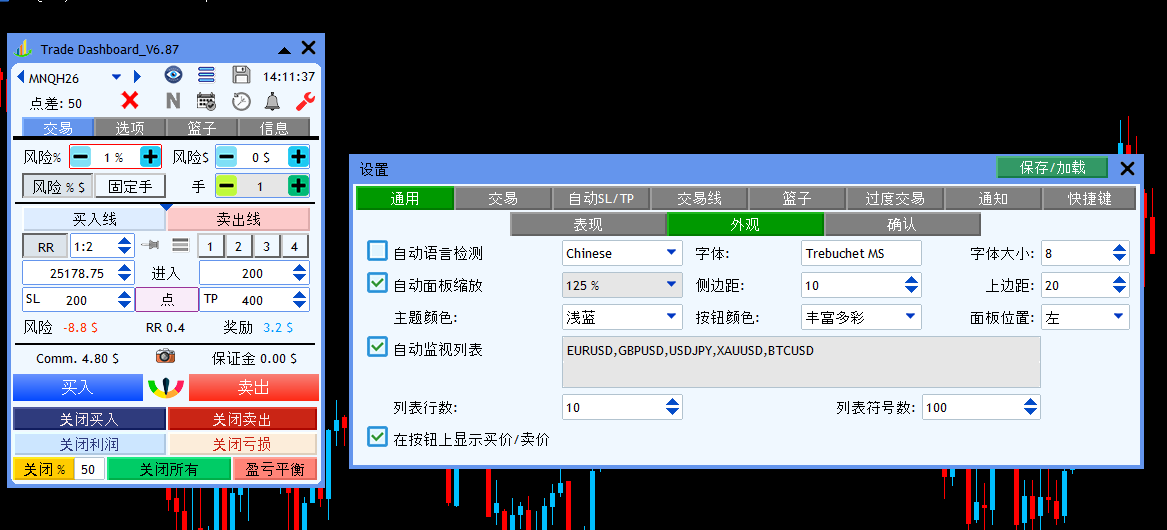
As a newer beta version has already been released without a fix for this issue, I thought MQ might not be fully aware of it yet. I mainly wanted to ensure that this problem is officially noted and under investigation.
thanks for your guess, but it is not related to missing system fonts.
On the same computer, same windows, same font, same every thing but with a MT5 older version (Version 5.00 build 5430, 14 Nov 2025), every thing is fine. here is how Chineses language looks like correctly on that.
It is reported to MQ attention.
You need to say your customers to use only the last official release. It's all explain in this thread how to do : https://www.mql5.com/en/forum/502088

- 2025.12.16
- www.mql5.com
It is reported to MQ attention.
You need to say your customers to use only the last official release. It's all explain in this thread how to do : https://www.mql5.com/en/forum/502088
Hello MQL5 community and happy new year.
Recently, Chinese, Japanese, Korean, Persian and Arabic languages shows squares and nonsense characters instead of real characters. This issue was always happen in MT4, but it was never happened in MT5 until recent updates.
Any solution? Although, I think MQL5 developers should solve the issue from inside and any workaround beyond that is not a final solution, however, my customers, who purchased my product expect those languages to be working fine and I don't know how to respond. I appreciate any help.
Here is a display of how Chinese language looks like right now, The objects are common MT5 objects like Edit, Button, etc.
Should be fixed in build 5548. Please confirm, thank you.
Hi, I wanted to try build 5548, I tried to update to the latest version, it updates to version 5.00 build 5571 30 Jan 2026.
In this version seems like Chinese, Japanese and Korean languages are fine but Persian and Arabic still got problem. I am not sure if it is beta version or not.
Also objects border looks different and inappropriate.
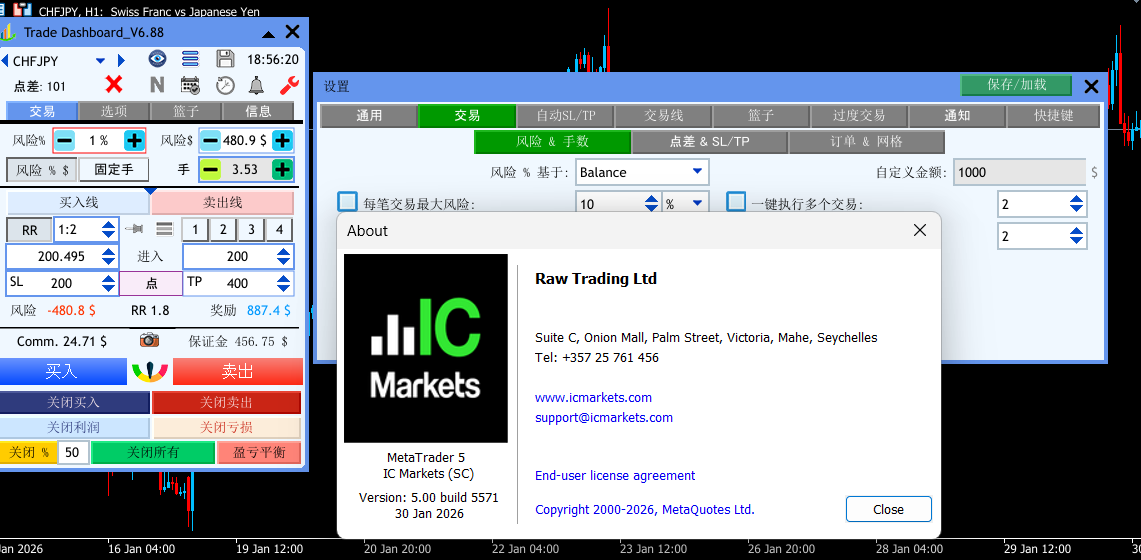
Plz note that when I used your instruction to get back to the latest official version (dowloading the file from MT5 release exe files channel in Telegram), it gets back to Version 5 build 5430 (14 Nov 2025) in which all languages work good as well as border looks fine and good.
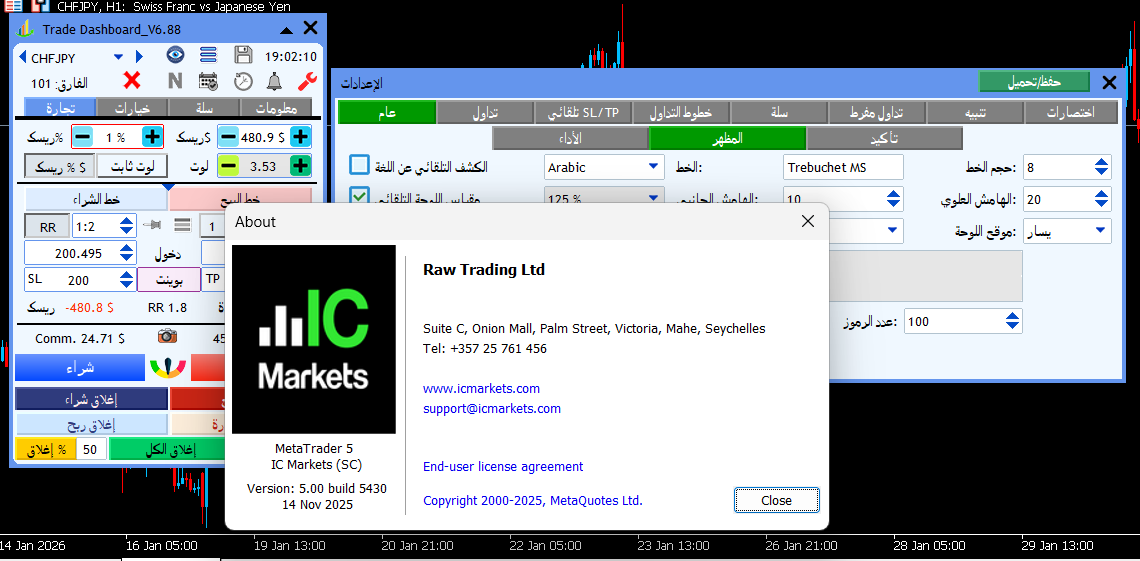
Hi, I wanted to try build 5548, I tried to update to the latest version, it updates to version 5.00 build 5571 30 Jan 2026.
In this version seems like Chinese, Japanese and Korean languages are fine but Persian and Arabic still got problem. I am not sure if it is beta version or not.
Also objects border looks different and inappropriate.
Yes 5571 is supposed to be official release.
Could you post screenshots with these 2 languages to demonstrate the problems ? As on the ones you posted all seems fine.

- Free trading apps
- Over 8,000 signals for copying
- Economic news for exploring financial markets
You agree to website policy and terms of use
Hello MQL5 community and happy new year.
Recently, Chinese, Japanese, Korean, Persian and Arabic languages shows squares and nonsense characters instead of real characters. This issue was always happen in MT4, but it was never happened in MT5 until recent updates.
Any solution? Although, I think MQL5 developers should solve the issue from inside and any workaround beyond that is not a final solution, however, my customers, who purchased my product expect those languages to be working fine and I don't know how to respond. I appreciate any help.
Here is a display of how Chinese language looks like right now, The objects are common MT5 objects like Edit, Button, etc.