New MetaTrader 5 Platform Build 5100: Transition to Git and MQL5 Algo Forge developer hub, dark theme and interface improvements - page 2

You are missing trading opportunities:
- Free trading apps
- Over 8,000 signals for copying
- Economic news for exploring financial markets
Registration
Log in
You agree to website policy and terms of use
If you do not have an account, please register
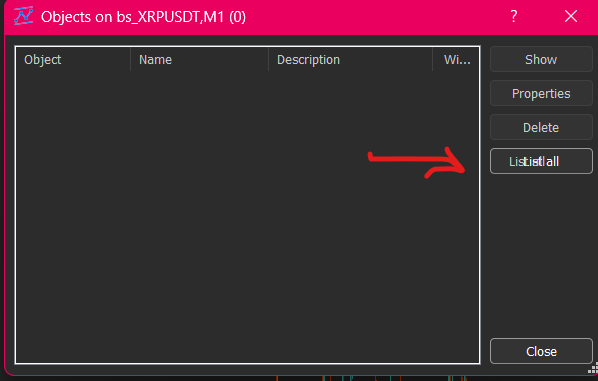
Dark theme has some bugs when Pressing Ctrl+B in List all font
'

Seems to be some bug issues with users trying to start using algo. Tried to register with mql5 user did not work. Tried new user same name as mql5. says user taken. I can log in mql5.com I can't register through forge.mql5.io
Sign in with MQL5 account. No need to register if you have MQL5 account.
Hello MQL5 team,
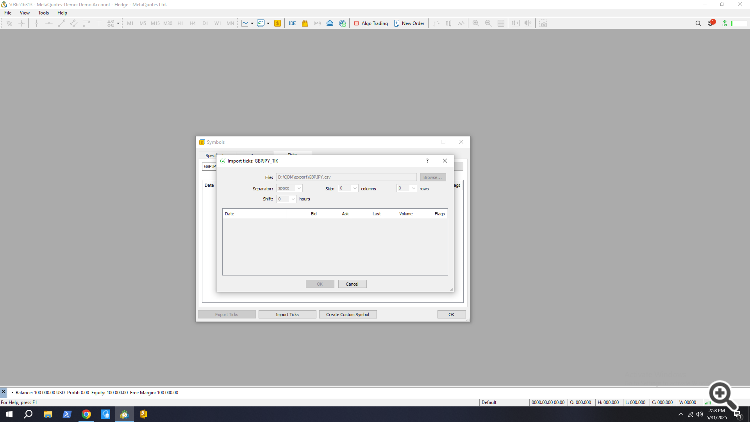
After the latest updates, I have not been able to import ticks as csv for custom symbols. Nothing happens and after some time, it reverts back to the custom symbols dialogue.
since the update my toolbar as been stuck on the right and is bloody annoying search bar also gone cnt see half the normal I have setup can find no way of moving it
I moved toolbar by mouse (from the right to the top):
--------------------
As to search bar so it is possible to customaze the toolbar -
Anyone having compiling errors of previously working code, with the new update?
I had several EAs that were compiling perfectly and, after updating, when I compile the code again, I get several errors.
Some errors seems linked to type casting and methods overloading. Anyone having the same issue?
Anyone having compiling errors of previously working code, with the new update?
I had several EAs that were compiling perfectly and, after updating, when I compile the code again, I get several errors.
Some errors seems linked to type casting and methods overloading. Anyone having the same issue?
Publish the code to reproduce. But not your entire project. Write a script that will allow other users to see the compilation error you are interested in.
Publish the code to reproduce. But not your entire project. Write a script that will allow other users to see the compilation error you are interested in.
For instance in the following code, that used to be compiled without any error, now I get the error "no one of the overloads can be applied to the function call":
For instance in the following code, that used to be compiled without any error, now I get the error "no one of the overloads can be applied to the function call":
What exactly are you passing there? Show the function call and the declaration of the variables/arrays you are passing to the function.
That is, create a script, copy all the function definitions named ArrayAdd there and call the function in such a way as to get the error from your screenshot.