在Facebook查找我们! 加入我们的粉丝群
使用MetaTrader 5新的可能性
最受欢迎的EA交易和技术指标、新闻信号、代码库中常规传入的现有的MQL5程序和热门讨论的论坛主题。
Bobra Stable 拥有和 Bobra Adept 同样的参数和设置, 但提供 更高的稳定性 , 不过它的收益率通常较低。 最好在五位数的报价平台上测试该 EA,在 MetaQuotes-Demo 服务器上最佳,因为在 MetaTrader 5 客户终端 ( MetaQuotes-Demo ),策略测试的 仿真报价 品质允许您充分基于历史数据进行回测。 截图中展示的测试结果是使用 Bobra Adept 省缺参数。 一些 Bobra Stable 的特性 Mode_trade (Market_Oders) - type of order placed. type_order (ORDER_FILLING_FOK) - type of order filling. Magic (123) - magic number. UseManualLot (false) - use or not fixed lotsize Lot (0.5) - fixed lot value LimitSpreadControl (false) - use or not spread c
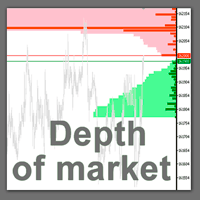
股票交易者的专业工具现已登陆 MetaTrader 5 。 真实市场深度图表 指标在图表上以直方条的形式显示可视化的市场深度,并在实时模式下刷新。 根据用户需要提供更新! 现在真实市场深度指标显示买卖交易请求的交易量比率 (B/S 率)。它显示每种请求类型占全部请求流的份额,以及绝对交易量。 怎么使用它?一般高频交易者的观点, 当某种请求占显著支配地位, 价格趋势将往请求方向倾斜, 即交易量大的。观察并使用我们的真实市场深度指标! 利用 真实市场深度图表 指标您可以正确评估市场请求并从图表上看到大的市场。这可以 100% 的精确剥头皮和设置持仓止损。 指标以两种相应颜色的水平直方条形式显示买和卖的请求 (买-卖)。价格图表上给定级别的显示条和它们的长度与请求的交易量相应。此外, 它指示买卖请求的最大交易量。 反危机出售。今日低价。赶紧! 此指标显示买卖请求总数量作为堆积面积图。这可以评估当经过下一价位时将会执行的请求总量。买卖请求总数量也显示在图表上。 省缺, 指标显示在图表背景上, 且它不会干扰任何其它指标。当使用指标交易时, 建议使用实际交易量。 本指标仅与提供市场深度的品种工作
这款剥头皮指标为您显示可以安全赚取 10 个点,且风险仅有 2 个点的那一刻。如果使用正确的资金管理,它可以极大地增加您的资产。 此指标只有一个输入参数 - 柱线数量, 用于趋势计算。 当信号出现, 在高于当前价位 2 点的上方放置挂单 (买单) 或低当前价位 2 点的下方放置卖单。 止损 - 2-3 点; 止盈 - 从 10 点起; 建议时间帧 - M1。 品种高波动且低点差 - EURUSD, AUDUSD, GBPUSD, EURJPY 等等。 如果仓位已开, 但价格未到达止盈价, 修改止损到盈亏平衡点, 并依据前一根柱线的最低价设置多单尾随停止, 或前一根柱线的最高位设置空单尾随停止。 FYI :如果您購買此指示器而不是租用它,您可以通過向我們發送您的付款證明來免費索取其源代碼。
通用多货币交易系统 多货币交易系统,基于标准指标。在此 EA 中应用了 12 个标准指标,可达 3 个信号。所有指标有可定制外部参数。 亲爱的用户, 您可以通过给作者写 私信 订购此 EA 的源代码。 主要优势 自动手数 (根据当前余额计算交易量), 资金管理; 依时间工作 (限制 EA 的交易时间); 尾随止损 (标准 "仅当盈利" 算法); 市场观察 ECN (与 ECN, NDD 账户工作); 实盘出错处理功能; 根据总盈亏整体平仓,并禁用账户内所有EA。 盈亏平衡 (移动止损到开仓位); 马丁格尔 (若有亏损,则开仓手数递增); 只配合指标信号工作 (开仓信号, 反向平仓并开新仓信号); 当信号改变,平反向持仓; 该 "反转" 功能能够将您的策略信号反转。 指标和信号 移动均线 (MA) (信号 1) 信号的计算使用两条均线的相对位置,一条周期较小 (快速 MA) ,另一条周期较大 (慢速 MA)。它们的参数可在以下变量中指定: 当快速 MA 位于慢速 MA之上,买信号出现,当慢速 MA 位于快速 MA之上,卖信号出现。"无信号" 状态未使用。 移动均线收敛发散 (MACD)
Trading Strategy One of the strategies used by successful traders is pair trading. At the time, this strategy has been the prerogative of only large hedge funds, unit investment trusts, dealing centers and banks. Today, many traders and investors use pair trading in their arsenal. Pair trading is one of the many varieties of the arbitration. The way this Expert Advisor trades falls under the category of the statistic arbitrage. The strategy is to search for extreme deviations in the behavior of
What is Center of Gravity? The Center of Gravity indicator allows you to get an instantly strong sentiment of where any market is going. It works with any kind of market: Forex, Stocks, Metals... The extreme ease of reading is the real power of this indicator. The basics behind Center of Gravity is a physics law: barycentre. When the market price deviates strongly from this centre of gravity, the probability is considered high that the market price will evolve back towards the centre of gravity.
这是一款实用程序,用于图表的自动缩放,可使至少 140 根柱线可见。根据 Bill Williams 的 "混沌交易法" 策略,这是正确分析波浪所必需的。此实用程序可用于 МetaТrader 5 上的所有时间帧。 它在计算开始的第一根柱线位置绘制一条垂线。这条线可以让您看到在图表上充足的柱线,以及波浪序列的可能起始点。它也使得在选定时间帧内显示金融工具的历史价格波浪的标签更加容易。 指标可以自动选择能够容纳 140-150 根柱线所需要的较低时间帧。为此,在图表上使用矩形选择图上所需要的区域,然后鼠标双击矩形边框。该指标会自动选择波浪分析所需的适合时间帧。要返回到初始时间帧,点击 MetaTrader 5 界面上的相应按钮,并使用 "删除" 来删除对象。 建议保存指标至模板,以及 MetaTrader 5 中包含的其它标准 Bill Williams 指标,或在 MQL5 市场里提供的它们的模拟品。亦即以下产品: 混沌交易图表 改编的动量指标 改编的加速振荡器 混沌交易法 EA
Swing 介绍 Swing 是一款漂亮的自动适应 EA。请在任意经纪商平台上,选择 "市场观察里的所有品种",测试 Swing 的省缺设置。然后去寻找另一个声称自适应的 EA,在任意经纪商平台上,选择 "市场观察里的所有品种",测试它们的省缺设置,来验证 Swing 的能力。不用光听我说的。请充分发掘这个完美的交易系统! 大多数 Swing 设置在测试大多数品种时,有相近的盈利能力。如果 "Flux" 参数设置大于零,EA 自动适应范围从小到大增长的入场和盈利目标,直到策略到达平衡,即在大多数常规盈利周期中每个品种每月 3 至 5 次交易交易结果。 以前来自测试的合适设置不能保留,现在版本 10 可以了,当您首次启动 Swing 时,会有一轮交易狂潮,可能令您兴奋或恐惧。初始交易周期对于 Swing 是危险时刻,因为它要开始自适应处理,不过,如果您的设置已经工作了一个月,它们会以缓慢地步履继续以后的工作,但与您首次运行 Swing 相比,将赚取更大点数范围的利润。 自从版本 9.0,我已经实现了一个文件保存和恢复系统,以便保留存储在 EA 里的合适设置,来保护因意外重新初始化,而引起
用于 MetaTrader 5 的 Ilan 由于使用虚拟交易,同时并发双向交易 (买与卖) 成为可能。 这样,允许用户在 MetaTrader 5 的单向持仓规则下,采用流行策略。 EA 设置 该 EA 的设置很简单。不过,策略的所有重要设置均可调整。可用工具: 单一 MagicNumber 用于识别交易; 交易方向选项 ( Trade direction ): 仅买入, 仅卖出或者并发双向; 开仓步长 ( Step ) 和盈利距离 ( TakeProfit ) 可自动适应 4 或 5-位的报价; 起始手数 ( Start lot ) 和增量系数 ( Lot coefficient ) 用来指定本金使用大小; 最后, 交易数量限制 ( Max trades in one direction ) 和最终一系列交易的止损 ( Max loss of last trade ) 用于风险管理。 您可以根据需要在单一账户里使用多个 Ilan EA (即便是单一金融品种)。它们之中的每一个都仅处理自己的虚拟交易,不会与其它实例交互。手工交易加上 EA - 这不会影响交易策略。即使有
指标-预测员。作为助理十分有用, 作为一个关键点来预测未来价格走势。 采用搜索历史中最相似的部分 (形态) 做出预测。 指标以绘制线条形式显示柱线收盘价的变化结果。历史深度, 预测柱线的数量, 形态大小和搜索品质可通过指标设置调整。 设置: PATTERN_Accuracy_ - 搜索品质。 PATTERN_Size_ - 形态大小 (柱线)。 PROGNOSIS_Bars_ - 预测柱线数量。 SEARCH_Deep_ - 搜索历史的深度 (柱线)。若设为零, 则搜索整个可用历史。 PROGNOSIS_Start_Bar_Shift_ - 开始预测的柱线数量。数量是在旧的柱线方向。0 是最新的柱线。
EasyPen is designed as beautiful and innovative way to create and manage all your chart analysis, scribbles, notes and more. The app takes advantage of new MQL5 technology to offer an experience unseen in the other apps or in older MQL versions. An App That Changes Everything There is no existing drawing app that allows the level of customization that EasyPen offers. Change color of your pen, choose brush size, save drawings, keep drawings attached to specific position in chart, and more. With o
Equity ProfitLoss Control is an Expert Advisor that controls equity considering the initial balance. The Expert Advisor closes all positions when an equity value specified in percentage or deposit currency is reached. Equity is calculated as a difference between the current equity and the initial balance fixed when there are no positions or the balance at the very first start of the Expert Advisor. There are notification functions: Alert, Mail, Sound, Mobile, display of information (the current
If you want something as below: Sell FOREX trading signal. Manage multiple accounts. Follow somebody's trading. "TradeCopier_source" and "TradeCopier_follow" can help you! Features: Copying from one source (master) account to multiple follower (slave) accounts. Allow investor (read only) password for the source (master) account. There are no complicated settings and input parameters, everything is easy. Works with different Brokers. Works with different symbols (EURUSD_FX, eurusd_m, etc.). Can c
The new product Time IV (2013) is an updated version of Time III introduced earlier in the Market. The indicator displays the work time of world marketplaces in a separate window in a convenient way. The indicator is based on the TIME II (VBO) indicator rewritten in MQL5 from a scratch by fyords . The new version Time IV is a higher quality level product. Comparing to Time III it consumes less resources and has optimized code. The indicator works on Н1 and lower timeframes. At the moment, the pr
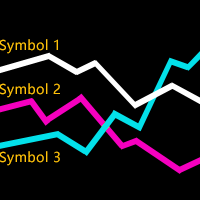
这个指标用于比较图表上的交易品种与其他几个所选交易品种之间的强弱相对关系。 根据每个交易品种基于相同基准日的价格走势进行比较,可以看到几条不同走向的趋势线,反映出几个不同交易品种之间的强弱关系,这样可以更清楚地了解市场的趋势。 例如,你可以在EURUSD图表上应用这个指标,将其与货币对EURJPY和EURGBP进行比较,看看哪个更强。 你需要为指标输入参数: 需要比较的几个交易品种的名称 您需要选择比较基准日期。 请注意,使用指标前应确保相关交易品种的历史数据已经下载。 免费模拟版本是: https://www.mql5.com/zh/market/product/63921 .............................................
The indicator represents an additional chart window with a lower time frame where bars are combined into groups that are equivalent in time to main chart time frame. Bars are synchronized by the right hand side of the window, i.e. the time of the last bar in the main window corresponds to the time of the last bar group in the additional window. The maximum number of groups is 16; the maximum number of bars combined into groups in the additional window is 256. Limitations on the numbers are requi
This is an easy-to-use tool for implementing Support Vector Machine Learning in your Expert Advisors, Indicators and other MetaTrader 5 projects. Until now, the use of support vector machine classification has been limited only by advanced coders via external java and c++ dll libraries. This tool has been developed using only the standard MetaTrader 5 tools and provides advanced support vector machine functionality using a very simple interface. Please note: this product is not an Expert Advisor
Scalper Pad Scalper Pad panel is designed for scalping and has only the basic commands for scalping: BUY, SELL, CLOSE, REVERSE, and the choice of LOTS. Others versions: VirtualTradePad PositionsStyle VirtualTradePad Ordersstyle VirtualTradePad SignalsStyle VirtualTradePad "One Click Trading Panel" Important Features When a position is successfully opened, you will hear a sound similar to the same action in the terminal; If there is an error, you will hear the error sound; On the the BUY and SELL
Easy Order is an Expert Advisor allowing you to enter any type of trade with one click based on your RISK preferences. You can choose to enter a trade and automatically calculate your lot size based on how much of your account you want to risk. Risk is calculated based on your Stop Loss placement. You can use a fixed lot size if you don't want to use risk based calculation of lot size. Your previous setting of risk based or fixed lot size remains saved for your next use of this Expert Advisor. T
这是一个半剥头皮系统,它使用一个变换函数分析市场行情。该系统可以剥头皮,也可以根据 "止盈" 和 "止损" 参数。 这个 EA 用于交易 EURUSD, 不过它也可以用于其它的货币对。您可以用 M1 时间帧来交易。 您可以优化仅有的两个参数: Seconds_to_move 和 TradePrice。优化 Bobra Adept 一次就足够了, 例如, 以半年为周期。之后, Bobra Adept 在前行周期上展示了良好结果 (或在我的回测例子中), 这可以在截图中看到。 它没有对 GBPUSD 进行优化,因为即使不优化测试结果也很出色。 Bobra Adept 的参数 UseManualLot - 如果为 false, 自动选择交易手数。省缺为 False。 Lot - 手数, 省缺是 0.1。 Risk_for_AutomaticLot - 以余额为基础自动选择手数。省缺值是 120,这是高风险。 Safe_mode - 若为 true, 这个模式允许降低最大回撤。如此, 它可以在进行较高风险交易时,不必担忧您的资金。我建议一直使用它, 即设为 true。 Safe_coeffi
脉冲系统在“进入我的交易室”一书中首次描述。 它使用 MACD 直方图和价格指数移动平均线 (EMA) 的方向来定义冲量。 规则是永远不要与冲动交易。 它的颜色代码为您提供了几个信号: 当 EMA 和 MACD 直方图都在上升时,脉冲系统将条形颜色标记为绿色(不允许做空)。 当 EMA 和 MACD 直方图都在下降时,Impulse 系统会将条形颜色标记为红色(不允许购买)。 当 EMA 和 MACD 直方图指向不同的方向时,Impulse 系统会将条形颜色标记为青色(您可以做多或做空)。 参数: MACD_Short_Length (12) – MACD 计算的空头 EMA; MACD_Long_Length (26) – 用于 MACD 计算的多头 EMA; MACD_Smoothing_Length (9) – 信号线的平滑值; Short_EMA_Length (13) – 短期价格 EMA。
Welcome Delta Minimum is a multi-currency Expert Advisor that uses a unique strategy based on the Stochastic Oscillator indicator. Trading Strategy: Welcome Delta Minimum Expert Advisor trades on 2 currency pairs (EURUSD and GBPUSD) that can be selected in the parameters. First and additional positions are opened using a unique strategy based on the Stochastic Oscillator indicator. Positions are closed by Take Profit and Stop Loss with additional trailing stop feature. The money management is ba
ROMAN5 Time Breakout EA with Advanced TrailingStop includes the BreakEven feature. It automatically draws the boxes for daily support and resistance breakouts. When the price is below the support line, it is a sell signal; and when the price is above the resistance line, it is a buy signal. Advanced TrailingStop comes with 6 indicators: Fractals, Parabolic SAR, Bollinger Bands, Heiken Ashi, Moving Average and a combination of Fractals+Parabolic SAR. Advanced TrailingStop automatically moves the
Reverse TradeCopier Follow can copy trades from an account that is running Reverse TradeCopier Source. Features: Copies trades from one source (master) account to multiple following (slave) accounts. Allows investor (read only) password for source (master) account. There are no complicated settings and input parameters, everything is easy. Works with different brokers. Works with different quotes symbols (EURUSD_FX, eurusd_m, etc.). Can copy orders from 4-digit quotes platform to 5-digit quotes
Ilan trailing for MetaTrader 5 Determines the direction of trading according to candlestick patterns. Settings: Initial volume. Lot increasing exponent. Density of averaging (step of bends opening). Maximum amount of averaging (the maximum number of bends). Take Profit in points. Selecting the volume accuracy (number of digits after a decimal point in the volume). Magic number of the Expert Advisor. Slippage. Trailing Stop. Maximum possible loss as a percentage of the deposit.
Quantum frequency The indicator calculates the quantum frequencies using the current market data. The quantum frequencies are used in Spectrum analysis of automated trading systems to create quantum filters for selecting signals, i.e. skipping trades that are likely to be unprofitable. How It Works It analyses the trade results of automated trading system for each frequency (512 frequencies are used). Calculation of the frequency response to search for "profitable" and "unprofitable" frequencie
MetaTrader 5 用加仓均价系统 —— 专业的持仓均价与交易篮子管理工具 一款强大的 Expert Advisor,专为已经进入回撤的仓位进行均价管理而设计,并支持顺势追加开仓与逆势均价开仓。 这不是一个普通的加仓工具,而是一套灵活的持仓管理系统,用于控制交易篮子的平均入场价、整体盈亏平衡点以及统一盈利退出逻辑。 本产品并不是一套独立的全自动交易策略。它是一套专门用于管理已开仓交易的专业工具,通过均价、追加开仓以及整组持仓的统一追踪止损,帮助交易者更有效地管理已有仓位。 它特别适合那些使用手动交易、个人入场信号或第三方交易系统的交易者,并希望在一个工具中完成亏损持仓与发展中仓位的专业管理。 MT4 版本 | 完整说明 + DEMO + PDF | 如何购买 | 如何安装 | 如何获取日志文件 | 如何测试和优化 | Expforex 的所有产品 为什么交易者会选择这款均价系统 在回撤中进行均价管理 ,通过额外开仓优化持仓结构 支持 顺势加仓 与 逆势均价 整组持仓统一追踪止损 管理平均入场价格与整组统一退出点 可灵活设置距离、手数增长、限制条件与管理逻辑 适合配合手动交易及其
EAmicroMoney Bet Expert Advisor works on 1 currency pair - EURUSD. Lots are set up manually in the Lots parameter. Optimization of the Lots parameter makes this Expert Advisor powerful. It is based on filtered-MACD & CCI to trigger the BUY or SELL signals. Open positions are closed by Take Profit, Stop Loss or according to opposite signals. Maximum value of the Lots parameter is 0.09 and minimum value is 0.01. If you have enough money you can use 0.09. For more details please see the screensho
The EAmicroMoney Expert Advisor works on EURUSD or GBPUSD. It has the following parameters: maximum step price, moving average period and moving average shift. It is bound to M1 timeframe. It uses a unique technology to identify small trends and make large volume deals. Default input parameters: StepPrice=0.00031, base_lots=0.01, moving average period=12, moving average shit=9. Nothing more to say, just look at the screenshots.
Tails is an indicator that predicts where the price will rebound and reach in a day candle. This indicator does not repaint and is to be used in time frames below D1. By default, the indicator will plot two support and two resistance lines. If needed, you can set the extended levels to "true" to show three support and three resistance lines. Input Parameters Extended_Levels - show extended levels in the chart; Clr_Support - color for the support lines; Clr_Resistance - color for the resistance
The Expert Advisor BotMAn uses Moving Average data and an adaptation block. The entry/exit points are located at the points of intersection of the moving averages. The direction is determined by the adaptive system of the Expert Advisor using values of the moving averages. Input Parameters First MA Period - period of the first moving average indicator; First MA Method - averaging method of the first indicator; Second MA Period - period of the second moving average indicator; Second MA Method - a
A stable gold mine from developers who trade their own Expert Advisors on real accounts is here! We are introducing Gold Mine, the crowing result of our many years of experience in active trading. We regularly update, test and improve all our products so as to meet the high standard of the St.Traders team and bring the users an advantage in the game. Gold Mine is also available in MetaTrader 4 version. Input Parameters: MagicNumber – it's necessary to set the identification number of the Expert
Classic Multi-currency Break-Even. It only changes order Stop Loss level when the current price reaches Break Even Level pips of profit, securing/"locking" Break Even Profit pips of profit. Allows flexible positions filtering and processing by: Pair Magic Position ID Position Type The Expert Advisor can be placed on any chart. You can use Advanced Break Even simultaneously with any other trading Expert Advisor. Also features: On Screen Display Extended logging Separate EA log file Standard Met
This Scalper Expert Advisor is based on 3 indicators: Heiken Ashi, Moving Average and Stochastic Oscillator. Positions are opened when a signal is triggered by those indicators. Open position are closed by Take Profit, Stop Loss. If Close by Opposite Signal is activated then positions will be closed if a reverse signal appears. To lock account profit or limit account loss, you can activate Target equity and/or Minimum equity in percentage of deposit at the settings. This EA is optimized for EURU