All In One Trade Manager MT4

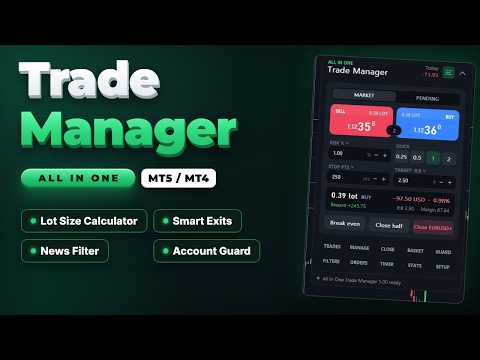
All In One Trade Manager is a trade manager and one-click trading panel for manual traders on MetaTrader 4. It works as a trading assistant, risk manager and position size calculator in one dashboard. It brings together everything below in one panel:


  • order entry with risk sizing
  • automatic trade management
  • advanced order types
  • account protection
  • statistics


Its entry checks run in the background and tell you, before you click BUY or SELL, when something speaks against the trade.


Also available for MetaTrader 5: https://www.mql5.com/en/market/product/169959


WHO IT IS FOR


- Manual traders who scalp, day trade or swing trade forex, gold (XAUUSD), indices or crypto.

- Traders who want consistent risk management: every lot is calculated from the risk you set, and stop loss and take profit are placed with each order.

- Prop firm challenge and funded traders who need a daily loss limit, a max drawdown limit and an equity guard. Always check your firm's own rules too.


ENTRY CHECKS


The panel stays clean while every rule passes. When a rule needs your attention, one line appears at the top of the panel with the exact reason, for example "USD Non-Farm Payrolls in 4 min":


- Amber: a warning, for example news coming up.

- Red: the rule blocks new entries.


You can still send a blocked BUY or SELL by holding the button for one second, so you stay in control.


The available rules:


  • News filter. Uses the free ForexFactory weekly calendar. Add https://nfs.faireconomy.media under Tools > Options > Expert Advisors > Allow WebRequest (see the notes below). The calendar is loaded at most once an hour.
    • Only events for the chart's currencies count (for example USD and EUR on EURUSD, USD on gold).
    • Choose high impact only, or high and medium impact.
    • Set the minutes before and after each event.
    • Choose whether news warns you or blocks new entries.
    • Optional action a set time before the event: close trades, move stops to break even, delete pending orders, or close and delete.
    • Upcoming events list with countdown, and event markers on the chart.
  • Spread limit.
  • Trading hours: two time windows, which may cross midnight, plus a choice of trading days.
  • Volatility band: minimum and maximum ATR.
  • Exposure limits: lots per currency and trades per symbol.
  • Account guard (equity protection): daily loss limit, weekly loss limit, max drawdown, daily profit target, trades per day, open positions, loss streak and cooldown after a loss.


ORDER PANEL


- Buy and sell buttons with live prices and the spread between them.

- Market or pending orders. For pending orders, the limit or stop type is chosen automatically from where you place the entry.

- Lot size calculator: size by risk % of balance, equity or free margin, by risk in money, or by fixed lots. Quick buttons for common sizes.

- Commission per lot is counted in the risk.

- Stop loss in points or as a multiple of ATR. Take profit in points or as a risk:reward ratio.

- Live preview of lot size, risk in money and percent, reward, R:R and required margin, before you send.

- Volume is rounded to the broker's lot step. If the minimum lot would exceed your risk, the panel tells you.

- Broker error codes are shown as plain sentences, for example "Stop or target too close to price".


ADVANCED ORDERS


- Scale-in layers. Split one trade into 2 to 10 entries that step toward the stop. All layers share one stop and one target, and your risk is divided between them. A preview shows each layer's price, lot and risk before you send.

- Straddle (OCO). Places a buy stop above and a sell stop below the price, both sized by your risk. When one fills, the other is deleted.

- Trailing pending orders. Pending orders follow the price at a set distance.

- Virtual pending orders. The order waits on your computer and is sent when the price reaches it.


CHART RISK:REWARD TOOL


- Entry, stop and target lines with labels showing points, money, percent and R.

- Partial take-profit and partial stop levels are marked on the chart.

- Drag the stop and the lot size updates to keep your risk constant.

- Drag the entry to switch to a pending order.

- Drag any pill sideways to move the whole tool anywhere on the chart.

- Click the dots on the entry pill to switch between BUY and SELL.

- Every open position gets a small label with its profit and its R multiple.


TRADE MANAGEMENT


- Break even (breakeven stop): trigger in points or R, with a lock offset in points. Two extra profit-lock steps.

- Trailing stop, six methods: fixed distance, ATR, candle high/low, moving average, Parabolic SAR and fractals. Each starts after a profit you choose and moves in steps.

- Partial take profit: up to four levels, each closing a percentage of the starting volume. Optional move to break even after the first level.

- Partial stop loss: two levels that cut part of a losing position before the full stop.

- Automatic stop and target for trades opened manually, from the mobile app or by other EAs.

- Scope: this symbol or all symbols; trades opened by the panel only, or all trades.


CLOSE TOOLS


- Close all, profitable, losing, buys or sells. Delete pending orders.

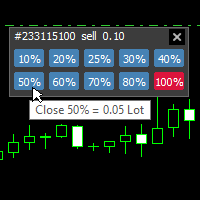
- Partial close 25%, 50% or 75%.

- Reverse a position, or lock it with an opposite hedge position (hedging accounts).

- Bulk buttons are confirmed by holding them, so a single misclick does nothing.


BASKET


- Manage a group of trades as one: this symbol or all; buys, sells or both.

- Basket target and stop, in money or percent of balance.

- Trailing that locks a share of the peak profit.

- Break-even line of the whole basket drawn on the chart.


STEALTH


- Hidden (virtual) stop loss and take profit: kept on your computer instead of at the broker, with an optional wider emergency stop at the broker.

- Stop on candle close: the stop only fires when a bar closes beyond it.

- Convert the stops of open trades to virtual stops and back with one button.


TIMER AND ALERTS


- Server clock, a candle countdown, and a 24-hour session ribbon for Sydney, Tokyo, London and New York.

- Close trades after a set number of minutes.

- Close everything at a daily time, or before the weekend on Friday.

- Delete pending orders after a set time.

- Price alerts: a line on the chart that notifies you when the price reaches it. Drag the line to move the alert.


STATS


- Results for today, this week, this month or all time: net profit, win rate, profit factor, average win and loss, expectancy, and average R.

- 30-day result curve.

- Open risk if all stops are hit.

- Exposure per currency.

- Results by symbol.

- Export of the trade journal to CSV.

- Optional chart screenshot when a trade opens and closes.


NOTIFICATIONS


Sound, MT4 push, e-mail and Telegram (with your own bot) for:


- guard actions

- basket exits

- news actions

- price alerts


COMFORT


- Three presets save all your settings and load them with one click.

- Dark and light themes. All colours can be changed in the inputs, and the panel scales from 50% to 250%.

- Keyboard shortcuts (hotkeys): Shift+B buy, Shift+S sell, Shift+C close symbol, Shift+E break even, Shift+L chart tool, Shift+P pending, Shift+H hide.

- Settings are saved per symbol and per account, and survive restarts.

- When the panel runs on several charts, one chart runs the automatic rules so they never act twice.

- The panel scrolls on small screens: drag its scroll bar.


ACCOUNTS AND INSTRUMENTS


- Works on every MetaTrader 4 account.

- Forex, metals, indices and crypto. Lot sizing uses the broker's own profit calculation, so no instrument needs special settings.


IMPORTANT NOTES


- Rules that act locally need MetaTrader 4 to be running and connected: virtual stops and orders, partial exits, trailing, timer exits, basket, guard, news actions and alerts. A stop set at the broker keeps protecting your trade when the terminal is closed. Virtual stops do not.

- When a limit is hit, the account guard blocks new entries from the panel and can close all open trades. With "Hard lock" on, it also closes trades opened elsewhere while trading is locked. It cannot stop another terminal or the mobile app from opening trades in the first place, and it does not replace the rules of your prop firm.

- News filter: add https://nfs.faireconomy.media under Tools > Options > Expert Advisors > Allow WebRequest. Without it the news filter shows how to allow it, and every other feature works as usual.

- Telegram: add https://api.telegram.org under Tools > Options > Expert Advisors > Allow WebRequest, and enter your bot token and chat id in the inputs.

- The news calendar is not available in the Strategy Tester. In the tester the news filter shows "Calendar is not available".

- The product does not open trades on its own and does not give trading signals.


TESTING THE FREE DEMO


Run the demo in the Strategy Tester with visual mode on to use the panel by hand. Without visual mode, the tester runs a short automatic demonstration that opens sample trades so you can see break even, partial closes and trailing at work.


The MetaTrader 4 tester sends no mouse or keyboard events to an EA. The panel still answers clicks there:


- A click takes effect on the next price tick. Slow the test down with the speed slider and click once, then wait for the panel to react: two clicks between two ticks cancel each other.

- Buttons that you hold on a live chart (bulk close, or BUY and SELL while a rule blocks entries) ask for a second click instead.

- Click the upper or lower half of the scroll bar on the right edge of the panel to scroll.

- Click the BUY or SELL pill on the chart tool to switch sides. Dragging the chart tool works on a live chart only.

- The tester shows its own tooltip with the object name over the panel. A live chart does not.


INPUTS


Trading

- Magic number for trades opened by the panel: 2604190

- Order comment: AIO Trade Manager

- Maximum slippage (points): 30

- Default risk per trade (% of balance): 1.0

- Manage manual and other EA trades by default: false


Behaviour

- Keyboard shortcuts (Shift + key): true

- Hold to confirm bulk close buttons: true

- Sounds: true

- Push notifications: false

- Telegram bot token / chat id: empty (off)

- Reset saved panel settings on start: false


Appearance

- Theme: Dark

- Panel scale (%): 100

- Corner radius (px): 16

- 11 colours for the dark theme (slate theme by default)


Everything else is set inside the panel and saved automatically.

推荐产品
BreakEven ProSync EA – 交易管理与风险控制工具 概述 BreakEven ProSync EA 是一款专为 MetaTrader 4 设计的专家顾问(EA),旨在通过自动化止损调整和确保仓位同步,帮助交易者高效管理未平仓头寸。该工具适合希望在多笔交易中标准化止损和止盈水平,并集成盈亏平衡功能的交易者。 该 EA 通过计算所有未平仓头寸的平均价格,并根据交易者的判断将止损调整至盈亏平衡点。它还提供了可视化总止损(Total SL)和总止盈(Total TP)水平的工具,并高效管理交易退出。 主要功能 Customizable HotKeys: Market Buy Market Sell Buy Limit Sell Limit Buy Stop Sell Stop HotKeys for BreakEven and Close All positions alongside with the Buttons 盈亏平衡功能 激活后,将止损移至盈亏平衡水平。 添加新仓位时,自动重新计算盈亏平衡价格。 止损与止盈同步 确保所选交易品种的所有未平仓交易具有相同的止损
This MT4 Expert Advisor (EA) is a   multi - timeframe trend - based trading assistant   with visualized UI and automated trading logic. Its core functions are as follows: Trend Analysis & Visualization Analyzes market trends by integrating multiple technical indicators including EMA (21/55), ADX (14), MACD (12/26/9), RSI (14) and volume data across different timeframes. Generates Chinese - language trend comments (e.g., "Bullish momentum surges" or "Bearish dominance prevails") and displays the
Trade Desk for MT4
Mostafa Saad Saeed Shawara
Trade Desk 是 MetaTrader 上的交易面板( trade panel )和交易管理器( trade manager )。在图表上规划入场,用手数计算器( lot size calculator )确定仓位,然后在同一面板管理持仓( open positions ):止损( stop loss )、多个止盈( multiple take profit )、保本( break even )和移动止损( trailing stop )。 附加说明: 模拟账户试用版 — MetaTrader 5 版 Trade Desk 价格: 当前价格 $30 是限时开售价,适用于前 10 位买家。常规价格为 $99。 多数图表工具只帮助下单。成交之后仍需要仓位管理器( position manager )。 Trade Desk 把这两件事放在同一张图表上。拖动价位并实时看到风险回报比( risk reward ratio ),从面板发送订单,再选中任意持仓进行修改,不必打开单独的下单窗口。发给经纪商的修改会保持为预览,直到按下 Update,因此拖动线条不会意外改动持仓。 主要功能 图
ACCOUNT GUARDIAN MT4 – PROFESSIONAL CAPITAL PROTECTION SYSTEM Account Guardian is a specialized risk management tool designed to protect your trading account from uncontrolled losses. The system continuously monitors your open positions and account equity, automatically intervening when predefined risk thresholds are reached. MAIN FEATURES • Automatic
MT4顶级交易管理工具 - 交易面板、仓位大小计算器和风险管理器 Top Trade Manager 是一款功能齐全的 MetaTrader 4 交易管理工具 :集交易面板、 仓位计算器 和风险管理于一体。只需将入场点、止损点和止盈点拖放到图表上,即可立即计算手数、风险和回报。然后,您可以利用 部分平仓 、 盈亏平衡 、 追踪止损 和 隐藏止损止盈等 功能管理交易,还可以查看 经济新闻日历 ,并使用内置绘图工具在图表上进行标记。 它是一款手动交易工具:它绝不会自行开仓。每一笔交易都由您决定,而顶级交易管理器会为您完成计算和管理。 主要特点 可视化交易计划:在图表上拖动入场点、止损点和止盈点。 按余额或权益的风险百分比或固定现金金额计算交易规模。 一键查看市价单和挂单。 每笔交易最多可设置 9 个部分止盈和 9 个部分止损。 盈亏平衡点、6 种追踪止损方法和蜡烛图收盘止损。 虚拟(隐藏式)止损和止盈。 基于 ForexFactory 经济日历的外汇新闻过滤器,在新闻发布前发出提醒并关闭。 高级图表绘制工具,具备价格提醒、撤销和重做功能。 深色和浅色主题、图表通知和推送通知。 图表上的可视
See my other products here. One Click Order This product helps you to send your order as quickly and easily as possible. Send your order as fast as possible: Just set your position parameter values(Price, TP, SL, Ex Date) with just a few simple mouse drags. On the other hand, the calculation of the losses and profits value before ordering is always a big challenge for traders; This expert is very useful in taking a position and calculating the amount of the stop loss/the take profit(in the curr
FREE
HotKeys MT4
Alexey Valeev
3 (1)
This utility provides the ability to use hot keys in manual trading instantly responding to the current market situation. You can assign hot keys to open/close positions by their type, close all positions on the current chart and remove all orders on the current chart. You can also assign hot keys for five predefined trade volumes and switch between them if necessary with no need to change the volume manually from time to time. It is also possible to set the auto calculation of a trade volume in
OpenOrders
Andrey Chiganaev
The script allows you to quickly and easily open trades (place orders) on the market. Features Buy and sell at a market price; Place pending orders: Buy/Sell Limit and Buy/Sell Stop; Open a trade with a custom volume; Calculate and set TakeProfit; Calculate and set StopLoss; Auto defining the number of decimal places; Auto defining a symbol the script has been applied to. What you get with the script Ability to calculate each trade instantly; Ability not to enter all calculated values manually
One Click Trader is a tool designed for MetaTrader 4 platform, which enables you to take your trading to the next level. It enables you to open, manage and close your trades in simple an efficient way by just one click of your mouse button. Up arrow minimizes the OCT panel Down arrow maximizes the OCT panel Right arrow displays the next panel with additional features Left arrow hides the panel with additional features Red SELL button enables you to open short market orders Red SELL STOP button e
This tool monitors your current Expert Advisors and manages stop losses and take profits. You can customize which EAs and/or which currencies to monitor. It is primarily meant for EAs that you feel manage stop losses and/or take profits poorly. If you want this tool to be able to monitor manual trades, please use '0' (zero) as the magic number. Supports hidden stoploss and take profit Supports ATR-calculated dynamic stoploss Supports Breakeven for individual trades Supports Trailing stop Lower r
Program for automatic placement of stop loss and take profit orders. Values are calculated as points distance from open price. BreakEven option is also included. all options could be applied to BUY, SELL separately or together. Enter values ​​in points in the fields on the right side of the menu and press dedicated button to aplly your settings. If in doubt, The instruction is displayed in the tooltip.
FREE
MQT Prop Guard DD MT4
Josue Fernando Servellon Fuentes
MQT Prop Guard DD 保护自营交易公司(prop firm)账户,防止突破每日亏损限额和 总回撤限额。它每秒监控净值,在达到您挑战的每日限额之前平掉所有仓位,然后锁定 交易直到下一个每日重置。兼容 FTMO、The5ers、FundedNext 等自营公司的规则(请 始终核对您公司的确切重置时间和限额)。 工作原理(逻辑说明): 在设定的重置时间(服务器时间)记录当日起始基准:余额、净值或两者的较大值 (默认采用保守值)。 每秒将当前净值(浮动亏损计入)与基准减去每日限额(百分比或固定金额)进行 比较。 在可配置的预警水平(默认为限额的 80%)每天提醒一次:弹窗、日志和可选的推 送通知。 一旦突破限额,平掉所有品种的全部仓位,删除挂单,并锁定交易直到下一次重置。 锁定期间开的任何仓位会被立即平掉。 可选的总回撤限额(基于初始余额)提供第二重保护。 状态保存在终端全局变量中:重启不会重置当日基准或锁定。 如果您只想收到提醒而不自动平仓,可使用“仅提醒”模式。 说明: 放在单个图表上即可,它监控整个账户。 需要启用算法交易(需要平仓权限)。 无 DLL,无需联网。重置时间为
FREE
This utility allows you to easily close profit or loss positions. You can close profit or loss positions by clicking each buttons. If profit or loss positions reaches or exceed value specified as pips, they would be closed. This panel would be placed left bottom corner of the chart. If the users want to change the placement and functions contact me. Important :  -Check allow live trading. -Enable Auto Trade trading.
Grid Trading Manager EA
Ibrahim Mohamed Ibrahim Mohamed Elsahafy
Professional grid management EA with 3-tab GUI, progressive placement, 5 take profit levels (TP1-TP5), basket breakeven protection, and advanced trailing stop. Automatically manages manual trades with intelligent limit order distribution. --- ### KEY FEATURES **3-Tab Interactive GUI** - STATUS: Real-time monitoring, profit tracking, trailing targets - SETTINGS: Runtime configuration without EA restart - TAKE PROFIT: Configure 5 sequential TP levels **Progressive Order Placement** - Wave-
FREE
Fixer
Dimitri Nepomniachtchi
Track your orders, build a unified equity across selected symbols, magic numbers, terminals, and trading accounts. Closes orders when specified conditions are met. Creates new portfolios and adapts to already running portfolios according to your conditions. In short, take a look — it is worth it. If you have questions, write. If you are not sure about the settings, ask, I will help. Virtual SL, TP, Trailing.  * * * * It may seem like nothing special, but in practice they often help more than
Send periodic (Health Check) notification from your MT4 terminal to your mobile phone to be sure that your MT4 terminal is still running. When you did not receive the notification, it means that your terminal is unavailable. Optional information like Account Equity and Trading Pairs are also available. Notification Period - 1 Hour, 2 Hours, 4 Hours, 8 Hours, 12 Hours, 24 Hours Attach EA to any H1 chart
AZ Trade Recovery Assistant MT4   combines manual trading flexibility with intelligent automated management.This advanced on-chart panel isn’t just for trade execution — it’s a complete trade management assistant. You can open or close positions instantly, adjust lot size, manage trailing stops, and modify Take Profit or Stop Loss — all directly from the panel. It’s built for traders who want full control of their trades with smart automation running in the background. What truly makes this assi
Install as an EXPERT ADVISOR for it to work. This product will not work in strategy tester because it requires trades to be opened first.   Therefore, the 1 month rental option for $10 is included for you to test the product. That is the lowest price allowed by the website. The trailing stop loss (TSL) on MetaTrader 4 only works on set ranges. For example, if the TSL is set at 20 pips or 200 points, the trailing SL will move to sell/buy price only once 20 pips/200 points are gained. It does not
The News Filter based EA Controller (NFC) is a very convenient utility to control the live trading status of your Expert Advisors during important news events. The NFC was programmed to prevent all Expert Advisors of live trading during significant news events. The NFC is resource-efficient and uses the Forex Factory Calendar. It is not necessary to set offset hours dependent on your broker, it will be done by the NFC. The NFC was successfully used and tested under MetaTrader 4 on a personal com
Live testing available. Please contact. This is a simple utility which will put Automatic Stop Loss and Take Profit. It also has Trailing Stop Loss and Break Even features. The input value of the Stop Loss and Take Profit is in Pips. Whenever you open a trade it will put stop loss and take profit in pips automatically. *If you need a more practical stop loss and take profit for your trades then you may like our ATR based stop loss utility. Inputs: 1. SL and Trailing SL - This is the Stop Los

Ultimate MT4 to Telegram Public Channel sends controlled trades (via symbol, magic, comment) to a public telegram channel. It sends open and closed trades, including pending orders and TP/SL modifications, along with chart screenshots, to this public telegram channel. Additionally, you can send trade reports of open trades and summary profit/pip reports for day, week, or month. You can customize the design of the trade actions or reports with variables and emoticons.  A beautiful panel allows
FREE
一键图表切换器 | 商品说明 一键图表切换器 | 让您的日常分析,更加轻松便捷 对于交易者来说,检查大量的货币对和时间周期是一项日常工作。但是,手动一一切换图表,总会觉得有些繁琐。 这款“一键图表切换器”正是为了让这些日常的图表分析工作变得更舒适而开发的MT4指标。 只需点击图表上的按钮,即可快速切换货币对和时间周期。让您在不打断分析节奏的同时,顺畅地进行下一步操作。 主要功能 一键快速切换 只需点击图表上显示的按钮,即可瞬间更改货币对或时间周期,让您的分析流程不中断。 高度个性化定制 不仅可以自定义要显示的货币对和时间周期列表,还可以根据自己的喜好精细设置按钮的颜色、大小和布局。 便捷的显示/隐藏功能,让图表更清爽 在不需要按钮时,可以通过“隐藏”按钮暂时将其隐藏。仅在需要时显示,可以保持图表界面的整洁。 当前设置一目了然 与当前图表上显示的货币对和时间周期相对应的按钮,会以您设定的高亮颜色显示,让您能随时直观地把握当前状态。 详细参数设置 您可以通过指标的属性设置窗口,根据自己的交易环境,直观地对该工具进行定制。 【显示的货币对与时间周期设置】 这是本工具的核心。请根据您的
FREE
Every trader is watching over his account over and over.... trying to anlayse every system he or she has. With this tool you are able to  export your complete history of every account export withdrawls / deposits / rebates to a separate file export account status with balance / equity / current drawdown recalculate micro to standard lots / profits ...  export decimal by "." or ","  combine a series of Magic Numbers to one unique Magic Number   filter to ignore OrderComments.
Telegram ChartSnap is an utility tool to bridge your MetaTrader 4 activities to your Telegram chat/group/channel. It will screen shot your MetaTrader 4 chart and send it to your dedicated Telegram chat/group/channel through a Telegram bot. The whole process will keep repeating based on a time cycle that predetermined by the user. It is a convenient tool for those who like to get access to their favorite system/dashboard that only available at MetaTrader Desktop. Beside that, trader can easily s
Multi Take Profit Manager Automatically close portions of your open trades at up to three profit targets. This utility is designed for manual traders who frequently open multiple positions and want to scale out of trades automatically as profit targets are reached. Instead of manually closing positions one by one, the utility can partially close your total open position at predefined Take Profit levels, helping you lock in profits while allowing the remaining positions to continue running. Key F
Open by Clik
Dariusz Grywaczewski
Open by Clik is a tool that allows you to open positions with two mouse clicks. The place of the click and the direction of clicking decide what position will be opened. Opening of positions is quick and intuitive. If the second click is above the first click, opened are positions Long. If the second click is belowe the first click, opened are positions Short. By clicking in the chart area, opened are Market Order (BUY and SELL). By clicking in the area in front of the chart, opened are Pendin
ClosePart
Vladimir Pokora
With this tool, you can easily and quickly close part of the trade . Click near the trade to display the closing panel. There are ten preset values for partial closing, but you can set your own values. You can also resize the panel according to Windows settings (125%, 150% ...) See the animation below for how it works. ********************************************************** Note: This tool does not work in the tester.
Simply clock. Local time as default. There are possible to Select: Local Time /Server Time /GMT Time as input. Please take into account that the local time is the most accurate. However ,this clock always uses local time seconds, even If GMT / Server Time Is selected.  I solved it this way to get more accuracy. Delays can occur when changing minutes or hours, if local time is not selected.
FREE
Hedge 120
Hassane Zibara
HEDGE   120   is an EA that opens an order if the market moves an adverse will make a safe zone . Hedging with Forex is a strategy used to protect one's position in a currency pair from an adverse move. It is typically a form of short-term protection when a trader is concerned about news or an event triggering volatility in currency markets. The main reason that you want to use hedging on your trades is to limit risk. Hedging can be a bigger part of your trading plan if done carefully. I
PanelManual
Vasiliy Kolesov
The panel for the MT4 terminal is designed to help the trader quickly set pending orders for a breakout of the previous bar. The utility calculates the order lot itself at the specified stop loss price and maximum loss percentage. The panel also has a button for converting to breakeven. When you click, the stop loss of an open position is converted to the order opening price.
FREE
该产品的买家也购买
Telegram to MT4 Multi-Channel Copier   可将您 Telegram 和 Discord 频道中的交易信号自动复制到 MetaTrader 4。无需机器人、无需浏览器扩展、无需手动复制。信号一到 Telegram 或 Discord,EA 几秒内就在您的终端开仓。 在复制某个频道之前,内置回测器还能告诉您该频道在您的账户上会有怎样的表现。 产品包含两个组件:一个监听您 Telegram 频道的 Windows 应用程序,以及在 MT4 终端执行信号的本 EA。同时提供 MT5 版本   点此 . 设置指南与应用下载:   https://www.mql5.com/en/blogs/post/768988 了解如何 回测任何 Telegram 信号频道 。 当前价格将来会上调。 工作原理 应用通过您自己的 Telegram 账号连接,因此能看到您关注的所有频道、群组、话题和机器人,包括私密和 VIP 频道。信号到达时,应用读取它,EA 按您的手数和设置在终端中开仓。 整个过程全自动,无需守在电脑前。专为 24/7 无人值守运行设计:Telegram 连接
Trade Indicator Assistant is a powerful MT4 utility designed to turn indicators into automated trading systems. Its main feature is the ability to automatically detect an indicator’s   BUY and SELL signal buffers , without requiring you to know the buffer numbers, search through indicator settings, or modify the indicator source code. Bonus Indicator: After purchasing Trade Indicator Assistant, contact me to receive Trade Signal Pro completely free as a bonus indicator. [Download Demo Version]
The product will copy all telegram signal to MT4   ( which you are member  ) , also it can work as remote copier.  Easy to set up, copy order instant, can work with almost signal formats, image signal, s upport to translate other language to English Work with all type of channel or group, even channel have "Restrict Saving Content", work with  multi channel, multi MT5 Work as remote copier: with signal have ticket number, it will copy exactly via ticket number. Support to backtest signal. How to
Unlimited Trade Copier Pro is a tool to copy trade remotely to multiple MT4, MT5 and cTrader accounts at different computers/locations over internet. This is an ideal solution for you if you are a signal provider and want to copy your trades to other receivers globally on your own rules. One provider can copy trades to multiple receivers and one receiver can get trade from multiple providers as well. The provider can even set the subscription expiry for each receiver, so that receiver will not b
Strategy Builder offers an incredible amount of functionality. It combines a trade panel with configurable automation (covert indicators into an EA), real-time statistics (profit & draw down) plus automatic optimization of SL, TP/exit, trading hours, indicator inputs. Multiple indicators can be combined into an single alert/trade signal and can include custom indicators, even if just have ex4 file or purchased from Market. The system is easily configured via a CONFIG button and associated pop-up
Riskless Pyramid
Snapdragon Systems Ltd
5 (1)
Introduction This powerful MT4 trade mangement EA offers a way potentially to aggressively multiply trade profits in a riskfree manner. Once a trade has been entered with a defined stoploss and take profit target then the EA will add three pyramid add-on trades in order to increase the overall level of profit. The user sets the total combined profit target to be gained if everything works out. This can be specified either as a multiple of the original trade profit or as a total dollar amount. Fo
面板 FFx 隐藏管理 轻松帮助您在图表上直接管理您的订单。下面描述所有特征: 止盈, 止损和尾随停止均隐藏 每笔交易在图表上都有自己的指示线 可按您的需要拖拽任何线来改变止盈/止损 当止盈 #1 到达,自动将止损位移到盈亏平衡位置的选项 选择止盈/止损类型的选项 (通过点数或价格) 选择尾随停止类型的选项 (通过点数, MA, 分形, PSAR 或 ATR) 定义哪些订单您希望在当前图表上进行管理 (所有订单或特定单号) 最大化 / 最小化面板按钮 在图表上将面板拖拽到任意位置 显示交易信息的选项 如何使用它? (参看以下截图) 选择您希望管理的订单 (所有或特定的) 设置您的目标, 止损和尾随停止 … 之后点击 “放置”。它们都独立工作,这样您就只需设置一次。 如果您希望删除一个止盈, 止损或尾随停止, 选择正确的订单 … 然后点击 “删除” 当您选择设置 “所有当前符号”, 则 “当前设置”显示在面板里。这些设置将自动用于所有新开订单。若要重置/删除这些设置, 点击 “重置所有”。 如果 “显示交易信息”被选中, 一个新的小表格显示在面板之下, 包括每笔订单及其当前的目标和尾随停
FFx Risk Calculator panel will help you to calculate very easily your trades size, SL or the risk directly on the chart. All features are described below: Option to select which parameter to calculate: Risk, Stop Loss or Lot Size The panel will show if the lot size is allowed according to the current account free margin Button to maximize/minimize the panel Drag and Drop the panel anywhere on the chart How to use it? Select the parameter you want to be calculated. It will be based on the 2 other
Trade Copier Pro
Vu Trung Kien
4.29 (14)
Trade Copier Pro 是一个强大的工具,多账户之间进行远程复制的贸易超过互联网不同的位置。这是一个信号提供商的理想解决方案,谁想要与全球范围内对自己规则的人分享他的贸易。一个供应商的交易可以复制到多接收器和一个接收器可以得到贸易额从多供应商也是如此。 供应商和接收器可与供电内置的数据库管理系统来管理他的合作伙伴名单。 这个工具允许全局配置模式(copy过来互联网)和本地模式(在同一台PC/服务器内复制)之间进行选择。 要求: MetaTrader4的4.00版构建670或以上。 参考: 如果你只需要在本地复制与更低的价格,你可以检查Auto Trade Copier在: https://www.mql5.com/en/market/product/4676 以下是亮点功能:     在一个工具提供商或接收器之间转换角色。     一个供应商的交易可以复制到多接收器和一个接收器可以从多个供应商收到交易。     供应/接收器可通过供电数据库管理系统,而无需额外的工具管理自己的接收器/供应商名单(添加,删除,编辑,启用/禁用)。     全球模式(copy过来互联网)和本
News Trader Pro
Vu Trung Kien
4.38 (16)
新闻操盘手专业版 是一个独特的机器人,让您使用您预先定义的策略进行消息交易。它从几个流行的外汇网站加载的每条消息的片断。您可以选择任何消息和预设的策略进行交易,之后新闻操盘手专业版根据选定的策略,在新闻来临时自动进行交易。 新闻发布给出了赚点数的机会,因为在那个时刻,价格通常有大动作。现在,利用这款工具,新闻交易变得比以往任何时候更容易,更灵活,更令人兴奋。不要等待,不要错失,不要再迷惑了。每周只需针对重要新闻设置一次,这个工具将完全按照您的计划进行精准交易。 演示版: 由于这不是一个自动交易机器人 (它是半自动), 您需要下载单独的演示版本: https://www.mql5.com/zh/market/product/5931 参考: 如果您只需要加载新闻 (无需交易), 您可以购买新闻加载机专业版: https://www.mql5.com/zh/market/product/5463 功能 包括所有 新闻加载机专业版 的功能 (查看详情)。 针对每条新闻构建您自己的策略,具有非常灵活的参数。 支持五种高级策略,带有大量控制参数 (止损, 止盈, 尾随, 网格间隔, 手数缩放,
FFx Watcher PRO
Eric Venturi-Bloxs
The FFx Watcher PRO is a dashboard displaying on a single chart the current direction of up to 15 standard indicators and up to 9 timeframes. It has 2 different modes: 1. Watcher mode: Multi Indicators User is able to select up to 15 indicators to be displayed User is able to select up to 9 timeframes to be displayed 2. Watcher mode: Multi Pairs User is able to select any number of pairs/symbols User is able to select up to 9 timeframes to be displayed This mode uses one of the standard indicat
NickZ Tool
Nicolas Zouein
This is a must have tool for a serious trader. It saves your precious time spent for opening/closing trades, creating pending trades and modifying your TP/SL in bulk according to either pips or price. If you need to quickly open several pending orders (Buy Stop, Sell Stop) at a certain distance from each other, this script will do all the routine for you! The first time you use this handy tool, you will realize it has already paid for itself. Instructions: Drag and drop this script onto a chart.
The product combines a manual trade panel with the ability to perform actions automatically in a highly configurable way. Actions include capturing indicator values and then based on those values raising alerts, open/close or partially close trades, scale-in, setting up pending orders, adjusting stop loss, take profit and more. On-chart controls can be configured, such as tick boxes and buttons, so can be fully interactive. The EA also handles money management, news events, hidden stop loss, tak
Binary Options Copier Remote is an EA that allows to copy binary options trades between MT4 accounts at different computers. This is an ideal solution for signal provider, who want to share his trade with the others globally on his own rules. Provider can give free bonus license to 10 receivers. That means those 10 receivers can copy from provider by using Binary Options Receiver Free (no cost). From 11th one, receiver have to buy Binary Options Receiver Pro (paid version) in order to copy from
This panel is very simple to use and it is a very ally to manage your positions and orders. Also you can modify your risk, writing in fields directly on Panel. One click on buttons and the operation on market is done! Operations possible: BUY/SELL Break Even Split (close 50% all orders) Close All positions Hedging (opens reverse positions to cover) Close only BUY positions Close only SELL positions Close All pending orders Reverse all positions Please watch the video to verify the very simple u
Slow Pips OCO Trade Panel is an advanced trading panel for placing pending orders. Traders can use this panel to place two pending orders at once. One pending order would be of buy entry type and the other one would be of sell entry type. Both orders will have Stop Loss and Take Profit parameters. Since two pending orders are placed at the same time, the pending order for which the price hits first gets converted into a market order and the other pending order gets deleted (one order cancels the
This indicator changes the timeframe and chart profile for multiple charts. If you dispatched many charts (10~20 or more) in single MetaTrader terminal, it is very boring and difficult work to manage the timeframe and chart profile individually. If the indicators you use in a chart are numerous and the setting values are different from the default one, you might give up adding all the indicators to all charts. The changing of timeframes on multiple charts has the same problem, too. Whenever you

The Price Action Dashboard is an innovative tool to help the trader to control a large number of financial instruments. This tool is designed to automatically suggest signals and price conditions. The Dashboard analyzes all major Time Frame suggesting price action conditions with graphic elements. The Dashboard can suggest you the strength of the trend identifying directional movement, it is an indispensable tool for those who want to open position themselves using market trends identifiers. The
Elliott Wave Counter 是一个面板,用于快速和用户友好地手动标记 Elliott 波浪。可以选择一种颜色和一个级别的标记。还有用于删除最后一个标记和工具制作的整个标记的功能。一键制作标记。点击五次 - 有五波!艾略特波浪计数器对于艾略特波浪的初学者和专业分析师来说都是一个很好的工具。 艾略特波浪计数器安装和输入指南 如果你想得到   关于 EA 添加 URL (   http://autofxhub.com   ) MT5 终端的 通知 (见截图)。 MT4版本 https://www.mql5.com/en/market/product/14016 MT5版本 https://www.mql5.com/en/market/product/15081 一般输入: 波形类型按钮: 此按钮允许用户选择他们想要在图表上突出显示的波形类型。可用的选项包括推动波、调整波和其他自定义波模式。 波级按钮: 这个按钮   允许用户选择他们想要在图表上突出显示的波形级别。可用的选项包括初级、中级和次级波级别。 波浪颜色: 这个   按钮   允许用户选择他们想要在图表上突出显示的波浪图
If you wish to draw Support and Resistance lines, view: daily market opening, classical pivot levels, Fibonacci pivot levels, trend lines, Fibonacci levels, the remaining time to candle closing, and current spread. If you seek to place your orders with the exact lot that meets your desired stop loss risk. If you wish to do all this and more with just one click, then this is the perfect tool to use. This tool will allow you to feel more relaxed when deciding to open orders, as well as predicting
一键式分析工具是   基于键盘快捷键的对象创建   和 MetaTrader 的复制工具。只需单击一下,即可轻松使用 MetaTrader 中的分析工具。使用我们的工具,您可以在图表上快速绘制支撑和阻力位、斐波那契位、形状、通道、趋势线和所有其他对象。只需单击按钮,移动鼠标,一键式分析工具将为您完成剩下的工作。这可以节省您的时间并使您的图表分析更有效率,让您可以专注于根据您的分析做出明智的交易决策。 除了对象创建之外,一键式分析工具还包括   对象复制器 (   c   hart sync)   ,允许您轻松地将对象从一个图表复制到另一个图表。如果您打开了多个图表并且需要在它们之间复制对象,这会特别有用。 一键式分析工具允许您   对所有符号使用一个图表   在元交易者中。这意味着您可以在同一窗口中查看不同的图表,而无需在多个图表之间切换。当您切换到不同的符号时,一键式分析工具会自动从其他符号中隐藏对象,并在您返回第一个符号时再次显示它们。这可以帮助您节省时间并提高交易效率,让您可以轻松地在同一窗口上比较和分析不同的图表。 一键分析   安装和输入指南 如果您想获得有关 EA 添加 U
部分平仓专家 是一款将多种功能整合到一个自动化系统中的工具。该 EA 提供多种风险管理选项,并最大化潜在收益,从而帮助交易者更有效地管理仓位。 使用部分平仓专家,交易者可以设置   部分关闭   锁定利润的水平,     追踪止损   保护利润和限制损失的水平,     收支平衡   水平,以确保即使价格朝着不利于交易的方向变动,交易也能实现盈亏平衡,以及其他一些功能。 使用这款一体化智能交易系统,交易者可以节省时间和精力,因为他们无需时刻监控交易。相反,EA 会根据市场情况执行预设指令,从而为交易者提供更大的灵活性和对交易的控制力。 附加部分关闭专家,     按下键盘上的“p”   ,更改设置,然后就可以开始了。 部分关闭专家   安装和输入指南 如果您想收到有关 EA 的通知,请添加 URL(   http://www.betasoft.dev   )MT4/MT5 终端(见截图)。 MT4版本 https://www.mql5.com/en/market/product/14965 MT5版本 https://www.mql5.com/en/market/product/15
Master Trend Dashboard is a new generation indicator, compact, light and efficient. Each element of this Dashboard is designed to return specific signals as: Price Action, Breakout, Net Change (performance of the instrument), algorithmic studies, correlations and statistical calculations. This tool will change your way of trading allowing you to receive important information. See the Graphic Signals to understand every single signal below: Graphic Signals Symbol name and arrow color Green = Cur
Trade Copier Agent 旨在复制多个 MetaTrader(4/5) 账户/终端之间的交易。 使用此工具,您可以充当提供者(源)或接收者(目的地)。所有交易行为都将立即从提供者复制到接收者。 该工具允许您在同一台计算机上的多个 MetaTrader 终端之间复制交易,复制速度快如闪电,不到 0.5 秒。 贸易复印机代理安装和输入指南 请在开始复制之前或没有订单时在提供商帐户上应用设置! 有订单时的任何更改都会影响收款人帐户。 例如:如果提供者账户应用买单然后禁用接收者账户上的所有买单将被关闭。 如果您想获得有关 EA 添加 URL (   http://autofxhub.com   ) MT4 终端的通知(请参阅屏幕截图)。 MT5版本 https://www.mql5.com/en/market/product/77134 以下是亮点功能: 在 MT4 和 MT5 账户之间复制。 在一个工具内切换提供者或接收者。 每个账户既可以作为Provider又可以作为Receiver,因此账户之间可以通过2种传输方式相互复制。这就像一个贸易共享网络。 一个提供者可以将交易
Unlimited Binary Options Copier Remote is a powerful tool to copy binary options trades remotely between multiple accounts at different locations over internet. This is an ideal solution for signal provider, who want to share his binary options trades with the others globally on his own rules. One provider can copy trades to unlimited receivers and one receiver can get trade from unlimited providers as well. The provider can set the subscription expiry for each receiver, so that receiver will no
This is an Expert Adviser use for manual trading as a background EA or combine with external EA to open orders. Loss Recovery Trading is one of your options to handle the lose positions instead of using stop loss by setting a zone recovery area and target to exit the turn rounds sequence. How It Work? If the market goes against your first positions direction at the specific of losing points, the EA will open an opposite direction position with calculated larger lot size and also keep the first
如果产品有任何问题或者您需要在此产品上添加功能,请联系我 Contact/message me if you encounter any issue using the product or need extra feature to add on the base version. Dashboard Super Candle is an intuitive, and handy graphic tool to help you to: Have 28 pairs under control with one dashboard. Monitor candle direction, identify possible price movement and trend. Provide trading signals based on the candle direction selected by you. Automatically manage order once signal are generated. Have the ability to select which p
如果产品有任何问题或者您需要在此产品上添加功能,请联系我 Contact/message me if you encounter any issue using the product or need extra feature to add on the base version. There is Demo version of this panel Dashboard Super MA RSI CCI Demo in my product list, pls try it out to get familiar with all functionalities free . Dashboard Super MA RSI CCI is an intuitive, and handy graphic tool to help you to: Have 28 pairs under control with one dashboard Monitor price movement, identify possible trend based on MA, RSI, and CCI i
如果产品有任何问题或者您需要在此产品上添加功能,请联系我 Contact/message me if you encounter any issue using the product or need extra feature to add on the base version. Dashboard Super Currency Strength is an intuitive, and handy graphic tool to help you to: Have 28 pairs under control with one dashboard. Monitor price movement, identify possible trend based on currency strength gap of two currency on 3 timeframe. Provide trading signals based on the CSM (currency Strength Meter) selected. Manage order automatically onc
Dax Scalping Bracket is a new generation Expert Advisor Panel. This a very professional tool for SCALPING. The usability makes this tool an excellent ally for FAST operations of SCALPING on Index instruments and Forex market. The main feature of this EA is the ability to open multiple operations with a single click. Each position is autonomous and you can set different take profit and stop loss for each position. Special functionalities: STOP MOVE to manage your stop chasing the price BREAK EVEN
作者的更多信息
Opening Range Breakout EA is a focused trading robot that automates one of the most effective intraday strategies: trading the session breakout. It operates by observing the market during its initial, quiet phase to establish the opening range. Once that range is defined, the EA is ready to enter a trade the moment price action confirms a breakout, helping you ride the volatility that follows. Advanced Version The Trading Idea The core of this strategy is simple: many of the day's biggest move
FREE
The SMC Market Structure indicator tracks key price action shifts using Smart Money Concepts (SMC), helping traders identify institutional behavior and overall trend direction. Pro version MT4 version It automatically detects and displays: Break of Structure (BOS) – Signals continuation of trend Change of Character (CHOCH) – Indicates potential reversal Swing Highs and Lows – Used to define market structure and directional bias Each structural event is clearly marked on the chart, allowing trade
FREE
The   SMC Market Structure   indicator tracks key price action shifts using Smart Money Concepts (SMC), helping traders identify institutional behavior and overall trend direction. Pro version MT5 version It automatically detects and displays: Break of Structure (BOS)   – Signals continuation of trend Change of Character (CHOCH)   – Indicates potential reversal Swing Highs and Lows   – Used to define market structure and directional bias Each structural event is clearly marked on the chart, allo
FREE
Range Breakout Master is a comprehensive Expert Advisor designed to capture the full potential of range breakout and fakeout trading, one of the most reliable and widely used concepts in intraday technical trading. Built on transparent, rule-based logic with no martingale and no grid, it covers every aspect of breakout and fakeout trading - from range formation and entry logic through trade management and risk control. Its high versatility and large number of customizable inputs make it adaptab
Fair Value Gap Finder
Josef Vobejda
5 (1)
Fair Value Gap Finder detects fair value gaps and generates a signal when price returns to one. Set the minimum and maximum fvg size, customize the colors, style, and length, then let the indicator highlight them for you. Key Features:  Automatic FVG highlights - The indicator detects all fair value gaps that fit your criteria and marks them on the chart. Entry Signal - A signal is created whenever price retests a fair value gap. Notification - Alerts notify you when a fair value gap or a new
FREE
Fair Value Gap Finder   detects fair value gaps and generates a signal when price returns to one. Set the minimum and maximum fvg size, customize the colors, style, and length, then let the indicator highlight them for you. Key Features:  Automatic FVG highlights   - The indicator detects all fair value gaps that fit your criteria and marks them on the chart. Entry Signal   - A signal is created whenever price retests a fair value gap. Notification   - Alerts notify you when a fair value gap
FREE
Opening Range Breakout EA   is a focused trading robot that automates one of the most effective intraday strategies: trading the session breakout. It operates by observing the market during its initial, quiet phase to establish the opening range. Once that range is defined, the EA is ready to enter a trade the moment price action confirms a breakout, helping you ride the volatility that follows. The Trading Idea The core of this strategy is simple: many of the day's biggest moves begin when the
FREE
Market Trading Sessions is an indicator that identifies major market sessions such as: London (09:00 - 18:00 UTC+2) New York (15:00 - 00:00 UTC+2) Sydney (23:00 - 8:00 UTC+2) Tokyo (02:00 - 11:00 UTC+2) It displays each session’s start and end times, along with its high and low, providing traders with a clearer view of price volatility throughout the day. The indicator offers high customizability, allowing you to adjust session times and modify the plotting style to match your preference. If yo
FREE
Range Breakout Master   is a comprehensive Expert Advisor designed to capture the full potential of range breakout and fakeout trading, one of the most reliable and widely used concepts in intraday technical trading. Built on transparent, rule-based logic with no martingale and no grid, it covers every aspect of breakout and fakeout trading - from range formation and entry logic through trade management and risk control. Its high versatility and large number of customizable inputs make it adapta
SMC Market Structure Pro   is the advanced version of SMC Market Structure, built for traders who want deeper structural analysis, multi-timeframe context, and real-time notifications — all from a single indicator. Free Lite version MT5 version What it detects The indicator automatically identifies and draws: Break of Structure (BoS)   – Signals trend continuation Change of Character (CHoCH)   – Indicates a potential trend reversal Internal BoS (iBoS)   – Break of structure within the current s
ICT Silver Bullet Indicator is designed to make trading the Silver Bullet strategy easier and more efficient. It combines all key parts of the ICT Silver Bullet method and highlights them on the chart, so you can focus on placing trades. Each feature is highly customizable, allowing you to adjust settings and visuals to match your trading style and preferences. The control panel lets you quickly hide or show specific tools for clearer analysis. The indicator also includes an alert system that n
Centurix
Josef Vobejda
Centurix is a portfolio-based Gold EA for XAUUSD, built for traders who want steady growth without taking reckless risks. A centurion commanded a disciplined unit of soldiers. Centurix commands a disciplined unit of 35 breakout strategies - all on one chart, all following the same strict risk rules. Each strategy looks for its own opportunities, and together they create a smoother, more balanced equity curve than any single system could. No single strategy decides your result - the portfolio d
SMC Market Structure Pro is the advanced version of SMC Market Structure, built for traders who want deeper structural analysis, multi-timeframe context, and real-time notifications — all from a single indicator. Free Lite version MT4 version What it detects The indicator automatically identifies and draws: Break of Structure (BoS) – Signals trend continuation Change of Character (CHoCH) – Indicates a potential trend reversal Internal BoS (iBoS) – Break of structure within the current swing, s
All In One Trade Manager is a trade manager and one-click trading panel for manual traders on MetaTrader 5. It works as a trading assistant, risk manager and position size calculator in one dashboard. It brings together everything below in one panel: order entry with risk sizing automatic trade management advanced order types account protection statistics Its entry checks run in the background and tell you, before you click BUY or SELL, when something speaks against the trade. Also available
筛选:
无评论
回复评论