 MetaTrader 5
 专家
专家
 指标
指标
 程序库
程序库
 实用工具
实用工具
 窗口小部件
窗口小部件
 规则
规则
适用于MetaTrader 5的EA交易和指标 - 151
 使用EA交易和指标,使外汇交易获得更多盈利。EA交易可使您自动开启和关闭交易,而指标将帮助您更准确地预测市场行为。
该页面提供MetaTrader 5应用程序的目录。
使用EA交易和指标,使外汇交易获得更多盈利。EA交易可使您自动开启和关闭交易,而指标将帮助您更准确地预测市场行为。
该页面提供MetaTrader 5应用程序的目录。 
Cockpit v2.0 — Trading Dashboard for Scalpers See Everything. Chase Nothing. Cockpit is a real-time dashboard that watches up to 8 pairs simultaneously and tells you which ones are worth your attention right now. It ranks pairs by momentum, flags move quality, spots sweet spot entries, tracks your exposure, monitors your fatigue, and counts your session — all in one compact panel that lives on your chart. No signals to blindly follow. No arrows telling you when to click buy. Just clean, accurate
FREE

Gold Precision Execution Panel V5.3 The Ultimate Risk-Controlled Trading Dashboard for XAUUSD Gold Precision Execution Panel is a professional-grade trading tool specifically engineered for gold traders who prioritize speed, accuracy, and rigorous risk management. In the fast-moving XAUUSD market, one mistake can be costly; this panel eliminates human error by automating complex lot calculations and providing a clear visual preview of every trade before execution. Key Features Fixed Risk Managem
FREE

FREE! MT5 Trading Manager EA PRO / MT5 Trading Assistant EA PRO: Empowering Traders for Success! Are you ready to revolutionize your MetaTrader 5 trading experience? Our comprehensive trading assistant is meticulously crafted for efficiency, precision, and overall trading prowess. Discover what sets MT5 Trading Assistant EA PRO apart: Key Features: 1. Create Order Tab: Effortless trade execution: Seamlessly place market, pending, or stop orders with our user-friendly interface. Real-time market
FREE

Ever feel lost in a trade, unsure of your true risk exposure? Have emotional decisions and a lack of discipline cost you dearly? The line between consistent profit and a blown account is drawn by one thing: professional risk management. But calculating and monitoring that risk in real-time is stressful and complex. Introducing Risk Matrix, the definitive visual command center for MetaTrader 5, engineered to bring military-grade discipline and crystal-clear clarity to your trading. Risk Matrix is
FREE

PropGuard Pro is a professional-grade risk management Expert Advisor built specifically for prop firm traders . It monitors your account in real time, enforces drawdown limits, time-based rules, and position constraints — then auto-closes trades the instant a rule is breached. Never fail a funded challenge because of a preventable mistake again.
KEY FEATURES
Real-Time Drawdown Enforcement
• Daily and total drawdown tracking based on your funded account size (not the live balance)
FREE

MQT Prop Guard DD 保护自营交易公司(prop firm)账户,防止突破每日亏损限额和 总回撤限额。它每秒监控净值,在达到您挑战的每日限额之前平掉所有仓位,然后锁定 交易直到下一个每日重置。兼容 FTMO、The5ers、FundedNext 等自营公司的规则(请 始终核对您公司的确切重置时间和限额)。 工作原理(逻辑说明): 在设定的重置时间(服务器时间)记录当日起始基准:余额、净值或两者的较大值 (默认采用保守值)。 每秒将当前净值(浮动亏损计入)与基准减去每日限额(百分比或固定金额)进行 比较。 在可配置的预警水平(默认为限额的 80%)每天提醒一次:弹窗、日志和可选的推 送通知。 一旦突破限额,平掉所有品种的全部仓位,删除挂单,并锁定交易直到下一次重置。 锁定期间开的任何仓位会被立即平掉。 可选的总回撤限额(基于初始余额)提供第二重保护。 状态保存在终端全局变量中:重启不会重置当日基准或锁定。 如果您只想收到提醒而不自动平仓,可使用“仅提醒”模式。 说明: 放在单个图表上即可,它监控整个账户。 需要启用算法交易(需要平仓权限)。 无 DLL,无需联网。重置时间为
FREE

Description This is a utility tool for MT5, and it displays some useful information on charts for discretionary trading. Some of the information obtained by using indicators that are standardly installed by MT5 or by manual calculation is displayed on the chart from the beginning.
Benefits of the This Is Something Useful MT5 The minimum necessary information that needs to be confirmed in discretionary trading can be displayed on the chart at any time. By using this tool, you can quickly access
FREE

RVI Advanced Indicator Suite for MetaTrader 5 The Relative Vigor Index (RVI) is a powerful oscillator developed by John Ehlers, designed to measure the conviction of a price trend by comparing the closing price to the trading range. While the standard RVI is excellent for identifying trend direction, the RVI Advanced Indicator Suite for MetaTrader 5 transforms it into a complete, high-definition trading system. This suite eliminates the need for manual analysis by providing pristine visualiza
FREE

Un cronómetro de fin de vela (o Candle Timer ) es una herramienta esencial, especialmente para alguien que opera con estrategias de precisióncomo las que manejan los traders. Su función es simple pero crítica: te dice exactamente cuánto tiempo falta para que la vela actual se cierre y comience una nueva..............................................
FREE

Keltner Channels Enhanced - Professional Indicator with Alerts
Full Description:
Keltner Channels Enhanced is a professional-grade technical indicator that brings the classic Keltner Channels to a new level with advanced features and complete customization.
KEY FEATURES
Advanced Calculation Exponential Moving Average (EMA) based middle line. Average True Range (ATR) for dynamic channel width. Customizable price type (Close, Open, High, Low, Median, Typical, Weighted). Horizontal shift o
FREE

DIVERGENCE SCANNER Find Divergences Faster. See What Others May Miss. Divergence Scanner is a specialized tool designed to automatically identify potential divergences across multiple trading instruments. It analyzes Stochastic and RSI , detects bullish and bearish divergences, and presents the results in a clear, structured table. Key Features: Automatic divergence detection; Stochastic analysis; RSI analysis; Bullish divergences; Bearish divergences; MOSTIPAN SMART TRADING
FREE

Product name: BVCandleStream Overview Background service that automatically creates custom tick-based symbols (equal-tick bars) for scalping and price action analysis.
It converts raw ticks of standard symbols into custom bars with a fixed number of ticks per bar, so you can apply any standard MT5 indicators or EAs to these synthetic tick charts.
Key Features 1. Tick-Based Bar Generation Monitors the symbol of the open chart and automatically groups ticks into bars at the specified count ( InpT
FREE

FREE

Trarity Analytics is a professional trading journal and performance workspace - built by traders, for traders. Need help getting started? Check out our tutorial .
With seamless MT5 integration, your trades are imported automatically - including auto-screenshots for every execution - so you spend less time journaling and more time improving. Trading Journal Auto-import via MT5 + clean trade history sync Auto-screenshots for every execution (faster review, full context) Add notes, tags, and setu
FREE
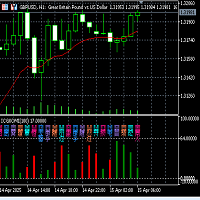
伏羲卦象双色震荡指示器功能及使用说明(V2.1) 伏羲卦象双色震荡指示器指标说明: (1)本卦象变化指标是根据中国古代文化中"易经"哲学的阴阳转化思想,融合金融交易K线图每一蜡烛图K线周期多空相互博弈的结果,用中国最古老的预测编码方法,以易经伏羲64卦象的形式,将卦象的每一爻的阴阳和蜡烛K线图的阴阳结合在一起,实时绘制在交易图表子窗口的每一根K线图的下方, 以表示未来的K线的走向趋势。 (2)指标在子窗口的左上侧只显示当前蜡烛K线所对应的卦数,非当前K线的卦象指标是在K线的每个蜡烛下方标注了对应的卦名。 (3)本指标同时又将主图中卦象的变化,再以卦数双色柱状图在子窗口绘制,更直观地标示每根蜡烛K线对应的卦象的形态变化,预示未来的可能走向. (3)本指标的重大创新意义: a:突破传统的三根或者两根K线的组合预测,而是用六根K线的组合装成卦象进行多空的预示。通过卦象的变化,交易者一定会有全新的交易灵感. B:与单纯的主图卦象指标不同,本指标的特点,直观且易于交易者实现报警提醒或者以此指标的信号进行EA交易系统的开发. (4)本指标适合所有时间框架.卦名卦象随K线的变化自动更新。 (5
FREE

An extended version of the indicator for visualizing the time ranges of key trading sessions: Asian, European and American. The main advantage of this indicator is the automatic construction of a price profile for a trading session. The indicator has the functionality to set the start and end time of each trading session, as well as automatically determine the time zone of the trading server. The indicators include the ability to work with minimal CPU usage and save RAM. In addition, the option
FREE

One-click breakeven management tool for manual traders.
FEATURES - Move all open positions to breakeven with one click - Close all positions instantly - Cancel all pending orders - Draggable dark-theme panel with collapse toggle - Configurable buffer in pips - Visual feedback on every action - Works with all symbols and account types
HOW TO USE 1. Attach to any chart 2. Panel appears with position count and buffer display 3. Click BREAKEVEN ALL to move SL to entry price plus buffer 4. Click C
FREE
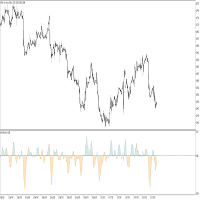
This indicator idea comes from Tushar Chande called Qstick.
Technical indicators quantify trend direction and strength in different ways.
One way is to use the difference between close and open for each bar and to sum it up over a period of time.
The formual is:
Qstick (period ) = Average ((close-open ), period )
In this indicator, we can choose how to calculate body by two famous chart types. The first and default indicator settings are based on Heiken Ashi chart, and the second is based
FREE

candlestick time it a useful indicator ,it help to keep you alert with the candlestick time ,how far to be completed at the chosen period , it help to keep you patience which is a biggest thing that holds trades down ,try it to improve you way of trading. it work on any broker any time frame and any symbol. you can customize the color on input. it can work on multiple timeframe. Thank you !
FREE

The indicator is based on Robert Miner's methodology described in his book "High probability trading strategies" and displays signals along with momentum of 2 timeframes. A Stochastic oscillator is used as a momentum indicator.
The settings speak for themselves period_1 is the current timeframe, 'current' period_2 is indicated - the senior timeframe is 4 or 5 times larger than the current one. For example, if the current one is 5 minutes, then the older one will be 20 minutes The rest of the s
FREE
Hey guys.
This indicator will show you, in the volume histogram, if the candle was a Doji, a bullish candle, or a bearish candle.
The construction of this indicator was requested by a trader who uses other indicators from my catalog, and I decided to release it free to help traders who think that the indicator can contribute to their operations.
The parameters are:
Volume Type: Real Volume or Tick Volume. Color if the candle is bearish: select the color. Color if the candle is high: select
FREE
Stat Monitor is a good information indicator.
Benefits of the indicator: The indicator provides useful information - the current spread, the cost of one lot of the symbol, trading leverage and the recommended lot size for trading. You can use the indicator on the MetaTrader 5 trading platform of any broker. The indicator provides useful information.
Version of the Stat Monitor indicator for MetaTrader 4 I wish you all good luck in trading and stable profit!
FREE
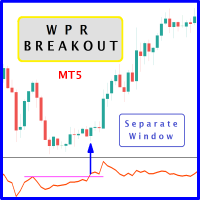
The likelihood of farther price movement increases when Larry Williams Percentage Range oscillator "WPR" breaks through its historical resistance levels in conjunction with prices breakout of resistance levels. It's strongly encouraged to confirm price breakout with oscillator breakout since they have comparable effects to price breaking support and resistance levels; similar perception is applied to short trades. Concept is based on find swing levels which based on number of bars by each side t
FREE
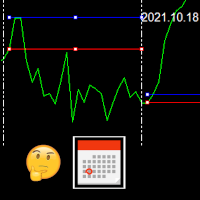
This indicator draws the high intraday price and the low intraday price of the first n minutes of the day. The chart shows the days with vertical lines and two horizontal lines to indicate the max and the min close price of the n first minutes of the day. The max/min lines start and end with the day calculated. With this indicator you can see how starts the day compared with the previous days. It is valid for any market inasmuch as the start time is calculated with the data received.
Parameter
FREE
Media Móvel Grátis para uso em conjunto ao Diamond Indicator Atenção. Essa é a mm para conjugar ao indicador. Esse não é o indicador. Comprem o indicador que está tendo ótimos resultados. A seguir informações sobre o indicador: Indicador Para Opções Binarias. Usa dois gales. Instalar em mt5 Esse indicador é para ser usado no tempo de vela de 5 minutos e em M5. Este também funciona em M1, porém é mais eficiente em M5. Só descompactar e copiar os arquivos na pasta de dados do seu MT5. Arquivos
FREE

Tired of laggy panels with a bunch of unnecessary buttons? This linker is designed for those who value clean graphics and speed. Nothing extra - just instant switching of tools in one click
Advantages: - Solves the main problem of the Meta Trader terminal - inconvenient and slow switching of charts -Not overloaded with unnecessary functionality - Works lightning fast -Easy to install and configure -Can be customized to suit your chart color scheme
This is the free Lite version. The difference
FREE

Front Row Castlist Strategy Manager is a free utility for MetaTrader 5 that groups trading strategies by Magic Number. It brings strategy identity, historical performance, recent activity and saved management information into one overview. Castlist works independently and does not start or stop Expert Advisors, close positions or make trading decisions. Use the Castlist Quick Start Manual for installation and your first saved action. The Front Row User Guide 1.0 covers the Castlist, Spotlight an
FREE

Tired of adjusting the indicator settings losing precious time? Tired of the uncertainty regarding their efficiency? Afraid of the uncertainty in their profitability? Then the indicator ACI (automatically calibrateable indicator) is designed exactly for you. Launching it, you can easily solve these three issues just performing the simplest action: clicking a single Calibrate button. To achieve the highest efficiency, you should perform another additional action: move the power slider to the maxi
FREE

Risk Guardian Lite - Institutional Risk Monitor MT5 Are you trading blind? Most traders fail because they don't know their real-time exposure. Risk Guardian Lite is a high-performance monitoring tool designed for institutional traders who demand precision without visual clutter. Why choose Risk Guardian Lite? Unlike generic monitors, this version focuses on the "Golden Triad" of profitability: Net Profit, Real Exposure, and Efficiency Ratio (R:R). Elite Features: ️ Capital at Risk Monito
FREE

MT5 Data Bridge MT5 数据桥 MT5 Data Bridge 是一个轻量级的 MetaTrader 5 数据桥接工具,用于将交易数据实时推送到外部系统(HTTP / Webhook),帮助你快速构建属于自己的交易监控、预警与风控体系。 它以 EA(Expert Advisor)的形式运行在 MetaTrader 5 内部,无需额外基础设施,即可将账户、行情与持仓数据结构化输出到任意后端服务。 核心能力 实时数据推送(基于定时器,低延迟) 多品种行情采集(支持自定义交易对) 持仓与挂单数据导出 账户信息快照(余额 / 净值等) 标准 JSON 输出,易于系统集成 支持 API Key 鉴权 核心价值:自定义预警系统 MT5 Data Bridge 的最大价值不在“数据”,而在于: 你可以基于这些数据构建完全自定义的预警系统 例如: 持仓浮亏超过阈值自动告警 保证金水平接近爆仓线提醒 多账户风险集中监控 某品种异常波动触发通知 相比 MT5 原生功能,你可以实现: 更灵活的规则定义 更复杂的组合条件 与外部系统联动(如 Telegram / Web
FREE

Layering — Build Profit in Measured Steps
Layering helps you grow and protect a position by placing additional trades at equal, defined distances as the market moves. It's a structured layering approach designed to secure the account and bank profit as each take-profit is reached.
What it does for you Measured layering: trades are added at equal distances you define — no guesswork. Account protection built in: the layering logic is designed to secure your account as it works. Profit-locking: a
FREE

Dear friends, I present to you my TradeFields EA adapted for Forex , modeling is based on machine learning using averaging and grid trading. The EA is a fully automatic light version and it is intended for trading in a single currency mode with a fixed micro lot and has only trading session intervals for all days of the week as external settings. You can find professional versions of advisors with many settings and many additional functions at the following links: https://www.mql5.com/r
FREE

We at Minions Labs always like to defy the stablished systems and beliefs trying new things and new ways of seeing and interpreting the Market Data. And all starts with the following question...
WHAT IF...
You give more relevance and focus on the Wicks/Shadows on the candlesticks? And Why? In volatile markets wicks play an important role on determining who is winning the the fight between Bulls and Bears , and more than that, Higher and lower wicks can present you with a good status of the curr
FREE

AverageHighLow — Simple and Smart Signal Indicator AverageHighLow is a lightweight and intuitive custom indicator that plots the average of the High and Low prices for each candle — forming a dynamic support/resistance-like line across the chart. It also includes real-time Buy and Sell signal alerts when price crosses this average level.
Features: Plots a smooth line based on (High + Low) / 2 Signals generated when price crosses the average: Buy Signal : Price crosses above the line Sell
FREE

Time-Based Trade Closer EA - Risk-Free Overnight? Yes! Time-Based Trade Closer Does It for You. Love it? Hate it? Let me know in a review! Feature requests and ideas for new tools are highly appreciated. :) Try "The AUDCAD Trader":
https://www.mql5.com/en/market/product/151841 ️ ALWAYS TEST THIS EA ON A DEMO ACCOUNT BEFORE USING IT LIVE! Overview The Time-Based Trade Closer EA is a powerful MetaTrader 5 Expert Advisor designed to automatically close all open positions and pending orders at
FREE

This indicator emulates volume delta (buy trades vs sell trades) based on per candle volume and candle shape (direction, size of body and wicks). Artificially separated buy and sell volumes then accumulated for specified number of bars. The indicator shows a histogram of volume delta per bar, as well as a sum of the delta for the given period. What is more important, the indicator allows you to combine current symbol quotes/volumes with quotes/volumes of other related symbols (futures, indices,
FREE

The indicator shows separate breakeven levels for short, long, and total positions. It takes into account all current expenses: swap, spread, and commissions (including those incurred upon closing). It has flexible settings for displaying lines, allows the use of Magicnumber, and enables you to set the desired profit level for each level.
Settings list:
Target profit for Buy trades. Target profit for All trades. Target profit for overall break-even level. Show Buy line. Show Sell line. Show ov
FREE

A lot of FX volume goes through a few benchmark fixes. Corporate and fund orders are filled at those prices every day, and on some days the orders are much bigger. Forex Fix Clock shows when each fix happens in your broker's server time. On a typical broker clock the London 4pm fix is at 18:00 for most of the year and at 19:00 for a few weeks each spring and autumn, and the Tokyo fix moves between 02:55 and 03:55. What it shows A small panel with the next Tokyo fix (09:55 Tokyo), Tokyo option cu
FREE

PropFirm Copilot Trade Risk Management EA: The Ultimate Prop Firm Copilot The Trade Risk Management Copilot EA is an automated trading utility designed to assist manual traders and proprietary firm traders in managing their open positions and risk parameters. The tool automates the process of stop-loss and take-profit calculations, position trailing, and account drawdown monitoring. Managing multiple positions across various symbols requires continuous calculation of stops, break-even points, a
FREE

Grazia Adaptive Trend Channel Sync with the Market’s Pulse. The Ultimate Volatility-Adaptive Channel. "Limited time offer! Free" 【Recommended for traders who:】 Find that traditional fixed-width channels are easily broken and become useless. Struggle with "stop-loss hunting" due to an inability to adapt to changing volatility. Want to objectively visualize the current market’s "room to move." 【Product Overview】 "Fixed channels cannot keep up with a constantly changing market." Grazia Adaptive
FREE

告别 MQL 编程。用您喜爱的编程语言开始交易! TradeMux Execution API Bridge EA 是连接您的 MT4/5 终端与 TradeMux 统一外汇 API (Unified Forex API) 生态系统的权威工业级网关。 本桥接 EA 专为量化交易者、金融科技开发者和量化团队设计,让您能够跳过数周的 MQL4/5 开发,直接通过 Python、Node.js 或任何支持 REST 的技术栈 执行复杂的交易策略,并实现亚秒级延迟。 快速入门指南(5 分钟上线) 第 1 步: 在 trademux.io 注册账号。 第 2 步: 登录控制台,获取免费的 Starter API Key (或创建新的 API Key)。 第 3 步: 将此 EA 加载到您的 MT4/5 图表并输入您的 API Key。 一个 SDK,无限可能。 无论您是在构建 AI 驱动的量化模型、跟单交易平台,还是自定义交易日志,TradeMux 都能提供“即插即用”的基础设施,让您在几分钟(而非数月)内上线。 金融科技开发者: 无需成为经纪商,即可为您的应用添加交易功能。 量化交易者: 使用
FREE

คำอธิบายอินดิเคเตอร์ Ichimoku Future Cloud Focus PRO – รุ่นโซนรายการ อินดิเคเตอร์นี้พัฒนาจาก Ichimoku ปกติ แต่เพิ่ม "โซนเข้าออเดอร์ (Entry Zone)" + "การมอง Cloud ล่วงหน้า" เพื่อให้ตัดสินใจง่ายขึ้น โครงสร้างหลัก 1. Tenkan (เส้นฟ้า) เส้นเร็ว → บอกโมเมนตัมสั้น ใช้ดูจังหวะ “เริ่มขยับ” 2. Kijun (เส้นทอง) เส้นหลัก → แนวโน้มจริง ใช้เป็น “ฐานเข้าออเดอร์ / รีเทส” 3. Future Cloud (เมฆล่วงหน้า) สีเขียว = แนวโน้มขึ้น สีแดง = แนวโน้มลง ใช้ดู “อนาคตของเทรนด์” (ล่วงหน้า 26 แท่ง) จุดขายหลักของตัวนี้คือ
FREE
Force Index MTF 是经典力度指数(Force Index)振荡器的进阶实现,增强了多周期(MTF, Multi-Timeframe)能力。它通过计算价格变动与成交量的乘积,量化市场波动背后的原始力量,帮助交易者区分显著的趋势延续与轻微的回调。
作为一款动量-成交量振荡器,Force Index 衡量买方和卖方的力量。正值表示买盘压力占主导(吸筹/accumulation),负值表示卖盘压力占主导(派发/distribution),而零轴穿越则预示市场控制权可能发生转变——常被用于识别回调的结束。
本指标包含一个独立的 MTF 引擎,让您无需切换窗口,即可在当前图表上直接监控任意更高周期(HTF)的 Force Index 数据。它提供双模式灵敏度:短周期(例如 2)高度灵敏,适合在日内交易中捕捉短期回调;标准周期(例如 13)数据更平滑,针对波段趋势和结构转变进行了优化。彩色编码的柱状图让市场压力一目了然,优化的输出缓冲区(output buffers)使本指标可与智能交易系统(Expert Advisor / EA)连接。
在实际使用中,本指标可作为趋势跟随过滤
FREE

Trend Quality Filter Market Structure Overview Trend Quality Filter Market Structure visualizes the currently identified market condition directly below the chart. Each evaluated candle is assigned to one of four phases according to a fixed market-structure logic. This provides traders with a clear additional classification of previous price behavior without generating buy or sell signals. What This Indicator Does The indicator analyzes the existing price structure and displays the resulti
FREE

RH Trade Info Panel — 专业交易面板 全面而优雅的 MetaTrader 5 交易面板,通过实时统计数据和高级回撤监控显示您的交易表现。 主要功能 多时间框架视图 日视图(最近 7 天) 周视图(最近 4 周) 月视图(最近 3 个月) 通过直观的按钮控件轻松切换视图 绩效跟踪 实时美元盈亏跟踪 每个周期的点数绩效计算 颜色编码结果(绿色为盈利,红色为亏损) 一目了然的历史绩效 高级回撤监控 日回撤:从当日最高水位线追踪回撤 账户回撤:监控从历史最高权益以来的整体账户回撤 同时显示美元金额和百分比 终端重启后持续跟踪数据 手动重置最高水位线按钮,灵活管理账户 完全可自定义 可自定义面板、文字、盈利和亏损的颜色 可调节字体大小 可配置显示的周期数量 默认专业深色主题 性能与可靠性 轻量高效 每个 Tick 自动更新 使用全局变量持久存储数据 无需外部依赖 适用于所有交易品种和时间框架 适合人群 监控盘中表现的日内交易者 跟踪每周/每月结果的波段交易者 监控回撤限制的风险管理人员 任何希望清晰了解交易表现的人 技术详情 兼容 MT5 2650
FREE

GFX PX22 AI Gold Scalper Pro MT5 Professional AI-Powered Gold Scalping Expert Advisor for MetaTrader 5
Live results: https://www.mql5.com/ Pricing Take advantage of our special introductory price of just $30/6months , available until Descember . After the promotion ends, the subscription price will increase to $35/month . The price will then gradually increase with each new sale until it reaches the standard rate of $75/month . Exclusive Bonus for All Subscribers Every cu

This is a RISK MANAGER utility for MetaTrader. To activate it, after downloading it, you must enable all autotrading controls on MetaTrader, as with EXPERT ADVISORS. The user must enter control settings as indicated in the indicator properties, which initially have default data. RISK MANAGER will perform checks and display pop-up alerts when certain behaviors exceed the user-entered settings. It's free; use it, try it, develop it, or contribute ideas. It's just a utility; the programmer assumes
FREE

Highlights a specific candle after a designated time interval. This feature is particularly useful for evaluating the potential profitability of breakout strategies that are triggered at specific candle intervals. It allows traders to visually assess whether a breakout strategy, set to activate at a certain candle, would have been successful in past market conditions.
FREE
关闭所有持仓订单,并且删除所有挂单,清仓整个账户的订单,请注意使用! 关闭所有持仓订单,并且删除所有挂单,清仓整个账户的订单,请注意使用! 关闭所有持仓订单,并且删除所有挂单,清仓整个账户的订单,请注意使用! 关闭所有持仓订单,并且删除所有挂单,清仓整个账户的订单,请注意使用! 关闭所有持仓订单,并且删除所有挂单,清仓整个账户的订单,请注意使用! 关闭所有持仓订单,并且删除所有挂单,清仓整个账户的订单,请注意使用! 关闭所有持仓订单,并且删除所有挂单,清仓整个账户的订单,请注意使用! 关闭所有持仓订单,并且删除所有挂单,清仓整个账户的订单,请注意使用! 关闭所有持仓订单,并且删除所有挂单,清仓整个账户的订单,请注意使用!
FREE
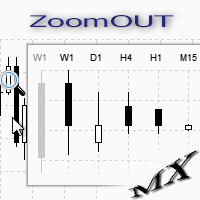
ZoomOUT allows you to have a quick look at a selected bar on a higher timeframe in a pop-up window. After the launch, the indicator works in the background mode occupying no place in the chart and consuming no resources. When activating the indicator by Shift + o (customizable), a pop-up window with a chart displaying bars of higher timeframes is created. To hide a pop-up window, left-click on any clear place on the chart. The indicator is simple and requires no settings.
FREE

RealCost Gold Session Zones MT5 is an entry-level session map utility for gold traders using MetaTrader 5. It draws Asia, London and New York session zones on the chart and shows a compact live dashboard for current-session context.
The utility is designed for visual market timing, manual preparation and quick broker-condition checks. It does not trade, does not open or close positions, and does not provide buy or sell signals.
Main features: - Asia, London and New York session zones. - Config
FREE

``` Bneu GLA Trend Indicator — Grover Llorens Activator
This indicator for MetaTrader 5 displays a dynamic trend activation line based on the Grover Llorens Activator method. The line changes color based on price position relative to the activation level, with signal arrows appearing on trend changes.
What It Does
Plots a dynamic activation line on your chart: - Green line when price is above (bullish condition) - Red line when price is below (bearish condition) - Arrows appear on trend cha
FREE

We all know that the start of an H4 candle can be 'shifted' depending on the broker. I wrote an indicator that draws candles "shifted" to the desired value. Plus, it draws H4 candles on smaller timeframes too. Works on timeframes up to H4, allowing for a clear comparison with the broker's results. There's a separate option to customize the candlestick body and outline fill. You can also customize the drawing for a specific period on history.
FREE

Supports displaying up to 4 trading sessions with fully adjustable start and end times. Each session can be customized individually with unique colors and visual styles. Users can choose between drawing rectangles or filling areas, while the indicator clearly displays each session’s price range for better market insight.
Free to use until the end of 2025. The paid version will be available starting from 2026.
FREE
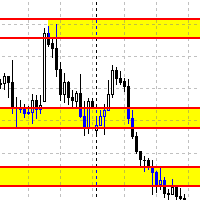
Данный советник автоматически переносит SL в зону безубытка, и по мере увеличения текущей прибыли переносит SL все выше. В отличие от стандартного трейлингстопа, этот автоматически работает со всеми открытыми позициями, которые открыты у текущего символа. Так же если выставлен флаг автоматически выставлять SL, то в случае пустого SL, автоматически выставит его.
FREE

To calculate strength of currencies and to show in table There is 1 parameter: . Show recommended pairs: true/false -> To show top 1 of strong and weak currency Tips to trade: . To trade only with strongest vs weakest currency . When H1, M30, M15, M5 of specific currency is up or down -> consider to open BUY/SELL . It can combine: + strongest currency vs weakest currency + strongest currency vs 2nd weakest currency + 2nd strongest currency vs weakest currency
FREE

Nexa Gold Relative is a professional Gold trading indicator designed for XAUUSD traders who prefer cleaner and more selective trade signals.
The indicator combines a Gold-focused price calculation engine with RSI confirmation, ATR-based trade zones, candle confirmation, session filtering, signal cooldown, and mobile alerts.
Nexa Gold Relative is built to help traders identify structured BUY and SELL setups directly on the chart, with clear Entry, Stop Loss, and Take Profit areas.
Main Featur
FREE

TSD-47 Tactical Candle Matrix Tactical Multi-Timeframe Candle Intelligence Dashboard TSD-47 Tactical Candle Matrix is a professional compact tactical dashboard designed to provide traders with instant multi-timeframe candle structure awareness in a clean, lightweight command-style interface. The indicator displays live candle direction, structure, and momentum across multiple timeframes simultaneously, allowing traders to quickly identify bullish and bearish pressure, timeframe alignment, and ov
FREE

NewsOnChart is the ultimate MetaTrader 5 indicator that integrates a sleek, lightweight, and fully interactive economic calendar right onto your trading screen. Key Features 1-Click Interactive Dashboard: Instantly switch between major currencies (USD, EUR, GBP, JPY, AUD, CAD, CHF, NZD) with a simple click on the on-screen buttons—no need to open the indicator settings. Smart Auto-Detection: The moment you drop the indicator onto a chart, it automatically recognizes the base currency (e.g., EUR
FREE
White label available. contact us for more info. dushshantharajkumar@gmail.com Replica Local Trade copier by Chart Walker
Replica, a MetaTrader 5 (MT5) local trade copier, is a powerful tool designed to streamline and automate trading processes for users within the MT5 platform. This innovative software allows traders to replicate trades from one account (master) to another (slave) in real-time, enabling efficient and synchronized trading across multiple accounts. With its user-friendly inte
FREE

This indicator will help you track performance of your trades, even scalping trades. You can use it with the Arab, and many other traders.
This indicator displays essential trading account information directly on your chart. It positions itself in one of the four corners of the screen and showcases details such as: Symbol: The symbol of the asset currently displayed on the chart. Profit/Loss: The total profit or loss in dollars for the current symbol. Pips: The total number of pips gained or
FREE

ATRRange-MT5-Ind — an indicator for MetaTrader 5 that builds volatility channels based on ATR with three multiplier levels. Indicator: Calculates ATR — uses the standard Average True Range Draws three channels around the closing price: Top1/Bottom1 (blue) — Close ± ATR × Multi1 Top2/Bottom2 (orange) — Close ± ATR × Multi2 Top3/Bottom3 (red) — Close ± ATR × Multi3 Dynamic levels — channels automatically expand/contract depending on volatility Parameters ATR Period : ATR period Default: 14 Multi1
FREE

Volume Above Average Indicator - MQL5 Introduction The Volume Above Average Indicator is a custom indicator for the MetaTrader 5 (MQL5) platform that helps traders identify the current trading volume compared to the historical average. The indicator uses three different sensitivity levels to classify volume into weak, medium, and strong, providing a clear visualization of market momentum. Key Features Displays trading volume in a separate window. Compares the current volume with the historical a
FREE

Manage your trading schedule with Raba Time Scheduler EA. Functionalities: Set up infinit time ranges. Choose between these actions when out of schedule. Close all positions. Close all negative positions and protect the positive ones. Notes: Auto enabling/disabling algo trading is disabled due to MQL Market policies.
I you have any doubt you can leave it in comments and I will anwer it asap. If you found this tool helpful for you, a comment and a good rating will be appreciated. Also any propos
FREE

Introducing the Scalping Expert Advisor (EA) for Short Trades This Expert Advisor (EA) is meticulously designed for short trades scalping, offering a blend of precision and efficiency to maximize your trading performance. Below, we delve into the key functions and features that make this EA an essential tool for scalpers.
Key Features: Automatic Take Profit (TP) and Stop Loss (SL) Settings: Take Profit Input: Allows you to set a specific TP value, enabling precise control over your exit points
FREE
RTS5PatternBTCPrice is an analytical tool for MetaTrader 5 that systematically searches for historical similarities in price action and evaluates how the market behaved after similar situations.
The indicator provides both visual and statistical information that can be used to support trading decisions. It compares the current price pattern, defined by a selected number of candles, with historical data.
The similarity results are displayed using a histogram with three categories: Good Match –
FREE

BreakEven Finder 是一款免费的轻量级 MetaTrader 5 指标,专为剥头皮交易者和日内交易者设计。它通过分析实时价格和持仓数据,在图表上直观显示盈亏平衡点,帮助交易者判断当前持仓是否接近盈亏平衡或已达到微利状态,从而实现更精准的交易管理。 核心功能: 实时显示每笔交易的盈亏平衡价格 自动整合多个持仓点,计算加权平均平衡位 可视化清晰,避免复杂图形干扰判断 支持任意交易品种和时间周期 与其他指标兼容性强,不影响图表速度 优势和适用人群:
适用于注重精确进出点控制的短线交易者、需快速识别盈亏变化的量化系统用户以及希望提升风险管理效率的投资者。 此工具帮助交易者减少主观判断错误,提高决策效率,是提高稳定盈利能力的理想助手。
FREE
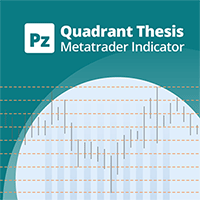
This is a general purpose indicator that displays colored lines at fixed and customizable price intervals, entered as parameters. It offers universal, constant, and familiar price ranges that allow quick and precise price analysis of a currency pair. With default parameters, this indicator implements The Quarters Theory , as described originally by Ilian Yotov . [ Installation Guide | Update Guide | Troubleshooting | FAQ | All Products | Get Help ] Easy to use No optimization needed Customiz
FREE

Investment Castle Engulfing — Never Miss an Engulfing Candle
Whether you scalp or trade the daily, bullish and bearish engulfing candles are some of the most reliable signals — but spotting them across timeframes is tedious and easy to miss. This indicator finds them for you, including an engulfing candle forming on a higher timeframe while you trade a lower one.
What it does for you Automatic engulfing detection: bullish and bearish engulfing candles are flagged for you. Multi-timeframe aware
FREE

本指标绘制两条 简单移动均线 ,使用最高价和最低价。 MA_High 线当均线指向下行时显示。它可以用于设置空头订单的止损位。 MA_Low 线当均线指向上行时显示。它可以用于设置多头订单的止损位。 本指标用于 尾随终止 EA。 参数 Period - 移动均线的计算周期。 Deviation - 线间聚合/离散率。 缓存区索引: 0 - MA_High, 1 - MA_Low。
FREE
MetaTrader市场是 出售自动交易和技术指标的最好地方。
您只需要以一个有吸引力的设计和良好的描述为MetaTrader平台开发应用程序。我们将为您解释如何在市场发布您的产品将它提供给数以百万计的MetaTrader用户。
