 MetaTrader 5
 专家
专家
 指标
指标
 程序库
程序库
 实用工具
实用工具
 窗口小部件
窗口小部件
 规则
规则
适用于MetaTrader 4的EA交易和指标 - 82
 EA交易自动执行市场交易,而指标可使您更准确地分析报价并预测价格行为。
通过这些应用程序,您将能够更明智地在MetaTrader 4执行交易,抓住更多的交易机会。
EA交易自动执行市场交易,而指标可使您更准确地分析报价并预测价格行为。
通过这些应用程序,您将能够更明智地在MetaTrader 4执行交易,抓住更多的交易机会。 
ExportRange 是一款用于导出指定时间周期蜡烛图数据的实用脚本。脚本会获取每根蜡烛的最高价、最低价、价格区间,以及时间和索引,并以 CSV 格式保存。适用于需要进行统计分析或波动率研究的用户。 运行该脚本后,会根据设定的数量提取历史 Bar 数据,并将结果保存到交易终端的 Files 目录下。Bar 数量和时间周期可通过输入参数设置,也可以直接使用当前图表的时间周期。 主要功能 导出指定数量的历史 Bar 数据 保存 High、Low 和 Range(High 减 Low) 支持使用当前图表的时间周期 以 CSV 格式输出,便于在外部工具中分析 输出字段
生成的 CSV 文件包含以下内容: Timeframe Index Datetime High Low Range Range 以价格差形式保存,可根据需要在后续处理时转换为点值。 适用场景
适用于区间统计、波动率研究、策略开发准备,以及回测前的市场特性分析,为进一步的数据处理提供基础信息。 使用方法 从 Market 下载并安装脚本 在导航器的 Scripts 分类中找到该脚本 将脚本应用到任意图表 设置 Bar 数量与时间
FREE

即时 Slack 通知。可直接在图表上设置价格水平,当价格突破该水平时即可收到消息。添加一个水平只需一次点击。你可以用鼠标拖动线条,以精确设置所需的价格水平。 便捷控制面板: 所有活动提醒都会显示在列表中
可以通过拖动线条来编辑价格水平
不需要的提醒可以一键删除,或使用 "Clear All Alerts" 一次性全部清除
提醒在触发后会自动移除
可选择在图表上隐藏提醒线
支持自定义通知文本(例如:crossed、reached、touched)
支持 Dark/Light 模式 工作原理: 点击 Add Alert
图表上会出现一条价格水平线
将其移动到所需的价格水平
当价格突破该水平时 - 你将会在 Slack 收到消息 简单设置: 在 Slack 中创建一个新的 App,配置 Incoming Webhook,选择一个频道并复制其 Webhook URL。
在 MetaTrader 4 → Tools → Options → Expert Advisor 中启用 https://hooks.slack.com/ 的 WebRequest,将该工具附加到任意图表,并在 Input
FREE

InnovaDash Smart Sync 是官方数据连接器,旨在将您的 MetaTrader 终端直接桥接到您的 InnovaDash Analytics 仪表板。
这款轻量级实用程序专为专业交易者打造,在后台静默运行,自动将您的实时净值更新、未平仓头寸和历史交易数据推送到 InnovaDash。
为什么选择 InnovaDash?
InnovaDash 是一款高级且基于云端的量化分析套件,可将您的原始交易数据转化为可操作的见解,从而提高您的交易业绩。
无论您是日内交易者、波段交易者还是基金经理,InnovaDash 都能帮助您止损并改善交易表现。
Innova AI 代理 不要再猜测哪里出了问题。直接与您的交易历史进行对话。问问人工智能:“我通常在一周中的哪一天亏钱?”,“我是在报复性交易吗?”,或者“给我一份完整的绩效报告”。
50+ 高级量化指标 InnovaDash 会自动计算机构风险指标,包括您的夏普比率 (Sharpe Ratio)、索提诺比率 (Sortino Ratio)、卡玛比率 (Calmar Ratio)、风险价值 (VaR)、溃疡指数 (U
FREE

iCUSTOM INDICATOR TESTER是CODERS的工具,但不仅限于此。 即使您没有.mq4文件的源代码,而只有编译后的.ex4文件,即使或特别是它,该程序也设计用于测试和检查自定义指标。
交易者可能会测试指标,并查看其想法是否与指标数据相关联-如果该想法是真的计算出来的,以及是否有可能基于此特定指标创建EA。 它可以节省开发人员和交易者的时间。
请在指标的名称字段中输入指标的名称,然后将.ex4指标文件放入指标文件夹。
程序将显示前64个缓冲器的当前值。
如果BUFFER值始终恒定为零,则该BUFFER可能无效。 //////////////////////////////////////////////////////////////////////////////////////////////////////////
FREE

指標顯示最大和最小手數,以及交易品種的價差大小。
為了獲得快速而豐厚的利潤,需要使用此信息來根據最大存款快速做出進入市場的決策。它是根據可用資金和開設一個手數的資金計算的。
當您參加各種外匯競賽或以最大可能的方式交易市場時,以及在波動性增加或減少期間獲得快速且豐厚的利潤時,通常會發生這種情況。
該指示器連接到工具窗口後,立即顯示您所需的信息。如果需要在工具窗口中更改字體大小或替換信息,則可以在指示器設置中執行此操作(請參見屏幕截圖)。
Fontsize-字體大小; Xdistance-相對於錨定角的X坐標距離(以像素為單位); Ydistance-以像素為單位的Y坐標相對於錨定角度的距離。 有關作者產品的其他信息……
FREE

该脚本基于使用随机数生成器模拟贸易交易。即使使用相同的输入参数,这也可以使您获得完全不同的结果。运行脚本时,将打开一个对话框,您可以在其中设置外部变量的所需值。 在块中,TradingOptions定义了模拟交易所需的基本参数。 StartBalance - 设置交易余额的初始大小。 NumberTrade - 设置脚本运行时将建模的交易事务数。为了获得或多或少的显着结果,该参数必须大于30。 ProbabilityWinning - 获胜交易的概率。表示为百分比,有效值为1到99。 Min.StopLoss - 表示以点为单位的最小StopLoss值,将在建模交易操作时使用。 Max.StopLoss - 以磅为单位设置StopLoss的最大值。 PositiveWin。 - 该变量建立修正,借助于该修正在模拟交易中获得积极的期望。 脚本的工作是执行以下操作。首先,计算获胜交易的预期概率 - PW。之后,随机设置StopLoss的值,该值将在此事务中使用。考虑到预期收益应为正数,计算TakeProfit规模。考虑到点值,TakeProfit和StopLoss水平将转换为
FREE

即时 Discord 通知。可直接在图表上设置价格水平,当价格突破该水平时即可收到消息。添加一个水平只需一次点击。你可以用鼠标拖动线条,以精确设置所需的价格水平。 便捷控制面板: 所有活动提醒都会显示在列表中
可以通过拖动线条来编辑价格水平
不需要的提醒可以一键删除,或使用 "Clear All Alerts" 一次性全部清除
提醒在触发后会自动移除
可选择在图表上隐藏提醒线
支持自定义通知文本(例如:crossed、reached、touched)
支持 Dark/Light 模式 工作原理: 点击 Add Alert
图表上会出现一条价格水平线
将其移动到所需的价格水平
当价格突破该水平时 - 你将会在 Discord 收到消息 简单设置: 在 Discord 中创建一个文本频道并复制其 Webhook URL。
在 MetaTrader 4 → Tools → Options → Expert Advisor 中启用 https://discord.com/ 的 WebRequest,将该工具附加到任意图表,并在 Input Value 中填写 Webhook URL。
详细的分
FREE

Ego Guard is an advanced Expert Advisor designed to safeguard account equity by implementing robust risk management measures. This EA closely monitors account activity and intervenes when necessary to prevent excessive risk exposure. Specifically, Ego Guard automatically disables any other Expert Advisors that attempt to open trades exceeding the predefined risk threshold. By effectively managing trade volume and ensuring adherence to risk management principles, Ego Guard provides traders with p
FREE

Bollinger Bands TP Guardian
这个实用型EA(智能交易系统)使用布林带(Bollinger Bands)来修改未结订单的止盈(TP)水平,改善您的交易管理,并在手动执行交易后实现自动化。
主要功能 自动TP调整: 该EA会自动调整未平仓订单的TP。 布林带集成: 使用布林带的上轨、中轨或下轨来设置TP水平。 可自定义设置: 用户可以指定布林带参数和TP修改的频率。 操作简便: 一旦附加到图表上,该EA就会在后台运行,无需手动干预。 如何使用 将EA附加到图表上。 在EA的设置中,选择所需的布林带线(上轨、中轨或下轨)作为期望的止盈水平。 设置布林带参数。 随后,该EA将开始调整该交易品种上任何未平仓订单的TP。 参数 Bands Period: 布林带计算的周期。 Bands Deviations: 标准偏差数量。 Bands Shift: 水平偏移。 Type line: 选择要使用的线: Upper Band 、 Middle Band 或 Lower Band 。 Use data: 使用最后一个已收盘的K线数据或实时数据。 The frequenc
FREE

Советник риск-менеджер с огромным арсеналом возможностей защиты вашего депозита. Для инвесторов, которые решили передать капитал в доверительное управление. Когда у трейдера нет доступа к настройкам - нивелирует торговые риски. А также для трейдеров, которые осознали необходимость стороннего контроля за их торговлей для улучшения торговых результатов. Для максимальных результатов - должен стоять на отдельном VPS сервере и у трейдера не должно быть возможности менять настройки в торговый период.
FREE

这个小脚本会照亮你的生活。 下面是它的代码,你可以将它插入到任何机器人的 OnInit 中。 或更改颜色和比例以适合您的口味 #property copyright "V.Temchenko Skype:vasily.temchenko" #property link " Mailto:tvp.prog.96 @gmail.com" #property version "1.00" #property strict #property description "Have questions? Skype: vasily.temchenko Viber: +38098 800-6-800" ; #property description "If the voice - only Russian, Ukrainian or Belarusian" ; #property description "And you can write in English, Russian, Ukrainian" ; #property description "
FREE

Non-proprietary study of Joe Dinapoli used for trend analysis. The indicator gives trend signals when the fast line penetrates the slow line. These signals remain intact until another penetration occurs. The signal is confirmed at the close of the period. It is applicable for all timeframes. Inputs lnpPeriod: Period of moving average. lnpSmoothK: %K period. lnpSmoothD: %D period. *****************************************************************************
FREE

该脚本的设计使交易者可以确定交易交易的平均持续时间,在此期间可能的利润和损失的比率将是最佳的。 首先,让我们看一下确定贸易交易最佳持续时间的一般方法。我们介绍以下变量: R - 交易的结果; T - 交易开放的时间; W - 上一笔交易结束与下一交易开盘之间的时间。 每个交易者都努力在最短的时间内获得最大的利润。这种愿望可以通过以下简单表达来描述: R/(T+W)→max 。 很明显,变量 T 和 W 取决于交易的总持续时间和交易数量。设 ATD 是交易的平均持续时间, N 是交易总数。然后,交易的平均持续时间应与其总数的平方根成比例增长,即: ATD~√N 。 但是,有一些有根据的问题出现 - 任何交易持续时间等同于其他交易持续时间,交易持续时间如何影响交易操作的结果?为了得到所提问题的答案,我们将对历史数据的价格行为进行一项小型研究。 我们继续如下。我们将历史数据划分为由一定数量的柱组成的系列,对应于交易的平均持续时间。在每个这样的系列中,我们计算最大价格变动,我们将引用更大的偏差 StopLoss ,并且更小 - 到 TakeProfit 。 之后,我们将计算整个历史中价格范围的
FREE
This indicator measures volatility in a multi-timeframe fashion aiming at identifying flat markets, volatility spikes and price movement cycles in the market. [ Installation Guide | Update Guide | Troubleshooting | FAQ | All Products | Get Help ] Trade when volatility is on your side Identify short-term volatility and price spikes Find volatility cycles at a glance The indicator is non-repainting The ingredients of the indicator are the following... The green histogram is the current bar v
FREE

当市场与您的交易相反时,保护您的帐户免受追加保证金的影响。
使用Mar,网格,平均时管理风险。它们不再是危险的,而是可以控制的
使用此EA实用程序伴随每次MT4安装
当交易不利时,此EA可以保护您的资金:
最大的金钱损失, 最大提取/股本损失百分比, 您的最低资产净值达到 那些先到达
交易简单,直接,强大
在货币选项卡之一中安装此EA,它将监视来自交易终端的所有交易。
简单,轻巧且非常有用
Dāng shìchǎng yǔ nín de jiāoyì xiāngfǎn shí, bǎohù nín de zhànghù miǎn shòu zhuījiā bǎozhèngjīn de yǐngxiǎng. Shǐyòng Mar, wǎng gé, píngjūn shí guǎnlǐ fēngxiǎn. Tāmen bù zài shì wéixiǎn de, ér shì kěyǐ kòngzhì de shǐyòng cǐ EA shíyòng chéngxù bànsuí měi cì MT4 ānzhuāng dāng jiāoyì bùlì shí, cǐ
FREE

SA Assistant is an intuitive tool without complicated settings, designed to facilitate the trading operations in the MetaTrader 4 terminal. SA Assistant is not designed for working in the strategy tester. The demo version works only on the USDCAD pair. Please test the EA on a demo account before using it on a live account.
The SA Assistant EA is visually divided into 4 blocks: 1. "Information" - displays in real time: trading account balance leverage spread of the instrument the EA is attached
FREE

TradingPanel X EA is a simple trading panel with some nice addons: Integrated News Feature Dynamic Take Profit Multiple Trade handling The EA has integrated dynamic Take Profit, this means, if you reach your defined TP it gives you the chance to follow on the Trend by dynamic TP & SL and extend your profits. Also a News Filter function is integrated. The EA working with real TP & SL not virtual.
Important:
Get informed about new Products, join our MQL Channel: https://www.mql5.com/en/channel
FREE

This is a Bot which send notifications every hour at your MT4 platform. The notification consists of four part. <<Clock>> + Your Message + Symbols + profit + Total # of Orders + Total profit Here is an example : 21:00 Hodor: #US30 $+40.31 GOLD $-5.31 Total 5 Orders $+35.00 If there is no order : 21:00 Hodor: HODOR signals: https://www.mql5.com/en/signals/977796
There is a private message parameter where you can enter your own message also. Hodor_Comment_OnOff_Flag removes the "Hodor i
FREE

Hello everyone, this is another utility that I wrote specifically for users using my profile with a large number of experts and sets ( https://www.mql5.com/en/blogs/post/750723 ) . This utility is useful for working with a profile using grid strategies (averaging and martingale). As we know, such strategies periodically fall into a large drawdown and you need to be careful when opening averaging positions (do not open too many). In my profile, I use a limit of 3 positions for each EA, if this w
FREE

Powered by SVX Strategies Quant Team This indicator is part of our internal toolkit for institutional volatility analysis. We are releasing it for free to support the retail trading community. Looking for Automated Results?
Manual execution is prone to human error. If you prefer consistent results managed by our team, you can copy our official algorithms directly on MQL5: Copy "Friday Pulse" (Conservative/Stable) Copy "SVX AI Systems" (High Growth) ABOUT ADAPTIVE RSI BANDS
Unlike traditional R
FREE

This is the Free Version of "Just Copier Pro MT4" (Please check : https://www.mql5.com/en/market/product/34472) This free version is available to be used within 2 hours only, and it has limited features. Please also check this product at fxina.hostingerapp.com.
If you want to share your trading signal, but you dont want to distribute your investor password, this product is fit with you. "Just copier Pro" is designed to copy trading without any complicated settings. The copy can be done in o
FREE

This indicator alerts you when/before new 1 or 5 minute bar candle formed. In other words,this indicator alerts you every 1/5 minutes. This indicator is especially useful for traders who trade when new bars formed.
*This indicator don't work propery in strategy tester.Use this in live trading to check functionality.
There is more powerful Pro version .In Pro version,you can choose more timeframe and so on.
Input Parameters Alert_Or_Sound =Sound ----- Choose alert or sound or both to notify y
FREE

This is a script that is made to work in conjunction with the Objects Hide script Re-draw again the objects removed in the chart by the Objects Hide script Just drag and drop over the desired chart when you want to recall the objects deleted by Objects Hide Using this scripts system you can have the option to hide (remove) all graphical objects in the chart and recover them again later. Objects Hide is purchasable here in mql5.com find out more about this on this link. Please watch the demo tuto
FREE

This indicator is a plug-in for Controladora Expert Adviser , which allows you to set a specific area, and the Controladora will open a buy or a sell, if the candle closes inside this area. To make it work in a chart with the Controladora installed, add the Act Inside indicator, then add a rectangle shape into the chart and re-size it to cover only the area where the close of a candle should be in order to send the buy or sell order. Rename the rectangle as AI and in it's description write buy,
FREE

"TradeALot" is a plug-in for the Expert Advisor Control-adora . It allow you to place programmed orders without the need to write the name of the order in the Arrow (like bs, ss, bl, sl, sl1, sl2, etc). Just drag and drop the button for "Programmed Buys" or "Programmed Sells" over the candles-zone at the place where you want to program the order and TradeALot will compare the bid price with the position where you dropped the button and will decide if the order need to be "Stop" or "Limit". With
FREE

这是一个MT4的脚本,帮助把交易记录按照品种分类统计。 参数 Select Period: 这是7个选项的参数,分别是上个月,本月,上周,本周,今天,指定日期。 Specify Starting Date: 输入一个起始日期,如果上面参数你选择的是指定日期的话。 Specify Ending Date: 输入一个截止日期,如果上面参数你选择的是指定日期的话。 如果参数Select Period 选择的不是 指定日期,那么后面的两个参数就不用填写了。 脚本会有弹窗提示结果,并且有一个文件输出结果,文件保存在MQL4\Files文件夹中。 希望对你有帮助,真心希望对你有帮助,我觉得会有帮助。 必须满足300个字,我必须说些废话,好了,希望对你有帮助。 MT5 Version: https://www.mql5.com/zh/market/product/23949
FREE

所有MQL5 EA产品,付费100RMB加入VIP会员即可全部无限制使用,详情请咨询客服QQ407776353 所有MQL5 EA产品,付费100RMB加入VIP会员即可全部无限制使用,详情请咨询客服QQ407776353 所有MQL5 EA产品,付费100RMB加入VIP会员即可全部无限制使用,详情请咨询客服QQ407776353 所有MQL5 EA产品,付费100RMB加入VIP会员即可全部无限制使用,详情请咨询客服QQ407776353 所有MQL5 EA产品,付费100RMB加入VIP会员即可全部无限制使用,详情请咨询客服QQ407776353 所有MQL5 EA产品,付费100RMB加入VIP会员即可全部无限制使用,详情请咨询客服QQ407776353 所有MQL5 EA产品,付费100RMB加入VIP会员即可全部无限制使用,详情请咨询客服QQ407776353
FREE
ChartOverlay indicator has two main functions 1. mirroring - i.e. for example, it will make USDEUR from EURUSD 2. displaying the price chart of the selected financial instrument (with selected period) in the subwindow of the main chart. This tool allows traders to easily analyze the relationship between different currency pairs and assets, offering unique customization and visualization features.
Key Features: Price Chart Display: The indicator displays the price chart of the selected instrume
FREE

This script is to be used with the Market Patroller indicator as a constructor for a specialized list of symbols based in all the available symbols listed in your MT4's Market Watch window. You can reduce the list depending upon several considerations: List only some symbols that have some instrument, for example, if your broker have 5 EUR pairs (EURXXX or XXXEUR). Exclude some symbols, for example, if you do not want to trade today GBP related pairs, this will avoid any GBPXXX or XXXGBP symbol
FREE

点差成本信息 点差产生的交易成本是制定交易盈亏比时的一个重要指标。点差成本信息对短线交易者尤其是超短线交易者尤为重要。本工具可以在不同的账户类型(美元账户、欧元账户等等)下,输出平台报价中所有外汇货币对(包括黄金XAU、白银XAG)的点差成本。
计算方法及原理 见文章: 外汇货币对的交易成本 Part1 外汇货币对的交易成本 Part2 外汇货币对的交易成本 Part3 外汇货币对的交易成本 Part4
参数 Lots - 设置计算点差成本的交易手数,默认为1.0。
如何使用 使用此工具前需将MT4的市场报价设置为“显示全部”,具体操作见下图; 输出的路径为“ MT4路径\MQL4\Files\SpreadCostData ”,文件名称是当前日期,输出成功后会在MT4 - 终端 - EA一栏显示成功输出信息,输出路径及文件名称见下图; 输出内容的第一列是货币对名称,第二列是点差(点数),第三列是交易 Lots 手的点差成本(点差成本以账户货币计价),具体内容见下图。
完全版 所有数据在面板上实时更新,下载地址: https://www.mql5.com/zh/market
FREE

The Expert Advisor closes all open positions and orders after a specified number. If desired, this can be done in conjunction with the magic number. The EA is useful for grid and martingale systems and manual trading.
When the specified number of open positions is reached and the magic number matches, all positions are closed immediately, regardless of other values.
Furthermore, after closing all positions, a push notification can be sent to the mobile version of MT4 on your mobile phone.
FREE

The Order Info Box utility is designed to conveniently control the orders placed. If there are orders, the utility builds graphical informers for each order, indicating
- the order type (position direction);
- the order volume;
- the profit (if the order is in the market);
- optionally the order magic;
- optionally the order comment.
In addition, the utility builds informers for TakeProfits and StopLosses of orders, indicating the profit or loss that will occur when this TakeProfit or StopLoss i
FREE

Good morning, The following indicator is very useful when managing multiple trades on the same instrument. It allows you to see the average entry price for BUY and SELL trades. If there is an imbalance (as shown in the example photo), the indicator will display the averages of the SELL/BUY trades and a GOLD line that marks the breakeven price (excluding swap and commissions).
FREE

### 程序简介
**RemoteBatchClose EA** 是一款针对外汇交易者的自动平仓工具,旨在帮助用户在不在电脑前时管理持仓订单。通过自动监测指定挂单价格和货币对,该程序可以在满足条件时自动平仓,从而减少用户的操作负担,确保交易策略的有效实施。其设计初衷是解决用户在持仓较多时平仓不便的问题,使交易更加高效、便捷。
### 功能介绍
- **自动平仓**:支持在特定价格触发时自动平仓,适用于所有或特定货币对的订单。 - **快捷指令**:通过快捷指令(777和999)快速执行批量平仓操作,便于在紧急情况下迅速反应。 - **灵活设置**:用户可以根据需求自定义挂单价格、货币对及是否开启平仓操作,提供高度灵活性。 - **实时监控**:程序在运行时会持续监控挂单状态,并在条件满足时自动执行相应操作。 - **删除挂单**:在平仓操作后,用户可以选择是否删除其他挂单,以保持账户整洁。
### 使用说明
1. **设置参数**: - 在输入变量中,设置目标挂单价格(`targetPrice`)和货币对(`targetSymbol`)。 - 确定是否启用平仓操
FREE
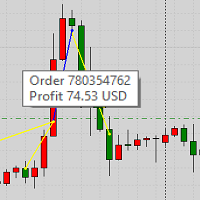
This product displays closed trades from history and current open trades on a chart. The product has many visual settings, as well as filtering settings for displayed transactions, which allows you to analyze the effectiveness of advisors and/or trading strategies. You can filter by comments or by the advisor's magic number. Without using this product, how else will you see your trading and understand its effectiveness?
FREE
This indicator is to be used in bot connectors for automation of Pct Multi indicator entries.
How to use: Configure the bot connector with the following information: Indicator name: pctmultibot Call buffer: 0 Put buffer: 1
Do not add this indicator to the chart, just configure it in the bot connector!
Pct Multi indicator:
https://www.mql5.com/en/market/product/73054
FREE

Informing the user about the size of the current spread.
A simple and convenient informant. You can place it anywhere on the chart (configurable in the input parameters).
Input parameters:
- text color
- text size
- text style
- binding to the corner of the graph
- horizontal offset from the anchor point
- vertical offset from the anchor point
- enabling (disabling) the "Show as background" function
Have a good trade to everyone!
FREE

Good old snake with various options.
You can play directly on the chart. And you can play in a separate window.
You can not play at all, but set her speed of movement and run it on the machine, the snake itself will chase and devour apples.
You can turn on different sounds of eating apples, or you can completely turn off all sounds.
You can set the maximum length of the snake, and you can also set the number of dice on the game board.
In short - a lot of things are possible. Enjoy.. )
FREE
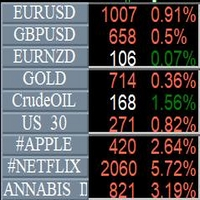
Info Symbol is an indicator that will allow you to monitor up to 9 different markets. Just enter the name of the symbols and the number of decimal places. With a single click you can switch from one market to another, it will take two clicks for a chart with an expert attached to it. With this indicator, you will know how many points or pips that the monitored markets have gained or lost since the beginning of the day and you will also have the percentage.
FREE

Simply Parabolic SAR EA is an expert advisor that places orders in favor of the trend changes of the "Parabolic Stop And Reverse" indicator, placing its take profit, stop loss and trailing stop. You can see more of my products here: https://www.mql5.com/en/users/joaquinmetayer/seller
Inputs: Lots TakeProfit in points StopLoss in points TrailingStop distance in points Step PSAR Max PSAR
FREE

Martingala Assistance, as its name says ... It is an assistant, an expert advisor that monitors all the orders for the asset in which it has been placed, no matter if that order was by some other expert advisor or by the trader placed on the Manually, he will start his work after each order that is negative.
See more products on: https://www.mql5.com/en/users/joaquinmetayer/seller .
FREE

Garfield Equity Loss Closer is an expert advisor who will stay in control of the equity / float of the account, when the negative float reaches the amount defined from the inputs, he will close all existing orders.
Only one input, it is the negative amount in the currency of your account that you must reach to start closing all positions.
Its use is recommended for those expert advisors who use a volume increase system, either hedging (recovery zone) or martingale since sometimes without real
FREE

Information panel displaying traded lots for pairs, as well as the minimum margin level and maximum drawdown. The info panel will be indispensable when calculating the affiliate program and expert advisor tests. In the settings, you can add up to 10 of your favorite pairs, customize the panel display colors and its location. Check out my other products, maybe they will be useful to you.
FREE
本指标用来关闭或开启价格标尺和时间标尺。选择true为显示标尺,选择false为关闭标尺。(价格标尺关闭后,再开启有可能显示全不。但可以通过周期切换的方式解决。) 本指标 设置了D 和P 两个标签,可以实时的通过点击开启或关闭标尺。相关的参数可以自定义修改,如标签的名称、位置、坐标等。....... labD_Window = 0 标签显示的窗口选择 labD_Corner = 0 标签 显示的 角落选择 abD_X = 0 标签 显示的 横轴距离 labD_Y = 35 标签 显示的 竖轴距离 labD_Txt = "D" 标签 显示的 文字 labD_FontSize = 11 标签 显示字体的大小 真是奇葩的描述字数限制,系统要求至少300个字。剧情不够只能掺水了。
FREE
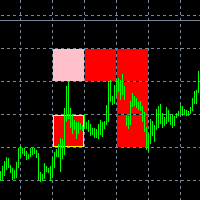
The new version of the game "Snake".
Added setting for the distance of the target (vertical + horizontal), which greatly enlivens the game.
The snake moves in the background, along the grid layout.
Control:
Ctrl - pause, W - up, A - left, S - down, D - right.
In the input parameters, you can set the time in milliseconds between movements.
The snake increases by one division upon reaching the goal, and so on, until it occupies the entire field.
The comment displays the size of the field a
FREE

The indicator builds alternative quotes based on the average price of a bar and shadows for a specified period of time or according to a fixed body size.
Options:
StartDrawing - the date from which the indicator will build quotes;
PerCounting - period for calculating the average body size and shadows. If AverageBody = 0, then it builds at an average price;
AverageBody - fixed candlestick body size. If greater than zero, builds on this parameter.
FREE

The ZZ Snake indicator is a small entertainment utility and does not have any benefit for trading. Made on the indicator ZigZag, so the parameters will be easy to figure out. If you set it on a graph, you can see a serpent monster that moves across the screen, changing the dimensions of the head and torso in movement. Just connect it to the schedule and let yourself crawling. Careful, he can bite! )
P.S. For a more dynamic movement of the snake, it is recommended to run it in the strategy teste
FREE

This utility clones the chart it is running on. It opens the same chart with the same graphical objects, set of indicators (saving the parameters) and the rest of the elements. In essence, it performs a deep copying of the original chart, transferring the template to the opened chart. The symbol and the timeframe of the original chart are also saved.
FREE

MayaTradeManager is a pure & 100% manual trade orders management. MayaTradeManager doesn't have any indicators or signals to be used together since all trades are done by the user only. MayaTradeManager is an good tool usually for whoever that has a signal at the user disposal but don't have the one-stop-center to manage their trades conveniently. MayaTradeManager brings all of the trades management into one simple panel in a very convenient way.
Just a quick note Lot size box is an editable bo
FREE
In the dynamic world of trading, visual acuity is paramount for making informed decisions. For traders who struggle with color blindness—a condition that affects approximately 5-10% of males and a much lower percentage of females—distinguishing between buy and sell signals can be particularly challenging. Recognizing this unique challenge, we are proud to introduce “Open Buy Sell Color”, a MetaTrader 4 script designed to enhance visual clarity for all traders. This tool offers customization o
FREE

Some short but nice algo giving signals and some ideas for stops. Five moving averages are used to find cross overs and create a zone. All periods and methods are adjustable but default values are optimized already. If you have lags on long history you can reduce MaxBars to make it work faster. Please comment if need to explain the parameters. Also any improvement ideas are welcome.
FREE

The SyncAllCharts indicator streamlines trading by automatically aligning all open MetaTrader 4 charts to the symbol of the chart where it’s applied, saving traders time and effort when analyzing a single asset across multiple timeframes or setups. With a customizable "Main Sync" label to identify the lead chart, it ensures a clear, clutter-free workspace, enhancing workflow efficiency and consistency for traders monitoring one currency pair or symbol.
FREE

this tool draws 4 groups of horizontal lines starting from a 4 prices you specify in the Inputs. you can draw Horizontal lines above or below or (both sides) the starting prices. Based on (The Quarters Theory by Ilian Yotov), this tool displays colored lines at fixed intervals which you can change from the inputs. you can use many sets of Horizontal lines each set of Horizontal lines has its own color and style.
FREE

Indicador que calcula e exibe dois níveis de preço: o preço médio das posições atualmente abertas e o preço de cobertura, definido como o preço necessário para zerar ou manter o lucro acumulado em determinado período. O cálculo do preço médio considera o volume e o preço de entrada das operações abertas, enquanto o preço de cobertura é ajustado dinamicamente conforme o lucro ou prejuízo realizado e não realizado no período analisado.
Versão MT5: https://www.mql5.com/pt/market/product/139405
FREE

Индикатор "INFO Spread Swaзp Info Panel" для MT4, вспомогательный инструмент для торговли.
- Индикатор показывает текущий спред и свопы валютной пары, к которой он прикреплен. Также идикатор показывает: 1. Дату и время сервера 2. Название сервера 3. Название влютной пары. 4. Спред 5. Своп 6. Открытые позиции 7. Отложенные ордера 8. Максимальная просадка после открытия индикатора 9. 30% от депозита. (можно менять) Можно менять положение, размер, цвет шрифта, расстояние между строками.
FREE

Important!!! Auto Trading must be activated! If you need to act quickly and all positions need to be closed or deleted. You drag this tool onto the chart where all open and pending orders are closed and deleted. When it has finished closing and deleting, it counts 20 ticks and the Expert Advisor automatically uninstalls itself from the chart.
Best regards and happy trading
FREE

you can plan you exit in terms of money/floating with this tool Once the negative or positive floating value reached this tool will close all opened positions
How to deal with big negative floating profit?
It will be very difficult to overcome this phase you can prevent with this phase with a exit strategy
It can be stop loss or close all orders if account has reached this much floating
FREE

Introducing "PropFirm Consistency Analyst" — your dynamic companion for achieving consistency in proprietary trading. This innovative Expert Advisor operates seamlessly, continuously calculating consistency metrics between two specified dates, providing real-time insights throughout the trading month.
Tailored specifically for prop traders, this tool serves as a dedicated ally in meeting the stringent consistency requirements set by some proprietary firms. By evaluating trading performance on
FREE

This utility keeps a watchful eye on your trading terminals and ensures that you are notified if any of them are disconnected. Simply attach the utility to a chart and connect to a monitoring service who can notify you.
We use UptimeRobot for both VPS and terminal monitoring; however, any service supporting heartbeat monitoring can be employed.
Many such services offer free plans and various notification methods, such as Cronitor.io
FREE

Introducing Demarker Jurik—an innovative indicator poised to revolutionize your forex trading strategy. This indicator combines the precision of custom moving averages based on the Demarker indicator with the MetaTrader 4 indicator, Demarker.
Jurik moving averages are renowned for their accuracy and reliability in analyzing price movements in the forex market. They offer traders smoother representations of price action, filtering out noise and providing clearer signals for identifying trends a
FREE

Introducing Austin RSI—an innovative indicator designed to elevate your forex trading strategy by applying moving averages to the MetaTrader 4 indicator, RSI.
The Relative Strength Index (RSI) is a popular momentum oscillator that measures the speed and change of price movements. It oscillates between 0 and 100 and is used to identify overbought and oversold conditions in the market. Traders often use RSI to gauge the strength of price movements and anticipate potential trend reversals.
Austi
FREE

This indicator smoothes the value of CCI (Commodity Channel Index) and reduces its volatility. By using this indicator, the fluctuations created by the CCI indicator are reduced. The smoothed CCI value is placed in a buffer that you can use in your EA and strategy. Leave me a comment if you want By using this indicator, you no longer need to use the Moving Average indicator on the CCI indicator.
FREE

Всем привет, мои друзья, сябрыыы. Я трейдер, 20 лет опыта. Хочу продемонстрировать свой индикатор. Индикатор создан на базе в тесной кооперации с индикатором arrows_template. Данный индикатор рисует на графике инструмента (любого) индикатор AO(Awesom) поверх. Видите сам AO на графике. Видите пересечение зоны нуля, Блюдце и т.д.. Если будут подсказки, корректировки. Пишите смело, всех пошлю.......Шутка До свидания.
FREE

[LueYingEA]
掠影EA-简介:
掠影EA分为多个系列,不同系列之间由后缀字母区分.
[LueYingC] 掠影C:非自动助手类型工具EA-MT4版.
[LueYingX] 掠影X:多组件集成,强大云端数据库版EA-MT4版.
[LueYingM] 掠影M:多组件集成,强大云端数据库版EA-MT5版.
------------------------------
[LueYingC]
掠影C-使用:
操作防护:安全模式需要确认,急速模式操作立即执行.
做单模式:掠影C独立模式下的订单,自主管理不被掠影X识别.
掠影C联控模式下,同组订单可被掠影X管理同时在C上操作也.
可主动管理X版订单.
订单组别:修改后仅对指定组别进行操作.
手数:现价每单固定手数,挂单每单基础手数,
单数:订单数量.
挂单间隔:批量挂单每单间隔.
FREE
Hello, Every one The EA is used to close buy or sell market positions and all pending orders when the RSI reaches a certain value. It is also used to close positions in the market when the profit reaches a certain value. All setting 1. RSI Period : 14 ( or as you want ) 2. RSI Close Buy Value : 70 (The EA will close all long positions and Pending Buy Orders when the RSI is above 70) 3. RSI Close Sell Value : 30 (The EA will close all short positions and Pending Sell Orders when the RSI is
FREE

Простая и полезная утилита для нанесения меток на открытые сделки. При запуске скрипта он ищет все открытые сделки и наносит метки на время и цену открытия сделки. Сделки в лонг обозначаются синим цветом, сделки в шорт обозначаются красным цветом. Есть два варианта нанесения меток: - с учетом текущего спрэда (по Ask) - без учета текущего спрэда (по Bid) Входных параметров нет. Всем профита!
FREE

FXO BROKER SPREAD INFORMATION
Floating spreads are harmful for your trading strategy, even with Raw spread account. it makes a lot difference.
Floating spread goes too high when it's news time or daily or weekend rollovers.
this can affect trades's Expert Advisors, Pending orders and Stop losses.
Therefore this tool is created to find right information about spread while rollovers.
How to use :
download/paste the program file to Expert Advisor folder,
Open a chart of any instrument, Lo
FREE

FXO PRICE ACTION LEVEL NOTIFICATIONS
Notes:
1. .ex4 must be loaded in EA folder (not indicator folder).
2. Activate MT4 application notifications by Tools/options/enable push notification.
3. Drag Overlapped Horizontal lines to desired levels at start.
This is an Indicator file, it will not take trades by itself.
For any query Support: admin@forexmarket.one
Copyright: www.forexmarket.one
FREE

This is a Semi Automated OTE EA based on the free teachings of ICT. One of the biggest challenges in trading is related to executing and managing trades. After analyzing charts, draw an OTE Fibonacci and turn on the EA. It will automatically execute orders based on the Fibonacci level of your placement and protect any open positions when in profit. Please review the documentation that accompanies this product.
Auto Lot Calculation Based on Risk Percent
Auto SL and TP
Auto BE
Risk Per
FREE
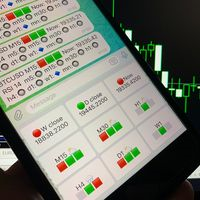
Telegram Candle Map Barometer. I wanted to create an informer that would show in the direction of the candle shadows where the price is moving. When I made the first timeframe, I realized that by combining several, I get an excellent breakout entry indicator. You need to create a Telegram bot for getting an API. Copy main ex4 file to Experts folder and use with settings. Download and enjoy, even receiving signals from MetaTrader, this is true when trading on any exchange. What we have inside: Mi
FREE
学习如何在MetaTrader AppStore上购买EA交易,MetaTrader平台的应用程序商店。
MQL5.community支付系统支持通过PayPay、银行卡和热门付款系统进行交易。为更好的客户体验我们强烈建议您在购买前测试EA交易。
