 MetaTrader 5
 专家
专家
 指标
指标
 程序库
程序库
 实用工具
实用工具
 窗口小部件
窗口小部件
 规则
规则
适用于MetaTrader 4的EA交易和指标 - 310
 EA交易自动执行市场交易,而指标可使您更准确地分析报价并预测价格行为。
通过这些应用程序,您将能够更明智地在MetaTrader 4执行交易,抓住更多的交易机会。
EA交易自动执行市场交易,而指标可使您更准确地分析报价并预测价格行为。
通过这些应用程序,您将能够更明智地在MetaTrader 4执行交易,抓住更多的交易机会。 
Features Summary
This EA leverages strategies and algorithms of the two popular strategies, scalping and grid trading. After tuning it not only takes advantage of scalper’s high win rate, but also grid system’s high resilience in the case of an unexpected trend. Phased setup allows you to fine-tune volume, take-profit etc. strategies differently at different level of grid and equity. It also allow the EA to get out of a trending market easily by adjusting the TP target automatically. When Tim

If you need more information than a few numbers in the iExposure index, this indicator is for you.
Better iExposure indicator is an improvement over the original information, such as:
Separate profit column for BUY and SELL Separate SL column for BUY and SELL Separate TP column for BUY and SEL Average Price as Horizontal Line in Chart Pip Value www.foxwave.eu
The indicator shows a matrix of indicators in multiple time frames with a total sum.
The product offers an excellent way to visualize several indicators at the same time, without the need to include them within the graph, allowing you to visualize the price movement in a more efficient way.
The properties of the standard indicators can be changed through the indicator entries. The standard indicators that are displayed by default are: ADX, CCI, market price up / down the moving average (MA), m

Trend Snipper Scalper is a FULLY automated Expert Adviser which uses a combination of indicators to analyse the forex market for quick short and long trades opportunity in a 30 min Gold or XUAUSD Chart. The scalper has a Economic N ews filter which enables the robot to avoid trading during news time. The robot provides the user with many trades control options and money management to ensure success over its trades. For best results, use the default inputs setting shown in the Screenshopts. RECOM
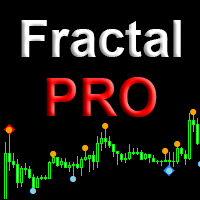
Fractal Pro is a professional version of the display of fractals with additional filtering. Visualizes fractals by price and volume. Suitable for defining entry points for scalping and swing, as well as for intra-day, mid-term trading. Fractals - candles on which the price turned in the opposite direction. Volumetric fractal is an extremum not only in price, but also maximum in volume. Features Visualizes the location of price reversals. Marks candles that are fractals both in price and volum

Features:
- Current TF GMMA Cross and Trend (Mandatory Check.. G-Up/G-Down) - HTF GMMA Trend Check (Optional.. slanting arrow) - TDI or NRTR Trend Check (Optional.. diamond)
Read post for detailed description and downloading extra indicators: https://www.mql5.com/en/blogs/post/758264
Scanner:
This is a Dashboard Scanner for finding good trades using the GMMA method as base and TDI method for trend verification. All buttons for all Pairs and Timeframes are clickable and will change the chart f

I have been developing, testing and correcting this automated scalping system for a long time. Use night scalping strategy, The RSI indicator, Stochastic, Moving Averages, CCI and an ATR-based filter are used for entries. Recommended parameter: Minimum deposit of 100$ USD, (if minimum LOT=0.01). Use it in M15 time frame Recommended symbol is EURUSD, GBPUSD, ... Use Trading Time: Start Hour 21:16 - End Hour 23:16 GMT+3 (Modify according to your broker). VPS: A VPS with good latency rate. Requires

EA介绍
LRY FX Robot 为多货币自动交易机器人,根据RSI信号进行交易。
EA运行环境
EA可以运行在任何货币上,不过测试的时候使用的是EURUSD H1,最小资金为300美金
参数
Lot - 开单手数 MaxLotSize - 最大手数 Signal Type - 开单信号 Time Frame - 信号周期 InterestAmount - 得利金额,根据帐户余额进行加大手数 Star Hour - 开始交易时间(取服务器时间) End Hour - 结束交易时间(取服务器时间) LotMultiplier - 加仓部数 LimitOrder - 开单总数 OrderDistance - 加仓间距 Currency Group - 进行交易的货币组 Magic - EA编号

A ColdStream trading expert can identify strong trend movements. It uses different indicators, for example Alligator, Gator and many others, besides it determines and can display trend lines by the highs and lows of the price, to trade when these lines break through. It has many customizable parameters so that you can optimize this Expert Advisor for better trading on the necessary currency pair or timeframe. At the same time, you can use almost any currency pairs for trading. It is advisable to

UTILITY BOILERMAKER is a semi-automatic Expert Advisor (utility), whose task is to close orders based on the signals of the BOILERMAKER and Keltner MTF indicators. How it works? The trader opens trades on the signals of the BOILERMAKER or Keltner MTF indicators UTILITY BOILERMAKER – independently closes these deals when there are conditions for their closure. The conditions for closing deals are: Achievement quotes of Keltner MTF central line (look at the picture below) The appearance of the o

Embark on the pinnacle of Binary Options evolution. Our indicator isn't just adaptive—it's relentless. Picture a ninja riding a serpent, shadowing its every move; that's how this tool trails the market trend, unwavering till the end. Built upon the foundational prowess of the Ichimoku indicator and honed with an array of fine-tuned oscillators, it epitomizes accuracy and precision. Dive deep without getting lost in the Ichimoku's intricacies—our indicator simplifies the process for you. Perhaps
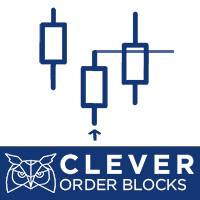
Description Very precise patterns to detect: entry signals as well as breakout, support and resistance reversal patterns. It points out zones in which, with a high probability, institutional orders with the potential to change the price’s direction and keep moving towards it, have been placed. KEY LINKS: Indicator Manual – How to Install – Frequent Questions - All Products How is this indicator useful? It will allow you to trade on the order’s direction, once its direction has been id
Netsrac Correlation Trader(NCT)是一个非常强大的工具,可以用对冲订单交易正负相关的货币对。
1)它寻找正负相关的货币对 2) 如果相关货币对不平衡,它会向你显示一个信号 3) 它可以通过你设置的时间框架和信号值来 "自动交易 "一些或所有的相关货币对(小心处理) 4) 它可以设置正确的手数,以拥有点值和每日范围的最佳对冲交易 5)它可以成为你的单一工具来支持你的关联交易的自由裁量权
你可以为EA的信号使用任何时间框架。小的时间框架比大的时间框架需要更多的人工干预。从M30开始的时间框架更适合于自动交易。我将逐步增加更多的功能,支持手动和自动交易。
如果您有一些问题或建议--请随时联系我。请阅读我的博客文章( https://www.mql5.com/en/blogs/post/726866 ),了解本EA的设置!
请注意。本EA不能进行回测,而且!DEMO是无用的!因为它至少同时在两种资产中交易(对冲订单)。
如果你不知道,这个专家是否适合你--请利用廉价的测试月。你将不会后悔。或者,使用免费的DEMO,可以在这里找到( https://www

Smart Brain passes the test from 2001 to the current day! The system works under any market circumstances and it is almost not afraid of the news! The system works without being tied to a GMT broker, it doesn’t care about the current time! I’ve been working on it for years, but before that I only managed to create the Just Marvel advisor (click to view this product) ! Now we have a slightly different system that can trade around the clock! trades do not open every day! You must be patient, to u

Nephew - автоматическая торговая система - скальпер. Советник является трендовым ночным скальпером. Вход в сделку происходит при откатах от основного тренда. Трендовым и одновременно канальным является индикатор «ленты Боллинджера» (Bollinger Bands). Ордера открываются при пробое границ канала на определённое заданное количество пунктов. Закрытие ордеров может происходить по тейк-профиту, трейлинг-стопу, стоп-лоссу, а также по истечении заданного времени. Возможно задавать ограничения по време

Needing to drill down further on a specific bar's behavior? No need to open another chart! The Magnifying Glass indicator can show the price action of a specific bar from a lower timeframe.
Just hover the cursor over the bar in question and one can see the lower timeframe candles that actually make up the bar on the chart. The candles display scaled to the actual bar that's hovered on to the bar's immediate right.
There is no input parameters, the selections are done entirely via buttons on

Curiosity 2 THE WALL It is an advanced trading system. This is a fully automatic Expert Advisor, which allows you to presize the trade according to the preferences of the trader. Curiosity 2 have more than 260 customization options for your trade. Different options for different styles of trade. Curiosity 2 THE WALL is a break system of trade with different algorithm of trade mode. This EA using signals to place orders. Is a revolution in the customization of the trading. The algorithms de
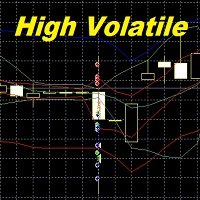
High Volatile
High Volatile expert Advisor. designed to work in the highly volatile market.
The EA operation is based on the price return to the channel. It uses pending orders buy stop and sell stop. All parameters are set to the highest profitability.
The stop loss has been increased to 100 pips, which excludes fast closing of orders at a loss. Currency pairs GBPUSD, EURCHF, USDCHF and other volatile pairs. Time frame M1. Spread is not more than 10 (5 digits). The account must be ECN,

Hi All, This is a Moving Average that will be trading Safely with the percentage of your account so no risk of losing all at once.
This is a slow but steady EA
Works with Min Balance of 100 Dollar
Time frame: 1H
Currency: EUR/USD
The Trading Percentage have been put as an input in my EA so feel free to select the amount of money you will make.
The EA also have a TP and SL so it will not wipe the account if no TP hit.
Happy Trading

Xtreme TrendLine is an advanced powerful trend indicator. This indicator is based on candles analysis and trend channels. It can be used on any trading pair or instrument on any time-frame. This indicator is accessible in EA via iCustom functions and is fully customizable by user.
Features Any trading instrument Any timeframe Fully customizable by user More Trendlines on one chart Can be used in EA via iCustom function Can be use on more timeframe at once to catch best moment for the trade entr

This indicator Super Channel Arrow and zak indicator.Indicator displays trend movement. Indicator calculates automatically line. Features
FiltPer - displays indicator channel period. FiltPer2 - displays indicator period. deviation - displays indicator channel deviation. How to understand the status: If the arrow is green, trend is up. If the arrow is red, trend is down. best FiltPer ,period timeframe M1-H1 (100);H4-MN (50) best FiltPer2, period timeframe M1-H1 (50);H4-MN (25) //////////////////

智能交易系统。所有時間範圍、貨幣、加密貨幣、金屬...所有 MT4 以及任何螢幕和範本都會自動配置。初學者將簡單地根據信號進行交易。獨特的彈性演算法的參數在設定中是開放的。
想法1:除了「買進/賣出」之外,在極值點也給予「獲利」訊號。這種策略會增加結果 - 當您獲得最大利潤並進行更多交易時。 如果觸發了“止盈”或“止損”,或者您平倉了,該指標很快就會在相同方向上發出新信號- 當趨勢在回滾後繼續時,或在相反方向上- 如果趨勢改變。 可用的「訊號優化器」和訊號過濾器:「Filter_Stoch_M15」(僅隨機 M15 方向的訊號)、「Filter_Stoch_H1」以及指示風險交易的「TrendLine_Gray_when_risk」。 思路二:可以准确选择交易时刻。 随机指标线 M1、M5、M15、M30、H1、H4 在一个窗口中同步。 它们的反转(进入点)和每分钟的走势都可以在一张图表上看到所有时间范围。 想法 3:一个紧凑的货币活动扫描仪,它会自动将带有新信号的图表切换到顶部屏幕。 单击扫描仪上的符号,您可以轻松创建所需的图表。 您在 1 个图表上配置的“CO

Индикатор ViPa-это мощный инструмент ,который работает как в трендовых,так и флетовых рыночных условиях.Отлично подходит как для новичков,так и опытных трейдеров.
1.Очень прост в использовании. 2.Не имеет входящих параметров. 3.Визуализация с помощью понятных картинок. 4.Не требует дополнительных индикаторов. 5.Работает по всем инструментам. 6.Идеально подходит для скальпинга. 7.Не перерисовывается. 8.Входы с низким риском.

SIGNALINE INDICATOR This indicator for all pairs and all timeframes I have just completed the M5 timeframe for deep optimization EURJPY yet. EURJPY M5 Optimization ( TP=150 , SL=130 , IndicatorPeriod=6 , Mov1=22 , Mov2=48 ) (*)Added 20.05.2019 You can find this signal page below https://www.mql5.com/en/signals/583477 Other optimizasyon results will be added on this signalpage. Input Parameters: IndicatorPeriod: Default is 8. Mov1 : Default is 21. Mov2 : Default is 48.
SAWA Framework is the perfect tool for automatic or manual trading !
How does it work? You can trade manually or use it in automatic mode with your own strategy. The expert advisor opens a position when all signals enabled agree on the direction of the trend.
It includes 3 types of Money Management: Fix Lot. Auto-lot calculated with a percentage of the account Balance in risk. Auto-lot calculated with a multiplier of the previous position. 3 types of Martingales: Disable. Enable adding in pro

Market Zones This indicator provides an easy way to get to trade based on Gaussian statistical levels similar to the Market Profile methodology. Using an exclusive formula the indicator estimates dinamic zones where the market movements statistically remains most of the time (70%), this allows to see the market on a simplified way avoiding following non-relevant bar movements. Prices stay calm inside market zones and tend to move faster outside the zones. This is crutial to identify best zones

Golden Chip provides Basic Market Structure, Fibonacci, supply and Demand Zones. Letting you identify when a sell off point is approaching or whne a buy opportunity is arriving. The awesome thing about Golden Chip is that, you will see rejection levels or continuation before ANYBODY ! This indicator moves directly with price and lines up perfectly with the Chart. Some indicators would lag but NOT this one ! Golden Chip is amazing for Clean chart (Naked Chart). GOLDEN CHIP IS ONLY ON METATRADER (

This is the ONLY Trade Copy EA that can copy TO and FROM many slave account. Trader can choose EA to work in ONE WAY (server => slaves) or TWO WAY (server <=> slaves) mode. The copy process is done without leaving magic number or any infomation in the comment field of the orders. Very clean. Order can be partialy closed on both server and slave account. EA only work with 28 currency pairs because CFD and metals sometime have different names on some brokers. EA has ability to protect account by s

TriplE StrategY is an Expert Advisor with 3 different strategies from the series of StrategY ONE, StrategY TWO, and StrategY THREE; using Unique Price Movement Algorithm I+II+III (UPMA I+II+III), incorporate with Account Protection mode . With suffecient knowledge in the market and some manual interventions, this expert adivsor can be a very power tool to accure your account balance.
Important Note**
There is no such an expert advisor that can be set and forgot, If one said they have, they li
EA trades using the method of "topping up". If the quote went "not there", additional orders are opened in the direction of the trend.
How to start:
We choose timeframes that are comfortable for trading (set in the settings): global and smaller. <br>
The first trade in each direction is opened with a starting lot, then the multiplication factor is applied. <br>
If the entire series of orders is closed by take profit, again we start with the starting lot ... <br>
Rules for each direction, se

Полуавтоматический торговый робот Booster Seven помогает трейдеру торговат, решения о торговле в направленнии Buy или Sell принимает трейдер. У робота на графике выведенны функции Buy, Sell, Buy Stop, Sell Stop, Buy Limit, Sell limit и AUTO S/L. Также статистические параметры торговли. При выборе функции Buy торговля начнется открытием позиции Buy начальным лотом, имеющим соответствующие Stop Loss и Take Profit. Новая позиция открывается, когда цена на указанный пункт превысит отметку предыдушег

Description The indicator measures a currency’s relative strength, on different timeframes, through certain percentile spread analysis. This allows you to compare which are the strongest currency pairs, against the weakest pairs. These spreads are based on comparison against USD. KEY LINKS: Indicator Manual – How to Install – Frequent Questions - All Products How is "Clever Spread Currencies Strength" useful to you? This indicator determines a currency’s strength for different timeframe
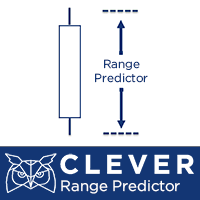
Description: The indicator predicts, with a specific probability, if the actual candlestick range will expand or contract compared to the range of a previous candle. Furthermore, the indicator shows the possible high or low of the actual candle, based on trend direction. (Recommended for Daily, Weekly, or Monthly timeframes).
KEY LINKS: Indicator Manual – How to Install – Frequent Questions - All Products How to use the indicator: Determines, with a certain probability, if there will b

Dear traders! This indicator automatically displays multiple Anchored VWAPs (AVWAPs) on the chart. They act as strong Supports or Resistances. They add a lot of confluence to trading systems. As per feedbacks from users, we have incorporated BOTH AVWAPs in latest version. HL AVWAPs and Time AVWAP.
Let us understand about them in brief. In Inputs section, from Display Choice, user can select either or both of abovementioned AVWAPs.
1. HL AVWAPs - Anchor VWAP Bands from Swing High / Low, w
瓦克斯特 D1 该机器人是 RPTrade Pro Solutions 系统的一部分。
WAXTER 是一个使用趋势指标、振荡器和价格行为的机器人。
它旨在供任何人使用,即使是绝对的交易初学者也可以使用它。
主要为D1设计,最终也可用于H4 使用获利、止损和追踪止损。 也可作为无止损/止盈的开关 为玩家提供鞅和反鞅系统。 适用于任何对 很多 .Set 文件可用。 它是如何工作的
WAXTER 是 Trend-Wise EA,意味着它的策略是顺着趋势的方向进行交易。 WAXTER 使用结合价格行为和动态支撑和阻力的趋势策略。 特定的嵌入式 WAX 指标用于确定趋势 当检测到趋势时,根据参数,在其方向上开始交易 交易被 TP/SL/TS 或下一个相反的交易停止。 没有对冲,没有平均。 一笔交易必须在下一笔交易开始之前结束。 WAXTER 仅控制柱线开盘,意味着它在开盘价模式下工作。 瓦克斯特作品 使用任何工具,如外汇对、指数、金属、期货或任何其他工具。 每种不同的工具都需要优化和回测 在 D1 和 H4 中(使用前的回测)。 与任何经纪人。 无论如何。
WAXTER 特点 屏

Scalpises Assistant is a complete trading system for scalping on any currency pair. The indicator itself analyzes the market and gives the trader signals to open orders. Also sends signals using email and push notifications. This indicator displays information in two windows. In the main window, the indicator draws signals in the chart in the form of arrows. In the additional window, the indicator shows the ratio of the number of profitable and loss-making signals, shows the current signal on o

Fx Ilan Pluss Советник Fx Ilan Pluss -это аналог советника, с добавлением множества дополнительных логик и возможностей для торговли, с оставленными настройками советника . Советник торгует по системе Мартингейл с увеличением последующих лотов в серии ордеров, с целью их усреднения. Первый ордер робот выставляет по сигналам встроенного индикатора. Так же советник имеет возможность прекращать торговлю в зависимости от новостей. FX Ilan Plus можно использовать либо на одном графике, либо на двух г

The EA utilizes Fear and Greed of market. That's why this EA works on almost all market.
Specifically,this EA searches for extreme prices and exploit that.
This EA does not use Martingale,Grid or other risky systems.
As default,all trades have a StopLoss level.
PAIRS,TIMEFRAME AND BROKER
The EA is well suited for Forex. Any pair will do,but I recommend major pairs. Higher timeframes like H1 is best.But this EA can be used for scalping too(with low Profit Factor).
Any broker will do,but lower s

****************************************************** SIGNAL: https://www.mql5.com/zh/signals/586055 this is an Arbitrage system which base on EURUSD EURGBP GBPUSD you need a smallest spread and lowest ping account like ECN. I run it on icmarket and tester in icmarket history data run it on any chart then it will trade on EURUSD EURGBP GBPUSD when sign has checked here is version For MT5 : https://www.mql5.com/zh/market/product/38629# you can backtest from mt5 ******************************

Mars 2 is a Oscilator indicator. I s a powerful indicator of TREND for any par and any timeframe. It doesn't requires any additional indicators for the trading setup.The indicator gives clear signals about opening and closing trades.This Indicator is a unique, high quality and affordable trading tool.
Perfect For New Traders And Expert Traders Low risk entries. Never repaints signal. Never backpaints signal. Never recalculates signal. For MT4 Only Great For Scalping Great For Swing Trading A
Scalper gun - the main weapon for trade in scalping and swing, with visualization and alert of entry points. The indicator works in both trend and non-trend market conditions. Suitable for beginners and experienced traders. SCALPER GUN surpasses popular top indicators of this site in speed, quality of visualization and accuracy of entry !!!
Before buying, download the Scalper gun demo and compare it with similar indicators for scalping in the MT4 tester. Features This is a complete trading sy

Bellar is a fully automated trading advisor. The settings of the adviser were customized and generated for trading using a safe scalping strategy, which implies opening short-term trades and exiting them with a positive progression of the profitability index of several points, which allows the buyer to minimize the leakage of funds from opening negative-yield trades. The advisor’s method of operation is based on initiating a series of sequential processes: aggregating a diversified number of pot

This is triangular moving average(TMS). TMS uses Simple Moving Averages for moving average calculation. If TMA periods is 5,five SMAs are used for calculation. TMA weights middle part of the price series. In other words,TMA is less noisy and more accurate .
Input Parameters TMAPeriods ----- Defines perids for TMA calculation.
ModeForTMA ----- Defines mode for TMA calculation.This is normally SMA.
AppliedPriceForTMA ----- Defines applied price for TMA calculation. ShowNormalMA -----Show normal m

VR Sync Charts 是用于在窗口之间标记同步的实用程序。 使用VR Sync Charts,您的趋势水平、横水平、斐波那契折返将与所有图表同步。 该实用程序允许同步MetaTrader终端中的所有标准图形对象,您的所有趋势、江恩线和其他对象都将被准确复制到相邻图表。 您不再需要手动复制您的划线和标记。在下面的图片和视频中,您可以查看和评定VR Sync Charts实用程序的工作。 建议: 在所有图表上指定指标。 在终端设置中设置为通过双击选择一个对象。 对该程序无法在策略测试器中进行测试,请看下面的视频。 有点 同步任何图形对象 将图表与任何时间范围同步 所有更新都是免费的 适合初学者和专业交易者 设置数量不大,有助于有选择地做同步 适用于任何金融工具(Forex, CFD, Crypto, Metalls, Futures) 易于安装和配置,该程序带有文本和视频说明 版本: MetaTrader 5 博客上的更多信息 跳转 您的反馈是最好的感谢! 留下评价。 技术支持、设置、set文件、试用期可以在 聊天群
The RSI Symmetric indicator approximated by function of the known Buzzer indicator.
Display for the high timeframe is provided.
2 types of signals are of interest:
1. Position of the RSI line concerning the approximated line
2. The trend direction of the approximated line
Indicator parameters:
RSI TimeF rame - the worker timeframe (it has to be equal or more than current);
RSI Period - no comments;
Buzzer Period is the period of approximation of the RSI Symmetric indicator;
Buzzer Ave

Strong Retracement Points Pro edition! SRP (Strong Retracement/Reversal Points) is a powerful and unique support and resistance indicator. It displays the closest important levels which we expect the price retracement/reversal! If all level are broken from one side, it recalculates and draws new support and resistance levels, so the levels might be valid for several days depending on the market! If you are still hesitating to start using this wonderful tool, you can check this link to see how ef

Voodoo Scalper Bars enjoy scalping. Color change trend changed.
Works in EURUSD/GBPUSD/XAUUSD/USOIL/US500/USDJPY/USDCAD/JP225/USDTRY/USDMXN and CFD's all pairs
The input parameters are optimized for all pairs best timeframes M1 and M5 Voodoo Scalper Bars used Bar Charts
Signal on close of a bar.
DOES NOT repaint. DOES NOT repaint. DOES NOT repaint. DOES NOT repaint.
DOES NOT recalculate. DOES NOT recalculate. DOES NOT recalculate. DOES NOT recalculate NOTE : SCALPING COLOR CHANGED FOLLOW Setti

A professional multi-currency robot, used medium-term trend-following trade with a recommended risk of 1-3% per trade. Depending on the volatility, take profit is set as a percentage of the maximum stop, trailing stop is used. Can trade together in one account with my robot TrendScalperNew ( https://www.mql5.com/en/market/product/38514 ). Trade is conducted on 19 major currency pairs. Martingale and averaging are not used, and are not spread sensitive. Automatically determines the Deposit curren

The Cash Flow Grid Trading System was designed with the intention of creating an ongoing monthly cash flow. This system is obviously turning out some large numbers, and profitable results are always the goal while taking minimal levels of risk. There is hedging that takes place on a normal basis as the system is always placing both buy and sell positions. The system does not use a specific stop loss percentage as such and relies on the hedging to minimize risk along with a relatively small ret

The MT4 trading advisor calculates the formed Gartley Butterfly shapes and makes a decision at the start of trading.
"Butterfly Gartley" - one of the figures of graphical analysis, popularized by technical analyst Larry Pesavento, taken from the author's publication "Profit in the stock market", published in the mid-thirties. To date, there are 12 basic "Gartley patterns" - graphic figures with the construction, based on the application of Fibonacci levels and ratios.
The algorithm of trackin

A professional multi-currency robot, used medium-term round-the-clock scalping with a recommended risk of 3-10% per transaction. Depending on the volatility, take profit is set as a percentage of the maximum stop.
Trade is conducted on 19 major currency pairs. Martingale and averaging are not used, and are not spread sensitive. Automatically determines the Deposit currency, calculates the corresponding lot size depending on the maximum stop and the exchange rate of the current currency pair.

Chart Patterns Detect 15 patterns (Ascending Triangle, Descending Triangle, Rising Wedge, Falling Wedge, Bullish Flag, Bearish Flag, Bullish Rectangle, Bearish Rectangle Symmetrical triangle, Head and Shoulders, Inverted Head and Shoulders, Triple top, Triple Bottom, Double Top, Double Bottom) Use historical data to calculate the probability of each pattern to succeed (possibility to filter notification according to the chance of success) gives graphic indication about the invalidation level and

Pocket Hercules - is an automated trading scalping system. The EA is a trend scalper. The trades are made at rollback from main trend. Indicator Bollinger Bands is responsible for trend and channel determination. The EA opens orders at channel breakdown for definite value of points. Orders can be closed at take-profit, trailing-stop, stop-loss and at defined time elapse. Time limit of the EA work is available. The EA does not use martingale and grid of orders. Trade instruments : all, recommend

Attention!!! Do not try to test an Indicator in Tester, this is very difficult and mathematical calculation will consume all your Memory of computer. Test can be provide only on high performance computers. In Forward trading Indicator run without any problems. Better is rent product and test this calculation. After buy this indicator - BOILERMAKER, we will give for FREE our another indicator - Keltner MTF , contact us - after buy. PLEASE ONLY BUY LIFETIME LICENSE NO RENT!!! We add on MQL ma

This indicator is just a simple ATR indicator. It calculates the Average True Range and let you tell it to show the percentage of the ATR. You will then see the % of the ATR on the screen. I like to use it to calculate different things for my trading. If I use the really great AW Recovery System ( https://www.mql5.com/en/market/product/28868 ) there is a great strategy made by the developer, where you watch the daily ATR and set the steps calculated on part of the ATR. So if you put the Part of

Brown Bear EA - это простая автоматическая торговая система торгует по тренду после отталкивания от важных ценовых уровней. Советник использует сеточную систему, а так же мартингейл и разработан под пару EURUSD. Советник не привязан к таймфрейму. Параметры: AutoStops = 1 - Включить автоматическое определение StopLoss и TakeProfit. StopLoss= 0 - Стоплосс TakeProfit = 0 -Тейкпрофит. TakeProfitAverage = 300 - Общий тейкпрофит для сетки ордеров, количество пунктов от линии усреднения. LotRisk = 0

It's based on the Averaging strategy. EA opens two orders - buy and sell. Profit order closes by TP, for loss order grid of averaging orders will be started. What is averaging? AVERAGING is a technique to minimize unwanted risk by opening another position with the same direction at different price level. You can negatively or positively average. The difference : Negative average: this is where you add to your trade when it is going against you “OFFSIDE” so you sell more at a higher price or buy
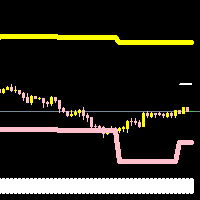
惊人的指标交易者使用四个业主指标(两个是可见的)。三个指标确定条目,第四个(波段)确定机器人的进入和退出。这些带是我们的发明,不同于布林带和信封。它们以可公平的可预测性限制每日价格范围。底部指标是一个简单的入门指标,既简单又极其重要,这也是我们称这个ea为惊人指标交易者的原因。指示器每天只更换一次颜色,以呈现黄色或粉红色。黄色买和粉红色出售。这很简单。 ea还通常在亚洲交易时段寻求12种条形图的确认。 12是选择的数字,因为主要机构使用的许多algos和高频EA具有12 bar常数嵌入,这被证明是非常基础的并且提高了分解模式的可预测性。
我们已经在屏幕截图中描述了交易方法,以提高此ea核心原则的透明度。我们也不介意提高交易员的交易知识,因为我们也从我们前面的其他人那里学到了东西。这将允许交易者最终能够使用此ea并且还能够手动交易。然而,我们认为没有理由这样做,因为ea将做同样的事情,并避免交易员由于贪婪和恐惧而经常犯的错误。所以我们建议你让ea运行它。我们建议使用固定批次,直到资本是您投资的两到三倍。然后可以在此之后进行指数批量。如果你练习纪律,你可能会更进一步。不要贪婪,慢慢长大。
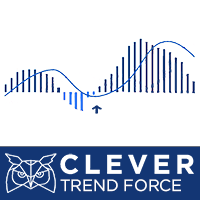
Description: Indicator which uses trend, breakout and reversal innovative indicators to show a complete visual trading strategy, with transparent metrics. It follows simple visual patterns, which will improve your trading significantly. Support: We create great tools for the entire trading community. Most of them are free. If you believe in what we do Support Us Here. KEY LINKS: Indicator Manual – How to Install – Frequent Questions - All Products
Outstanding Features Shows cur
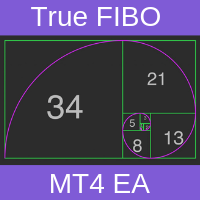
Trading System The adviser pulls a big grid of Fibonacci levels (red levels) from the minimum and maximum of candles on D1 - the number of candles is indicated in the parameters (FiboBar) of the adviser. Real-time results can be viewed here . Telegram group here Actual SET files here Further between each level is a small network of Fibonacci levels (blue levels) We get a double network of Fibonacci levels, one nested to another. The condition for entry into the market: when the price crosses

Arrow indicator for easy determination of trend estimates All arrows remain in place and after closing the candle does not disappear. Can send notifications to your phone or email Works on any currency pairs, metals and cryptocurrency Suitable for working with binary options Distinctive features Does not redraw; Defines trend changes; Sends signals to a smartphone or email; Advanced settings for fine tuning; Works on all timeframes and on all symbols; Suitable for trading currencies, metals, opt

The Expert Advisor is based on an adaptive algorithm, using many self-tuning parameters. All Low Risk (SL) sets of orders have a strict limit on losses (5% DD per order* or time limit). New sets are in the "Comments" section comments #154-159. Signals: https://www.mql5.com/en/signals/author/old_padre Main Advantages The EA does not use Martingale ; The minimum starting deposit is $300; No need to close the robot during news releases; It works with 4 and 5-digit quotes; A multi-level model of a
Attention!!! Do not try to test the EA in the Tester - it is simply impossible, because the EA opens positions on different 26 instruments. The tester is able to test only one pair. The EA uses 6 strategies. Trading is carried out in a pair of several currencies at the same time, for example, the EA opens orders simultaneously for two or more pairs and closes when a certain profit is reached.
The EA trades many major currency pairs. Monitoring: https://www.mql5.com/ru/signals/author/profi_m
I present to your attention the indicator ADX-MA Arrows MTF . The indicator is based on the two standard indicators Moving Average and Average Directional Movement Index . It represents the entry signals in the form of arrows. All signals are generated on the current bar. It is maximally simplified to use both for trading exclusively with one indicator and for using the indicator as part of your trading systems.
A feature of the indicator is that the indicator timeframe can be set independently
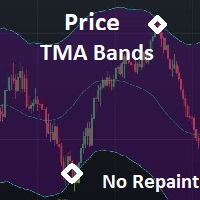
This is a simple PriceTMA bands, non repaint! it can be used for a trend following system or sometimes reversals. as a main signal or a filter for others strategies, it depends on the trader main strategy. calculations for this indicator are a combined Algorithm between moving averages "MA" and average true range"ATR". good luck with your trading! i hope it is helpful Cheers

An automatic trading system is based on calculating the difference between key Fibonacci levels and their ratio to the size of Fibo order candles.
A unique tracking algorithm for each position allows you to control the price behavior. If it is recognized that it is not advisable to hold the position further, it will be closed.
Advisor controls ping and slippage of the trading server and adapts to them. Trading instruments (timeframe m5): EURUSD, GBPUSD, USDCAD.
Recommended: VPS; low spread;

Curiosity 1 box break It is an advanced trading system. This is a fully automatic Expert Advisor, which allows you to presize the trade according to the preferences of the trader. Curiosity 1 have more than 260 customization options for your trade. Different options for different styles of trade. Curiosity 1 box break is a break system of trade with different algorithm of trade mode. This EA using signals to place orders. Is a revolution in the customization of the trading. The algorithms d

This EA guides you like a hunter. Tacheprofit and StopLoss levels. See the difference in the experiment. Works in all periods. Works at all rates. You can win with this system. The crossing of the mean and the re-test were done according to the rule. You can see the transactions by moving backwards on the strategy test screen. The whole system is automatically calculated.

This Expert Advisor is the legend of EA. The Expert Advisor only opens one high precision entry. This EA can make you a nice profit. Works on GBPUSD on M30 Features: Very easy to use and, if necessary, customize to your own requirements. Consistent Profit EA The EA uses the adaptive trade management algorithm. PRICE WILL INCREASE.. BUY TODAY AT LESS PRICE !! One Punch GBPUSD was tested and has successfully passed the stress test with slippage and commission approximate to the real mar

This expert is the robot of the "Military Dog" indicator.
Expert Properties : SymbolEA = Broker Symbol Name Sample SymbolEA = EURUSDpro
input double TrendLot=1; // Lot Size input int Minumum_Point_Profit=50; // Minumum Profit Select Position input int Stop_Loss_Point=0; // Stop loss should be broad or not used. input bool BB_Trailing_Stop_Loss=true; input bool BB_Trailing_Stop_Up=4; input bool BB_Trailing_Stop_Down=2; input int BB_Trailing_Period = 20;
Military dog s-army will help you iden
MetaTrader市场是 出售自动交易和技术指标的最好地方。
您只需要以一个有吸引力的设计和良好的描述为MetaTrader平台开发应用程序。我们将为您解释如何在市场发布您的产品将它提供给数以百万计的MetaTrader用户。
