 MetaTrader 5
 Experts
 지표
지표
 라이브러리
라이브러리
 유틸리티
유틸리티
 위젯
위젯
 규칙
규칙
MetaTrader 4용 Expert Advisor 및 지표 - 316
 트레이딩 로봇은 자동으로 시장거래를 수행하는 반면 지표는 가격을 더 잘 분석하고 가격 행동을 예측할 수 있게 해줍니다.
이러한 어플리케이션을 사용하면 MetaTrader 4에서 더 많은 기회를 포착하는 동시에 보다 정보에 입각한 방식으로 거래를 수행할 수 있습니다.
트레이딩 로봇은 자동으로 시장거래를 수행하는 반면 지표는 가격을 더 잘 분석하고 가격 행동을 예측할 수 있게 해줍니다.
이러한 어플리케이션을 사용하면 MetaTrader 4에서 더 많은 기회를 포착하는 동시에 보다 정보에 입각한 방식으로 거래를 수행할 수 있습니다. 
§ Lot - is initial lot of trade. § Koef - coefficient of multiplication of lot. § Dig-2 - average figure to the 100-th lot shares, "1" - average figure to the tenth lot shares, "2" - in the 100-th shares of the warrant. § Maxlot - is the maximum lot of volume in a series. § Stoploss - is the number of points from the warrant. § Lz is - the volume of the warrant at which a series is closed in without a loss. § Takeprofit - is the number of points from the warrant. § Pips - i

Notify To Telegram MT4 Expert Advisor will send notifications via Telegram when orders are opened/modified/closed on your MetaTrader 4 account. Send message to person, channel or group chat. Easy to customize message. Support custom message for all languages. Support full Emoji.
Parameters: Telegram Bot Token - create bot on Telegram and get token. Telegram Chat ID - input your Telegram user ID, group / channel ID Magic number filter - default all, or input magic number to notify with com

Demarker levels cross Alert is a modified version of the classic Demarker indicator, with email and mobile alert when demarker cross High or Low levels, default levels setting are: low=0.1 and High=0.9 and Demarker of periode=10, you can modify all these entries to find the best setting for every Pair or Stock. Basically these Alerts are reversal Alerts, you will get: 1-Buy alert when Demarker cross above Low level. 2-Sell alert when Demarker cross below High level. -----------------------------

This EA combines two built-in combined indicators (Bollinger Bands breakout and EMA Cross) to check the trends before performing any trading action. It is provided with: trailing Stop Loss; bad time to trade filter for each day of the week; define in minutes the profitable orders duration; define in currency values the profit to be taken; enable and disable martingale mode; define the maximum spread value to trade; define the minimum equity percentage to allow trading; the input values are alre

KT COG is an advanced implementation of the center of gravity indicator presented by John F. Ehlers in the May 2002 edition of Technical Analysis of Stocks & Commodities magazine. It's a leading indicator which can be used to identify the potential reversal points with the minimum lag. The COG oscillator catches the price swings quite effectively.
MT5 version of the same indicator is available here KT COG Advanced MT5
Calculation of COG The COG indicator is consist of the two lines. The main l
This indicator will allow you to evaluate single currency linear regression.
WHAT IS LINEAR REGRESSION?(PIC.3) Linear regression is an attempt to model a straight-line equation between two variables considering a set of data values. The aim of the model is to find the best fit that can serve the two unknown values without putting the other at a disadvantage. In this case, the two variables are price and time, the two most basic factors in the Forex market. Linear regression works in such a way
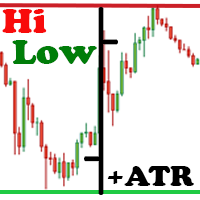
The Hi Low Last Day ( Hi Lo Last Day ) indicator shows the high and low of the last trading day and the second trading day, as well as the minimum and maximum of last week . There are many trading strategies on the daily levels. This indicator is indispensable when using such trading strategies. In fact, everything is simple in trading, you just need to understand and accept it for yourself. There is only price!!! What is price? This is the level on the chart. The level is the price that the

Psychological or Round Levels indicator automatically draws lines or zones at the psychological levels (00 or 50) as the market moves. New lines are drawn as the market moves while the old lines are deleted. This ensures that your chart is clutter-free. The user specifies the number of lines preferred on the chat, and the indicator keeps the number of lines constant. The indicator plots two types of levels, the Main Level (00 levels e.g. USDCAD 1.33000, 1.34000) and the Sub Level (50 levels -

The indicator signals about "Impulse near!" or "Reversal point near!" The arrow-signal does not disappear and does not redraw after a bar closes. On next bar you may to open orders: buy stop && sell stop. Working timeframe: D1, H4, H1, M30, M15. The indicator parameters Momentum soon Period1 18 Calculation period 1 Period2 37 Calculation pe

The purpose of this utility is to manage one or more subwindow in the same chart by opening and closing them through a button or the keyboard keys
How it works: If you want to handle more than one subwindow you need to reinstall the indicator . In this case some setups has to be customized onlu in the last subwindow installed and others setups in the installed subwindow during the first time installation. They are denoted in the input rispectively as ' LW ' and ' IW '.
First of all install
This is an automated Expert Advisor . EA uses advanced algorithms to find entry points and several additional filters to enter and exit the market. EA does not require optimization or any other configuration. parameter MagicNumber - EA ID to avoid interference with other EAs. Lots - Fixed single lottery UseMoneyManagement - Automatic order number MaxRisk - Risk as a percentage of the account's available margin MaxLotsPerOrder -MaxLotsPerOrder TakeProfit - Maximum Take Profit Points StopLoss - t

This indicator helps you control several pairs in a small workspace, therefore, it is not necessary to open several charts on the platform to do so. The indicator shows sequentially up to 6 different pairs, besides that each of these pairs has a button with which you can stop the indicator to observe the selected pair. Place the indicator on a chart to monitor several pairs and the rest of your space use it on the chart of the pair you wish to observe in detail. MT5 version Parameter

Общие сведения Для начала торговли достаточно небольшого депозита. Подходит для мульти-валютной торговли. Мониторинг моих счетов: https://www.mql5.com/ru/signals/author/mizrael
Принцип работы Эксперт открывает ордера по встроенному индикатору. Каждый тик эксперт определяет ордер с самой отрицательной прибылью. Далее эксперт определяет суммарную прибыль ордеров на Buy и Sell по каждой валютной паре. Если общая прибыль ордеров на Buy или на Sell по каждой валютной паре плюс сумма ордера с самой
TetraScalp is an automated trading system using a smart scalping strategy. The basis of the system is fixing the fact of price consolidation in certain price channels with the definition of false punctures and straight-line trend movement.
The complex mathematical algorithm of the adviser allows you to work completely autonomously without additional manipulations. ECN-performance and VPS recommended.
Recommended use: EURUSD 15m, GBPUSD 15m, USDCAD 15m. Settings:
Comment to order - comments to

Serendipity is an Expert Advisor tat designed for scalping on M15. Work Chart is EURUSD M15 but you can test it buy yourself on other currency pairs parameter MagicNumber - EA identification code to avoid interference with other EAs. Risk - Automatic lot calculation. Spread - maximum spread for trade. Suggestion I had test it with Risk around 10%~~20% and maximum spread value on test is 5, The total came out very well. But if you can endure higher maximal drawdown then you can use h
Average Daily Range (ADR) SR is an indicator which shows how far a currency pair can move in a day. It can be used to find hidden support and resistance levels (SR), estimate effective profit and stop loss targets, and provide short term trade signals from the hidden SR levels. Features
Automatically plots on the chat, the top and bottom of the ADR value (i.e. a horizontal channel) which acts as Support and Resistance Levels Automatically calculates the percentage of the ADR reached by the curre
Or (KVO) determines the long-term trend of money flow while remaining sensitive enough to confirm short-term reversals.It u ses the key price, and increasing and decreasing bars compared to the prior bar's key price and increasing and decreasing bars to assign volume and the trend as positive or negative values. Volume is a measure of how many units of a pair are trading per unit of time, while the increasing and decreasing bars are a measure strength of the trend the trend .The Klinger Volume O

This is a dial indicator for trading from the level of support resistance
--- complete lack of redrawing ---
He is able to determine the levels of support resistance
Finds the best entry points and shows them with arrows.
If a trend is forming, the indicator will always notify with a arrow signal.
buy signal blue arrow for sale red arrow
This signaling tool can also be used on a sideways market. The main thing is that it is volatile.!!!!!!
Good percentage of correct indicator predictio

Brilliant Wall Street is a professional arrow indicator. It is based on a mathematical calculation. thanks to a special calculation algorithm that was developed by the best specialists
he is not late, moreover, he gives advanced signals.
-----------almost complete absence of redrawing------------. signals appear with the advent of the candle.
It is recommended to enter a trade for at least 1-2 candles on the next candle, but you can also use a signal...
The red down arrow indicates that

This cost averaging Expert advisor (EA) places additional trades in the same direction as the original (manually opened) order when the price goes against you. It can be used as a grid system or as pure martingale system (exponential increasing of lot size) or smoothed martingale (for instance linear increasing of the lot size). Due to the risk involved, this EA is more suitable for intermediate to advanced traders who are well aware of how to handle risk management and trading an already profit

Almas Wall Street is a professional arrow indicator with no repainting. Signals appear simultaneously with the formation of a candle. Trading Guidelines: Enter a trade for at least 2 candles or on the next candle after the signal for 1 candle. Screenshot 5 . A red arrow pointing down suggests considering sales, while a blue arrow suggests buying. All you need to configure are the colors of the signal arrows. It is recommended to apply this indicator in scalping on timeframes M1-M5. Signals occur

Introduction Professional traders use pivot points as support/resistance levels or as an indicator of a trend. Basically, a pivot point are areas at which the direction of price movement can possibly change. What makes pivot points so popular is their objectivity as they are recalculated each time the price moves further. The pivot points indicator implements 5 popular pivot points calculation and drawing: Standard – The most basic and popular type of the pivots, each point serve as an indica

The Blue Lion Expert Advisor
(Very Fast, Easy Setup, Power!) The Blue Lion is a Trading Robot use an intelligent Scalping and martingale Technique to Minimize DrowDown. Schedule scalping Options. it uses some Indicators as a filter to maximize Correct entries.
Recommendations : initial Lot = 0.01. Risk_PerCent : 20%. Balance = 100 USD. Pair = EURUSD. TimeFrame = 5Min. Broker = Trusted Brokers
Inputs descriptions : Initial Lot - Initial lot size. Hedge - (Optional : enable/disable )
Or (KVO) determines the long-term trend of money flow while remaining sensitive enough to detect short-term fluctuations.It u ses the key price compared to the prior bar's key price to assign volume as positive or negative value. Volume is a measure of how many units of a pair are trading per unit of time.You can choose between a KVO line, histogram, or both combined with this Klinger Volme Oscillator.The Klinger Volume Oscillator is a trend reversal indicator. It relies on the concept of a vol

Price Momentum Index (PMI) Price Momentum Index (PMI) is a powerful and easy to use indicator. It can use for any currency and timeframe. Features Noise reduction. Trend detection. No lag. Good entry point detection. Good TP guide line. All in one window, easy to use and make decision. How to Use Prepare entry - When the PMI line (aqua) is between Signal (yellow) and Sinal2 (red) line. Entry - When the PMI (aqua) line breaks through Signal1(yellow) or Signal 2 (red) line. Exit - When the PMI li

This indicator displays the histogram and arrows on chart. When Simple The Best Pro are placed on a chart, they identify the trend. The color of may be blue or red. The blue color stands for upside moves and the red color stands for downside trends. The indicator offers to set Stop Loss (SL) and Take Profit (TP) setting. The default value is ATR. Indicator has automatic optimization. The STB is a unique indicator that shows the tendency (button Bars) of a particular signals. The STB tells us

Duality is an autonomous automated trading system that does not use dangerous methods of trading (no martingale, no averaging, no increase in the lot).
The basis of the adviser's strategy is the correlation difference between candlestick formations and average price values at different points in time relative to the main points of the report.
Recommended use: EURUSD 5m, GBPUSD 5m, USDJPY 5m. Settings: Risk for Lot - risk percentage for the calculation of the trading lot; If MaxRisk = 0, lot

The InfoTrade indicator is designed for those who open many trades at the same time and place many pending orders. If you are hedging and placing grid orders, and maybe you are indulging in martingale, then the indicator will help you greatly in your work. For correct display of profit and stop loss it is necessary that Take Profit and Stop Loss are placed in orders.
Your account settings shown:
Max. allowable lot- The maximum lot that is possible for a pair of graphics. It is advisable to avo

What is InvisibleTakeProfit?
InvisibleTakeProfit is a tool designed to allow the trader to hide his/her take profit from other market participants. Unlike the usual take profit attached to an order pernamently and visible to the broker, InvisibleTakeProfit exists only on the MT4 terminal side and is visible only to the trader.
How to use it in trading?
With the help of the InvisibleTakeProfit you can hide your take profit order from the broker and set it up as a normal take profit. Additionall

Foreign Currency Robox EA - the robot was created for traders who trade EURUSD. The default settings in the robot are for EURUSD. If you wish to trade on a different currency pair, you need to select other parameters in the settings of the robot. With the help of the new Stels_FX function, this robot is able to accurately determine the current price direction and predict the future trend direction. This robot is able to automatically adapt to the current market conditions using the averaging coe
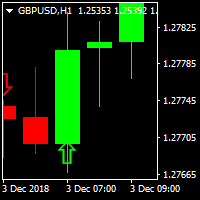
PIPs Forecast Indicator A traders perfect tool to catch big pips in the market One of its kind indcator that gets you in the game early enough
Supporting Multi-Currencies Works on all time-frames but if you're not a scalper stick to H1,H4,D1, W1 and MN for good results. Comes Pre-configured to ensure consitency Can be used alongside other indicators to avoid accumulation regions and Asian session ranges. For details, MT5 and EA questions feel free to contact me on elllykamau@gmail.com
Now with

(Currently 30% OFF)
Before reading the description of this indicator, I just want to introduce to you following concept Moving Average Line - Typical moving average which is based on one chart alone. Currency Strength Line - The moving average of a certain pair in which the strength is based on 28 pairs. Can be said as the real moving average line.
Moving Average indeed is one of the most popular indicator which almost every trader use. Currency Strength Meter is also a trend indicator which

EZT_Ichimoku_MTF
Multitimeframe Ichimoku indicator. Display up to 4 different Ichimoku on the chart. Every line of every ichimoku is customizable, you can turn off/on or choose different thickness or color. You can choose to see only the cloud in multiple ichimokus.
Optional info panel to identify the different Ichimokus. Works the same way like the original Ichimoku indicator.
Auto Open Close Magic RSI.
Auto Open Close Magic RSI , это Робот открывающий и закрывающий ордера по значениям индикатора ( RSI Magic Kjuta ). Рекомендуемый период для установок по умолчанию М15. С советником можно загрузить RSI Magic Kjuta или RSI Magic Kjuta trial . Не забыть сделать настройки такие же, как в советнике. Скриншот за прошедшие полгода. С 500$ до 16000$ 3200%.
slip=3; Проскальзывание Lots=0.2; Объем step=120; Минимальное расстояние до открытия следующего ордера Magic=123456;

Strong Scalper Pro by LataLab - scalper Expert Advisor is based on the author's formulas for analyzing volatility and the strength of price movement. This allows the flexibility to determine global and local trends in the market and their correction, to obtain the most accurate entry points. All of the basic algorithms of the adviser have passed multiple tests on historical data over the past 10 years, the principle of operation is maximally adapted to the dynamics and volatility of today's mark

What is InvisibleStopLoss? InvisibleStopLoss is a tool designed to allow the trader to hide his/her stop loss from other market participants. Unlike the usual stop loss attached to an order pernamently and visible to the broker, InvisibleStopLoss exists only on the MT4 termina l side and is visible only to the trader.
How to use it in trading?
With the help of the InvisibleStopLoss you can hide your stop order from the broker and set it up as a normal stop loss.
Additionally, InvisibleStopLos
The dashboard should help to get a quick overview of the correlations of different assets to each other. For this, the value series are compared according to the Pearson method. The result is the value of the correlation (in percent). With the new single asset mode, you can immediately see which symbols have the highest positive or negative correlation. This prevents you from accidentally taking a risk on your trades with highly correlated symbols. Usage
There are different methods for the corr

A unique author's strategy that simultaneously determines the trend reversal, entry points and estimated profit levels for each transaction. The indicator can determine entry points on any trading period, starting with the M5 chart to W1. At the same time, for the convenience of the user, an arrow is always drawn at a certain point and the recommended profit levels (Take Profit1, Take Profit2, Manual Take Profit) the Stop Loss level is also displayed.
A great advantage of the indicator Trend Sw

MARKET PREDATOR 1 --------------------------------------------------- This powerful and reliable indicator is based on a custom trend following strategy. It does not signal against the obvious trend. No fancy and clouded charts. It is a simple but powerful BUY and SELL signals indicator. It is great for Day Traders and Scalpers too. Each currency pair works better with a specific timeframe so use the recommended timeframes with their respective pairs as below:
PAIR || TIMEFRAME ==
Scalping Binary Option Pro is an arrow indicator that is completely free from repainting . Although it may work incorrectly in strategy testers, its signals remain relevant for real trading. Signals: A red arrow pointing down indicates a selling opportunity, while a green arrow pointing up indicates a buying opportunity. Settings: All you need to adjust are the colors of the signal arrows and the sound alert for signal notifications. Usage Recommendations: It is best to use the indicator on hig

This indicator allows you to analyze the hidden trends and correlations between the 8 most traded currencies via unique strength meter which creates multiple charts in a single window based on the price action of each currency in relation to all other currencies. The indicator also includes interactive panel where you can see the trends for all 28 pairs as well as the distance to the highest and the lowest price for the selected period. With this panel you can switch between currency pairs with
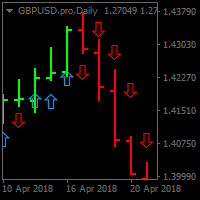
BUY SELL SIG. Utilizing unique price calculations BUY SELL SIG . generates high quality signals Now Features easy to use and Buy and Sell signals for Pro and Novice traders Supports Multi-currency Best results viewed on H1,H4 ,D1 and W1 Timeframes Supports audio alerts and notifications. No complex input parameters just notifications and the indicator style properties
As a tribute to all the "quants" and "quantums" in this market who promise to make you rich quickly and easily, my ADR Dashboard is now just $39 — until summer is over, or perhaps a little longer. It won't make you rich quick, but it gives you a perfect view of the potential trading ranges of an asset.
The intention of the dashboard is to provide a quick overview of the daily, weekly and monthly range of configured assets. In "single asset mode" the dashboard shows you possible reversal points
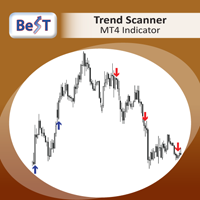
BeST_Trend Scanner is an MT4 Indicator that uses a proprietary algorithm in order to identify the most likely levels and probable moment for an upside or a downside trending price move.
BeST_Trend Scanner is a very useful tool that defines in advance and with a high statistical percentage of accuracy the subsequent Resistance & Support Levels of the anticipated upside or downside trending move of price and so
When used at its Reverse Entries Mode :
It generates Buy or Sell arrows at the ver
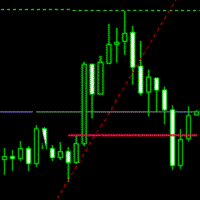
Breakout System This indicator is based on the trend line and breakthrough. Pair: EURUSD, GBPUSD. Timeframe: M15 Or H1. Input Parameters AlertsOn - alert on or off. TrendLine - show trend line. TrendLineStyle - style of trend line. UpTrendColor - color of up trend. DownTrendColor - color of down trend. ShowTakeprofit - show take profits. ShowTakeprofitStyle - style of take profit. UpperTakeprofitColor - color of up take profit. LowerTakeprofitColor - color of down take profit.

This indicator is based on the ADX indicator and gives you safe entry points.
You can customize the indicator to your needs: RISK SSP COUNTBARS
The only condition that has to be met when entering a trade is, that the arrow faces in the same direction as the Adx color candles.
Download the FREE DEMO and test it!
The Acc arrow indicator is compatible with the other part of the system; the fully FREE Adx color candles
>>>> https://www.mql5.com/en/market/product/33768
ENJOY and check ou

This is a Virtual Grid EA with positive (for traders) slippage. I recommend it for pair EURUSD. EA may be use as Rebate generator. Works ok during news and gaps (with depo >1000$). Working timeframe M1 .
Strategy The system does not use regular takeprofits and stop loss. Martingale is not used. EA use unique indicator (for open "Zero"). Monitoring (5EAs)
_ https://www.mql5.com/en/signals/508303 Parameters (one of the safest) Rebate Virtual Grid MM_Type 0 MM: 0-mi

Our strategy relies on a choppy movement on most Forex pairs during the Asian session. Most traders in London sleep when the Sun shines over the Pacific and this results to a very slow movement of GBPUSD pair between 9:00 PM GMT and 7:00 AM GMT. Buy order: Place a buy-stop order just five pip above the upper band. Place a stop loss just one pip below the lower band. Place a profit target at the upper LawnGreen Arrow. Sell order: Place a sell-stop order just five pip below the lower band. Place

Nemo Wave is a fully automated Expert Advisor with no use of martingale. It s base on Trend Averaging Strategy.
Set File : https://drive.google.com/open?id=1zZm8UgoiKEViWFJv_xCcv98HMpnWHu8W by Stunning EA ( www.stunningea.com )
General Recommendations The minimum deposit is 10,000 Cent or USD1,000, recommend pair USDJPY or any pair with JPY . Use a broker with good execution and with a spread of 1-4 points. A very fast VPS is required, preferably with a latency of no more than 10ms.
T
In statistics, Regression Channel is a approach for modelling the relationship between a scalar response (or dependent variable) and one or more explanatory variables (or independent variables).We Applied relative strength index(rsi) values to develop regression models of various degrees in order to understand relationship between Rsi and price movement. Our goal is range prediction and error reduction of Price divergence , thus we use Rsi Regression

The REVOLUTION Great Achiever FT - AUTO 1000 POINTS / 10 % ANOTHER EXCELLENT EA FOR YOU TO CONSIDER USING IT TO GROW YOUR INVESTMENT !!! THE REVOLUTION Great Achiever is suitable for the investors who want to have a simple and ready to use Expert Advisor (EA). This fixed EA Setting is modified and created from The REVOLUTION Simple Trade which has free customized Setting or Strategy Build EA which is suitable for experienced/advanced traders who have many ideas and strategies innovated system
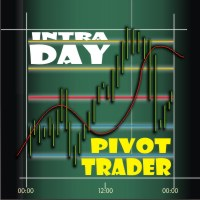
Intra Day Pivot Trader Irrespective of price fluctuations, there will always be a pivot and price will always rotate about its pivot. This EA is designed to search for daily trading opportunities ONLY WITHIN THE FIRST & SECOND PRICE LEVELS - below the Resistance Level 2 (R-2) and above the Support Level 2 (S-2). Settings Descriptions Transience - This is the period for trade decision making in the specified time frame of the price chart. Entering a Zero (0) value means that the 'said' time-fra

Piramid Machine is a tool supporting manual trading, allowing for a radical increase in profits. Principle of operation: The trader must open the first position himself. In the "Auto_size_position" mode, the robot will determine the size of the item based on the assumed risk risk "Risk_perc" and the automatically set SL level. The SL level is defined as: for position "BUY" = Lowest - V_BE_buffer, The Lowest level is defined as the lowest level of the candle number "V_BE_candles_back".
for the "

This expert advisor is based on a classic system built on few and effectiveness technical indicators. Main signal is obtained from MACD indicator, the signal is then filtered on Relative Strength Index (RSI) indicator and also a third indicator such the Stochastic oscillator. The EA also deal with Stop Loss and Take Profit levels, in order to keep risk and money management under control. Every trade is closed by trailing method, with input parameters to choice trailing stop level. System is simp

HEDGING AND TRAILING https://www.mql5.com/en/users/earobotkk/seller#products This Expert will hedge your trade position automatically. There are 2 buttons on chart for you to enter a trade. Blue button for buy entry and Red button for sell entry. It also can trail stop all hedged positions. It can also open its own trades with auto entry feature. How It Works : (1) By Clicking Button. When you found a setup, click the button (blue for buy and red for sell). Expert will immediately open a stop

The Expert Advisor builds a grid of orders at prices near support or resistance levels. Entry points are calculated by the EA using the author's algorithm and based on a variety of factors. The EA uses several time ranges for analysis. The built-in trend filter allows to make more accurate entries with a greater likelihood of closing them with profit and thus reducing the number of simultaneously open orders. All orders are closed upon reaching the expected profit. Through the use of TakeProfit

Pivots Channels Breakouts presents 16 different formulas for Pivots Levels. It draws each one of them and also draws specific channels, trend histograms, and SL/TP levels derived from them . It includes commonly used formulas as Classic, Woodie, ATR, Fibonacci, Camarilla and Demark Pivots, and also presents never seen before formulas based on the Padovan mathematical sequence. Price often reacts at Pivots levels, and at Resistances (R) and Supports (S) of these formulas. That is why a lot of tra
Time Bubble ***Specialized for GBPJPY 1H time frame***
(tested for two years with success rates about 82%)
Time Circle's smart algorithm detects the price circles with time . give strong signals at the right time as result of combine the price and time.
our team spent months to develop this indicator specially for GBPJPY ..with high success rates about 82% win trades over two years .tested from December 2016 to November 2018.
*** in last two years total signals 1012 with 829 Wins and 183 Lo

This positions risk visualization indicators, indicators allow you to clearly know price go back will be generated how much account Loss Percent. This is very useful indicator for Controlling Risk when account is open positions, attach this indicator to the chart of the open positions, this indicator will draw three Lines, the three Line of Loss Percent default value is 10% 30% 50% user can define their own Loss Percent value. Loss Percent corresponding Back Point will show in the upper
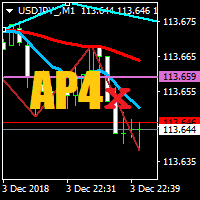
Moving Average Crossover Alert
This indicator uses two moving averages, fast MA1 and slow MA2, to indicate a change in trend or direction of movement.
You change the default MA's, one fast and one slower, to your preference.
An alert and a notification is sent once MA's cross each other. Note: you can change the default settings of the 2 moving averages.
I hope you will find this indicator very useful, as I do.

Santa Scalping is a fully automated Expert Advisor with no use of martingale. Night scalping strategy. The SMA indicator filter are used for entries. This EA can be run from very small accounts. As small as 50 EUR.
General Recommendations The minimum deposit is 50 USD, default settings reccomend for eurusd m5 gmt +2 . Please use max spread 10 if you will not have orders change it to -1. Use a broker with good execution and with a spread of 2-5 points. A very fast VPS is required, preferably w

Advisor "Orders Assistant" is designed to control the positions and orders that are opened manually by the trader. The control is performed by automatically placing TakeProfit and StopLoss orders after the position is opened by the trader, or setting a pending order and further tracking the position using the services “Transfer StopLoss to breakeven” and “Trailing Stop”.
The Expert Advisor also provides the ability to install virtual TakeProfit and StopLoss, which allows you to use scalping str

Hedge Guru is a full automated Expert Advisor that can work on all timeframes with all currencies . 1 Hour timeframe and major currencies recomended. It simply uses the combination of martingale and hedging strategies with stop loss to reduce the risk. MaximumLevel Parameter defines the point to close an order with loss.
Attention:
For targeting more profit with HEDGE GURU , using high lot size is not recommended, for targeting higher profits, HEDGE GURU should be used on multiple currencies
Introduction
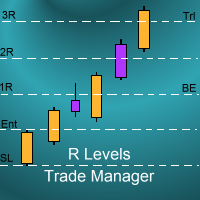
The SDS_TradeManager EA is a powerful EA designed to manage your positions once you have been filled. It basically works a break-even stop and also a trailing stop where the trigger levels and trail levels are all specified in "R's", that is to say multiples of the initial trade risk. Many successful professional traders think about all their trades and profit taking in terms of multiples of the initial risk R. So for example, if your initial risk on your trade is 50 pips and you wa
Trend Zone Break Alert
This indicator uses two trend lines, T1 and T2, to create a trend channel. You can move these trend lines anywhere on the chart in order to create your Trend Channel Zone, T1 must always be above T2.
An alert and a notification is sent once the zone has been broken.
Alert:-
If the alert is set to true, then when a candle closes above T1 or below T2 an alert will be sent.
If the alert is set to false, then when the Moving Average moves above T1 or below T2 an alert will
Horizontal Zone Break Alert
This indicator uses two horizontal lines, H1 and H2, to create a horizontal channel. You can move these horizontal lines anywhere on the chart in order to create your Horizontal Channel Zone, H1 must always be above H2. An alert and a notification is sent once the zone has been broken.
Alert:-
If the alert is set to true, then when a candle closes above H1 or below H2 an alert will be sent.
If the alert is set to false, then when the Moving Average moves above H1 o

Snake Wave Strategy: This is a Hedge expert, it relies on RSI for an entry ( Above RSILimit ;Buy, Below RSILimit ;Sell). it starts by opening the corresponding order with an ( InitialLot ) ,setting ( FixedTPSL ) as stoploss and takeprofit equally, and setting an opposite pending order based on the percentage ( DifferencePercentage ) assigned on the ( FixedTPSL ) variable and so on with multiplication of the lot using ( LotMultiplier ). Example : Ask : 1.2222 , Bid : 1.2220
First Order : Buy at 1
Hedge Expert : Its a simple Hedge technique gives you the ability to control entry points with a click of a button. When you hit Start the expert opens two orders, one buy and one sell according to the settings in the dashboard ( Lot , SL , TP). when you hit Stop, all of opened orders will be closed.
When one of the orders closed to stop loss ( i.e Buy order) the sell order will adjust its stop loss according to a variable called (SL_Adjust), setting a new stop loss at (Sl_Adjust) pips away fro
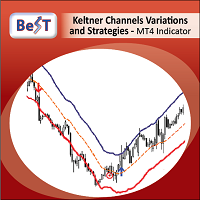
BeST_Keltner Channels Variations & Strategies is an MT4 Indicator based on the original Keltner Channels Technical Analysis Indicator and it is a very useful Visual Tool that can display in the Chart all the known Variations of Keltener Channels and also the corresponding 10 totally Strategies i.e. all ENTRY signals (BUY and SELL) and also any corresponding EXIT signal, in which the Enrty and Exit Signals are derived exclusively by using Keltner Channels Variations. Every variation of K
Индикатор RSI magic kjuta.
Пользовательский Индикатор ( RSI magic kjuta ) на основе стандартного Индикатора Силы ( Relative Strength Index, RSI ) с дополнительными настройками и функциями. К стандартной линии RSI добавлены линии максимального и минимального значения RSI на графике. Теперь можно визуально наблюдать прошедшие максимумы и минимумы RSI , а не только значения по закрытию баров, что позволяет избежать путаницы при анализе торгов. Например, советник открыл или закрыл ордер, но на
MetaTrader 마켓은 MetaTrader 플랫폼용 애플리케이션을 구입할 수 있는 편리하고 안전한 환경을 제공합니다. Strategy Tester의 테스트를 위해 터미널에서 Expert Advisor 및 인디케이터의 무료 데모 버전을 다운로드하십시오.
MQL5.community 결제 시스템을 이용해 성능을 모니터링하고 원하는 제품에 대해 결제할 수 있도록 다양한 모드로 애플리케이션을 테스트할 수 있습니다.
