ChartWall
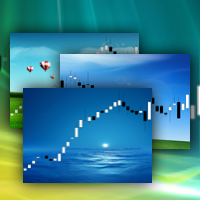
FREE
Yayınlandı:
18 Nisan 2013
Mevcut sürüm:
2.3
Uygun bir robot bulamadınız mı?
Freelance üzerinden kendi
robotunuzu sipariş edin
Freelance'e git
Freelance üzerinden kendi
robotunuzu sipariş edin
Bir alım-satım robotu veya gösterge nasıl satın alınır?
Uzman Danışmanınızı
sanal sunucuda çalıştırın
sanal sunucuda çalıştırın
Satın almadan önce göstergeyi/alım-satım robotunu test edin
Mağazada kazanç sağlamak ister misiniz?
Satış için bir ürün nasıl sunulur?

Alım-satım fırsatlarını kaçırıyorsunuz:
- Ücretsiz alım-satım uygulamaları
- İşlem kopyalama için 8.000'den fazla sinyal
- Finansal piyasaları keşfetmek için ekonomik haberler
Kayıt
Giriş yap
Web sitesi politikasını ve kullanım şartlarını kabul edersiniz
Hesabınız yoksa, lütfen kaydolun
Unfortunately unable to show period separators (CTRL+Y) after loading the background photo.
ChartWall for MT5 is discussed here.
In MT4, period separators are not displayed above the background image and this is MT4 problem.
ChartWall for MT5 is discussed here.
In MT4, period separators are not displayed above the background image and this is MT4 problem.
So please add the ability to disable the indicator by itself to see the period separators and enable it again when needed, without the obligation to delete the indicator.
Kind Regards...
it do not work guys mt5
ChartWall works. If you have problem, then provide more information: expert and terminal logs, screenshots, etc, so that I can help you.
You can write to PM.
how can I automatically change the background photo ? I already change the frequency but it don't change the photo
Look at the logs.
Image files are loaded from the folder where the current image is loaded from. The interval is set in minutes.
Look at the logs.
Image files are loaded from the folder where the current image is loaded from. The interval is set in minutes.
hi, thanks for reply, if I put 2 in the frequency, the indicator will put 2 images per minute or will change the image in 2 minutes ?
Images will change in 2 minutes.
It does not give me the option to open images.
It does not give me the option to open images.
Where do I find the folder to drop the graphic files in. Can't find it in metatrader folder.
Where do I find the folder to drop the graphic files in. Can't find it in metatrader folder.
Press Ctrl+Shift+D in MT5. Next, open the MQL5\Files folder. This is the local folder of the terminal. It is called "Local" in ChartWall.
Thank you for this. Is there a file size limit to ChartWall? My High Res JPG's won't load, but a 21kb logo will display just fine.
There are no restrictions on the size of the picture. Look at the expert logs. Perhaps a specific jpg is not supported, try another one. Or convert jpg to bmp.