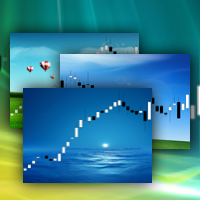
ChartWall
FREE
Veröffentlicht:
18 April 2013
Aktuelle Version:
2.3
Keinen passenden Roboter gefunden?
Geben Sie Ihren Eigenen in Auftrag
auf Freelance!
Gehen Sie zu Freelance
Geben Sie Ihren Eigenen in Auftrag
auf Freelance!
Wie man einen Roboter oder Indikator kaufen kann
Starte Deinen EA im
Virtual Hosting
Virtual Hosting
Teste einen Indikator/Roboter vor dem Kauf
Möchtest Du Geld im Market verdienen?
Wie man Produkte richtig präsentiert

Sie verpassen Handelsmöglichkeiten:
- Freie Handelsapplikationen
- Über 8.000 Signale zum Kopieren
- Wirtschaftsnachrichten für die Lage an den Finanzmärkte
Registrierung
Einloggen
Sie stimmen der Website-Richtlinie und den Nutzungsbedingungen zu.
Wenn Sie kein Benutzerkonto haben, registrieren Sie sich
Unfortunately unable to show period separators (CTRL+Y) after loading the background photo.
ChartWall for MT5 is discussed here.
In MT4, period separators are not displayed above the background image and this is MT4 problem.
ChartWall for MT5 is discussed here.
In MT4, period separators are not displayed above the background image and this is MT4 problem.
So please add the ability to disable the indicator by itself to see the period separators and enable it again when needed, without the obligation to delete the indicator.
Kind Regards...
it do not work guys mt5
ChartWall works. If you have problem, then provide more information: expert and terminal logs, screenshots, etc, so that I can help you.
You can write to PM.
how can I automatically change the background photo ? I already change the frequency but it don't change the photo
Look at the logs.
Image files are loaded from the folder where the current image is loaded from. The interval is set in minutes.
Look at the logs.
Image files are loaded from the folder where the current image is loaded from. The interval is set in minutes.
hi, thanks for reply, if I put 2 in the frequency, the indicator will put 2 images per minute or will change the image in 2 minutes ?
Images will change in 2 minutes.
It does not give me the option to open images.
It does not give me the option to open images.
Where do I find the folder to drop the graphic files in. Can't find it in metatrader folder.
Where do I find the folder to drop the graphic files in. Can't find it in metatrader folder.
Press Ctrl+Shift+D in MT5. Next, open the MQL5\Files folder. This is the local folder of the terminal. It is called "Local" in ChartWall.
Thank you for this. Is there a file size limit to ChartWall? My High Res JPG's won't load, but a 21kb logo will display just fine.
There are no restrictions on the size of the picture. Look at the expert logs. Perhaps a specific jpg is not supported, try another one. Or convert jpg to bmp.