ChartWall
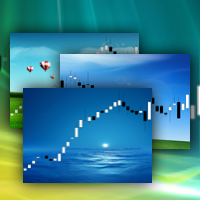
FREE
Yayınlandı:
18 Nisan 2013
Mevcut sürüm:
2.3
Uygun bir robot bulamadınız mı?
Freelance üzerinden kendi
robotunuzu sipariş edin
Freelance'e git
Freelance üzerinden kendi
robotunuzu sipariş edin
Bir alım-satım robotu veya gösterge nasıl satın alınır?
Uzman Danışmanınızı
sanal sunucuda çalıştırın
sanal sunucuda çalıştırın
Satın almadan önce göstergeyi/alım-satım robotunu test edin
Mağazada kazanç sağlamak ister misiniz?
Satış için bir ürün nasıl sunulur?

Alım-satım fırsatlarını kaçırıyorsunuz:
- Ücretsiz alım-satım uygulamaları
- İşlem kopyalama için 8.000'den fazla sinyal
- Finansal piyasaları keşfetmek için ekonomik haberler
Kayıt
Giriş yap
Web sitesi politikasını ve kullanım şartlarını kabul edersiniz
Hesabınız yoksa, lütfen kaydolun
This is Not working in Metatrader 5
Hello,
I have installed the Chart Wall, but the following message appears on "Experts" tab:
Thank you & Congratulations!
gifs please ! hehe
:)
It doesn't work on updated MT5.
Can you solve the problem?
It doesn't work on updated MT5.
Can you solve the problem?
See expert logs and teminal, there is solution.
Ok, but I can't open it in Meta Editor.
How to recompile it???
Ok, but I can't open it in Meta Editor.
How to recompile it???
Yuri,
I appreciate your effort to give us a free tool, but this thing is pretty unusable.
Installation is completely random (it works 1/5).
Popups (OHLC, indicators levels, etc.) are now unavailable.
I can't change the wallpaper or remove the app, I have to reset the chart to default and redo everything.
If you could fix those bugs, this tool can be very useful; it's not just a matter of appearance, with the right wallpaper the chart becomes much clearer to read.
Yuri,
I appreciate your effort to give us a free tool, but this thing is pretty unusable.
Installation is completely random (it works 1/5).
Popups (OHLC, indicators levels, etc.) are now unavailable.
I can't change the wallpaper or remove the app, I have to reset the chart to default and redo everything.
If you could fix those bugs, this tool can be very useful; it's not just a matter of appearance, with the right wallpaper the chart becomes much clearer to read.
Look carefully the video in the product description. Maybe you can do it.
:)
Maybe you have to test it carefully.
It worked only at fifth or sixth installation attempt.
To see the popups you have to delete the app from indicators list (so basically you can't use it).
Try to fix those bugs.
P.s.
I missed the invisible thing in the left corner.
Ok, but why can't we change wallpapers inside the app?
Ok, but why can't we change wallpapers inside the app?