In MT4, period separators are not displayed above the background image and this is MT4 problem.
So please add the ability to disable the indicator by itself to see the period separators and enable it again when needed, without the obligation to delete the indicator. Kind Regards...
luizfeliperulka2 #: hi, thanks for reply, if I put 2 in the frequency, the indicator will put 2 images per minute or will change the image in 2 minutes ?
Read the description of the program carefully and watch the video carefully. It says and shows how to install and change the picture. The description says where you need to post your pictures.
sergiorediaz #: Thank you for this. Is there a file size limit to ChartWall? My High Res JPG's won't load, but a 21kb logo will display just fine.
There are no restrictions on the size of the picture. Look at the expert logs. Perhaps a specific jpg is not supported, try another one. Or convert jpg to bmp.
Hey there, I see that while some systems are beneficial for many, they don't suit everyone. Misuse or poor risk management can lead to confusion or even harm your account. As an experienced buyer, I recommend this system offering good profits and low drawdown. Importantly, it has an audited account. I've attached the file given by the author.
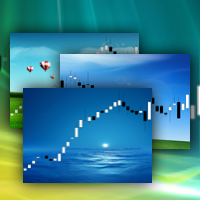

Unfortunately unable to show period separators (CTRL+Y) after loading the background photo.
ChartWall for MT5 is discussed here.
In MT4, period separators are not displayed above the background image and this is MT4 problem.
ChartWall for MT5 is discussed here.
In MT4, period separators are not displayed above the background image and this is MT4 problem.
So please add the ability to disable the indicator by itself to see the period separators and enable it again when needed, without the obligation to delete the indicator.
Kind Regards...
it do not work guys mt5
ChartWall works. If you have problem, then provide more information: expert and terminal logs, screenshots, etc, so that I can help you.
You can write to PM.
how can I automatically change the background photo ? I already change the frequency but it don't change the photo
Look at the logs.
Image files are loaded from the folder where the current image is loaded from. The interval is set in minutes.
Look at the logs.
Image files are loaded from the folder where the current image is loaded from. The interval is set in minutes.
hi, thanks for reply, if I put 2 in the frequency, the indicator will put 2 images per minute or will change the image in 2 minutes ?
Images will change in 2 minutes.
It does not give me the option to open images.
It does not give me the option to open images.
Where do I find the folder to drop the graphic files in. Can't find it in metatrader folder.
Where do I find the folder to drop the graphic files in. Can't find it in metatrader folder.
Press Ctrl+Shift+D in MT5. Next, open the MQL5\Files folder. This is the local folder of the terminal. It is called "Local" in ChartWall.
Thank you for this. Is there a file size limit to ChartWall? My High Res JPG's won't load, but a 21kb logo will display just fine.
There are no restrictions on the size of the picture. Look at the expert logs. Perhaps a specific jpg is not supported, try another one. Or convert jpg to bmp.