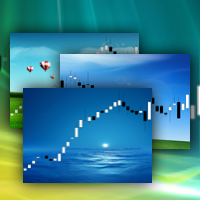
ChartWall
FREE
Veröffentlicht:
18 April 2013
Aktuelle Version:
2.3
Keinen passenden Roboter gefunden?
Geben Sie Ihren Eigenen in Auftrag
auf Freelance!
Gehen Sie zu Freelance
Geben Sie Ihren Eigenen in Auftrag
auf Freelance!
Wie man einen Roboter oder Indikator kaufen kann
Starte Deinen EA im
Virtual Hosting
Virtual Hosting
Teste einen Indikator/Roboter vor dem Kauf
Möchtest Du Geld im Market verdienen?
Wie man Produkte richtig präsentiert

Sie verpassen Handelsmöglichkeiten:
- Freie Handelsapplikationen
- Über 8.000 Signale zum Kopieren
- Wirtschaftsnachrichten für die Lage an den Finanzmärkte
Registrierung
Einloggen
Sie stimmen der Website-Richtlinie und den Nutzungsbedingungen zu.
Wenn Sie kein Benutzerkonto haben, registrieren Sie sich
This is Not working in Metatrader 5
Hello,
I have installed the Chart Wall, but the following message appears on "Experts" tab:
Thank you & Congratulations!
gifs please ! hehe
:)
It doesn't work on updated MT5.
Can you solve the problem?
It doesn't work on updated MT5.
Can you solve the problem?
See expert logs and teminal, there is solution.
Ok, but I can't open it in Meta Editor.
How to recompile it???
Ok, but I can't open it in Meta Editor.
How to recompile it???
Yuri,
I appreciate your effort to give us a free tool, but this thing is pretty unusable.
Installation is completely random (it works 1/5).
Popups (OHLC, indicators levels, etc.) are now unavailable.
I can't change the wallpaper or remove the app, I have to reset the chart to default and redo everything.
If you could fix those bugs, this tool can be very useful; it's not just a matter of appearance, with the right wallpaper the chart becomes much clearer to read.
Yuri,
I appreciate your effort to give us a free tool, but this thing is pretty unusable.
Installation is completely random (it works 1/5).
Popups (OHLC, indicators levels, etc.) are now unavailable.
I can't change the wallpaper or remove the app, I have to reset the chart to default and redo everything.
If you could fix those bugs, this tool can be very useful; it's not just a matter of appearance, with the right wallpaper the chart becomes much clearer to read.
Look carefully the video in the product description. Maybe you can do it.
:)
Maybe you have to test it carefully.
It worked only at fifth or sixth installation attempt.
To see the popups you have to delete the app from indicators list (so basically you can't use it).
Try to fix those bugs.
P.s.
I missed the invisible thing in the left corner.
Ok, but why can't we change wallpapers inside the app?
Ok, but why can't we change wallpapers inside the app?