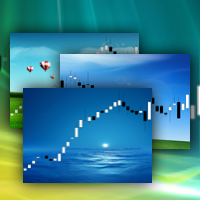
ChartWall
FREE
Publié:
18 avril 2013
Version actuelle:
2.3
Vous ne trouvez aucun robot qui vous convient ?
Commandez le vôtre
dans la section Freelance
Aller à la section Freelance
Commandez le vôtre
dans la section Freelance
Comment acheter un robot de trading ou un indicateur
Exécutez votre EA sur
hébergement virtuel
hébergement virtuel
Test un indicateur/robot de trading avant d'acheter
Vous voulez gagner de l'argent sur Market ?
Comment présenter un produit pour qu'il se vende bien

Vous manquez des opportunités de trading :
- Applications de trading gratuites
- Plus de 8 000 signaux à copier
- Actualités économiques pour explorer les marchés financiers
Inscription
Se connecter
Vous acceptez la politique du site Web et les conditions d'utilisation
Si vous n'avez pas de compte, veuillez vous inscrire
This is Not working in Metatrader 5
Hello,
I have installed the Chart Wall, but the following message appears on "Experts" tab:
Thank you & Congratulations!
gifs please ! hehe
:)
It doesn't work on updated MT5.
Can you solve the problem?
It doesn't work on updated MT5.
Can you solve the problem?
See expert logs and teminal, there is solution.
Ok, but I can't open it in Meta Editor.
How to recompile it???
Ok, but I can't open it in Meta Editor.
How to recompile it???
Yuri,
I appreciate your effort to give us a free tool, but this thing is pretty unusable.
Installation is completely random (it works 1/5).
Popups (OHLC, indicators levels, etc.) are now unavailable.
I can't change the wallpaper or remove the app, I have to reset the chart to default and redo everything.
If you could fix those bugs, this tool can be very useful; it's not just a matter of appearance, with the right wallpaper the chart becomes much clearer to read.
Yuri,
I appreciate your effort to give us a free tool, but this thing is pretty unusable.
Installation is completely random (it works 1/5).
Popups (OHLC, indicators levels, etc.) are now unavailable.
I can't change the wallpaper or remove the app, I have to reset the chart to default and redo everything.
If you could fix those bugs, this tool can be very useful; it's not just a matter of appearance, with the right wallpaper the chart becomes much clearer to read.
Look carefully the video in the product description. Maybe you can do it.
:)
Maybe you have to test it carefully.
It worked only at fifth or sixth installation attempt.
To see the popups you have to delete the app from indicators list (so basically you can't use it).
Try to fix those bugs.
P.s.
I missed the invisible thing in the left corner.
Ok, but why can't we change wallpapers inside the app?
Ok, but why can't we change wallpapers inside the app?