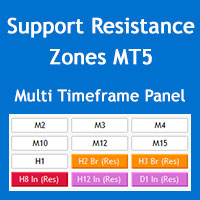
Multi Timeframe Support and Resistance Zones MT5
60 USD
Demo indirildi:
146
Yayınlandı:
28 Mayıs 2022
Mevcut sürüm:
4.2
Uygun bir robot bulamadınız mı?
Freelance üzerinden kendi
robotunuzu sipariş edin
Freelance'e git
Freelance üzerinden kendi
robotunuzu sipariş edin
Bir alım-satım robotu veya gösterge nasıl satın alınır?
Uzman Danışmanınızı
sanal sunucuda çalıştırın
sanal sunucuda çalıştırın
Satın almadan önce göstergeyi/alım-satım robotunu test edin
Mağazada kazanç sağlamak ister misiniz?
Satış için bir ürün nasıl sunulur?

Alım-satım fırsatlarını kaçırıyorsunuz:
- Ücretsiz alım-satım uygulamaları
- İşlem kopyalama için 8.000'den fazla sinyal
- Finansal piyasaları keşfetmek için ekonomik haberler
Kayıt
Giriş yap
Web sitesi politikasını ve kullanım şartlarını kabul edersiniz
Hesabınız yoksa, lütfen kaydolun
hi bro. I can not drag the window indicator. how to drag made window bigger. and how to hire the
hi bro. I can not drag the window indicator. how to drag made window bigger. and how to hire the text of indicator on the chat. thanks
hi bro. I can not drag the window indicator. how to drag made window bigger. and how to hire the text of indicator on the chat. thanks
Hi Beoneone, you can minimize the panel but you can't drag it or change its font size, unfortunately MQL programming doesn't have the enough flexibility for this.
The panel should look like the image below, perhaps you have increased the size of the fonts through the Windows OS settings.
You can hide the info text through "Show parameters info on chart" parameter in the "S/R Zones Drawing Settings" section of the indicator settings.
Regards
Hi Beoneone, you can minimize the panel but you can't drag it or change its font size, unfortunately MQL programming doesn't have the enough flexibility for this.
The panel should look like the image below, perhaps you have increased the size of the fonts through the Windows OS settings.
You can hide the info text through "Show parameters info on chart" parameter in the "S/R Zones Drawing Settings" section of the indicator settings.
Regards
thanks for your support.