Multi Timeframe Support and Resistance Zones MT5
60 USD
ダウンロードされたデモ:
146
パブリッシュ済み:
28 5月 2022
現在のバージョン:
4.2
Didn't find a suitable robot?
Order your own one
on Freelance
フリーランスにアクセス
Order your own one
on Freelance

取引の機会を逃しています。
- 無料取引アプリ
- 8千を超えるシグナルをコピー
- 金融ニュースで金融マーケットを探索
hi bro. I can not drag the window indicator. how to drag made window bigger. and how to hire the
hi bro. I can not drag the window indicator. how to drag made window bigger. and how to hire the text of indicator on the chat. thanks
hi bro. I can not drag the window indicator. how to drag made window bigger. and how to hire the text of indicator on the chat. thanks
Hi Beoneone, you can minimize the panel but you can't drag it or change its font size, unfortunately MQL programming doesn't have the enough flexibility for this.
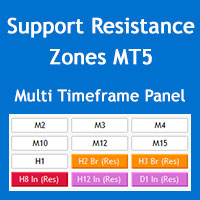
The panel should look like the image below, perhaps you have increased the size of the fonts through the Windows OS settings.
You can hide the info text through "Show parameters info on chart" parameter in the "S/R Zones Drawing Settings" section of the indicator settings.
Regards
Hi Beoneone, you can minimize the panel but you can't drag it or change its font size, unfortunately MQL programming doesn't have the enough flexibility for this.
The panel should look like the image below, perhaps you have increased the size of the fonts through the Windows OS settings.
You can hide the info text through "Show parameters info on chart" parameter in the "S/R Zones Drawing Settings" section of the indicator settings.
Regards
thanks for your support.