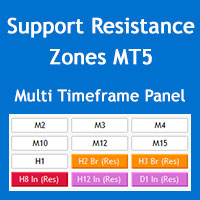
Multi Timeframe Support and Resistance Zones MT5
60 USD
Demo downloaded:
147
Published:
28 May 2022
Current version:
4.2
Didn't find a suitable robot?
Order your own one
on Freelance
Go to Freelance
Order your own one
on Freelance
How to buy а trading robot or an indicator
Run your EA on
virtual hosting
virtual hosting
Test аn indicator/trading robot before buying
Want to earn in the Market?
How to present a product for a sell-through

You are missing trading opportunities:
- Free trading apps
- Over 8,000 signals for copying
- Economic news for exploring financial markets
Registration
Log in
You agree to website policy and terms of use
If you do not have an account, please register
hi bro. I can not drag the window indicator. how to drag made window bigger. and how to hire the
hi bro. I can not drag the window indicator. how to drag made window bigger. and how to hire the text of indicator on the chat. thanks
hi bro. I can not drag the window indicator. how to drag made window bigger. and how to hire the text of indicator on the chat. thanks
Hi Beoneone, you can minimize the panel but you can't drag it or change its font size, unfortunately MQL programming doesn't have the enough flexibility for this.
The panel should look like the image below, perhaps you have increased the size of the fonts through the Windows OS settings.
You can hide the info text through "Show parameters info on chart" parameter in the "S/R Zones Drawing Settings" section of the indicator settings.
Regards
Hi Beoneone, you can minimize the panel but you can't drag it or change its font size, unfortunately MQL programming doesn't have the enough flexibility for this.
The panel should look like the image below, perhaps you have increased the size of the fonts through the Windows OS settings.
You can hide the info text through "Show parameters info on chart" parameter in the "S/R Zones Drawing Settings" section of the indicator settings.
Regards
thanks for your support.